

Not enough mana, icon is blue.

Cooldown timer
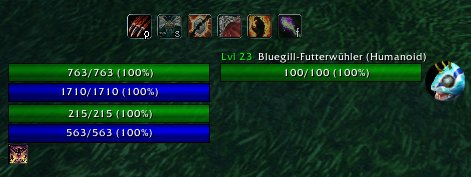
Use Combo Cast with custom unit frames
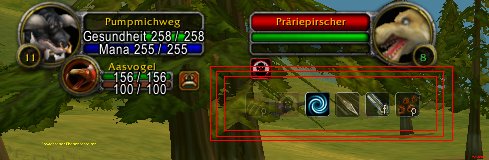
Spell order with six elements
Description
With patch 2.0 Blizzard introduced their secure templates. I would have to place somewhere on the screen a button which you have to click each time to cast a spell. This is a bad solution. For the moment Combo Cast is out of order.
ComboCast
=========
If you have selected a target, this script enables you to setup a spell order for the attack.
Go to the key binding dialog from WoW and bind three new keys:
"Cast spell" - cast current spell (if possible) and move on to the next
"Force next spell" - ignore current spell and move on the next.
"Force previous spell" - go to previous spell in the sequence
Usage:
/combo slotid slotid slotid ...
Where slotid is a number which refers to one of your spells in the actionbar:
Actionbar 1 Buttons -> ID 1 - 12 (from left to right) (Warrior and Druid are special, see below)
Actionbar 2 Buttons -> ID 13 - 24 (from left to right)
Actionbar 3 Buttons -> ID 25 - 36 (from left to right)
Actionbar 4 Buttons -> ID 37 - 48 (from left to right)
Actionbar 5 Buttons -> ID 49 - 60 (from left to right)
Actionbar 6 Buttons -> ID 61 - 72 (from left to right)
Pet Actionbar Buttons -> ID 1 - 10 (from left to right)
(you have to append a "p", see below)
By default, the script will enable your new "Cast spell" key only if the the target is in range for the current spell and you have enough mana and the spell is cooled down.
You can fine tune this behaviour, if you append some special characters to a slotid (you can append more than one character, e.g. 2fn, 3pn, 2fp, 8pnf, 3WD, 4WDLfs):
"b" -> skip if this (de)buff is already active on target.
"B" -> skip if this (de)buff is already active on player.
"cx" -> for rogue only, x stands for a number between 1-5. Waits until you have 'x' combopoints and selects then next spell. If no 'x' given then it waits until you have 5 combopoints. See rogue description below for some details.
"f" -> stay at this spell forever, use your "force move" keys to go to the next/previous spell
"jx" -> x stand for a number between 2-9. After cast, jumps x spells forward in the sequence. Use negative numbers to jump backward in the sequence.
"n" -> do not check range and mana requirements
"p" -> the given slotid refers to your pet action bar
"s" -> allows the script to skip this spell if not ready. Next spell in the chain is then executed (if possible). If next spell is also marked with "s" and not ready, the script goes on to the next etc.
"v" -> spell is skipped if not in stealth mode (Prowl, Shadowmeld, Vanish, Stealth), see example below.
"txxx" -> xxx stands for number between 1-999. This option force a time wait on this spell. The Spell can not be used until xx tenth of seconds have passed. Timer has yellow color.
"D" -> spell only available if target is a 'Druid'
"H" -> spell only available if target is a 'Hunter'
"I" -> spell only available if target is a 'Paladin'
"L" -> spell only available if target is a 'Warlock'
"M" -> spell only available if target is a 'Mage'
"P" -> spell only available if target is a 'Priest'
"R" -> spell only available if target is a 'Rogue'
"S" -> spell only available if target is a 'Shaman'
"W" -> spell only available if target is a 'Warrior'
"C" -> spell only available if target use Mana
"N" -> spell only available if target NOT use Mana
"O" -> spell only available if target is a humanoid.
"X" -> spell only available if target is NOT a humanoid.
">hxx" -> xx is a number between 1-99, spell can be casted as long as target health is above xx%, otherwise skips to next spell
"<hxx" -> xx is a number between 1-99, spell can be casted as long as target health is below xx%, otherwise skips to next spell
">mxx" -> xx is a number > 1, spell available if your mana above xx, otherwise skips to next spell
"<mxx" -> xx is a number > 1, spell available if your mana below xx, otherwise skips to next spell
">rxx" -> xx is a number > 1, spell available if your rage above xx, otherwise skips to next spell
"<rxx" -> xx is a number > 1, spell available if your rage below xx, otherwise skips to next spell
">exx" -> xx is a number > 1, spell available if your energy above xx, otherwise skips to next spell
"<exx" -> xx is a number > 1, spell available if your energy below xx,
'!' - cast this spell and the the next spell. The first spell HAVE TO BE one which does not trigger global cooldown (eg. Presence of Mind), the next spell could be anything (see below for an example).
Enter "/combo help" to list a summary of the special characters.
Melee weapons seems to be always in range. You have to experiment with your spell set. The script aborts if the last spell is cast or when you deselect your target.
If the icon is blue, it means you have not enough mana for current spell. If it is red, it usually means you are out of range or casting another spell.
A cooldown timer shows how long current spell takes to cooldown. It is color coded: green means you are in range, red means you are out of range. You can disable/enable display of this timer via '/combo cooldowntimer on/off'.
If you append the word "save" at the end of the combo command, the script automatically execute your last combo command when you selected a new target. To clear your last saved command, just enter "/combo" or enter a combo command without the word "save".
To loop the sequence, append the word "loop" at the end of the combo command.
The icons are movable. Drag one to move all. You can lock them with via '/combo lock' and unlock via '/combo unlock'. Enter '/combo status' to see current status (locked/unlocked).
Examples:
/combo 1 13 1n 2f save
This casts the left most spell on the actionbar 1, then the left most spell on the actionbar 2, and again spell 1 from actionbar 1 without checking range or mana requirements. After that, it cast spell 2 from actionbar 1 until the target is dead. If you selected a new target, this combo command is automatically executed.
/combo 1
Stay at spell 1 until you have 50 rage. Then it skips automatically to spell 2.
/combo 1vf ...
Assuming your stealth/backstab opening skill is in slot 1, this combo will stay at this skill until you exit stealth mode. What this means is that if you are stealthed, you can rapidly hit your ComboCast button and attempt to do an opener. If you're not behind your target, you'll just get a bunch of "You must be behind your target" message spam.
/combo 1! 2
If 1 is Presence of Mind and 2 is fireball, then this will cast an instant fireball with a single click. Works because Presence of Mind does not trigger global cooldown. Only assign the '!' to spells which does not trigger global cooldown. You can also try /combo 1!s 2 to just cast a fireball as usual if Presence of Mind has not yet cooled down. You can also chain multiple '!'.
/combo 20sj3 21sj2 22s 25
Advanced example, how to do an 'or' expression. Casts spell 20 or 21 or 22 and skips then to spell 25.
If you play a warrior, druid or rogue things get a little bit more complicated:
Warrior
=====
ActionBar 1 Buttons are special, depending on your stance they have different ID's:
Stance 1: 73 - 84
Stance 2: 85 - 96
Stance 3: 97 - 108
ActionBar 2 - 6 have ID's 13 - 72
Druid
====
ActionBar 1 Buttons are special, depending on your shape they have different ID's:
Cat: 73 - 78
Bear: 97 - 108
ActionBar 2 - 6 have ID's 13 - 72
Rogue
====
ActionBar 1 Buttons are special. If your are in stealth mode they have different ID's:
Stealth: 73 - 84
ActionBar 2 - 6 have ID's 13 - 72
The rogue 'c'-flag has some limitations:
* * While you have equal or more combopoints as required by the 'c'-flag, you can not go back in the sequence beyond the spell with the 'c'-flag.
* Next spell cannot have 's'-flag.
* Next one is difficult to explain. Lets look at this example '/combo 2c 3 2c 3'. Spell 2 is used to get combo points, spell 3 needs five combopoints for max damage. The second 2c spell is skipped because it takes some time until your combopoints are used from the first spell 3. To avoid this you can include a timer: '/combo 2c 3 2ct1 3'. In case this not clear, just use another spell between or use only one 'c'-flaged spell in your sequence.
The Combo Cast Team
