• Browse
    Browse all (125)
    • iconMinecraft
    • iconThe Sims 4
    • iconWorld of Warcraft
    • iconMinecraft Bedrock
    • iconArk Survival Ascended
    • iconHytale
    • iconinZOI
    • iconStarCraft II
    • iconKerbal Space Program
    • iconStardew Valley
    • iconAmerican Truck Simulator
    • iconHogwarts Legacy
    • iconTerraria
    • iconWildStar
    • iconPalworld
    • iconWorld of Tanks
    • iconRunes of Magic
    • iconRift
  • Create
    MOD AUTHORS
    • Become an Author
    • Start a Project
    • Project Submission Guide
    MODDING TOOL DEVELOPERS
    • Apply for an API Key
    • Documentation
    • Terms & Conditions
    SOCIAL
    • Join Our Discord!
    • Authors Discord
  • Studios
    GAME DEVELOPERS
    • Unlock Modding for Your Game
    • Documentation
  • Help Center
  • Our Blog
  • Follow Us
    • Discord
    • Instagram
    • Reddit
    • TikTok
    • Twitter / X
    • YouTube
  • Surprise Me
  • Legacy
  • Go Premium
  • Get CurseForge App
Live long & prosper
DiscoverBrowse All
  • World of Warcraft
  • Addons
ProfileManager logo

ProfileManager

  • By
    LanaibaLanaiba
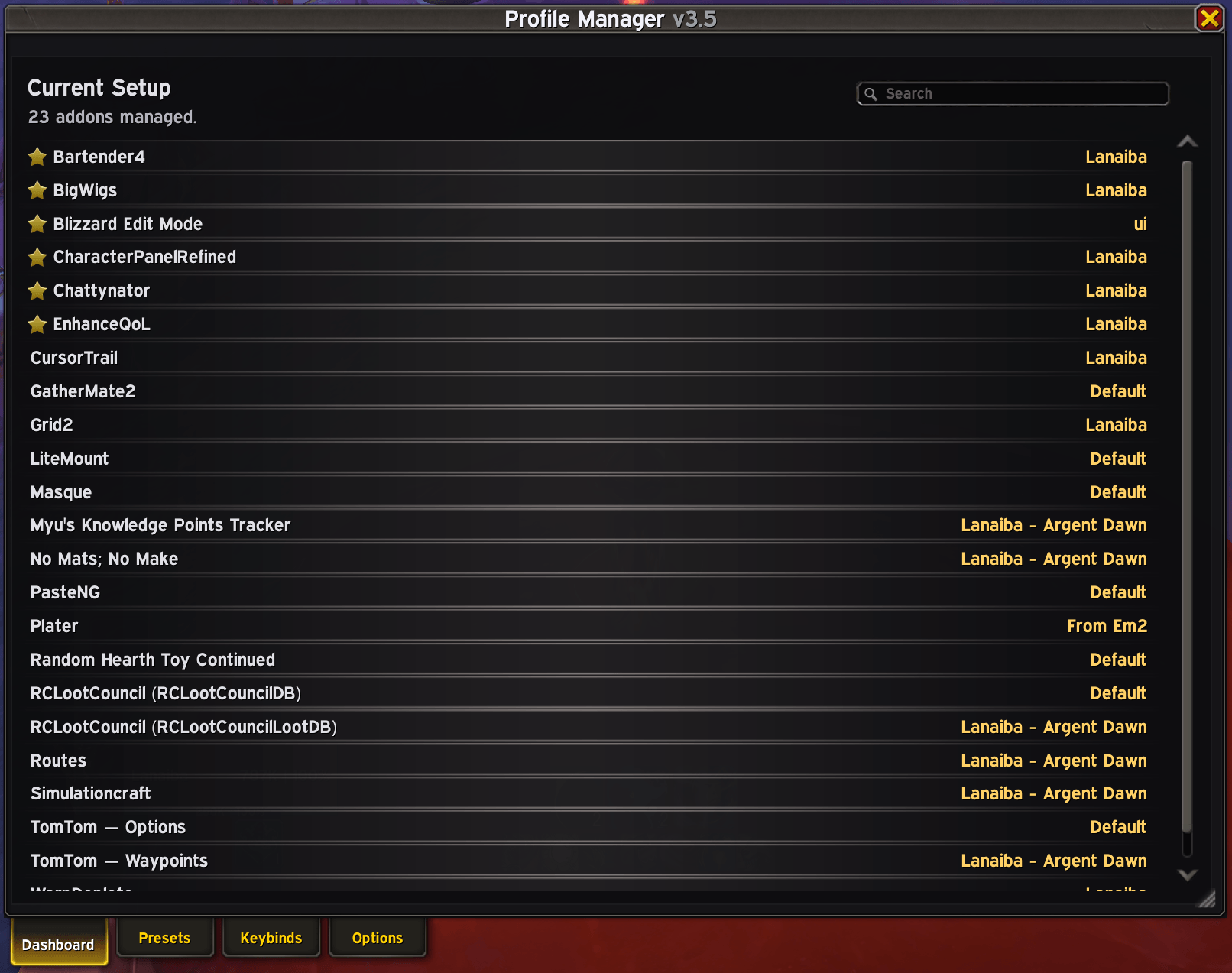
Synchronize, manage, and instantly switch addon profiles across your entire UI from one centralized interface.
Total Downloads
5.4K
Last Update
Jun 16, 2026

ProfileManager

Details

Downloads
5,475
Created
4 months ago
Updated
14 days ago
Project ID
1452377
License
All Rights Reserved

Flavors

  • Retail

Class & Categories

  • Addons
  • Chat & Communication
  • Buffs & Debuffs
  • Action Bars
  • Unit Frames
  • Miscellaneous

informative placeholder

Game Versions

    12.0.712.0.512.0.112.0.0

Main File

12.0.7

ProfileManager_v3_2.zip
Latest release
  • R
  • Retail
  • Jun 16, 2026

Recent FilesView all

WoW Retail

ProfileManager_v3_2.zip
Latest release
  • R
  • Retail
  • Jun 16, 2026

  • Description
  • Comments (25)
  • Files
  • Gallery (7)
  • Relations
  • Thumbnail Main tab

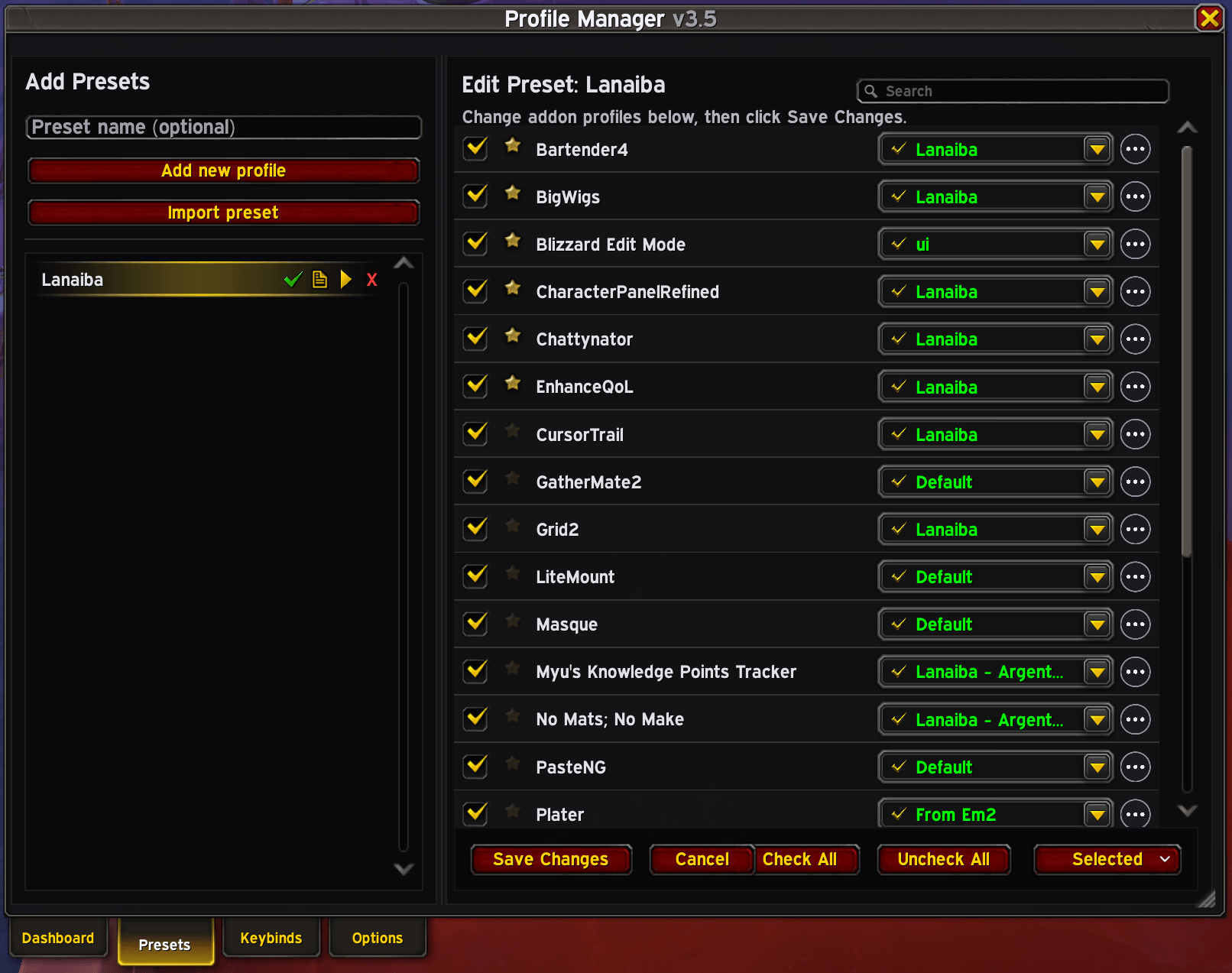
    Main tab

  • Thumbnail Options.png

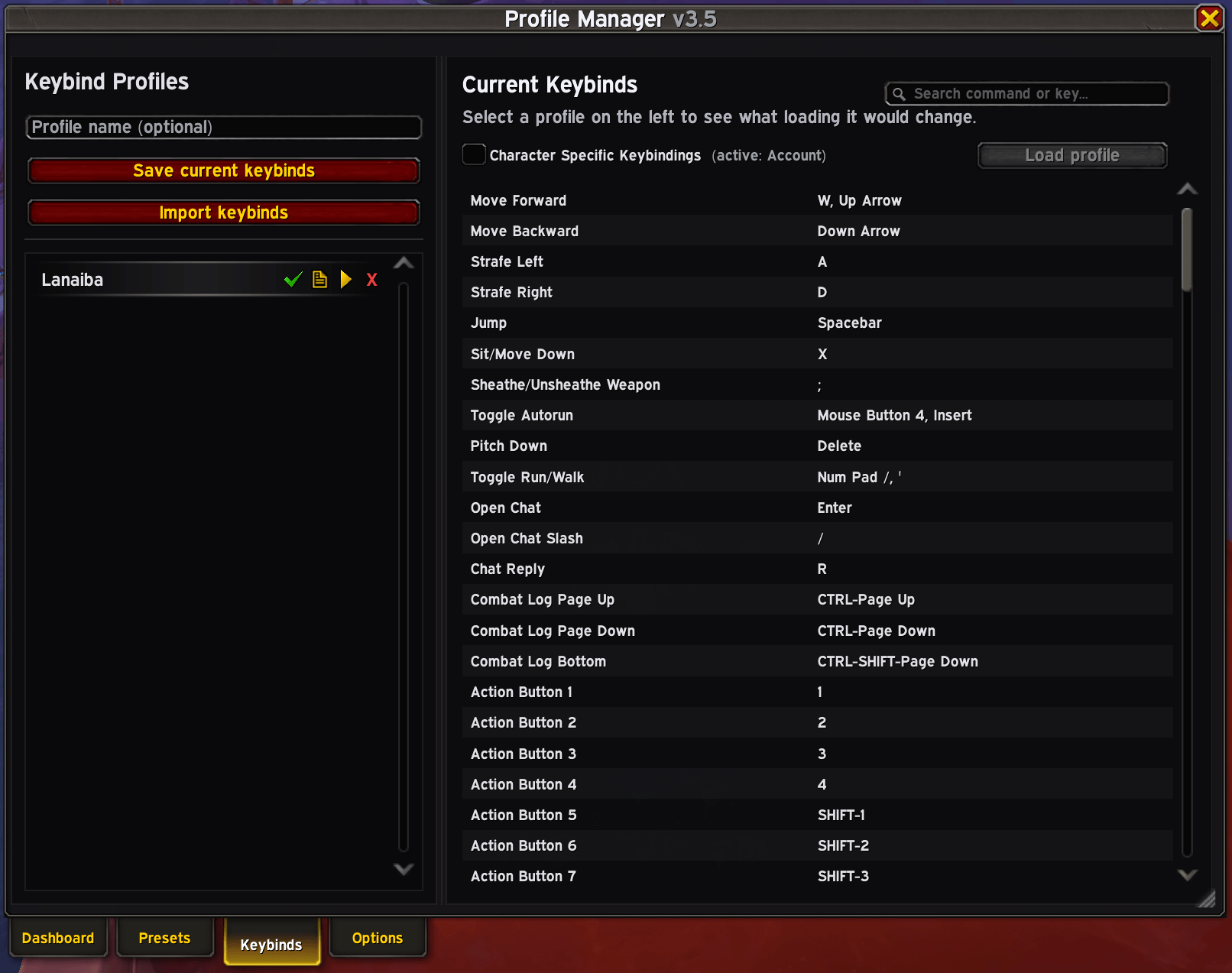
    Options.png

  • Thumbnail When importing a preset it shows a list of addons from that preset. Import one-by-one or skip what you don't need/want
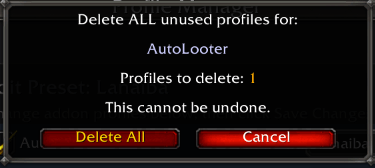
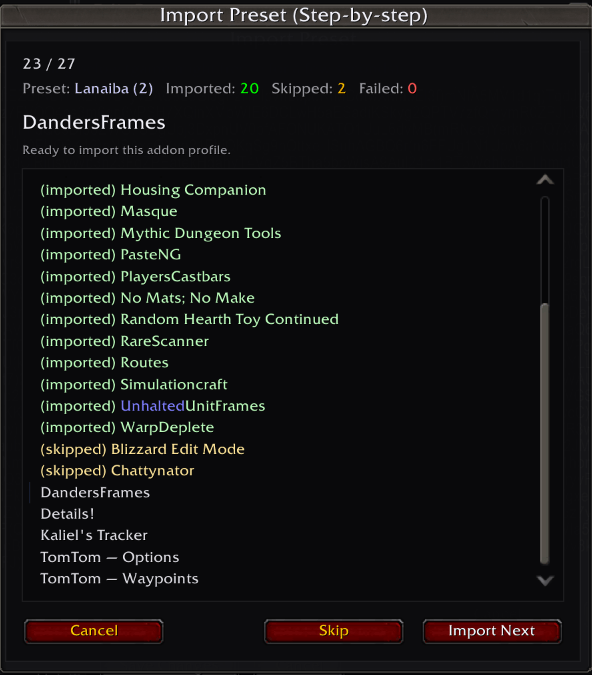
    When importing a preset it shows a list of addons from that preset. Import one-by-one or skip what you don't need/want

  • Thumbnail With "Del All Unused" button from right panel you can delete all unused (not current, not used on any preset) profiles per addon.
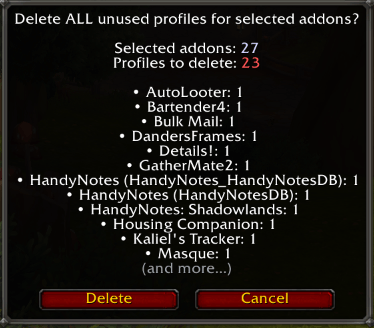
    With "Del All Unused" button from right panel you can delete all unused (not current, not used on any preset) profiles per addon.

  • Thumbnail Bulk variant of "Del All Unused" button let's you delete all unused (not current, not used on any preset) profiles for all addons you select.
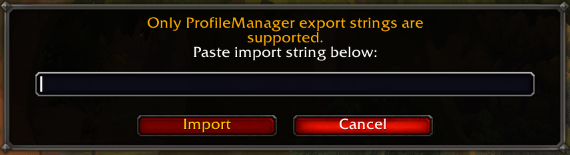
    Bulk variant of "Del All Unused" button let's you delete all unused (not current, not used on any preset) profiles for all addons you select.

  • Thumbnail Import window for any addon

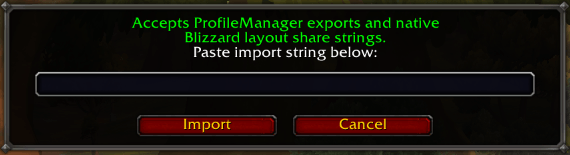
    Import window for any addon

  • Thumbnail Blizzard's Edit Mode supports native strings

    Blizzard's Edit Mode supports native strings

World of WarcraftDiscoverBrowse
CurseForge - a world of endless gaming possibilities for modders and gamers alike.
Download the best mods and addons!
  • Games
    • All games
    • Minecraft
    • World of Warcraft
    • The Sims 4
    • Starcraft II
    • Kerbal Space Program
    • Minecraft Dungeons
    • World of Tanks
  • Create
    • Start a project
    • Project submission guide
    • Author Rewards Program
    • Apply for an API Key
    • 3rd Party API T&C
  • Community
    • Join Our Discord!
    • Ideas Portal
    • CF blog
    • Newsletter
    • Roadmap
    • Bukkit forums
    • CurseForge Servers
  • Support
    • Knowledge base
    • Troubleshooting
    • Contact us
  • Companions
    • Overwolf
    • CurseForge for Studios
    • Tebex
    • Nitro
  • Terms of Service
  • Privacy Policy
  • Licenses
  • Mod Author Terms
© 2026 Overwolf. All rights reserved.