ProfessionPlus - The Ultimate Profession UI Enhancement
- By
Supercharge your Professions with offline viewing, improved search, live profit calculations, and a clean, wide UI.
Screenshot 2026-01-18 130206.png
Screenshot 2026-01-18 130249.png
Screenshot 2026-01-18 130241.png
Description
⚠️ LATEST UPDATE: v1.1.1 Smart Form Handling! No more annoying errors! This update brings intelligent "Create" buttons that handle your character state automatically.
✨ NEW in v1.1.1: Smart Form Handling
- Auto-Dismount & Cancelform: The "Create" and "Create All" buttons now automatically dismount you or cancel your shapeshift form (Druid Forms, Shadowform, etc.) instantly.
- Seamless Crafting: Utilizes secure macros to ensure you can craft immediately without needing to manually stand up or shift out first.
✨ MAJOR FEATURE: Enchanting Support (v1.1.0)
- Full Integration: Comprehensive support for Enchanting, including materials and cost calculations.
- Favorites Sync: Your favorites are now reliably saved across all client languages.
- Cost Preview: Instantly see if enchanting an item is profitable or worth the materials.
🚀 Key Features
🔍 Enhanced UI & Search
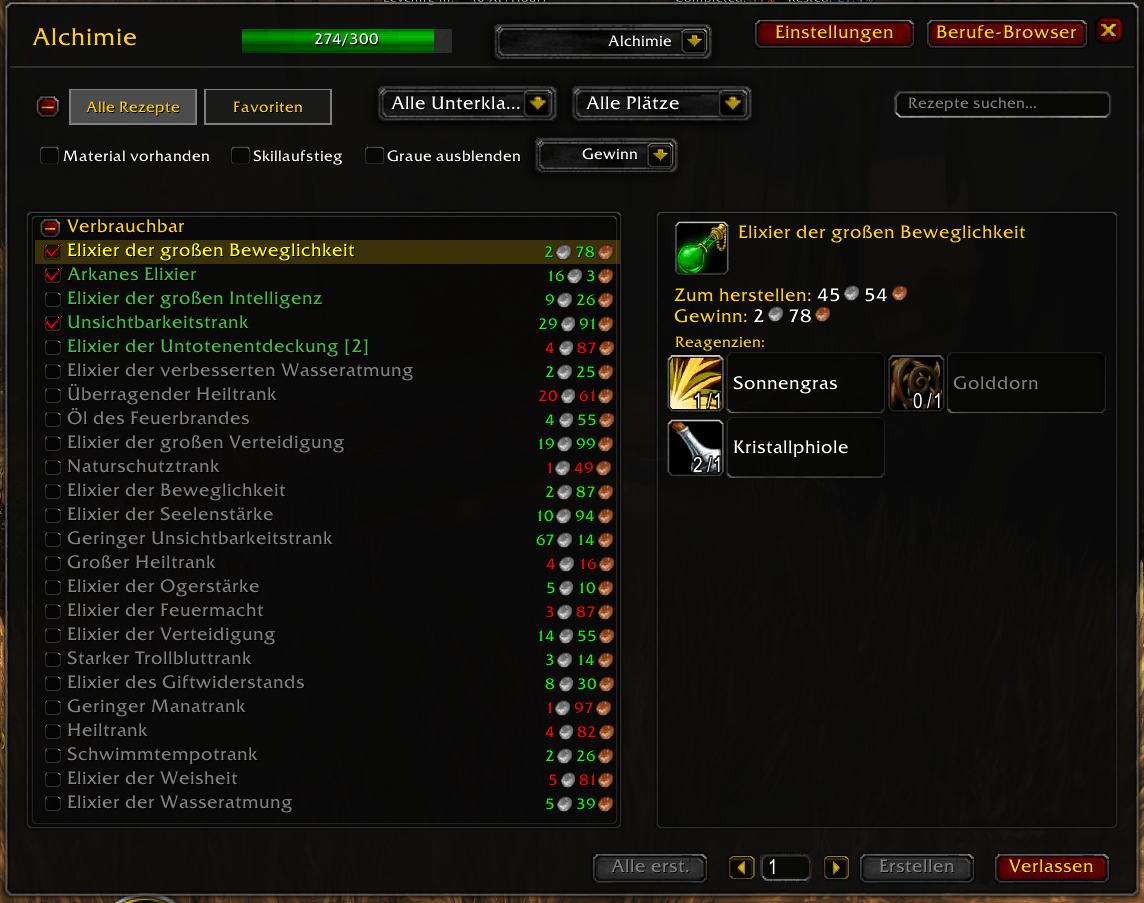
- Wider, Cleaner Layout: Say goodbye to the cramped default window.
- Reagent Search: Search by recipe name OR material name. Need to know what you can craft with "Iron Bar"? Just type it in!
- Smart Filtering:
- Filter by Skill ups only
- Have Materials (Craftable only)
- Hide Grey/Trivial recipes
- Favorites: Mark your most-used recipes for quick access (now with heart icons!).
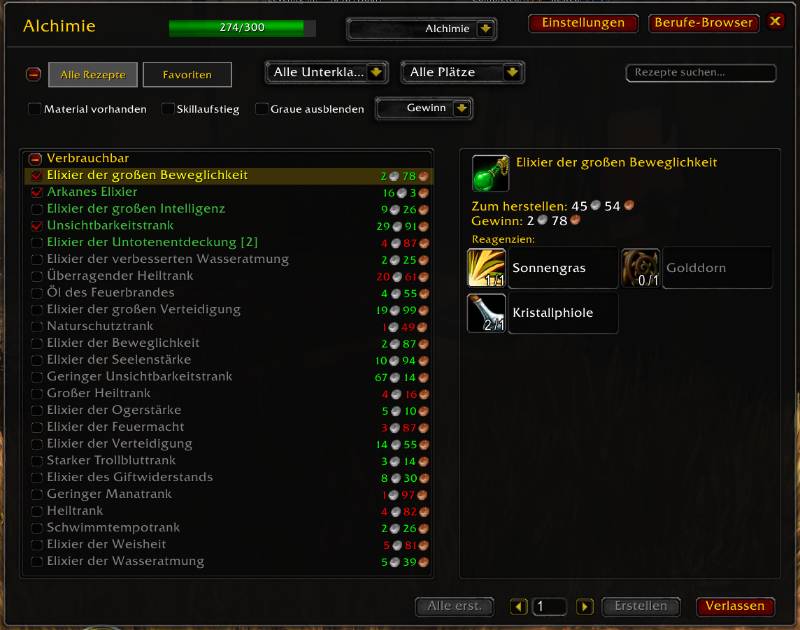
💰 Profit & Auction House Integration
- Live Profit Calculation: Integrates with Auctionator to show you exactly how much profit you'll make per craft.
- AH Search Button: One-click search for all reagents of a recipe in the Auction House.
📜 Professions Browser & Offline Access
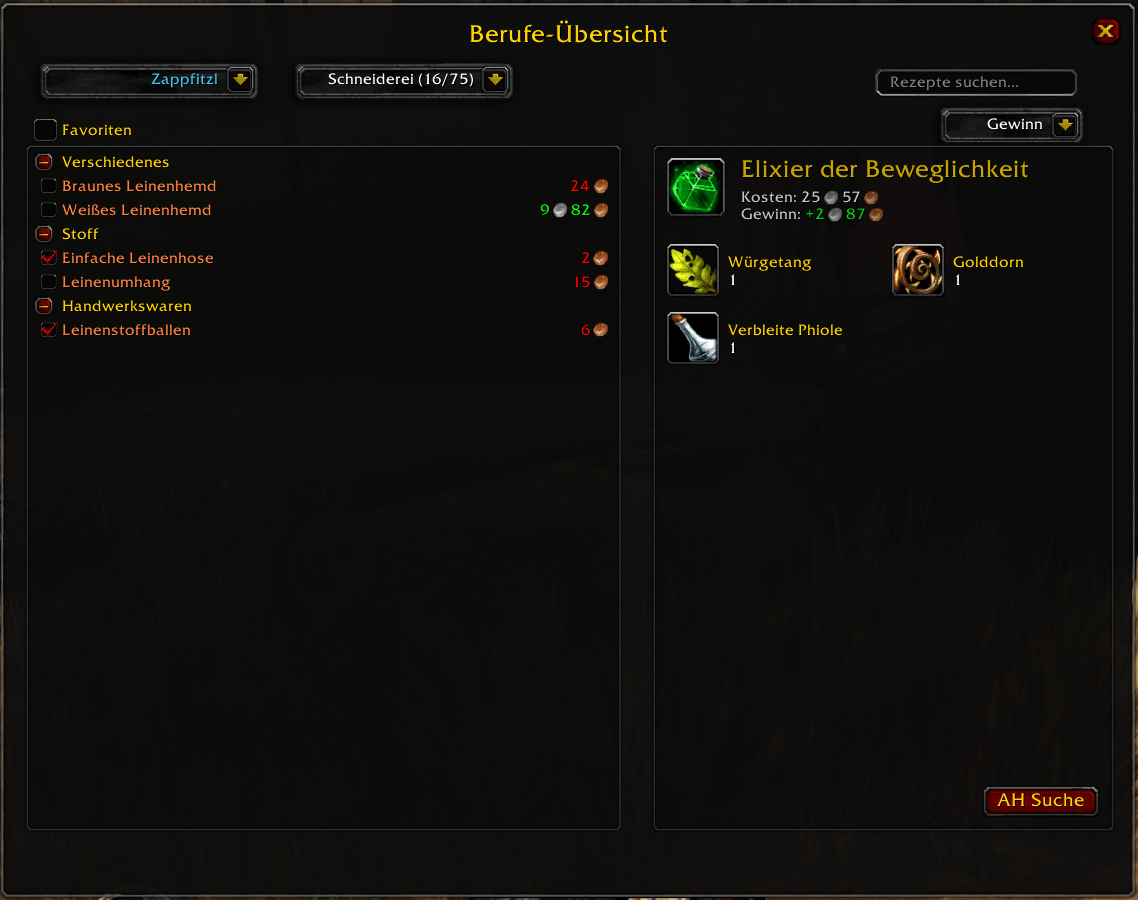
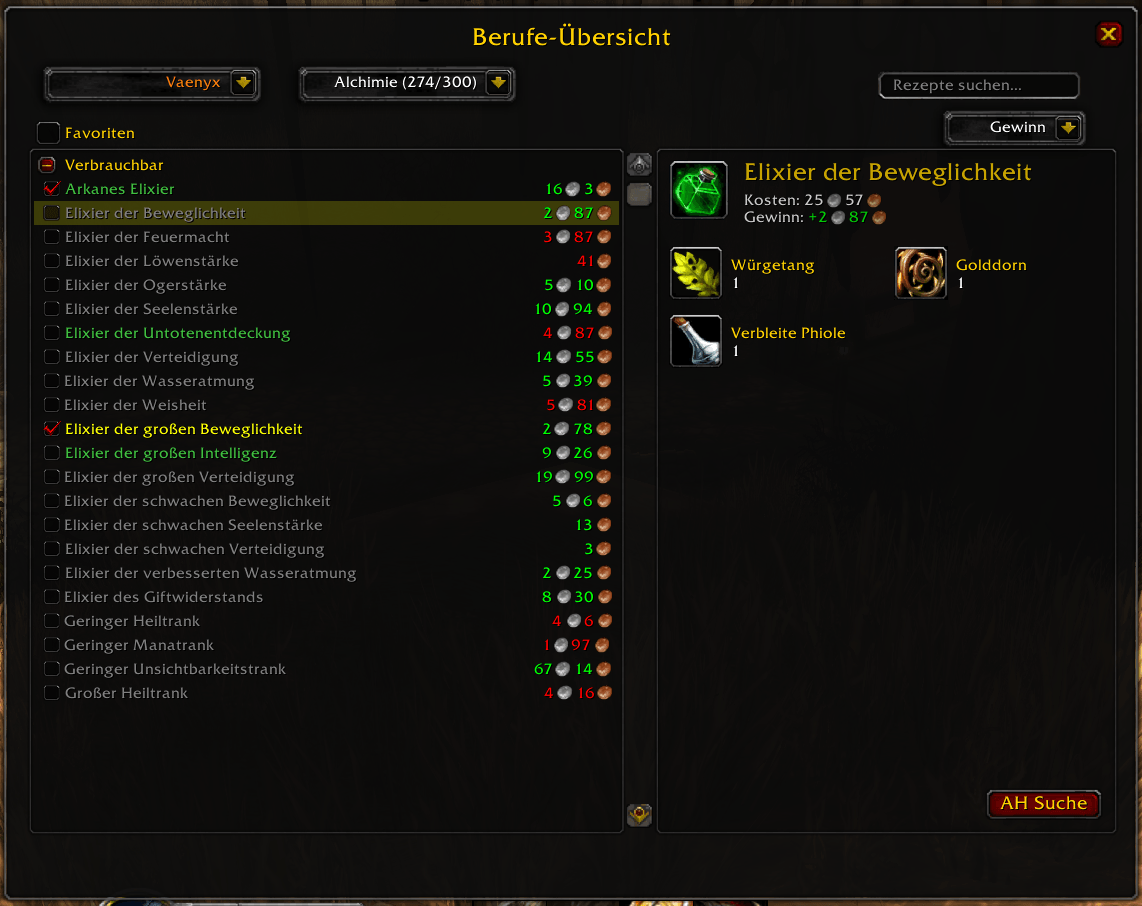
- Realm-wide Overview: View professions for all your characters on the realm, even when you are offline or logged into another alt!
- Search Everywhere: Find which character can craft a specific recipe without logging out.
- Improved Sorting: Browser results are now sorted by difficulty and alphabetically for a better overview.
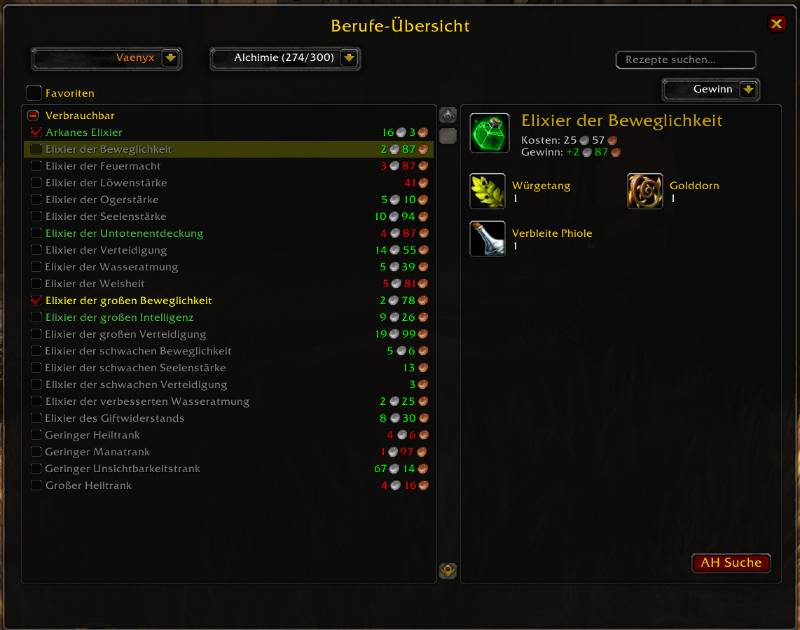
⚙️ Customization & Localization
- Multi-Language: Fully localized for 10 languages (EN, DE, FR, IT, JP, CN, RU, ES, KR, PT).
- Scaleable UI: Adjust the window size and font sizes (List, Browser, Details) independently.
🕹️ Slash Commands
/pp- Shows the help menu and command list./pp optor/pp options- Opens the settings menu./pp [Character] [Profession]- Opens a specific character's profession (e.g.,/pp MyAlt Alchemy)./pp reset- Resets all settings to default./pp debug- Toggles debug mode.
ProfessionPlus - The Ultimate Profession UI Enhancement Team