FlightReady - Auto Dismount & Unshift
- By
Reliably cancels Druid Form, Ghost Wolf, and Mounts directly on flight master click. No errors.
Screenshot 2026-01-21 224420.png
Screenshot 2026-01-21 225625.png
Screenshot 2026-01-21 225625.png
Description
🦅 FlightReady
Auto Unshift & Dismount for Classic, SoD + TBC
"Action Blocked"? Not anymore.
FlightReady is the ultimate fix for Druids, Shamans, and mounted players in World of Warcraft: Classic Era, SoD, and Anniversary. It ensures you can talk to a Flight Master and fly away instantly, without manually cancelling your form or mount first.
🌟 Why FlightReady?
Blizzard's "Classic" client strictly protects shapeshift cancellation actions. Most other addons try to solve this with scripts that cause "Action Blocked" errors or UI taint, forcing you to reload.
FlightReady is different. It uses invisible Secure Macro Overlays (SMO) technology. By placing a secure button over the flight path, it executes the cancellation as a hardware-level command.
- 100% Secure: No taint, no errors.
- 100% Reliable: Works every single time.
- One Click: Click the flight path -> Form cancels -> You fly.
✨ NEW: Full Map Addon Support!
Previously, this addon only supported the standard UI. Now in v1.1, we support EVERYTHING.
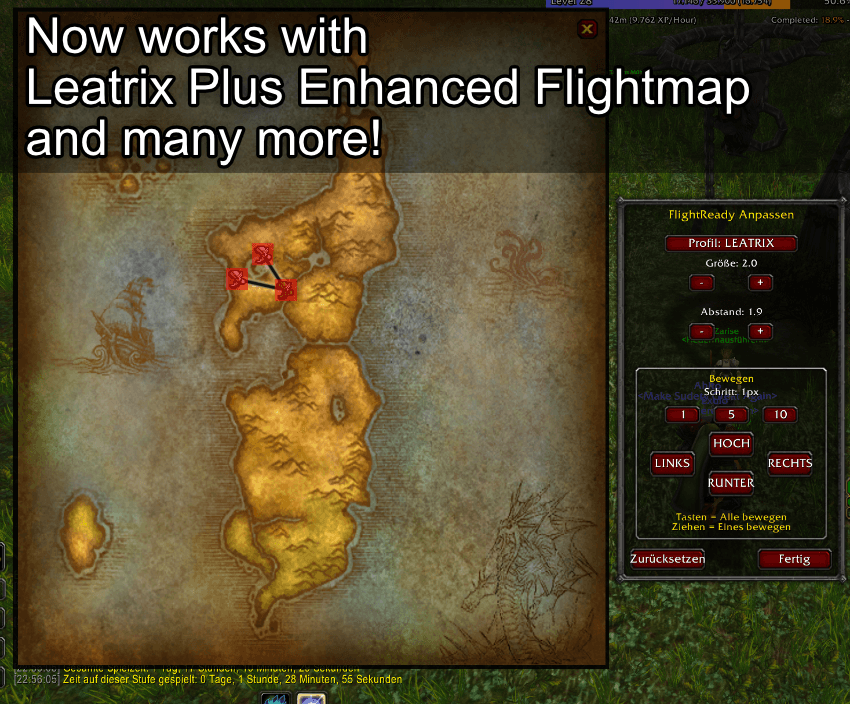
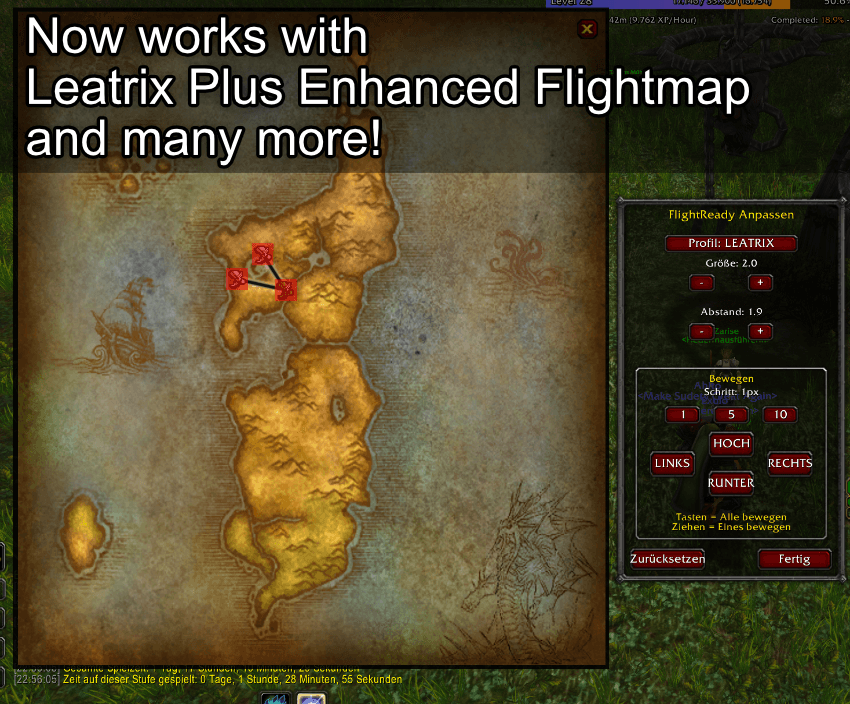
✅ Leatrix Maps (Auto-Detect)
FlightReady now automatically detects Leatrix Plus.
- If you use Leatrix to enhance your map, FlightReady switches to a high-precision profile (
Scale 2.0,Spread 1.9) that matches Leatrix's zoom perfectly. - Precision Anchoring: The buttons now stick to the map frame, so you can move the window (MoveAny) and they follow instantly.
✅ Custom Profiles
Do you use a different map addon? No problem.
- Switch to the CUSTOM profile in the menu.
- Manually adjust Position, Size, and Spread (Abstand) to fit ANY map UI.
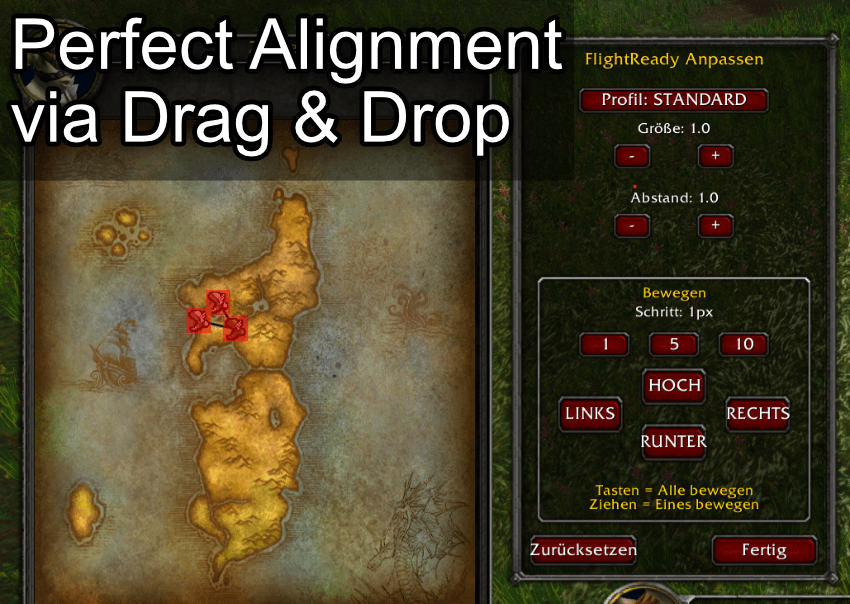
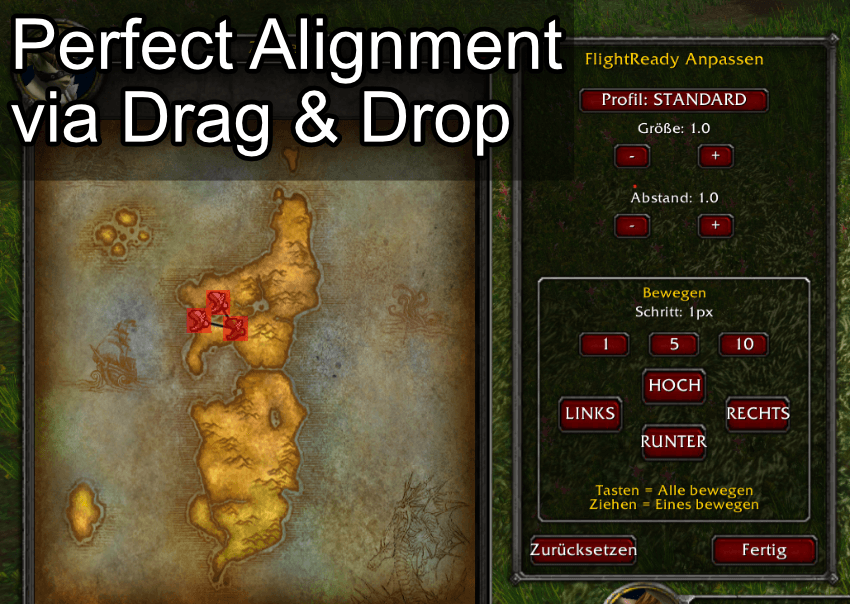
✨ NEW: Visual Calibration Tool
Perfect Alignment via Drag & Drop
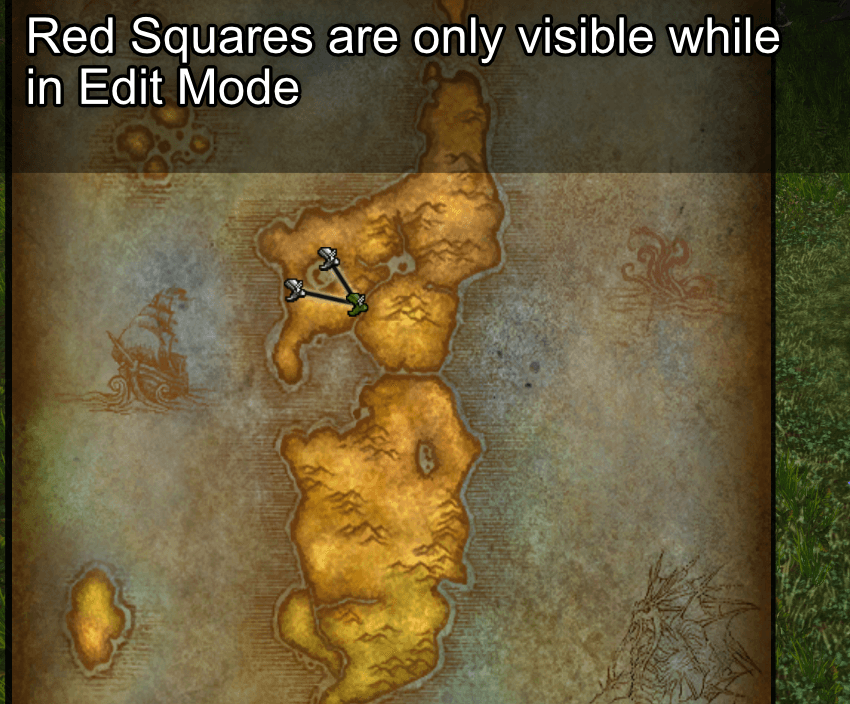
Normally, you never need to see this. But if you use custom map addons, you can now visualize the "Click Zones".
Simply type /fr edit to open the overlay. Drag the grid to align it perfectly with your map!
⚙️ Commands & Calibration
Configuration is only available when the Flight Map is OPEN.
/fr edit– Open the visual calibration tool.- Profile: Standard / Leatrix / Custom.
- Spread (Abstand): Adjust gap between nodes.
- Move: Align the overlay grid.
🌍 Multi-Language
Speaks your language!
- 🇺🇸 English: Cleared for takeoff.
- 🇩🇪 Deutsch: Startfreigabe erteilt.
- 🇫🇷 Français: Autorisé au décollage.
- 🇨🇳 Chinese: 准许起飞.
- Also supported: 🇪🇸 Español, 🇮🇹 Italiano, 🇧🇷 Português, 🇷🇺 Русский, 🇰🇷 Korean.
Stop typing /cancelform. Start flying.
FlightReady - Auto Dismount & Unshift Team