PrephUI
- By
Built for peak efficiency, this interface suite delivers responsive elements, high-performance modules, and insane granular customization—down to your leader crown placement. Handcrafted for players who demand maximum FPS.
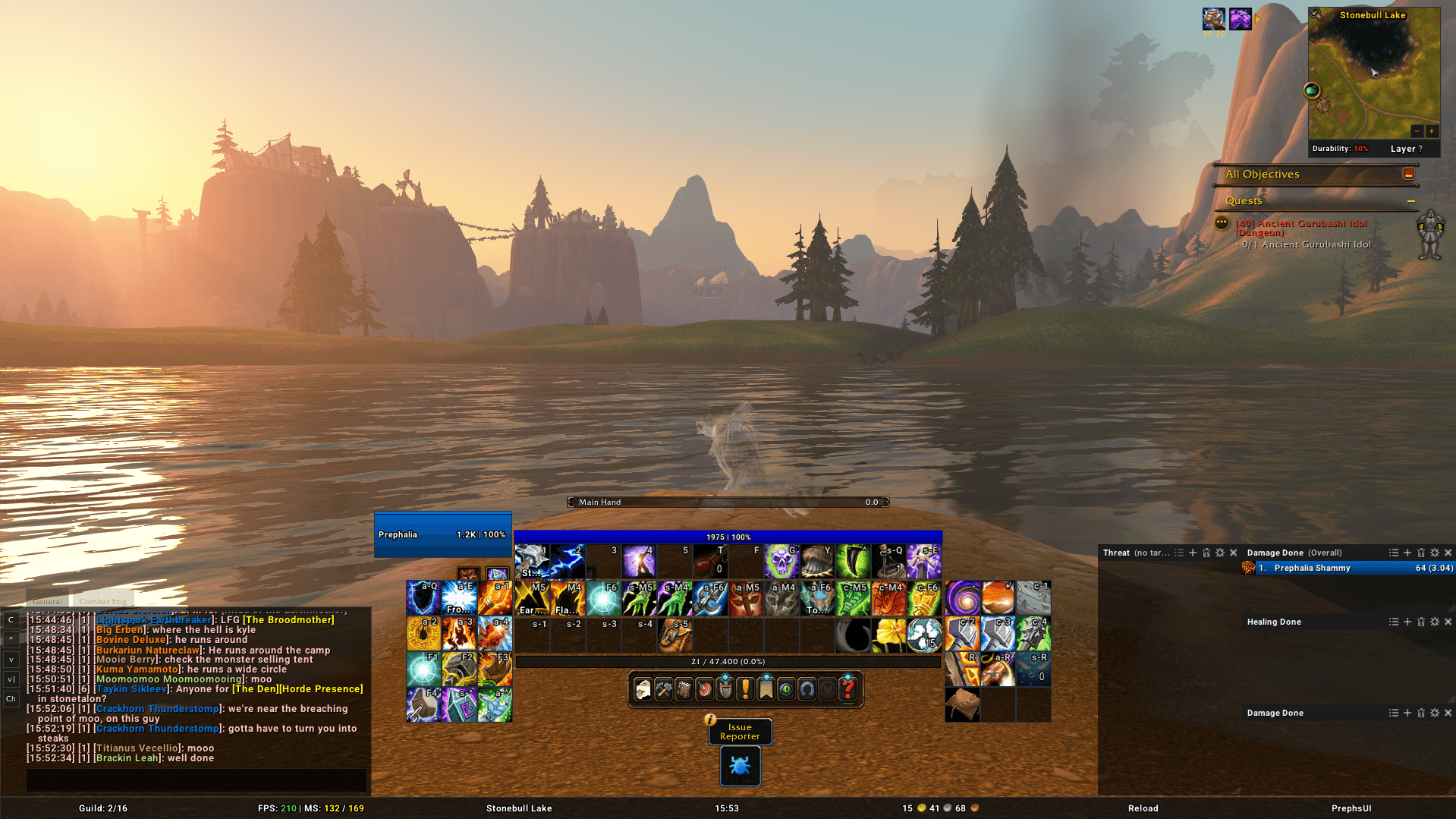
A exampaltory profile overview
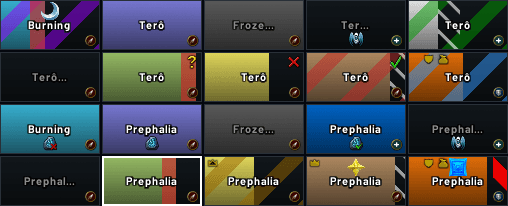
Raidframes in Action
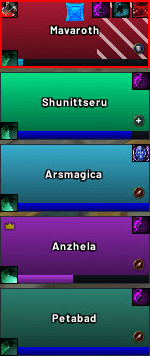
Groupframes in Action
Description
PrephUI
Your whole UI. One window. One profile.
Localized to German, Espanol, French, Italian, Korean, Brazilian, Rusian, Chinese, Taiwanese.
Unit frames, nameplates, action bars, chat, classbars, data bars and quality of life, all in a single clean settings window. Even Blizzard's own frames come along for the ride.
Built for Forever. Runs seamlessly on Retail too.
Full feature list and screenshots: preph.github.io/PrephUI
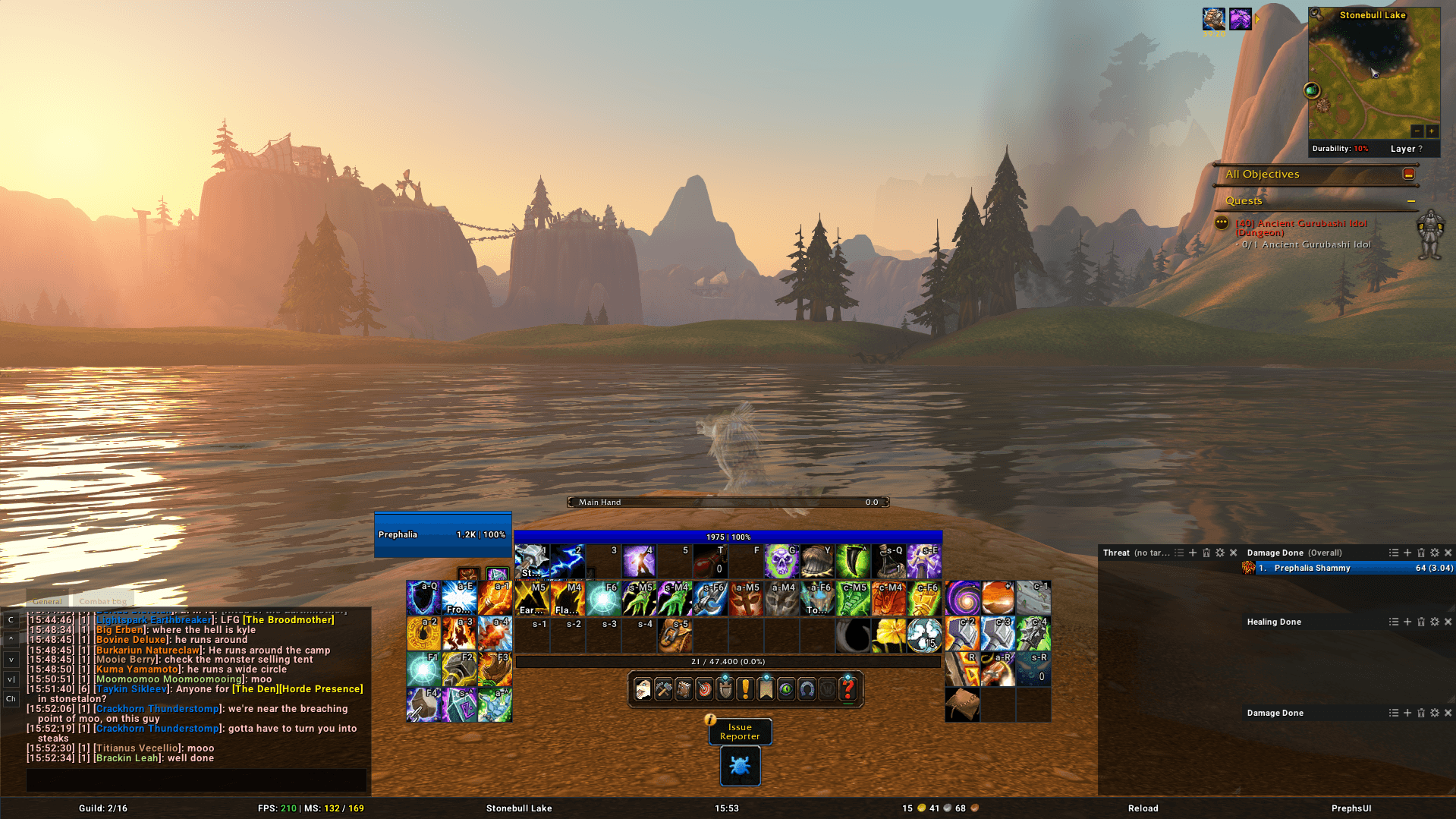
Table of Contents
Why you'll love it
One profile. Literally everything. Your frames, your bars, your chat, even Blizzard's Bag Bar, Micro Menu, buffs, Cooldown Manager and Objective Tracker. Export it, import it, switch it, share it. One string, whole UI.
Fast from the first click. Every module is optimized from the ground up. Event driven, no per-frame polling, and a flat cost even in a 40-player raid. It keeps updating in combat, M+ included. Nothing blanks, nothing errors.
Clean, properly. One consistent look across every piece. Your UI reads as one design, not ten addons arguing.
A broad baseline, zero bloat. Everything you actually need, nothing you don't. Modules load on demand, every feature has its own switch, and whatever you turn off costs nothing.
What's inside
Edit Mode
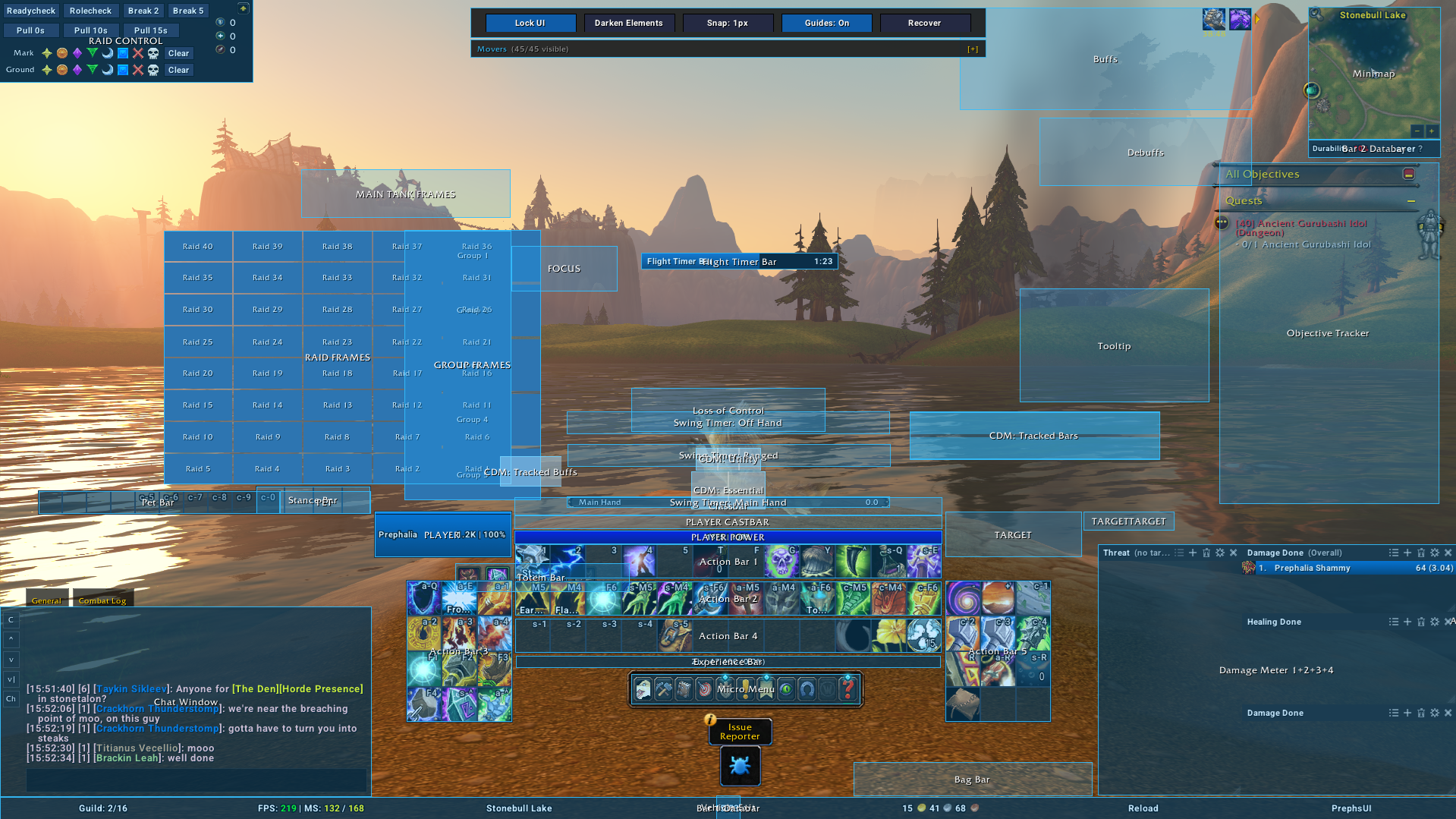
Move everything from one place, Blizzard's frames included. PrephUI's movers replace the native Blizzard Edit Mode ones for the Bag Bar, Micro Menu, buffs, debuffs, Cooldown Manager, Objective Tracker and more, and quietly keep Blizzard's own layout in sync behind the scenes. Positions live in your profile, so they export, import and switch with it. Anchor frames to each other and match widths and heights, so your layout lines up without the hassle. Too much movers? Just hide the unneeded ones, or show the ones you need.
Unit Frames
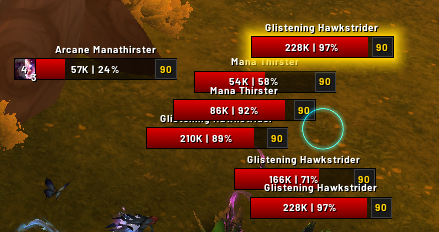
Player, Target, ToT, Focus, Pet, Party, Raid and Main Tanks. Every frame is a health bar plus the widgets you pick: name, health text, power, castbar, icons, auras. Add, remove, anchor and style them your way. Absorb and heal overlays, native dispel highlights, and AuraWatch for defensives and externals.
Nameplates
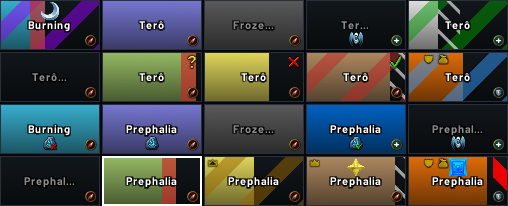
Widget based, highly optimized, and battle tested in keystones and raids. Threat and off-tank colors, quest progress, absorbs, and castbars with interrupt flash. You control the widgets, the order and the stacking.
Action Bars
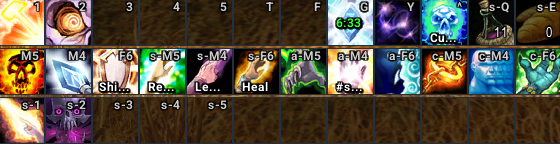
Bars 1 to 8 are nothing new, so we focused on the touch. Reshape them (square or circular), shorten keybinds, and get aura glows with no polling and cooldown numbers that work in combat. All of it sits natively on Blizzard's own action bars, and Edit Mode stays in sync.
Classbars
Nothing magical, just done right. Highly optimized secondary resource bars for every class: combo points, holy power, runes, shards, chi, essence and more as one clean strip. It follows your spec, talents and form.
Data Bars
As many bars as you want, highly customizable and packed with widgets: gold, FPS, latency, clock, guild, friends, durability and more, 14 in total. Anchor one to your chat and it merges with the editbox.
Chat
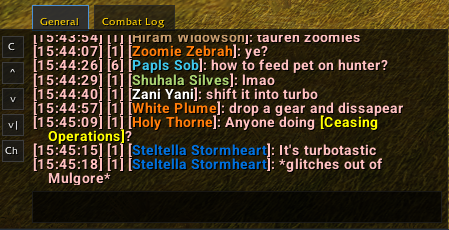
A sleek panel that matches your UI. Short channel names, class colors, clickable links, a copy window, and 500 messages of history that survive reloads.
Skins and extras
An XP bar, an M+ timer with enemy forces and deaths, a flat dark ESC menu, and item level and upgrade tracks on your gear.
Quality of Life
Fast loot, auto repair, auto quests and gossip, flight timers and aura timer formats. Every feature has its own switch.
Raid Tools
A raid control panel and keyword-based auto invites.
Performance, by design
- Event bursts are coalesced, so each widget updates once per pass.
- One event registration per event, not per frame.
- Disabled modules and removed widgets cost nothing.
- Values are only written when they change.
- No per-frame
OnUpdateon unit frames. Castbar fill and cooldown numbers are native. - Built on Blizzard's own templates and the Secret API, so combat data flows straight into native bars, auras and text.
- Don't take our word for it. Run the built-in profiler with
/pui perf.
By Prephmage / Prephalia. All rights reserved.
Changelog
V1.0.0
Release
PrephUI Team