Premade Group Board
- By
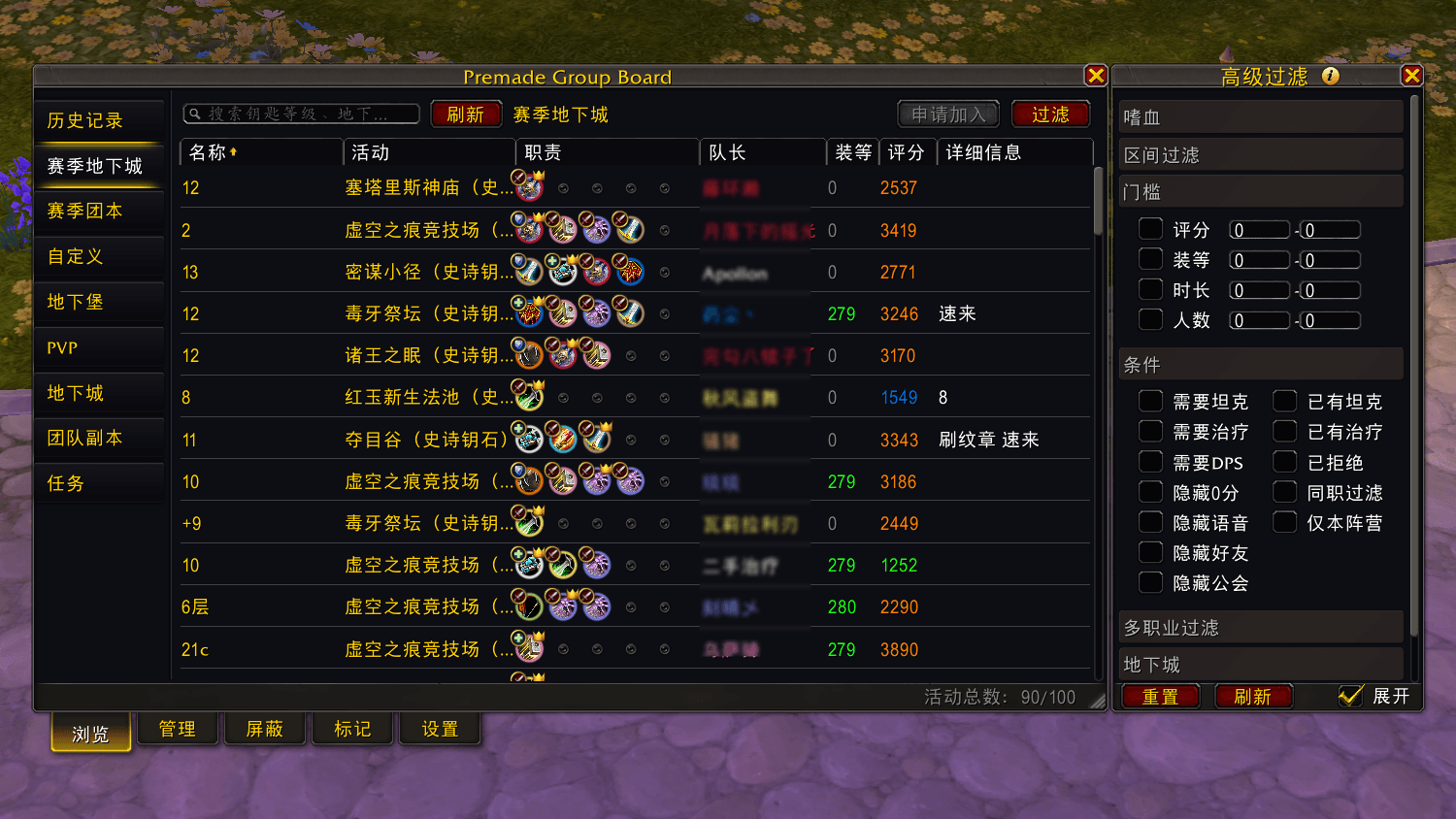
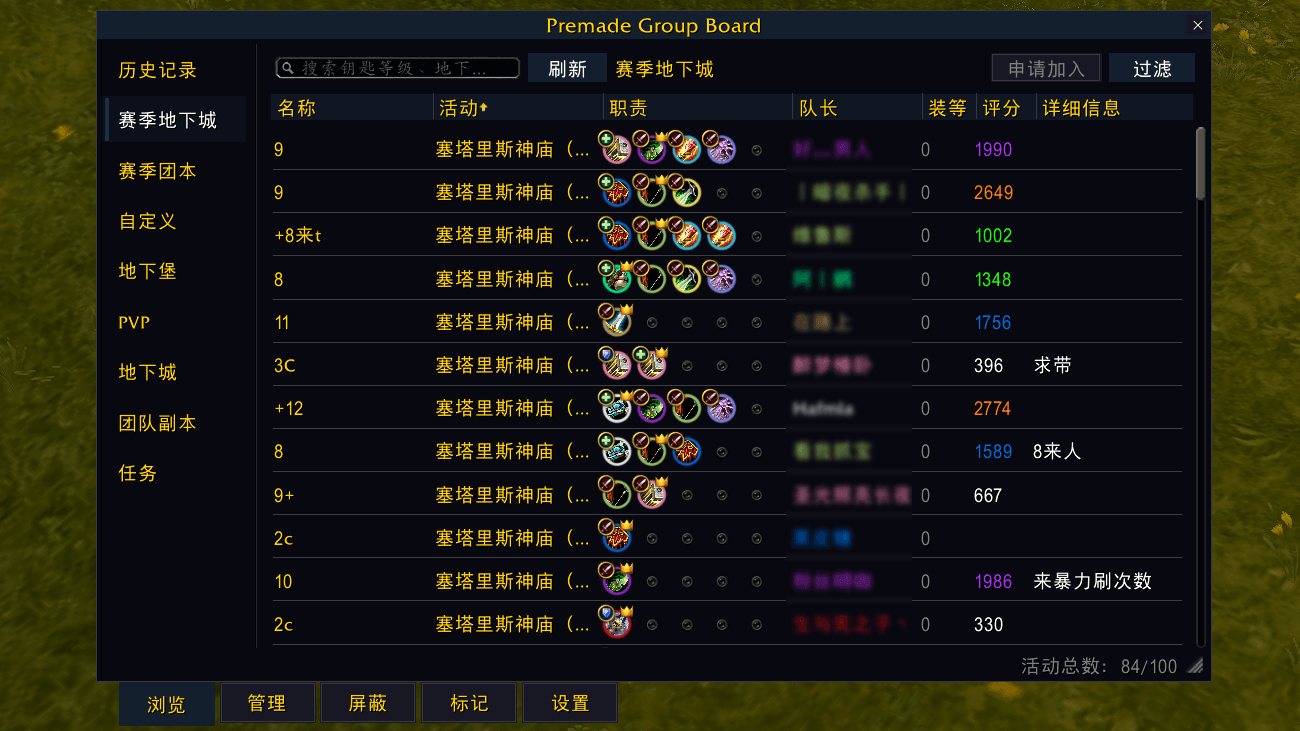
PGB is a group finder for browsing and posting listings, managing applicants, and building custom filters. Blocklist notes, player marks, LFG / group finder, Mythic+ (M+), dungeon, raid, delve, PvP. 集合石组队插件
1-3.png
1-2.png
1-5.png
1-4.png
2-1.png
5-1.png
4-1.png
Description
Premade Group Board (PGB) — Lightweight premade group panel for Retail WoW
(Premade Groups / find groups / list groups / blocklist notes / filters / player marks)
A lightweight standalone window built on Blizzard’s official premade group system: browse listings, create your own, filter results, manage blocks, and mark players (recent teammates, local notes & 1–5 scores; browse tooltips show mark summaries) — designed for long search sessions with minimal overhead.
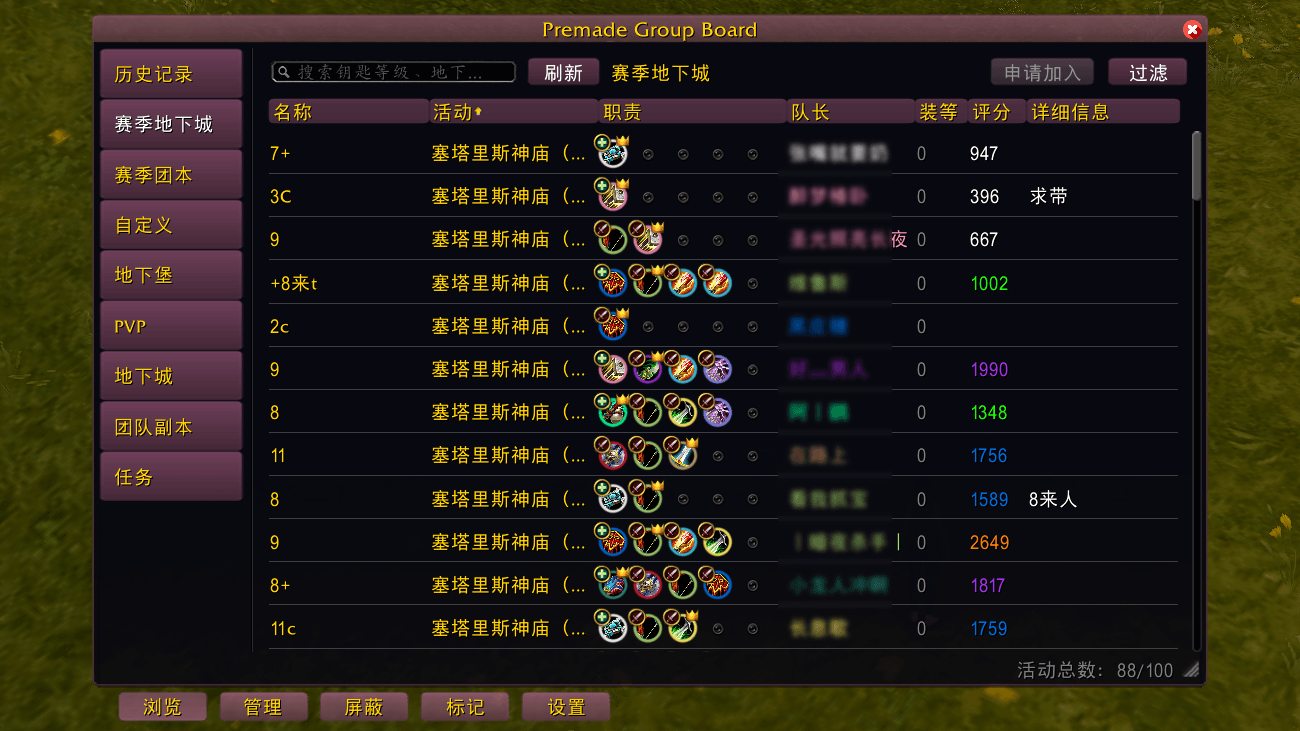
One download includes three folders: PremadeGroupBoard + PremadeGroupBoard_RoundUI + PremadeGroupBoard_FlatUI (classic Blizzard look by default; enable Rounded / Flat in Settings → UI appearance).
中文简介:Premade Group Board(PGB)是正式服轻量集合石组队插件。基于暴雪官方预组队,独立小窗:找队、发队、筛队、屏蔽备注、标记;轻量、占用低。/pgb 或小地图打开。一包三文件夹(主插件 + 圆角 + 扁平);默认暴雪经典外观,设置 → 界面外观 可选圆角 / 扁平。若你以前单独装过 RoundUI / FlatUI 项目,请提前删除旧的单独皮肤文件夹,再改下本页,避免重复。
Six highlights
1. Lightweight and low overhead
Standalone window; resizing, paging, and refreshing stay lean, with no extra background load — better for long browsing sessions.
2. Sortable headers and show/hide columns
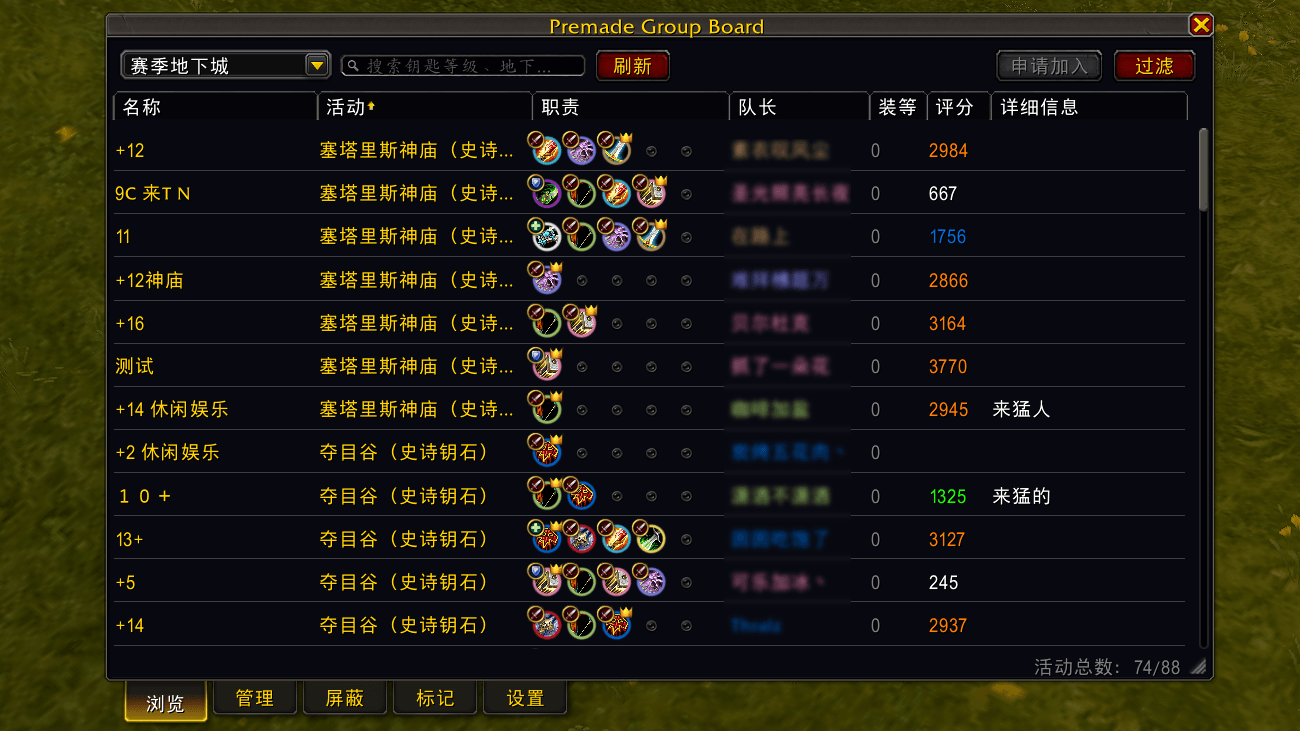
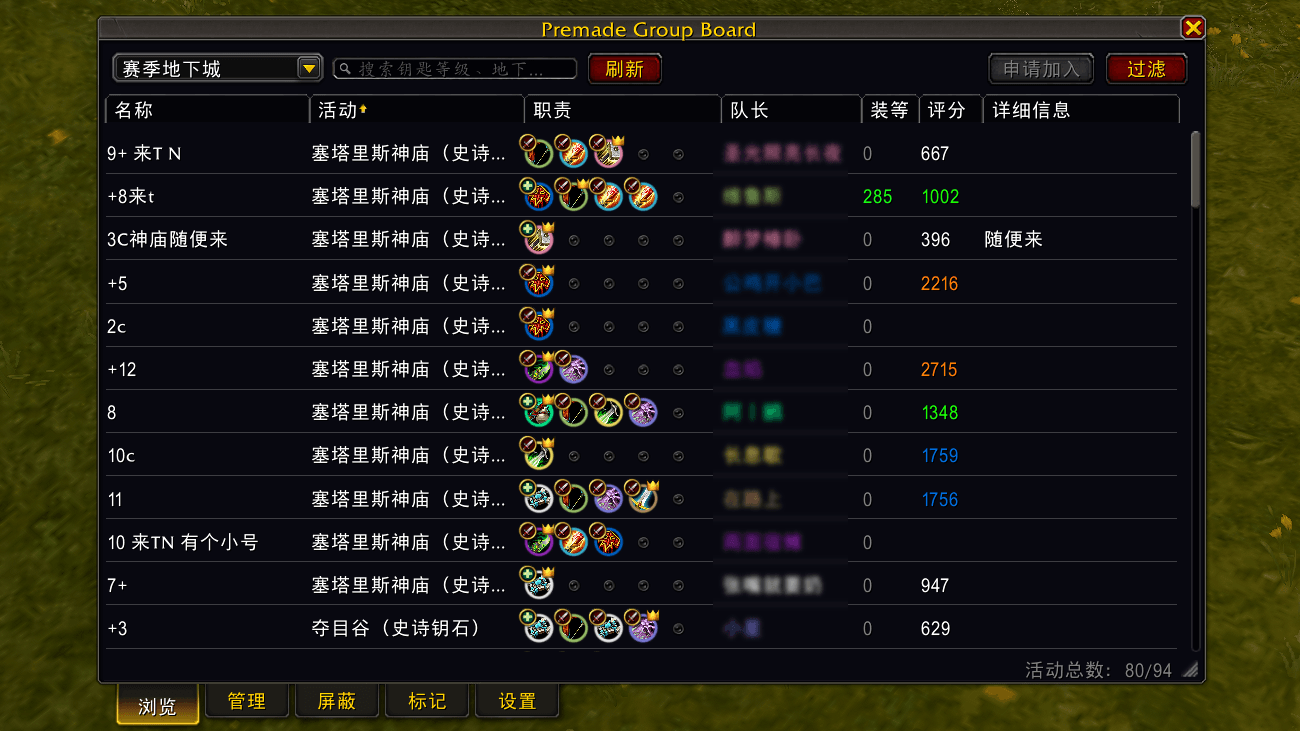
Browse and Manage lists have column headers. Left-click a header to sort (name, playstyle, item level, rating, roles, etc., depending on activity type). Right-click a header to show or hide columns and use Move left / Move right to reorder them.
3. Custom block notes
When blocking a leader or matching title, you can set a custom display note (enable Custom note dialog when blocking in Settings). Double-click a row in the block list to edit anytime; preset block reasons are available. Matching titles can be handled together — handy for ads and spam. A dedicated block list tab lets you review and bulk-remove entries; disable it in Settings if you don’t need it.
4. Does not force takeover of the default UI
PGB uses its own window and does not permanently replace Blizzard’s premade group UI. After closing PGB, the default UI works as usual.
Replace premade entry in Settings only applies when you click the green bouncing queue eye with an active listing — not the premade UI opened with I. Leave it unchecked to keep the default UI. When checked, that eye opens PGB’s Manage tab directly.
5. Backgrounds and display options
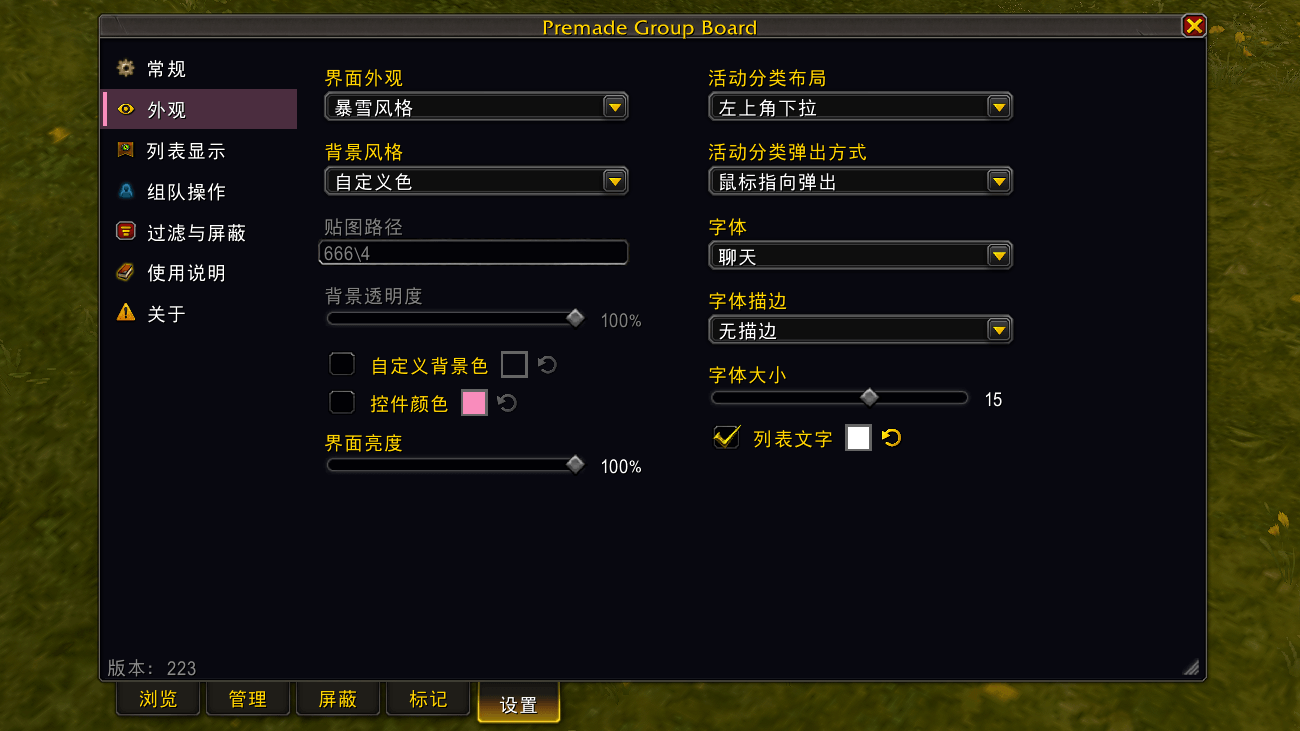
Multiple panel backgrounds with adjustable color and opacity; customizable row height, column widths, role icon style, and global fonts (including LSM). Left activity tree width is adjustable by dragging the divider. Rounded and Flat skins ship in this package — switch under Settings → UI appearance (reload required).
6. Alerts and apply flow
Optional floating button; new-applicant sound/flash (can be turned off); applied/joined listings pinned and highlighted. Three apply modes (button / click row then choose role / double-click auto-apply); optional chat announce on join. Leaders can set an auto invite headcount cap to reduce over-inviting (experimental).
Main features
Browse groups
Left activity tree: season dungeons/raids, dungeons by expansion, delves, PvP, quests, custom categories, plus history for frequent searches.
Search and refresh; header sort and show/hide columns; applied listings are marked.
Scrolling stays smooth even with many results.
Create and manage
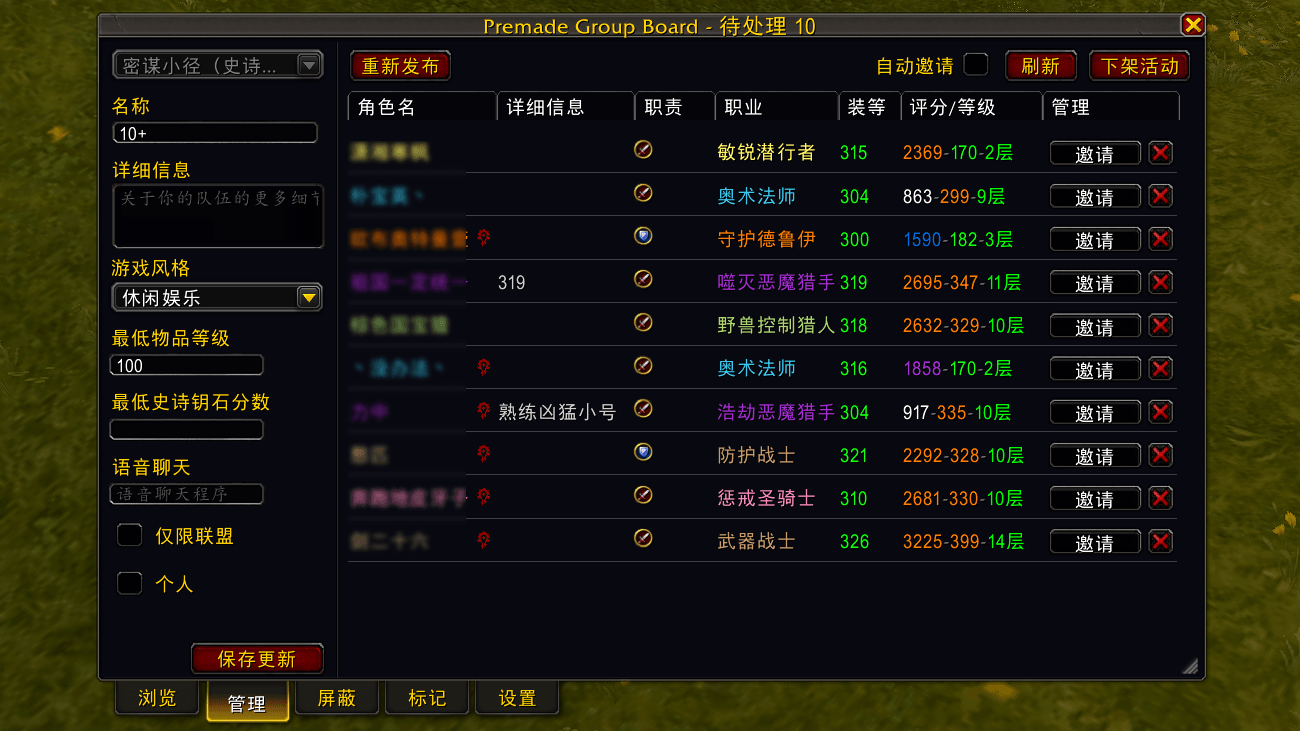
On Manage, use the arrow on the left to open a drawer for creating or editing a listing. No active listing: drawer opens by default. Already listed: drawer stays collapsed; use the center area for applicants.
Create, edit, delist, and bump listings; review applicants; accept or decline; optional auto-invite while listed, auto-accept when invited, and auto-confirm role check (all optional).
Applicant right-click menus follow Blizzard’s style; with ArchonTooltip (or similar) installed, Warcraft Logs options can appear.
Filters
Needs tank/healer/DPS, already has tank/healer, minimum Mythic+ score, difficulty, playstyle, member count, raid boss progress, and more.
Hide declined, bloodlust, hide 0-score leaders, listing age / min item level / honor, War Mode, same faction, hide voice chat, hide friend/guild groups — some options can be saved per activity type. Optional addon filter panel can replace in-game filter results.
Marks (player marks)
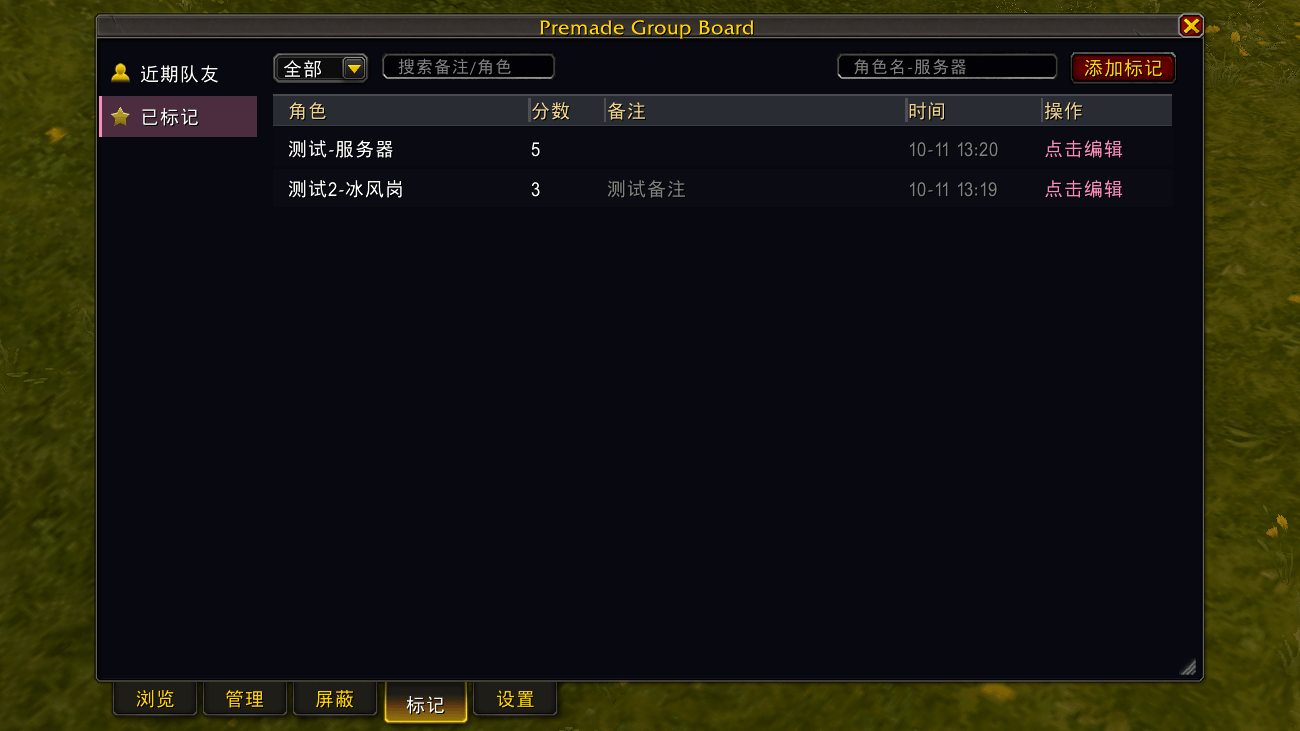
Marks tab: Recent teammates (grouped by session) and Marked list. Add local notes and a 1–5 score; browse-list tooltips show mark summaries. Hold a configurable key (default ALT) to temporarily show member names by role. Can be disabled in Settings.
Quick start
- Install this add-on (one package = main + RoundUI + FlatUI), enable, then
/reload /pgbor/premadegroupboard, or click the minimap button (left-click toggle, right-click Settings), or enable the floating button- Keybinding: ESC → Options → Game → Key Bindings → AddOns → find Toggle PGB and bind a key (not bound by default)
- Pick an activity on the left → Browse to find groups, or Manage to list your own
- Optional skins: Settings → UI appearance → Rounded / Flat → confirm reload
- Open Usage guide from the help icon on the Settings tab for more tips
- Optional: enable Replace premade entry to open PGB from the green bouncing queue eye when you have an active listing
Notes
- Retail only
- Languages: English · 简体中文 · 繁体中文
- In combat-restricted content (Mythic+, delve boss fights, etc.), some features are unavailable — leave the instance or use Blizzard’s default UI
- Bump and auto-invite follow official rules and cooldowns
- No keyword/title auto-blocking — Blizzard encrypts listing text; the add-on cannot read plain titles for automatic keyword filters
- Separate CurseForge pages for RoundUI / FlatUI are discontinued — use this project only
Feedback welcome on CurseForge or NGA. When reporting issues, please include the add-on version, UI appearance (Classic / Rounded / Flat), which tab you were on, what you tried, and what happened (screenshots help).
Premade Group Board Team