MtjChatBar
- By
Lightweight Retail channel bar—switch channels with a click instead of typing /p and /raid. Custom order, layout, and button styles; right-click to block message types; emotes and more built in.
6.png
1.png
2.png
3.png
4.png
Description
MtjChatBar — Chat Quick Bar
MtjChatBar is a lightweight UI addon for World of Warcraft Retail. It places a row of channel shortcut buttons near your screen or chat frame so you spend less time typing /p, /raid, and similar commands, plus a set of handy chat utilities.
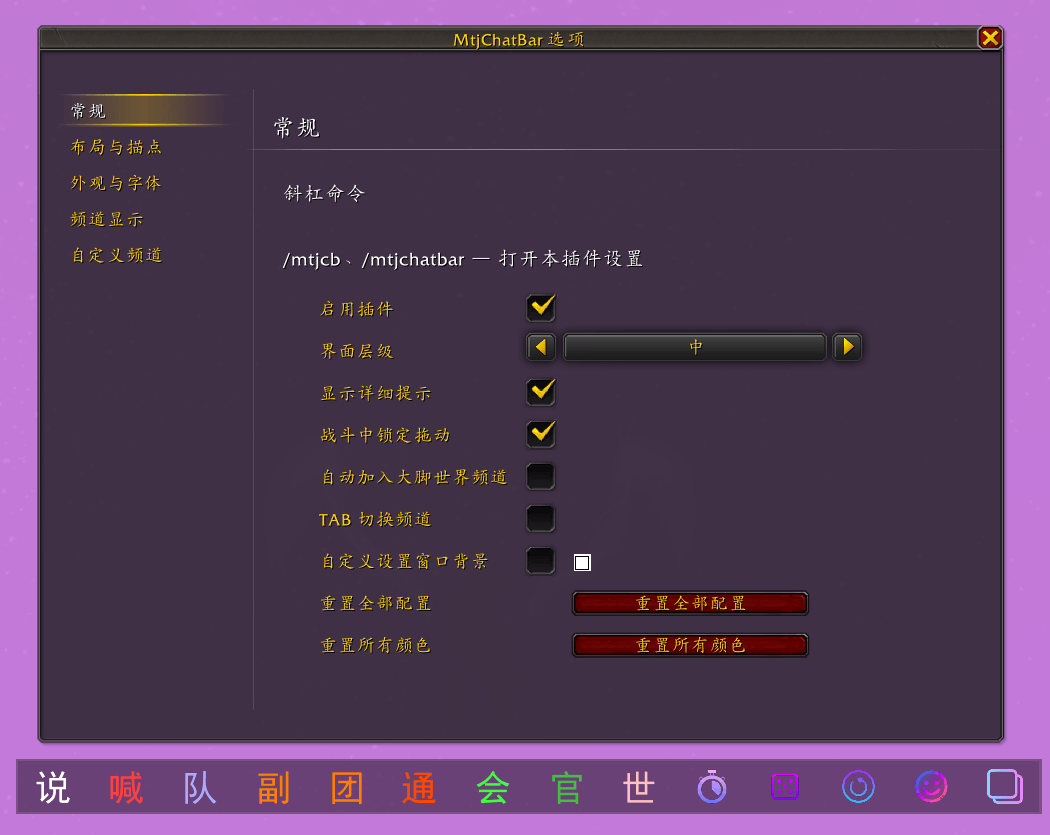
Slash commands: /mtjcb, /mtjchatbar (open settings)
Settings: ESC → Options → MtjChatBar, or the standalone options window
Channel quick bar (core)
- One-click channel switch: Say, Yell, Party, Instance, Raid, Raid Warning, Guild, Officer, BigFoot world channel, and more.
- System channels: General, Trade, Local Defense, Looking for Group, and other fixed channel buttons.
- Stow buckets (Common / Extended / Tools): Three stow buttons on the bar; tuck infrequent channels or tools into the matching bucket. Left-click opens the list to switch; right-click can bulk-block blockable channels in the bucket, with per-item blocking supported.
- Other dynamic channels: Joined channels not pinned on the bar are managed under Channel display (Other) for visibility and which bucket they belong to.
- Right-click block: Block the matching message type from the channel bar (right-click again to unblock).
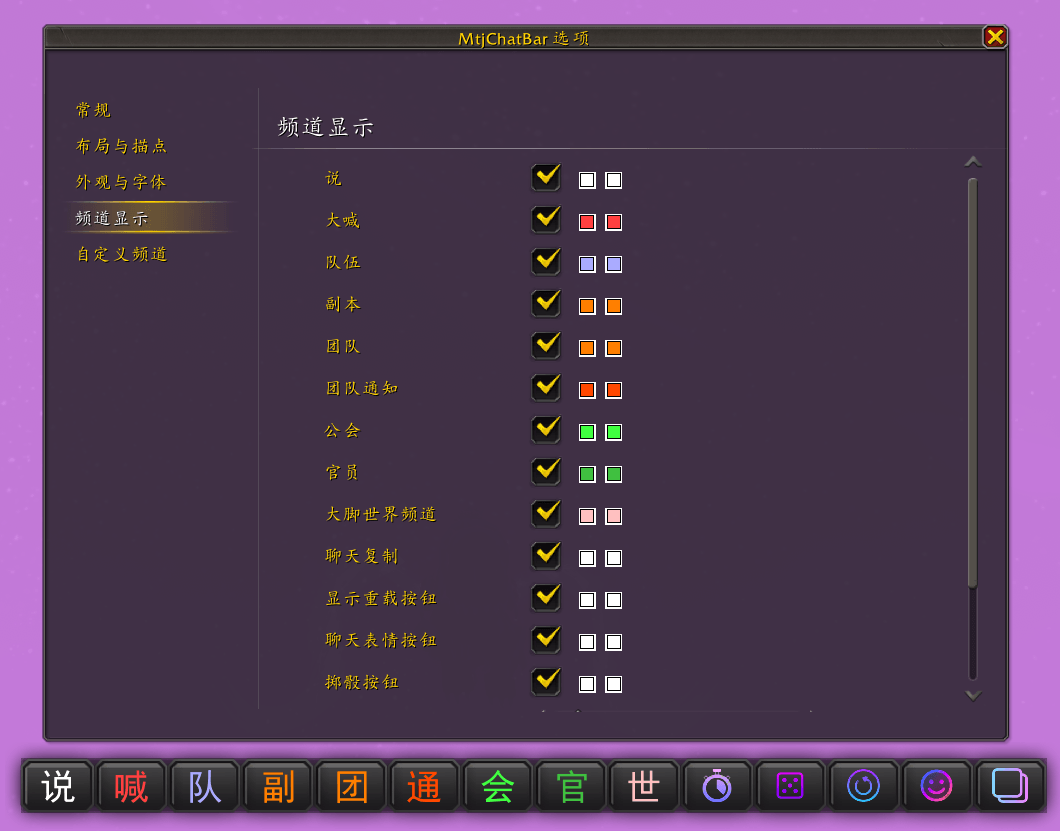
- Channel display: Show or hide individual channel buttons; stowed items on the bar and in menus prefer your custom short label or the name from the settings page.
- Chat channel name shortening (optional): With the master toggle under Settings → General, chat window channel names can follow each row’s Chat short name under Settings → Custom Channels. Lightweight implementation: no OnUpdate, no CHAT_MSG filter.
- Custom Channels page: Sort buttons with a weight value (1–999; saved on Enter or when the field loses focus). The list sorts by weight ascending (duplicates allowed). Other dynamic channels default to weight 999; change the weight manually to move them up.
- TAB channel cycle (optional): While the chat edit box is active, TAB cycles through channels shown on the bar (no switch when the line starts with
/).
Layout & position
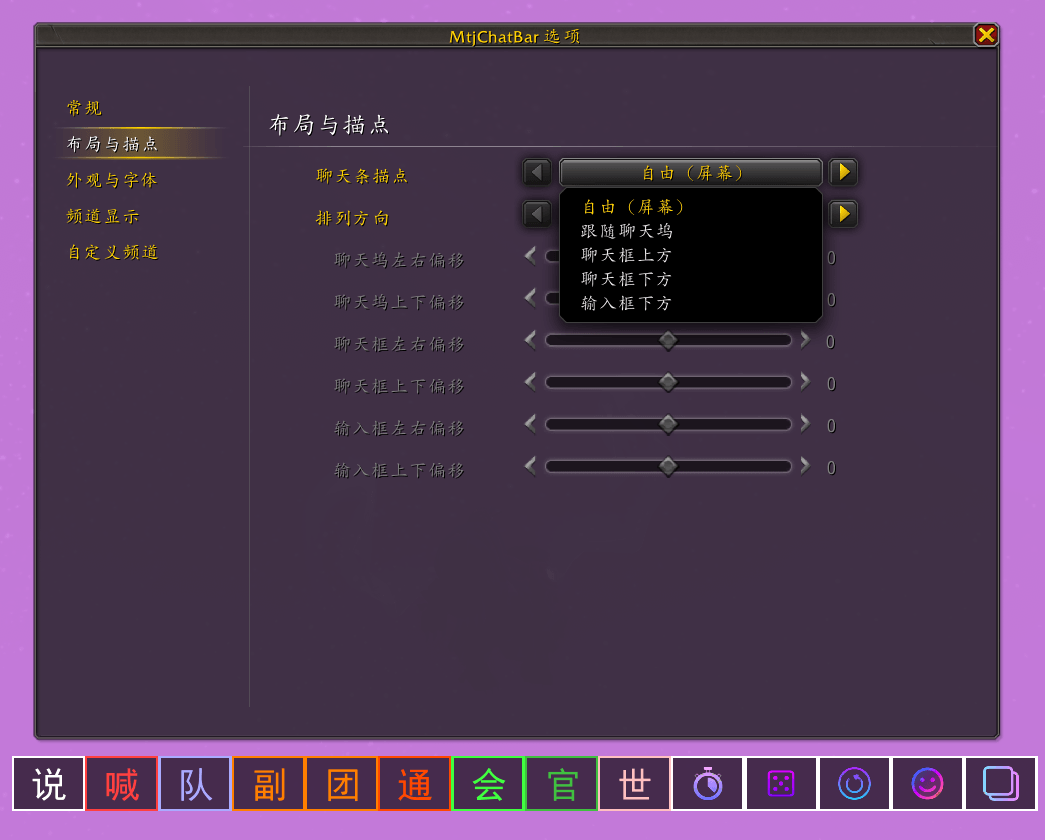
- Anchor modes: Free (screen), follow chat dock, above/below chat frame, below edit box.
- Adjustable: Button spacing, width/height, overall scale; per-anchor offsets for chat dock / chat frame / edit box, and layout direction.
- Free mode: Shift + left-drag to move the whole bar.
- Idle fade (optional): Configurable delay and fade opacity; optional fade-in/fade-out animation and fade-in duration (fade-out still works when animation is off).
Appearance & fonts
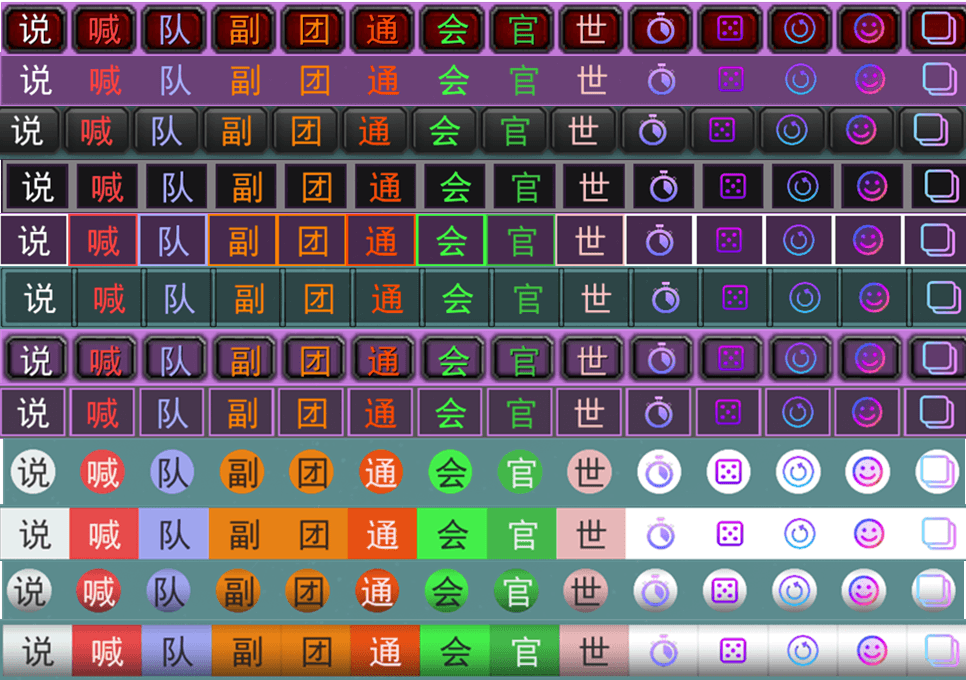
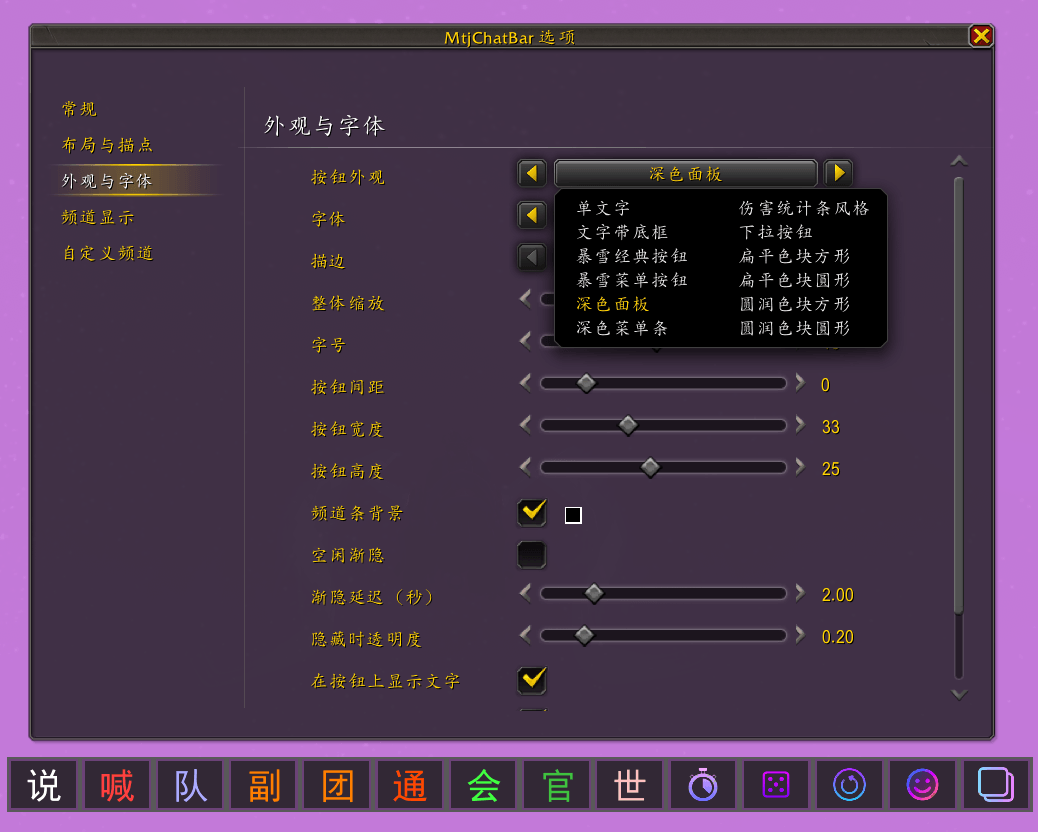
- Button styles: Text only, text with backdrop, Blizzard classic/menu buttons, dark panel/menu, damage-meter style, dropdown button; flat/rounded color blocks (square/round).
- Fonts: Game default / chat / damage numbers; size and outline.
- Coloring: Per chat channel color, unified text color (with alpha); auto text color on blocks by brightness; per-channel text and fill colors.
- Bar background: Toggle + color (with alpha).
- Frame strata: Low / Medium / High / Dialog (channel bar and related popups stay in sync).
- Settings window: Customizable panel backdrop color and transparency.
Extra features (toggle in settings)
- Pull timer: Left-click starts a party countdown; right-click cancels; duration configurable.
- Roll: Left-click
/roll; right-click opens roll history. - Stat report: Inserts current character stats into chat (equipped item level, localized class and spec names).
- Ready check: One-click ready check.
- Reload UI: Left-click confirms, then
/reload. - Chat emotes: Emote picker (multiple built-in icon sets); click to insert
{emote name}into the chat edit box. - Copy chat: Logs recent chat to a list window (up to 100 lines, manual refresh); window supports bottom-right resize.
Safety & compatibility
- Chat lock / Secret Values: When restricted, channel switching, copy, emotes, and related features degrade safely with a notice instead of throwing errors.
MtjChatBar — 聊天快捷条
MtjChatBar 是面向 魔兽世界正式服(Retail) 的轻量 UI 插件,在屏幕或聊天框附近提供一排 频道快捷按钮,减少反复输入 /p、/raid 等指令,并附带若干常用聊天辅助工具。
斜杠命令: /mtjcb、/mtjchatbar(打开设置)
设置入口: ESC → 选项 → MtjChatBar;或独立选项窗口
频道快捷条(核心)
- 一键切换频道: 说、大喊、队伍、副本、团队、团队通知、公会、官员、大脚世界频道等。
- 系统频道: 综合、交易、本地防务、寻求组队等固定频道按钮。
- 收纳功能(常用 / 扩展 / 功能收纳): 三个收纳钮,将不常用频道或工具收入对应收纳;左键打开列表切换,右键可批量屏蔽桶内可屏蔽频道,并支持单个屏蔽。
- 动态其它频道: 已加入但未单独固定的频道,在设置 「频道显示(其他)」 中管理显示与归纳。
- 右键屏蔽: 在频道条上屏蔽对应类型消息(再次右键恢复)。
- 频道显示: 勾选显示/隐藏各频道按钮;已收纳项在条上/菜单中优先显示自定义简称或设置页名称。
- 聊天频道名简写(可选): 在 设置 → 常规 开启总开关后,聊天窗口中的频道名可按 设置 → 自定义频道 每行的「聊天简写」显示;实现轻量,无 OnUpdate、无 CHAT_MSG 过滤器。
- 自定义频道页: 用排序权重(1–999,回车或失焦保存)调整按钮顺序,列表按权重升序排列(允许相同权重);其它动态频道默认权重 999,需手动改权重才能提前。
- TAB 切频道(可选): 输入框激活时,按 TAB 在条上已显示的频道间循环(以
/开头时不切换)。
布局与位置
- 锚点模式: 自由(屏幕)、跟随聊天坞、聊天框上/下方、输入框下方。
- 可调: 按钮间距、宽/高、整体缩放;各锚点下聊天坞 / 聊天框 / 输入框 三组偏移、排列方向。
- 自由模式: Shift + 左键拖动整条。
- 空闲渐隐(可选): 延迟与渐隐透明度可调;可选渐隐 / 渐显动画与渐显时长(关闭动画时仍可按设置渐隐)。
外观与字体
- 多种按钮样式: 单文字、文字底框、暴雪经典/菜单按钮、深色面板/菜单、伤害统计条风、下拉按钮;以及扁平/圆润色块(方/圆)。
- 字体: 游戏默认 / 聊天 / 伤害数字;字号、描边。
- 着色: 按聊天频道色、统一文字色(含透明度);色块可按亮度自动选字色;每条频道可单独设文字色与色块填充色。
- 频道条背景: 开关 + 颜色(含透明度)。
- 界面层级: 低 / 中 / 高 / 对话框(频道条与相关弹窗同步)。
- 设置窗口: 可自定义中间底板颜色与透明度。
附加功能(可在设置中开关)
- 倒计时: 左键发起队伍倒计时;右键取消;时长可调。
- 掷骰: 左键
/roll;右键打开掷骰记录。 - 属性报告: 向聊天框插入当前角色属性(含已装备装等、本地化职业与专精名)。
- 就位确认: 一键发起就位确认。
- 重载界面: 左键确认后
/reload。 - 聊天表情: 表情选择窗(内置多套表情图标);点击插入
{表情名}到聊天输入框。 - 复制聊天内容: 记录近期聊天到列表窗(最多 100 条,手动刷新);窗口支持右下角拖拽缩放。
安全与兼容
- 适配聊天锁 / 秘密值(Secret Values): 受限时切频道、复制、表情等功能会安全降级并提示,避免报错。
MtjChatBar Team