promotional bannermobile promotional banner

Postbox — A Modern Mailbox & Mail Manager

A modern mailbox replacement: clear a full inbox in one click or just the mail you choose, complete any recipient as you type, reskin your mail icon, and see what is waiting without visiting a mailbox. Wears your ElvUI or EllesmereUI look if installed.
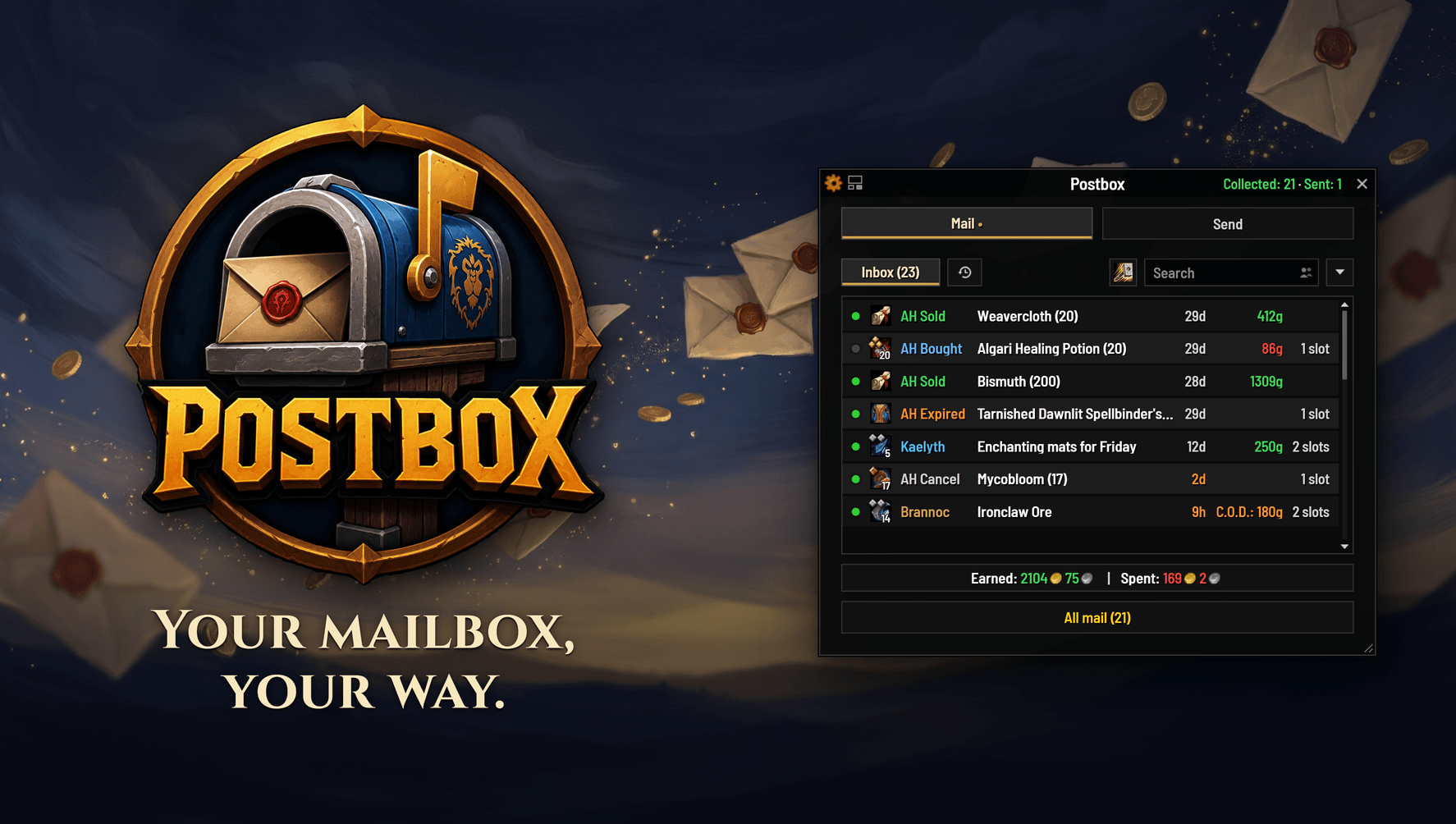
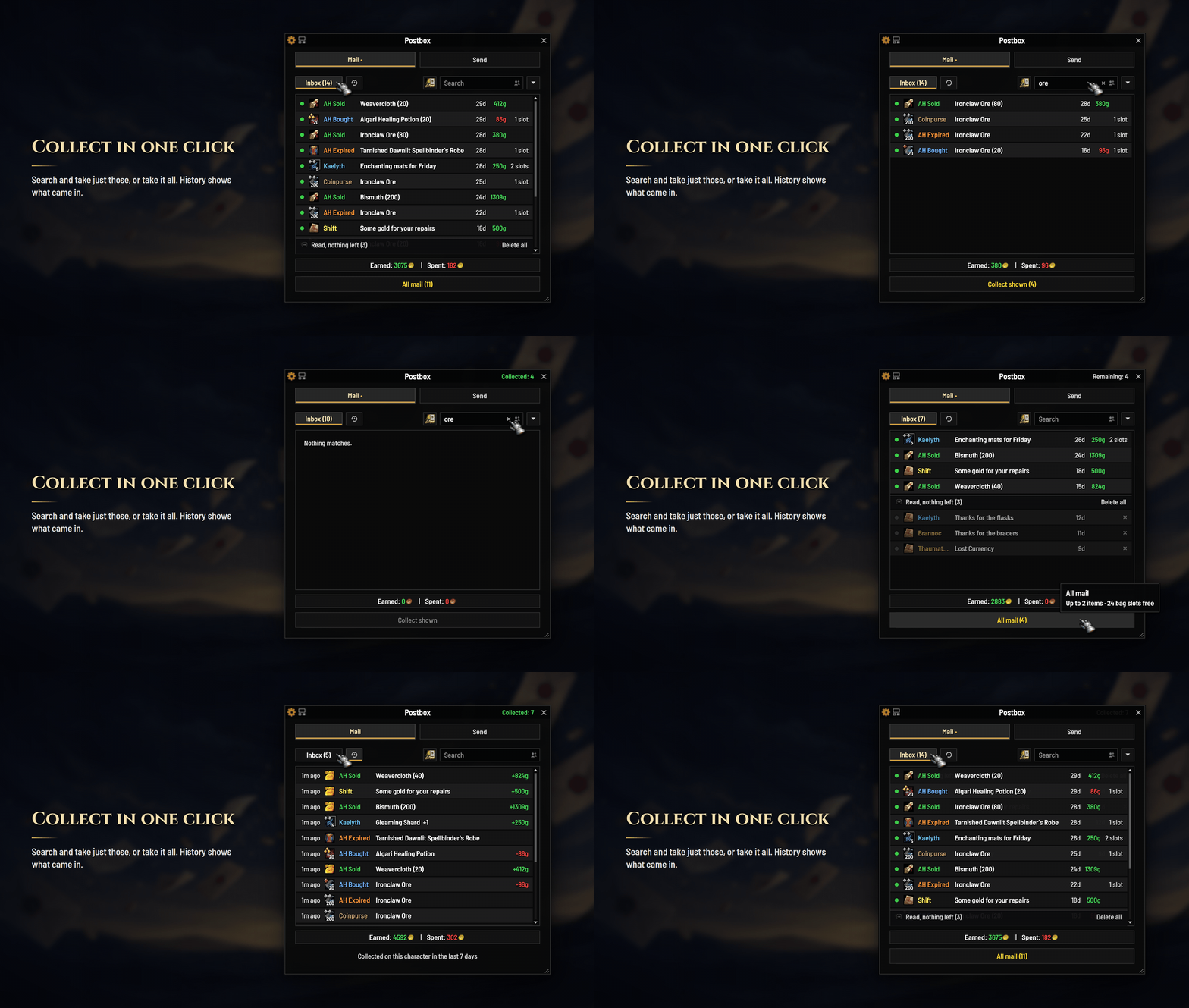
Postbox

Postbox replaces the World of Warcraft mailbox with one window that opens where you do. It clears a full inbox in a single pass, remembers everyone you write to, and tells you what your mailbox held even when you are nowhere near one.

No dependencies. No libraries. Nothing to configure — install it and open a mailbox. Retail only (12.0.7–12.1.x).

What it does

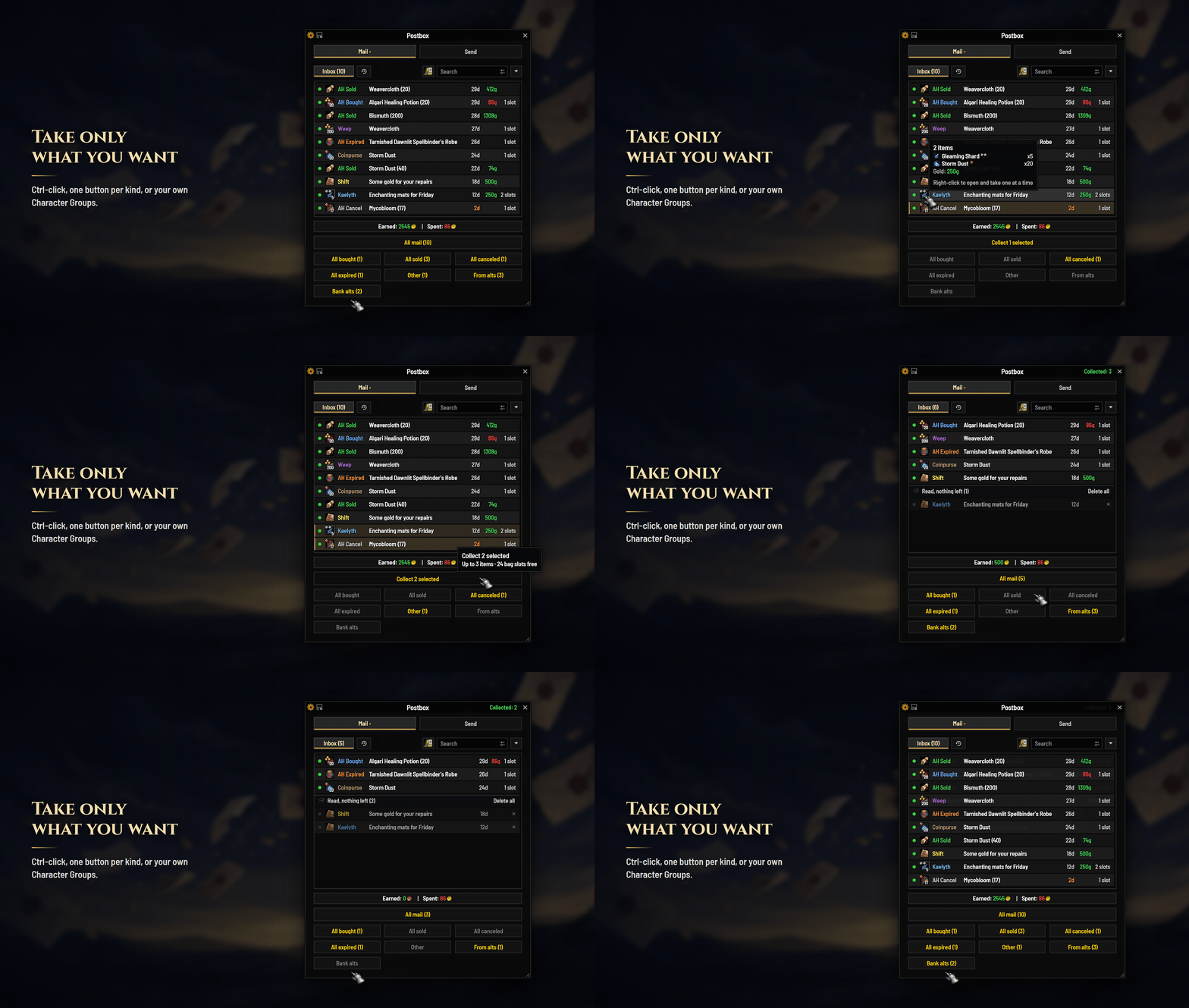
  • Empties a full mailbox in one click, safely — or just the mail you pick out.
  • Checks your bags first. If what is waiting will not fit, it says so before anything is opened, and offers to take what does.
  • Keeps count of the gold — total earned and total spent, per run.
  • Says what it could not take, and why, instead of skipping it quietly.
  • Knows who you mail. Names complete as you type; recent correspondents, alts, friends and guildmates are one click away, and favourites get a star.
  • Attaches items the moment you click them — right-click anything in your bags, even while reading a mail.
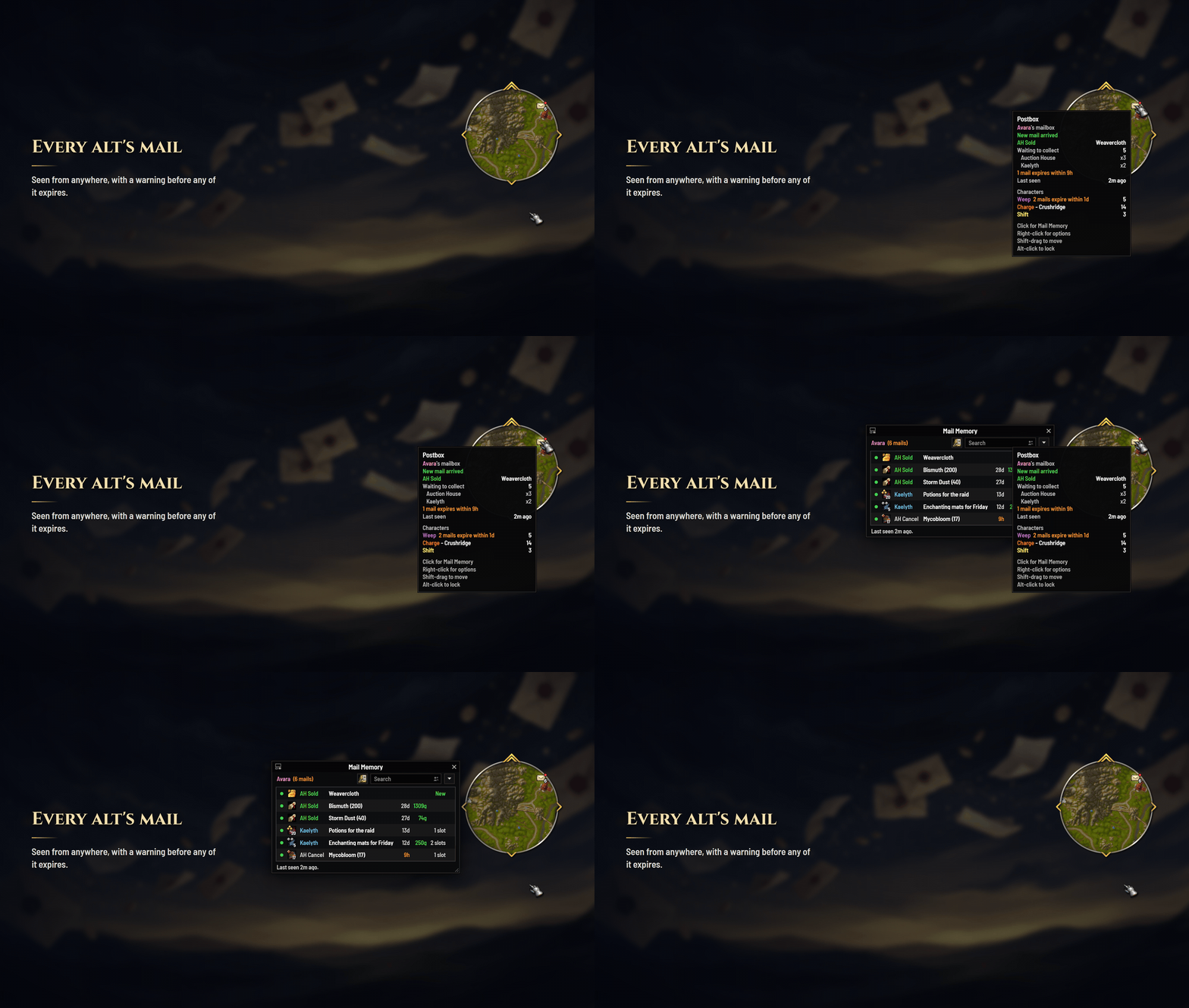
  • Remembers what was in the box, so you can check what is waiting without walking to a mailbox.
  • Replaces the minimap mail icon, if you want it to — more than two dozen hand-painted styles at four sizes.
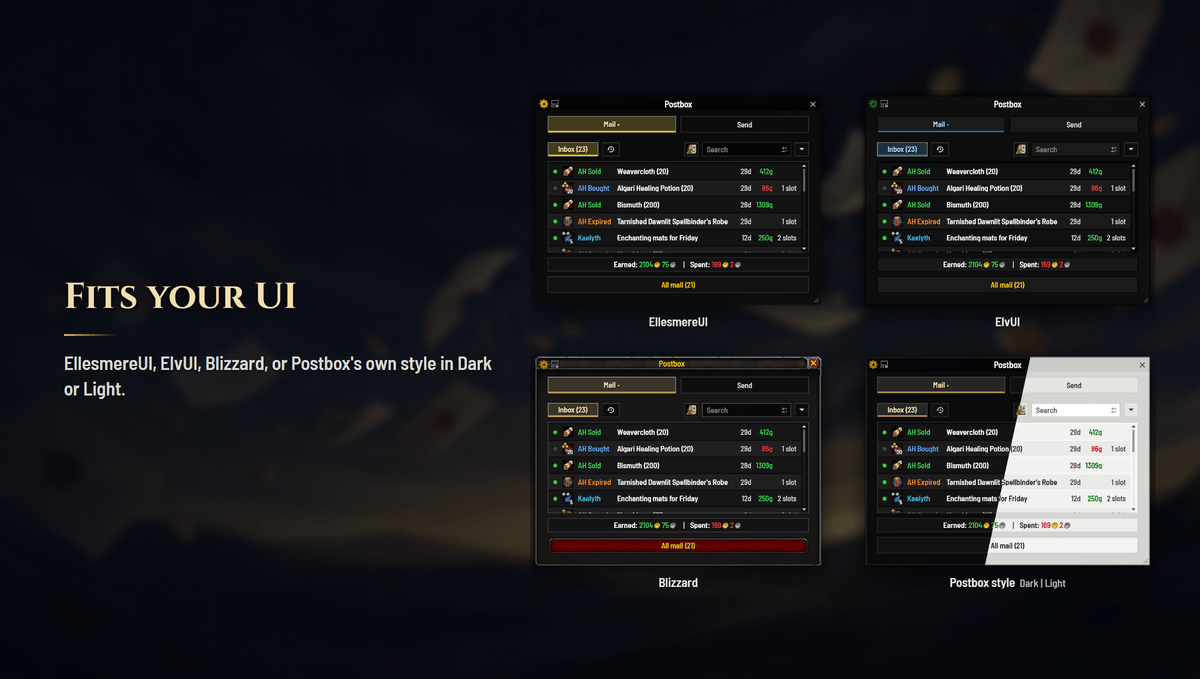
  • Wears your UI. EllesmereUI and ElvUI are followed live, or pick a look of Postbox's own.

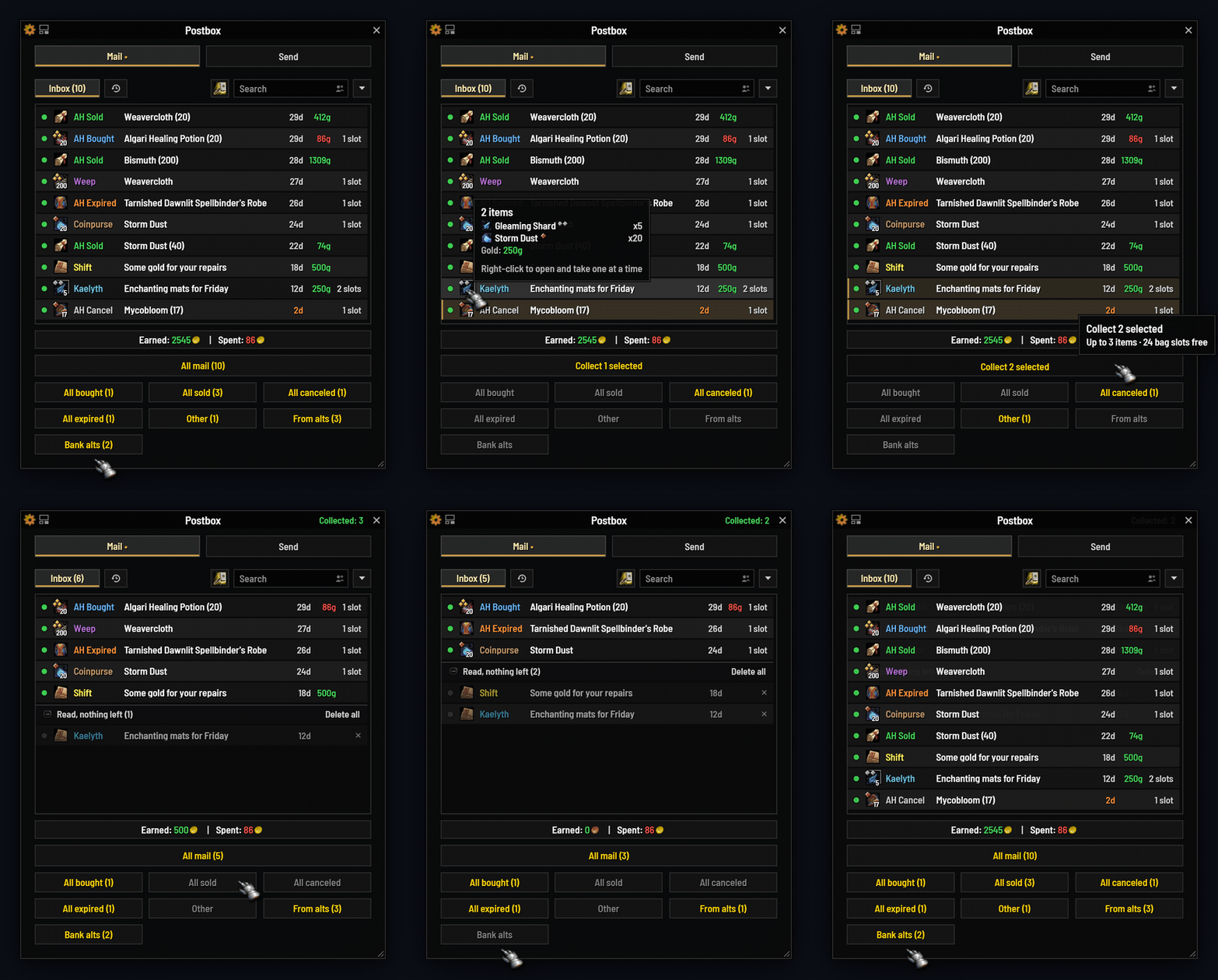
Clear a full mailbox in one click

One button empties the box, and it does it carefully. Every command waits for the server to confirm the last one, so nothing is lost to a burst of requests. An item the game refuses — bags full, a unique you already carry — is skipped and marked with the game's own reason, instead of ending the run or sitting there looking ignored. A run that cannot finish says so; it never reports success it did not have.

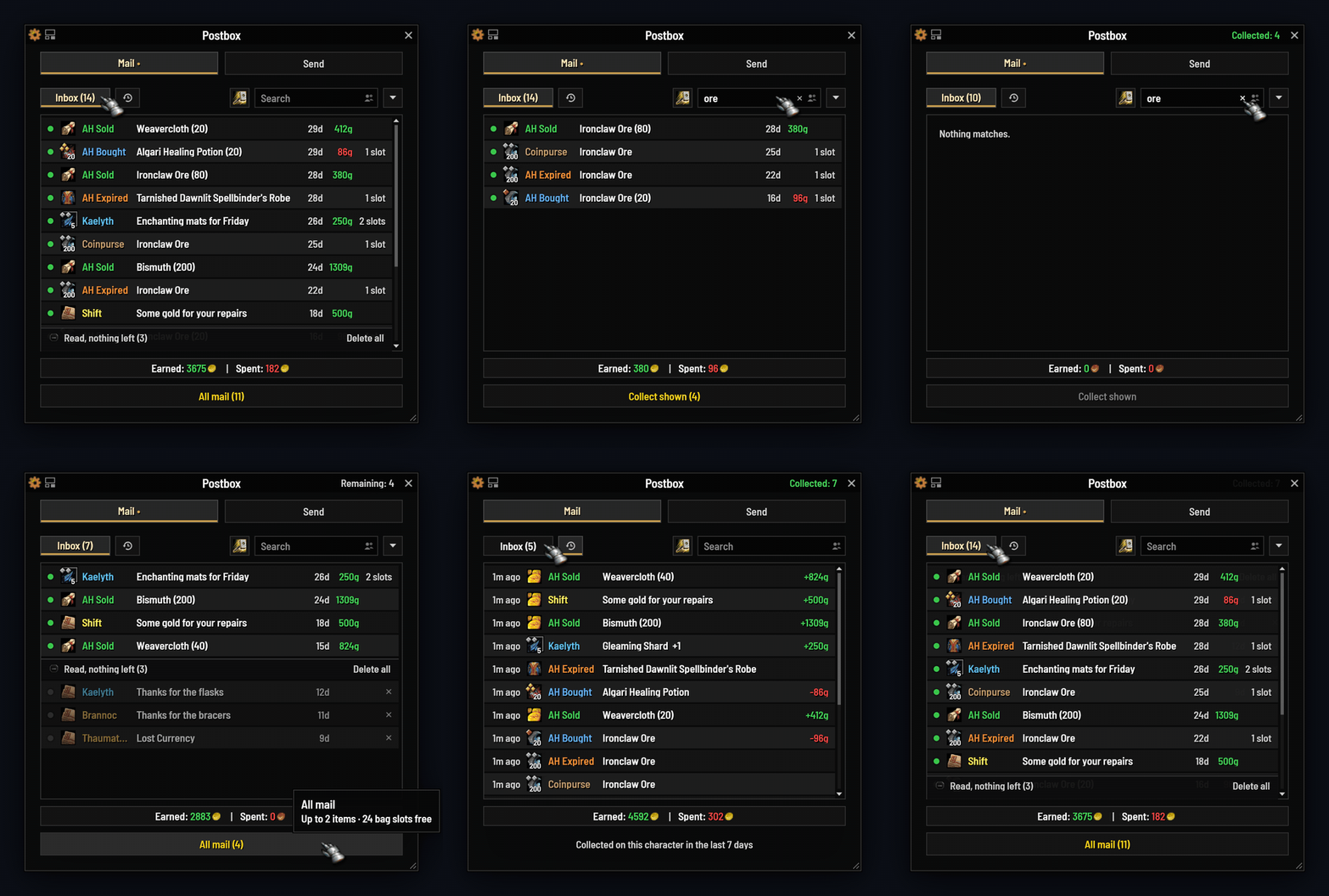
Sweep buttons pick out just the expired auctions, just the sales, just what you bought, just the cancellations. When the run finishes, chat tells you what it earned and what it spent.

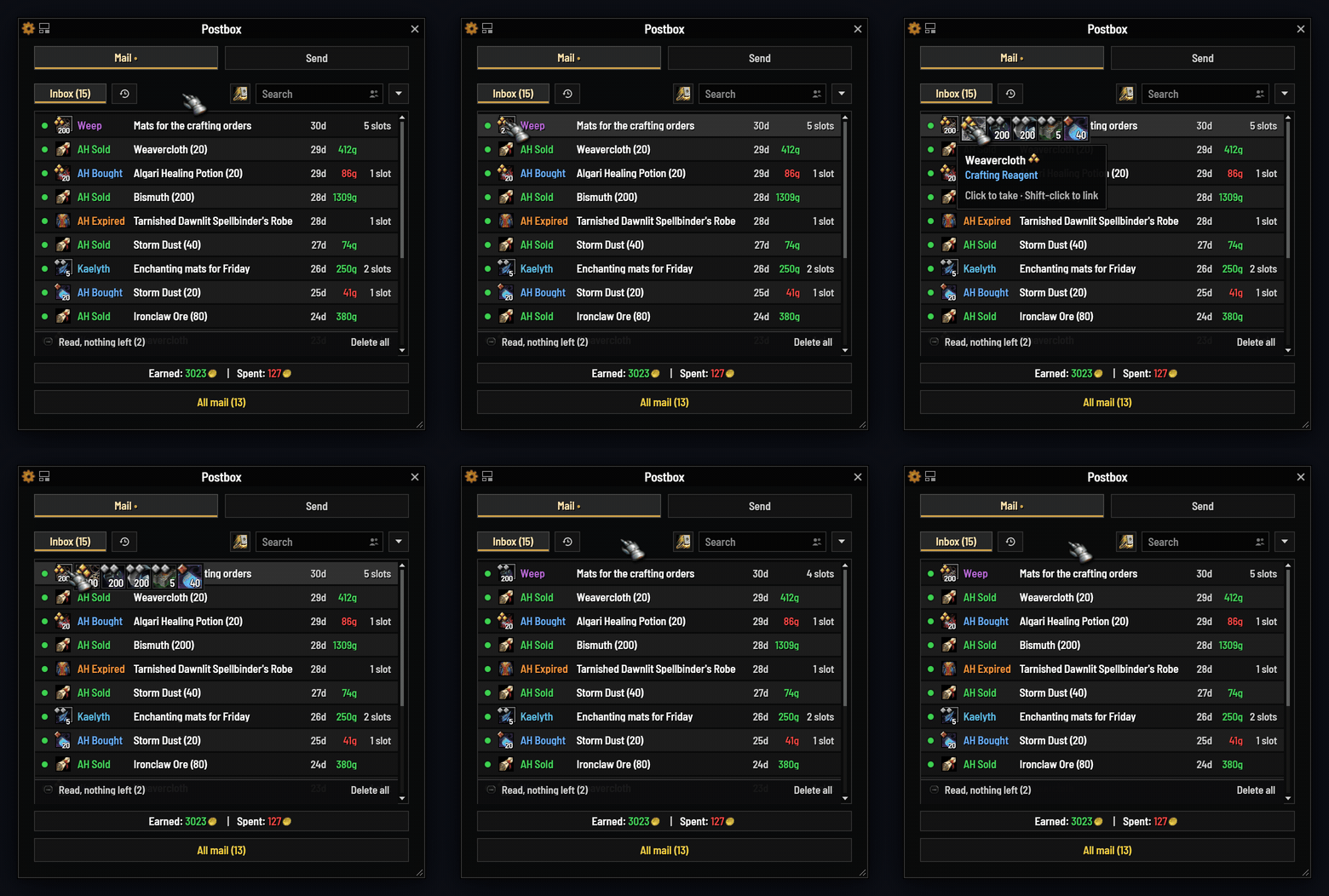
Shift-click any mail to read it without collecting it. Hover an attachment for the real item tooltip. Turn on compact rows and half again as many mails fit in the same window.

A full inbox, cleared in one pass

Three views, sweeps that pick out one kind of mail at a time, and a running total of what the run earned and spent.


It counts your gold, and it counts what it could not take

A banner under the list keeps a running total earned and total spent — the sale proceeds, the postage, the C.O.D. charges — so a session of auction mail tells you what it was actually worth rather than leaving you to work it out from your gold going up and down. The finished run says the same thing in chat.

Bag space is checked before the run starts, not discovered during it. If your bags cannot hold what is waiting, Postbox says so and stops before a single mail is marked read. If only some of it fits, it offers to collect exactly that much and tells you how many — so a full-bags mailbox does not become half-collected mail and a wall of red error text.

And when the game refuses a specific item — you already have one, it is unique, you cannot carry more — that mail is marked and counted rather than silently skipped. The title bar keeps a Stuck: 2 tally, the mail itself carries the reason on its own row, and where the game gave a reason Postbox quotes it rather than guessing. The count follows through to the mailbox memory, so "could not be collected" is still there hours later when you have made room.


Send without second-guessing

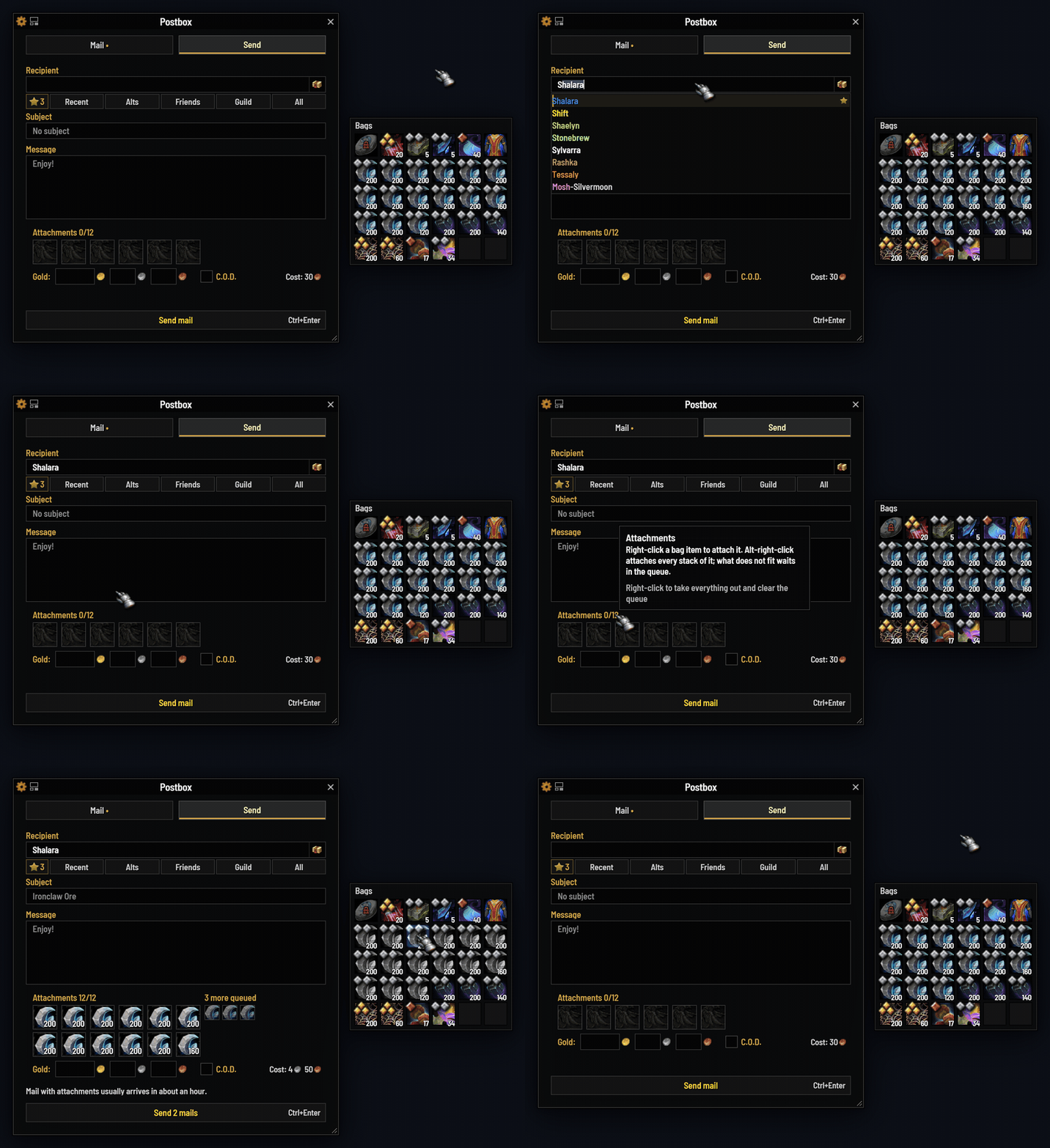
Start typing a name and it completes in place — Tab accepts it. Your recent correspondents, your alts, your friends (Battle.net included) and your guild are one click away, and the ones you mail constantly get a star.

Before you send, a line tells you what is about to happen: whether the mail arrives instantly or in an hour, and whether a cross-realm send can actually carry what you have attached. Nothing is ever blocked. Postbox tells you, and you decide. If a send fails, your draft is still there.

Right-click an item in your bags — even while you are reading a mail — and the window flips to Send with it already attached. While you compose, anything that cannot be mailed wears a padlock in your bags, so what can go is obvious at a glance.

The window grows a line at a time as your message does, and shrinks back as you delete. Your saved window size is never touched.

Composing, with completion and guidance

Inline completion, your favourites one click away, and a line telling you what the send will do before you commit to it.


A recipient manager

/postbox rm opens it from anywhere — no mailbox needed.

Search, sort, favourite, hide and annotate every name Postbox can offer you. Hidden means hidden: the name disappears from every suggestion everywhere, and this window is where you bring it back. Categories mean exactly what they say — Recent is in recency order, Guild is your guild, Friends includes Battle.net.

The recipient manager

Every name Postbox can offer you, in one place — searchable, sortable, and yours to curate.


Know what is in the box without going to one

Left-click the minimap icon anywhere in the world and Postbox shows you what your mailbox held the last time you opened it: who sent what, how much gold, what was attached, how long each one has left.

It is honest about being a memory. The header says how long ago you looked, it tells you when new mail has arrived since, and it never pretends to be live.

What the mailbox held, hours later

"Last seen 2 h ago" — what was waiting, remembered, wherever you happen to be.


A minimap icon worth keeping

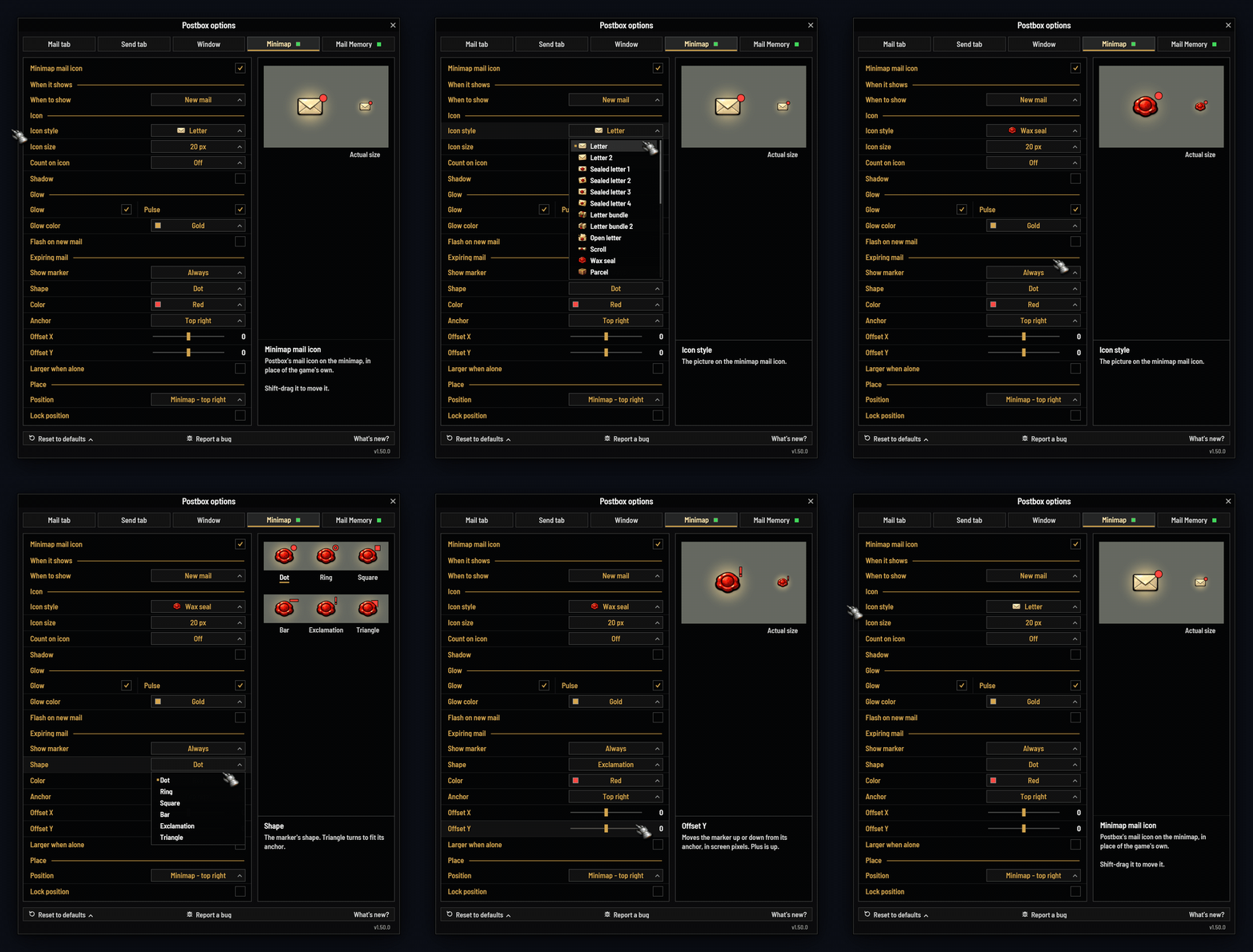
Optional, and off until you ask for it. Replace the default "you have mail" indicator with one of more than two dozen hand-painted styles at four sizes — on the minimap rim or detached anywhere on screen, placed by shift-drag — with an accent tint, a soft glow, and a flash when new mail arrives.

Hovering it tells you what has arrived since you last looked, what is waiting broken down by sender, and what could not be collected.

Running EllesmereUI? Postbox restyles their mail icon in place rather than adding a second one beside it. Switch the feature off and everything goes back exactly as it was.

The minimap icon and its tooltip

The tooltip answers the question you were going to open the mailbox to ask.


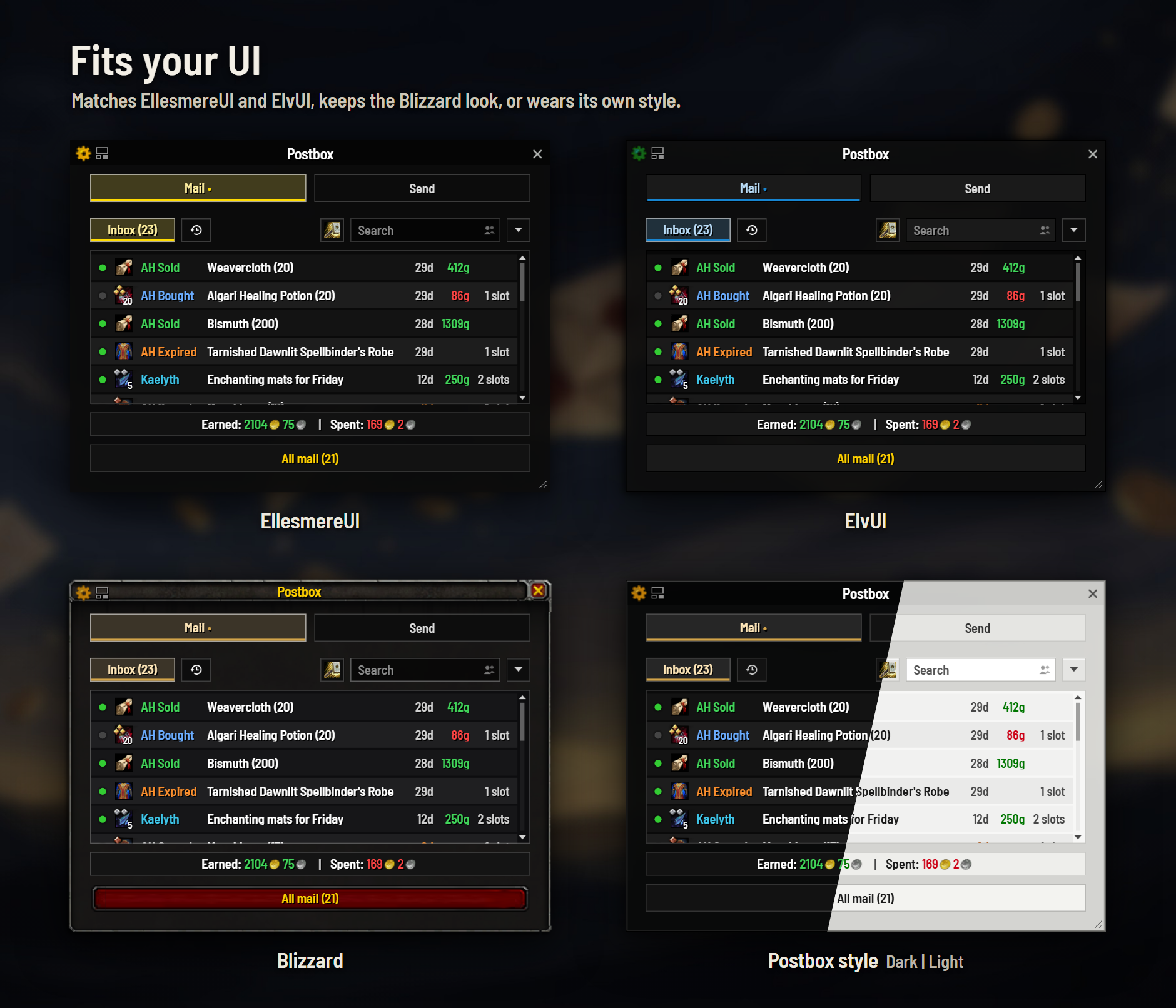
It wears your UI

Using EllesmereUI? Postbox registers with its skinning API and follows your profile — colours, font, borders, transparency — live, including mid-session profile switches.

Using ElvUI? It matches your theme, WindTools borders included.

And if you run a UI pack but prefer Postbox's own look, you can simply say so — the window style is yours either way. Postbox is plain about which is happening: a green dot reads Inheriting EllesmereUI settings when it is wearing your pack's look, and a neutral one reads Overriding EllesmereUI when you have chosen otherwise.


Or a look of its own

No UI pack, or you would simply rather Postbox did not borrow yours? Two looks are built in.

The Blizzard-native style

Blizzard-native: warm stone, at home beside the rest of the default UI.

Postbox Modern

Postbox Modern: flat, near-black, hairline borders — and its own border and transparency settings.


One panel, behind the cog

Postbox is meant to be usable without configuring anything, so nothing here is required reading — but if you want the window to work your way, it is all in one place.

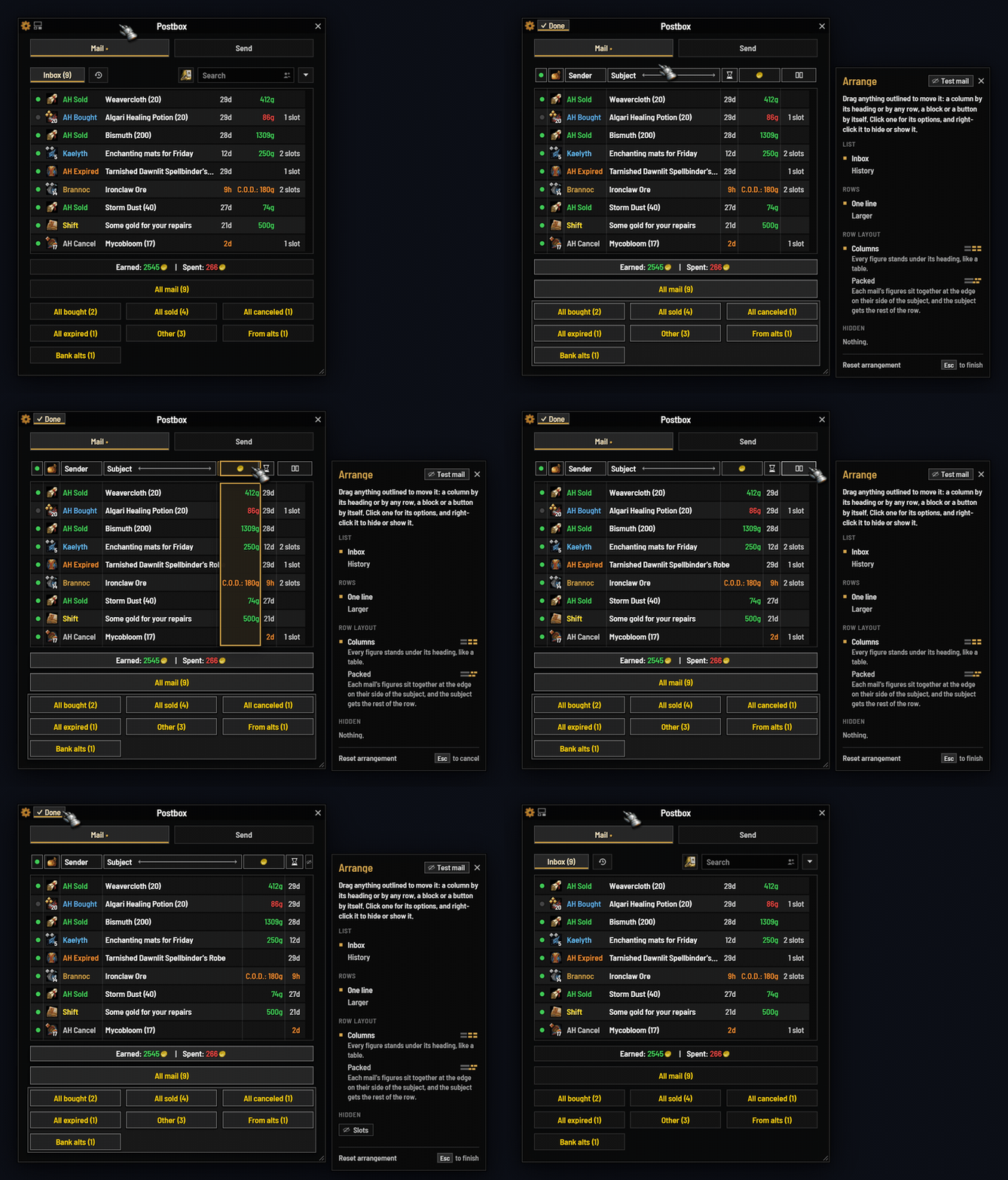
How the list behaves. Compact rows, which fit half again as many mails on screen. Mail counts on the tabs. The Mail tab's caption — counts, a running total, a single dot, or nothing at all. Whether a left-click opens a mail or collects it, and whether the All view is offered beside Collect and Done.

How mail is announced. A sound when new mail arrives, a flash on the minimap icon, and whether the mailbox memory is kept at all.

The minimap icon. On or off, its style from more than two dozen, its size, where it sits, and whether it takes your accent colour, a glow, or a pulse while mail waits.

How the window looks. Style, border, border size and background opacity — the section above.

The options panel

One panel, wearing whatever your window is wearing. It opens from the cog in the title bar, or from a right-click on the minimap icon.


Built to be light on performance

Postbox costs you nothing when you are not using it, and that was a design goal rather than an afterthought.

No timers. None. A great many addons keep something ticking several times a second forever, whether or not anything has changed. Postbox runs no repeating timer of any kind. The few per-frame handlers it does have are each tied to something you are physically doing — dragging the icon, resizing the window, scrolling a list, typing a long message — and every one removes itself the moment that ends. Some last a single frame.

Nothing runs while you are away from a mailbox. No scanning, no polling, no background upkeep. What is left is a handful of event handlers that check one thing and return.

No libraries. Nothing embedded, nothing shared, nothing to load — no Ace, no LibStub, no waiting on a library another addon happens to own a different version of. It is the addon and nothing else.

Work is done once, not per event. A mailbox that fires twenty updates in a second gets one redraw on the next frame, not twenty. The chattier game events are only listened to while the tab that needs them is actually on screen, and the mailbox memory writes to disk once per visit rather than per mail.

And it cannot break your interface. Postbox never touches Blizzard's own mail code — it draws its own window and talks to the mail API directly, so there are no hooks into protected frames and nothing it does can taint the default UI in combat.


Slash commands

  • /postbox — the help text
  • /postbox rm — the recipient manager, from anywhere
  • /postbox minimap — toggle the minimap icon
  • /postbox skin — what UI pack was detected, and what is painting the window
  • /postbox debug — a setup line to paste into a bug report

Languages

English, Français, Deutsch, Español, Русский — complete, not partial, including proper plural rules rather than a bolted-on "s".

Corrections and new languages are welcome on GitHub.


Settings are account-wide. Retail 12.0.7–12.1.x. GPL v3. Issues, source and contributions: https://github.com/egsherlock/Postbox

The Postbox — A Modern Mailbox & Mail Manager Team
profile avatar
  • 2
    Projects
  • 281
    Downloads

More from egsherlock