MountsJournal EllesmereUI Skin
- By
You need both addons installed. This one contains no part of either, and if you're not running both it quietly does nothing.
MountsJournal EllesmereUI Skin
Reskins MountsJournal to match EllesmereUI.
You need both addons installed. This one contains no part of either, and if you're not running both it quietly does nothing.
The whole idea is that it follows your EllesmereUI setup rather than imposing a look of its own. Window colour, transparency, accent, font and border all come from your active profile, read fresh each time. Change something in EllesmereUI and the journal changes with it.
Screenshots
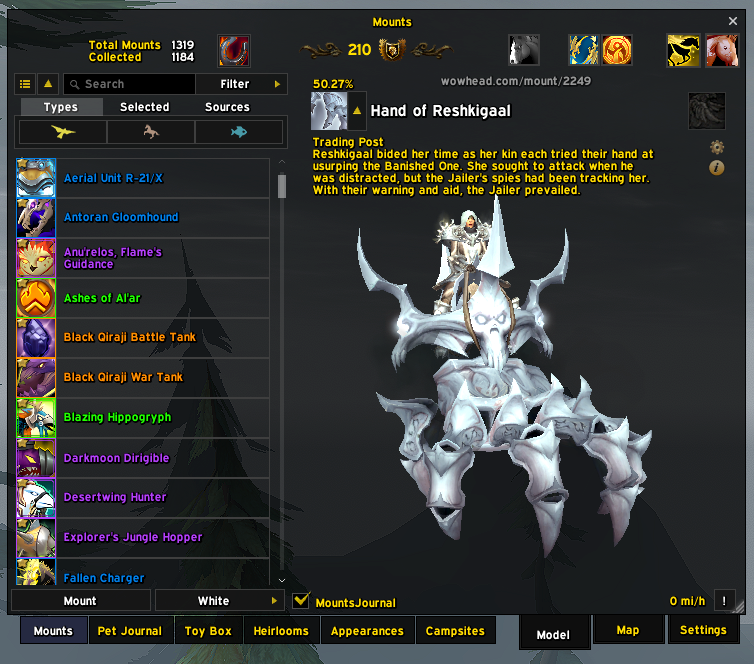
The mount list and model on a Dark Mode profile, colour and transparency both from it.
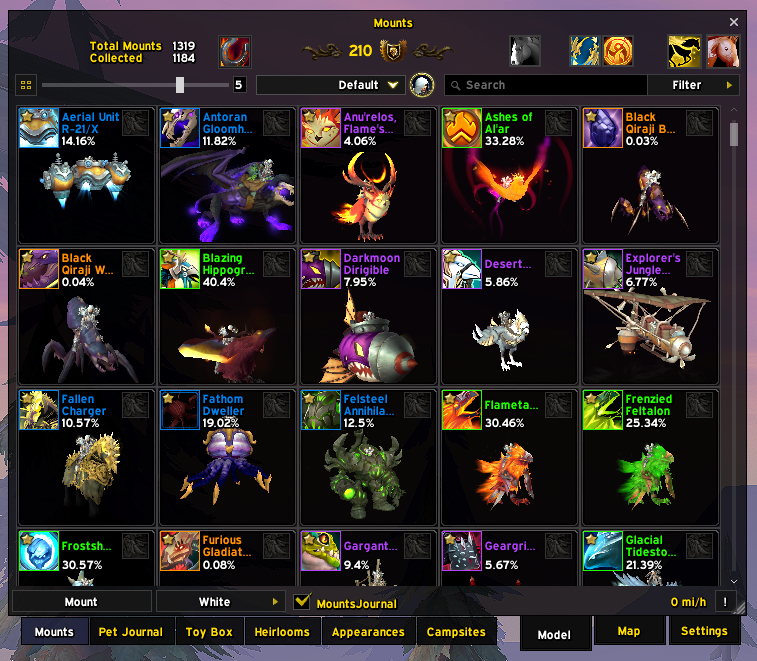
Grid view, with the mounts per row slider.
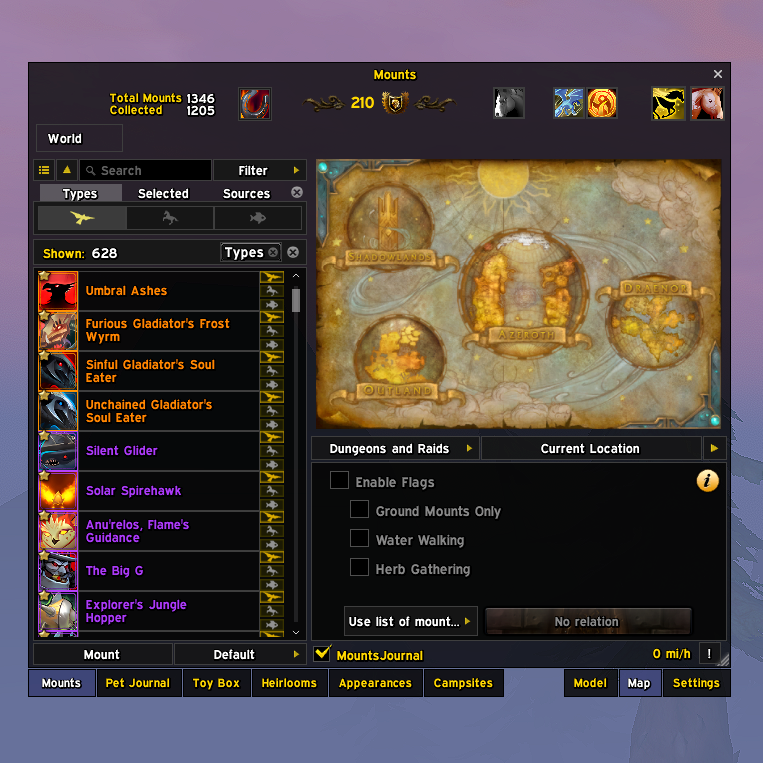
The Map tab, with its zone flags underneath.
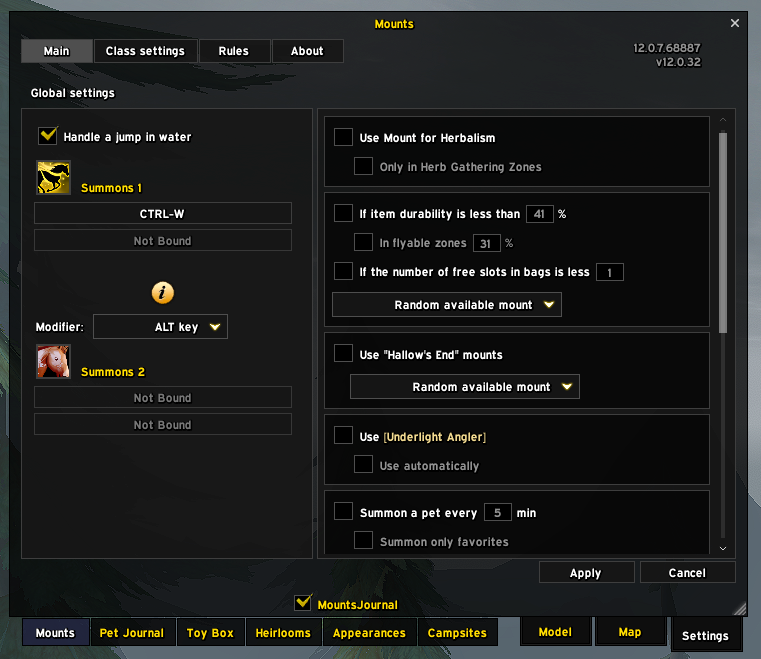
MountsJournal's own settings, skinned to match.
Goes well with
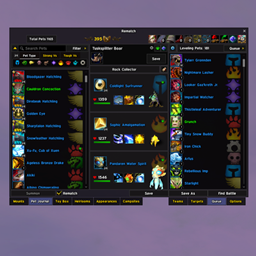
- Rematch EllesmereUI Skin is this same skin for Rematch, the pet journal one tab over, built on the same foundation so the two Collections tabs match each other as well as the rest of your UI.
- Or try my other addon, Postbox, a full mailbox replacement: clear a full inbox in one click or just the mail you choose, complete recipients as you type, and see what is waiting without visiting a mailbox. It wears your EllesmereUI or ElvUI look.
What it takes from EllesmereUI
Nothing is hardcoded, and no profile gets special treatment. Imports like atrocityUI or AES work simply because they write these same values.
- Window colour and transparency — your profile's Dark Mode fill, colour and alpha both
- Accent (selections, checkmarks, sliders) — your EllesmereUI accent colour
- UI font — the font your EllesmereUI is set to
- Window border — the border texture and size from EllesmereUI's own options, including a size of 0 meaning no border
- Window style — whatever style you've set for the Collections window
These get re-read every time something is painted, never cached. Switch profile, reopen the journal, done. There's nothing to import or keep in sync.
Options
Game Menu > Options > AddOns > MountsJournal EllesmereUI Skin
- Window backdrop (default: EllesmereUI Dark Mode) — uses your Dark Mode colour and alpha. The other choice, Blizzard window art, uses EllesmereUI's own window texture, which is fully opaque and can't be made see-through.
- Follow EllesmereUI opacity (default: on) — uses your Dark Mode alpha. Turn it off if you'd rather set the transparency yourself.
- Opacity (default: 90) — your own transparency setting. Ignored while the option above is on.
- Window edge (default: thin dark line) — a crisp 1px edge. The alternative, EllesmereUI window frame, matches its windows exactly but brings a soft inner shading with it.
- Border style (default: follow EllesmereUI) — whatever border you've set in EllesmereUI's own options, texture and size. You can also pick one yourself from its border list, including Glow, Shadow and any LibSharedMedia borders.
- Border size (default: 2) — thickness, 1 to 4. Ignored while following EllesmereUI.
What it actually touches
MountsJournal's own frames, all over: the journal window, the mount and pet lists, the filter bar, the map and model tabs, and the config, rules, snippets and icon picker windows. Art is only ever faded, never hidden. Nothing is reparented or has its scripts replaced.
Blizzard's Collections and MountJournal frames, in one specific way: their chrome is faded while the journal is open and put back when it closes, so it can't show through a transparent backdrop. The Collections tab row underneath is left alone.
The Model/Map/Settings tabs follow whatever the Collections tabs beside them wear. If atrocityUI (atrocityEssentials) is skinning that row, ours take the same flat plate, hover, font and selected tint, read live from the row beside them. If EllesmereUI's own Blizzard skin is dressing it, ours get the same treatment. If it's stock Blizzard, ours are left alone, since they're the same widget and already match.
Cost is a one-off pass at login plus hooks. There's no OnUpdate, no polling and no per-frame work.
If something looks wrong
/mjeuiskin tells you what actually ran: which backend is live, the versions installed, the colours and border it resolved, and any stage that failed. Each section is isolated, so if a frame moves in a MountsJournal update you lose that section rather than the whole window.
/mjeuiskin behind lists anything still drawing behind the window, and /mjeuiskin tabs compares the tab rows: where each tab and its label sit, the label's font, and the art. Both print what the frames really carry, which is usually the fastest way to tell a bug here apart from a Blizzard, EllesmereUI or MountsJournal change. If something looks like it moved, run tabs before and after and compare. /mjeuiskin list and /mjeuiskin pet do the same for the list column and the pet button.
Right-clicking the resize grip snaps the window back to its smallest size, which is the same size as the other Collections tabs. Hover the grip and it says so.
Compatibility
Works on EllesmereUI 8.6.6 and newer. On 8.6.8+ with the Blizz UI Enhanced module running, it registers through EllesmereUI's official skinning API and shows up in its Third-Party Addons list. Without that module, the same primitives are rebuilt from the public helpers EllesmereUI exports. Either way the look is identical and you don't need to do anything.
Licence
GPLv3. This is a derivative work of MountsJournal ElvUI Skin by sfmict. The map of which frames need skinning came from there; the EllesmereUI implementation is new. Thanks to sfmict, who wrote both MountsJournal and the ElvUI skin this was translated from, and to EllesmereGaming for EllesmereUI.
Unofficial, and not affiliated with either project. Source and issues: GitHub.
The MountsJournal EllesmereUI Skin Team