PlateTweaks
- By
Colors enemy nameplate health bars and borders based on which of your own debuffs are active on them.
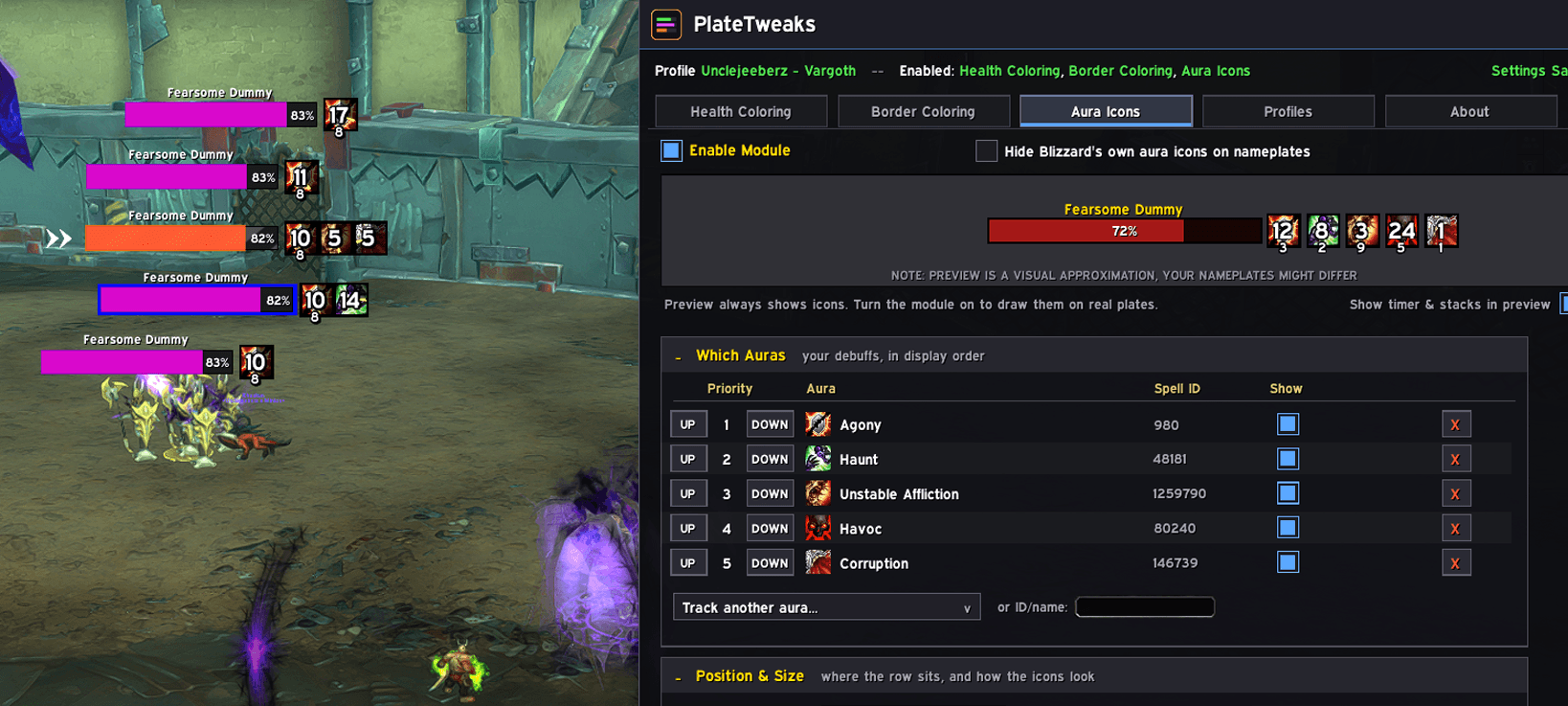
Unrealistic but fully functional "conditional" coloring of Nameplates + Borders
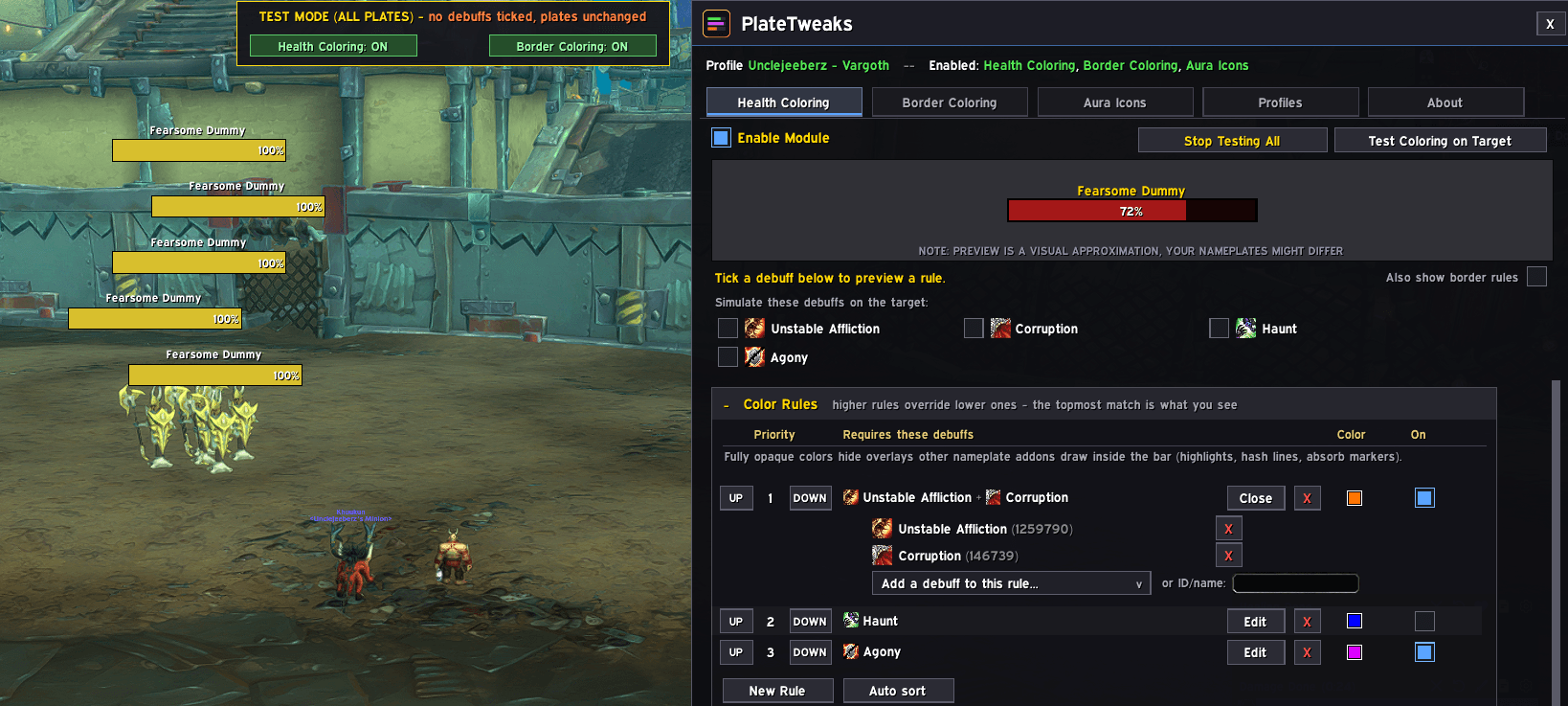
Unaltered Nameplates with the Test Mode + GUI Open
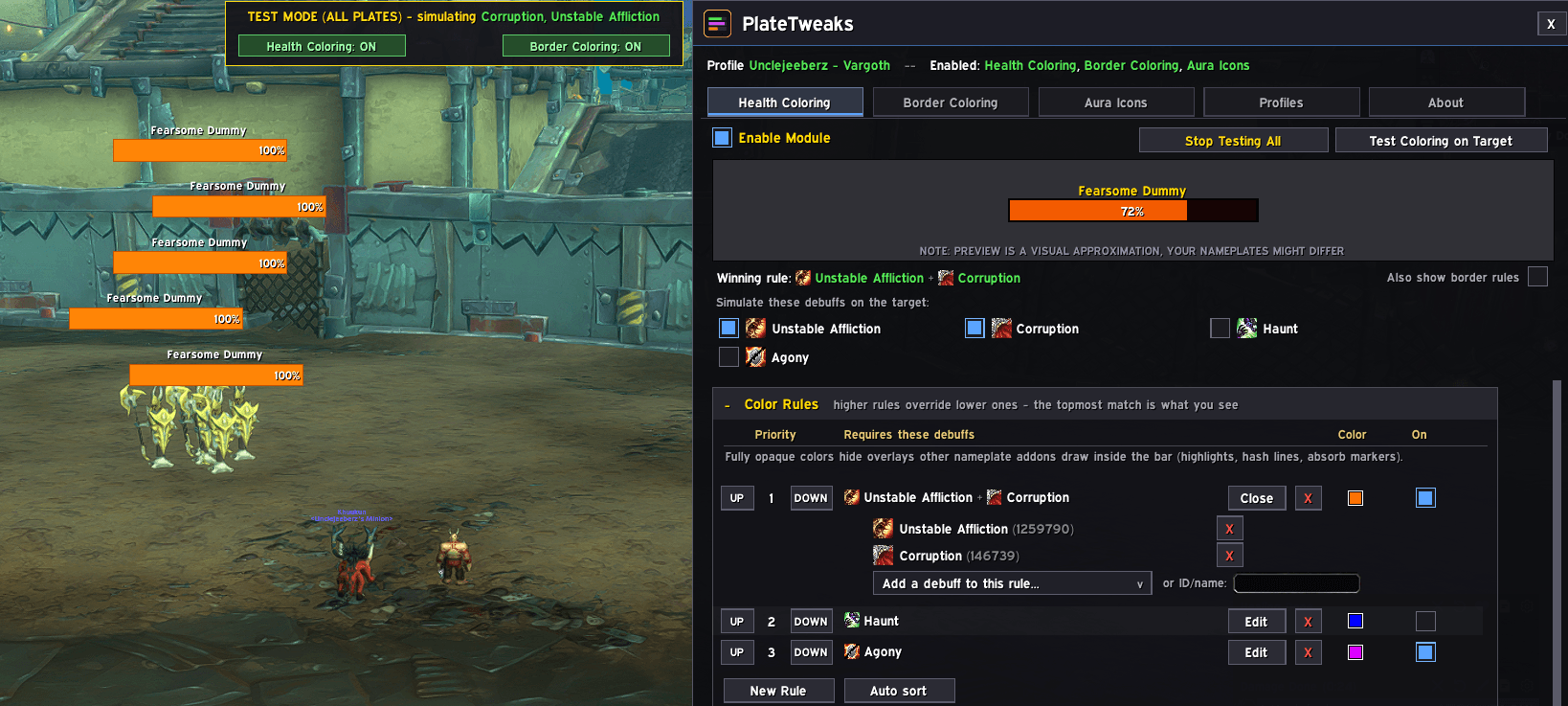
Conditionally Colored Nameplates with the Test Mode + GUI Open
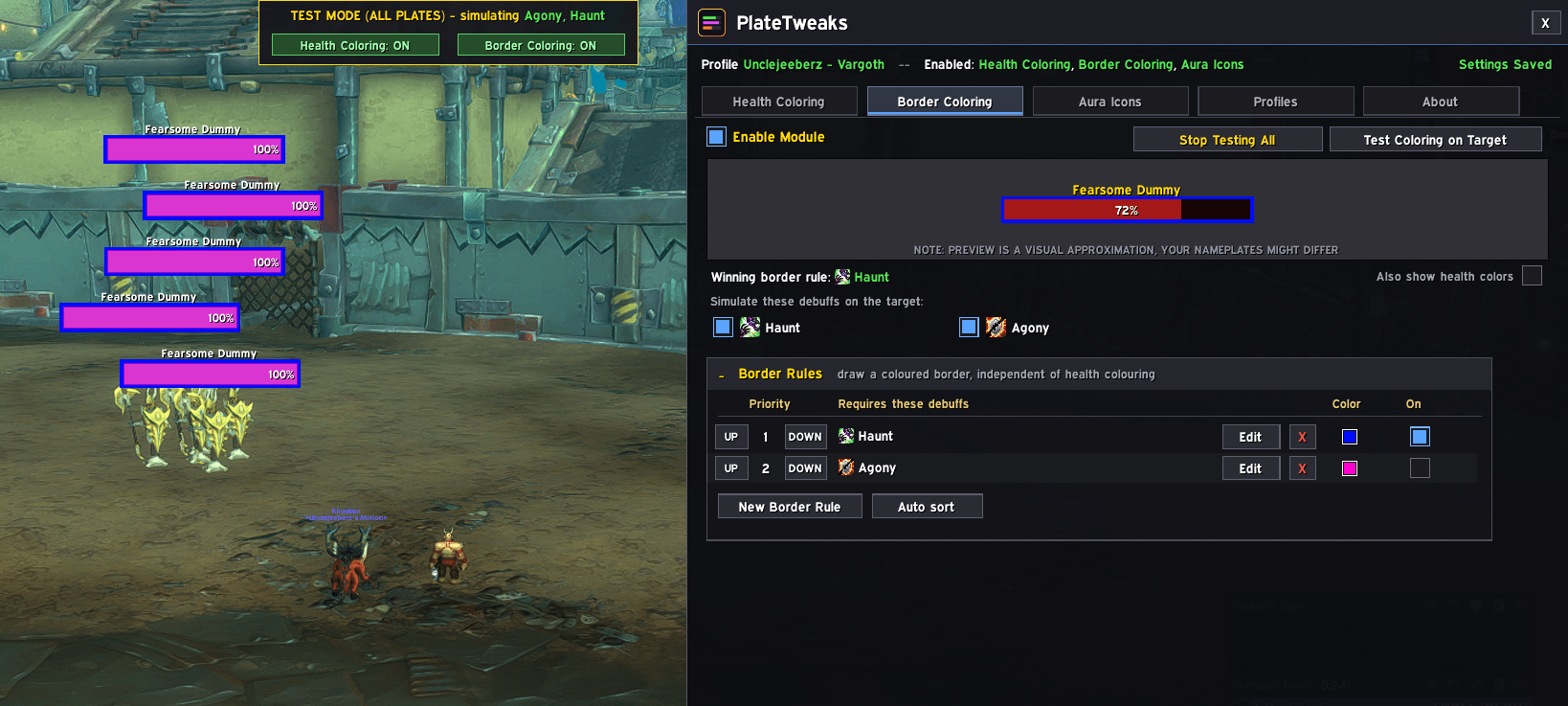
Colored Nameplates + Borders with the Test Mode + GUI Open
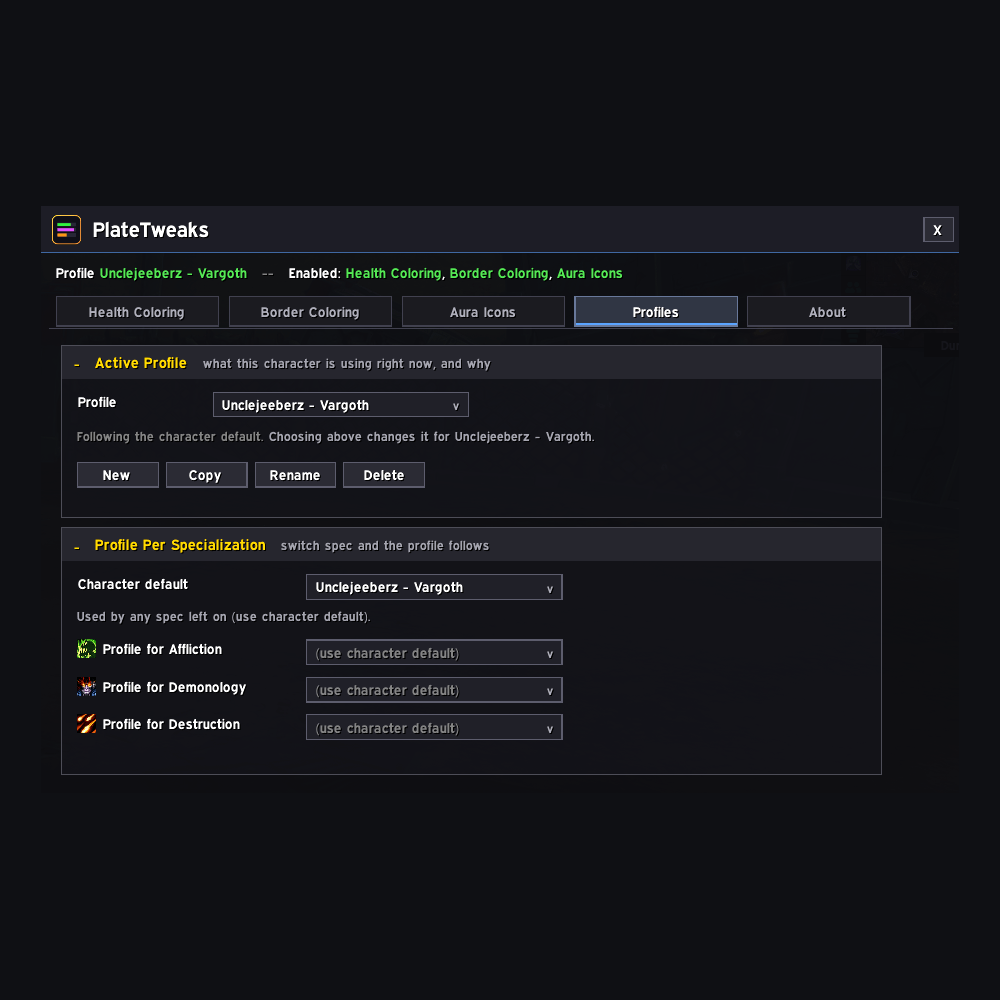
Profiles that swap with specialization!
Description
PlateTweaks
Colors enemy nameplate health bars and borders based on which of your own debuffs are active on them.
Stop squinting at aura icons to work out which target still needs your DoT. PlateTweaks tints the nameplate itself, so a glance across a pull tells you where your debuffs are and where they aren't.
Experiencing a bug with the addon?
Please /pt capture on a target affected with the bug.
Then please copy/paste the string of information to the diagnostics channel in the discord!
Diagnostics → Saved captures → All captures
Support: https://discord.gg/cdKSgKyCVJ
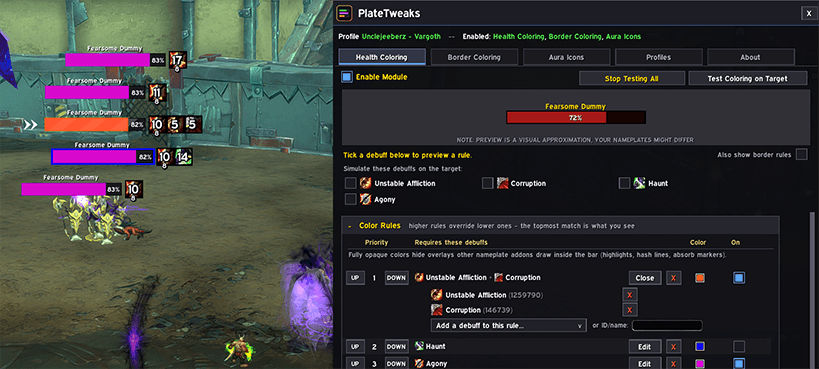
Opens with /pt
What it does
PlateTweaks has five independent modules. Turn on whichever you want and ignore the rest.
Health Coloring — tints the health bar when your debuffs are on the target.
Border Coloring — draws a colored border around the plate, with its own rules and its own priority. Use it instead of health coloring, or alongside it.
Aura Icons — an optional row of icons on the plate for the auras you choose. Off by default, since most nameplate addons already do this.
Missing Debuffs — invert any rule to wash the bar (or draw a reminder icon) while its debuff is absent instead of present, so it doubles as a "this needs reapplying" alert. Off by default.
Optional Tweaks — small conveniences unrelated to coloring, like appending spell IDs to tooltips so you can find the number a rule actually needs.
How rules work
A rule is a color plus one or more debuffs. It matches when all of its debuffs are on the target.
Rules are checked from the top down and the first match wins, so put specific rules above general ones. Auto sort does this for you.
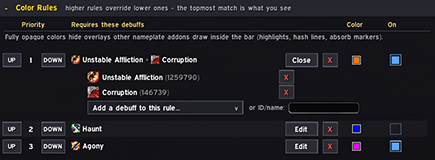
A target with both debuffs shows green. One with only Moonfire shows purple. Health and border rules have separate priority stacks, so the top health rule and the top border rule both apply — you can color the bar off one debuff and the border off another.
Adding a debuff
Pick it from the dropdown, or type a spell name or ID.
Many abilities apply an aura whose ID differs from the one you cast — Rend is cast as 772 but applies 388539. PlateTweaks resolves this for you and says so when it substitutes an ID, so a rule entered from the dropdown always works.
Cover missing health
A per-rule option under Edit Color / Appearance. It paints the empty part of the bar — the health the target has already lost — in one opaque color.
The effect is a bar that reads as your rule's color and nothing else, instead of your tint sitting on top of whatever your nameplate addon draws in the empty space. On a busy pull it makes "which of these still has my DoT" a glance rather than a squint.
Because the cover is opaque, it will also hide other addons' overlays on the missing-health side of the bar. That's what makes it work, but it's worth knowing going in — the option says so next to the checkbox.
Color and opacity are shared by every rule using the option, and the swatch appears at the bottom of the Health Coloring rule list once at least one rule turns it on.
Missing Debuffs — reapply reminders
Any rule can be flipped to wash the bar (Health Coloring) or draw an icon that displaces off the plate (its own module) while the chosen debuff is absent, turning it into a reminder that something needs reapplying. Several missing rules can stack, ranked so only the highest-priority one you still owe is ever lit — no muddy blending.
There's an optional combat-only gate so an untouched reminder doesn't light up on every mob standing around before a pull.
Profiles
Named, account-wide profiles that can be shared between characters. Each character picks a default, and any spec can be bound to its own profile — switch spec and your rules switch with it.
Test mode
Buttons on either coloring tab paint your rules onto real nameplates without needing the debuffs up, so you can judge a color, thickness, or border at true size before committing to it. Test your target or every plate on screen. A banner shows what's being simulated and how to stop.
Compatibility
Works with Blizzard's default nameplates and every nameplate addon tested — EllesmereUI, Plater, Platynator and others. It draws on whatever health bar it finds rather than replacing your plates.
If you use another addon's aura icons, leave the Aura Icons module off so you don't get two rows.
Bar Edges (under Health Coloring) pulls the tint back off your nameplate addon's own border if they overlap.
Performance
The game will not tell an addon which auras are on an enemy — PlateTweaks never asks. It hands the conditions to Blizzard's own secure aura containers and lets the game decide what to show.
| Rule size | Cost per nameplate |
|---|---|
| Any rule, 1–4 debuffs | ~1 container + ~1 tint texture per debuff |
That's the current cost on a normal client. On a client that doesn't offer the newer aura-slot API, the addon falls back to an older pooled method automatically — a container keeps about ten pooled slots and a rule has to cover every combination, so cost multiplies fast (~10 per debuff, ~100 for two, ~1000 for three). /pt perf always reports what's actually built on your setup, so you can check rather than guess.
Friendly nameplates are skipped in the normal case, since nothing you apply can land on them.
Fully opaque colors will cover overlays other nameplate addons draw inside the health bar (highlights, hash lines, absorb markers). The default is 75% opacity for that reason.
Getting started
Type /pt to open the settings window.
- Health Coloring → New Rule
- Add a debuff from the dropdown, or type its name
- Click the color swatch and pick something you'll notice
Status
This addon is early and experimental. It works, and it's in daily use, but expect rough edges — please report anything odd.
Built for Midnight (12.1) and its secure aura system.
The PlateTweaks Team