Ping Alert! LMN
Never miss a whisper, mention, or BNet message again. PingAlert plays a loud audio alert for the chats that matter. Keyword triggers, and Battle.net support.
Screenshot 2026-03-17 185617.png
Screenshot 2026-03-17 185646.png
Screenshot 2026-03-17 185858.png
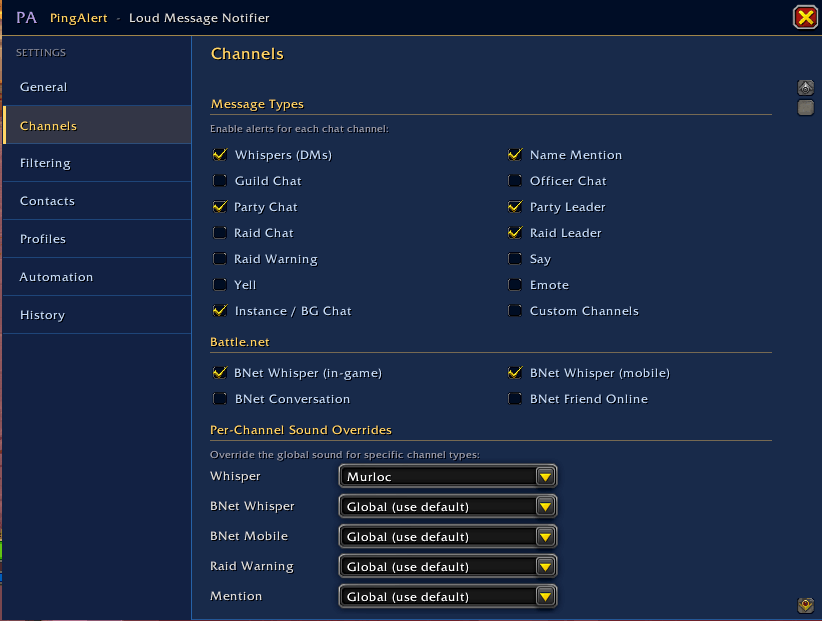
Screenshot 2026-03-17 185629.png
Description
PingAlert — Loud Message Notifier
Never miss a whisper, mention, or BNet message again.
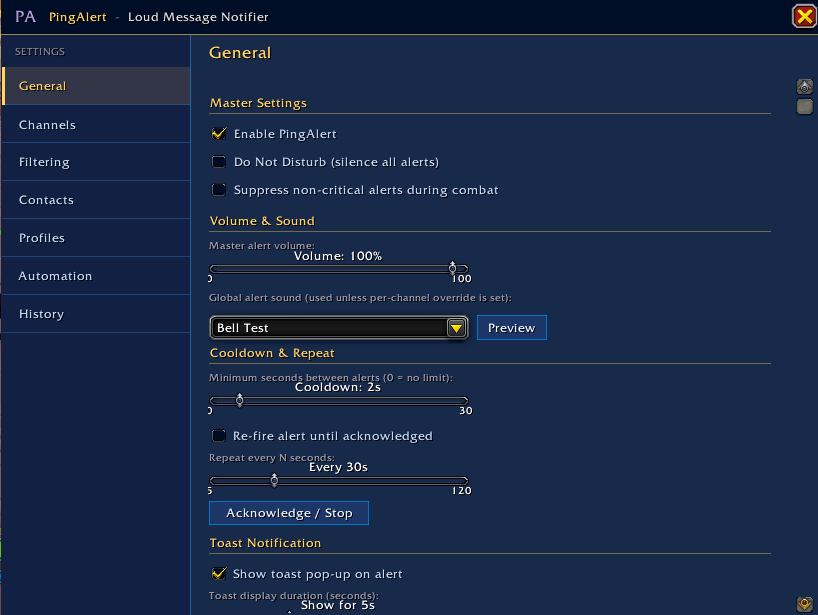
PingAlert fires a loud audio alert, a screen flash, and a draggable pop-up toast notification whenever a message arrives that matters to you — whispers, name mentions, BNet whispers, raid warnings, and more. Fully configurable, with a polished TSM-inspired settings UI.
Features
Alerts
- Audio alerts — choose from built-in WoW sounds or your own custom
.ogg/.mp3files dropped into theAUDIO\folder - Screen flash — coloured edge glow that fades out, colour matches your active theme
- Toast notification — draggable pop-up showing sender, channel, and message preview; click the sender name to open a reply box
- Repeat alert — re-fires until you acknowledge it or reply
Message Types
Enable alerts for any combination of: Whispers, Name Mentions, Guild, Officer, Party, Raid, Raid Warning, Say, Yell, Emote, Instance/BG Chat, Custom Channels, BNet Whisper (in-game), BNet Whisper (mobile/app), BNet Conversation, BNet Friend Online
Per-Channel Sound Overrides
Assign a different sound to specific channels — for example, use the Murloc sound for whispers and a bell for raid warnings.
Contact & Group System
- Group character names and alts under a single label (e.g. one entry for a friend's BattleTag covering all their characters)
- Scan Friends List — automatically imports all your BNet friends by BattleTag, populating toon names for anyone currently online
- Per-contact sound override — play a unique sound when a specific person messages you
- Last seen — tracks when each contact last messaged you
- Search — filter contacts by name or character name
- Sort — alphabetical or by last seen
Automation
- DND Schedule — set specific days and time ranges to automatically enable Do Not Disturb (supports overnight ranges, e.g. Sunday 8pm → Monday 8am)
- Auto-Reply — automatically reply to whispers when AFK; toggle to only fire when your in-game AFK status is active; editable message; per-sender cooldown (adjustable, default 30s)
- AFK auto-DND — mirrors your in-game AFK flag to automatically enable/disable DND
Filtering
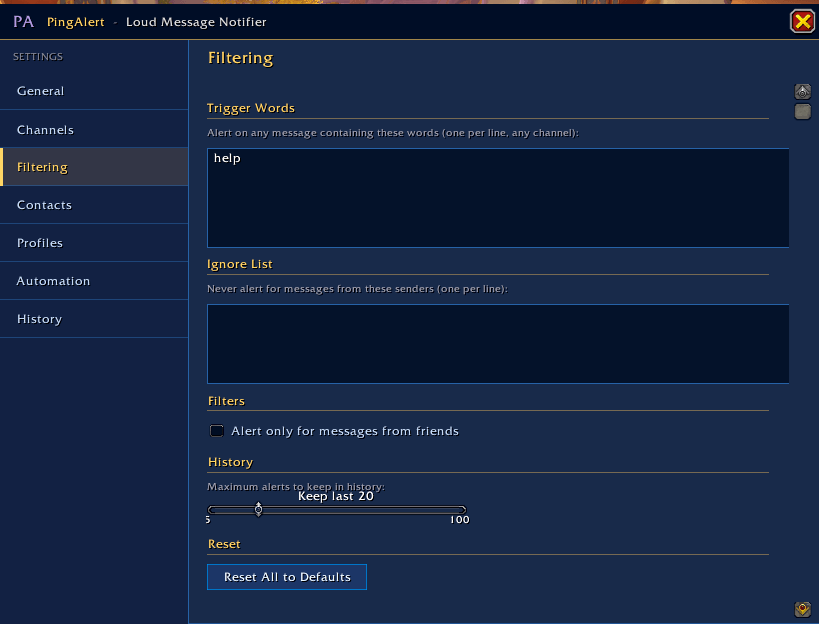
- Trigger words — alert on any message containing specified words, in any channel
- Ignore list — never alert for messages from specified senders
- Friend-only mode — only alert for messages from your friends list
- Quiet Hours — time-based DND with optional contact bypass
- Combat suppression — suppress non-critical alerts during combat
Profiles
Save and load named settings profiles, account-wide. Update existing profiles with current settings in one click.
Themes
7 colour themes built in, all affecting the settings window, toast notification, and screen flash:
- Default — dark charcoal with gold accents
- Horde — deep crimson with red-orange accents
- Alliance — navy blue with sky blue accents
- Lavender — deep purple with bright lavender accents
- Dark — near-black with silver-grey accents
- Light — warm parchment with deep purple accents
- Colorful — cosmic purple base with animated rainbow accents, rainbow screen flash, and cycling toast colours
My Class — automatically detects your current character's class and applies the matching theme. All 13 classes supported: Warrior, Paladin, Hunter, Rogue, Priest, Death Knight, Shaman, Mage, Warlock, Monk, Druid, Demon Hunter, Evoker.
UI
- TSM-inspired sidebar layout — left nav, right content pane
- 820×620 resizable window, draggable
- Custom square-edged buttons styled to match each theme
- Minimap button — left-click to open settings, right-click to toggle DND; shows unread count
Slash Commands
| Command | Action |
|---|---|
/pa or /pingalert |
Open settings |
/pa dnd |
Toggle Do Not Disturb |
/pa history |
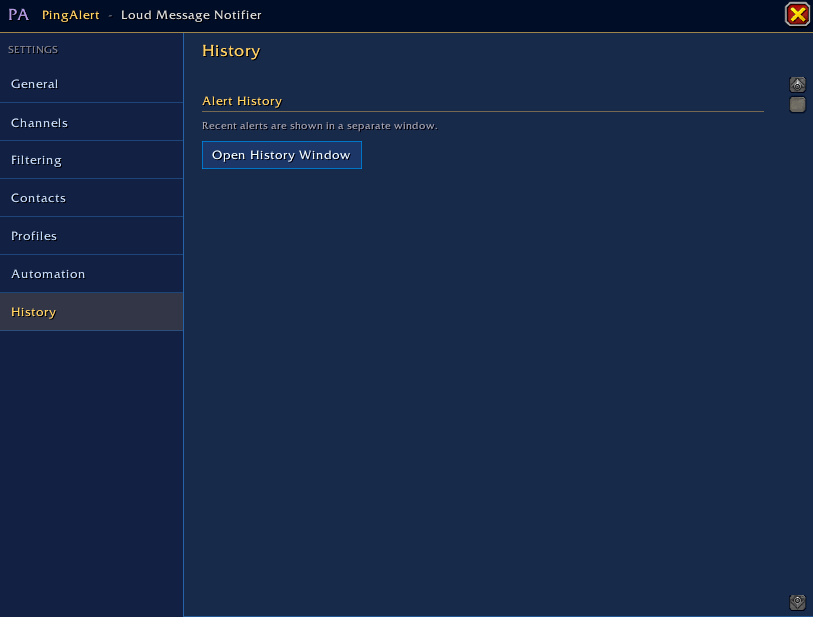
Open alert history window |
/pa debug |
Write debug info to SavedVariables |
/pa tour |
Replay the onboarding wizard |
/rl |
Reload UI (shortcut) |
Notes
- Compatible with WoW Midnight (Patch 12.0.1)
- BNet toon names are only available via the API when a friend is currently online in WoW — offline friends will have their toon names populated the next time they log in or whisper you
- Custom sounds: place
.oggor.mp3files inInterface\AddOns\PingAlert\AUDIO\and they'll appear in all sound dropdowns with rename support
Made by DatWarmGuy
The Ping Alert! LMN Team