Arcane Profiler
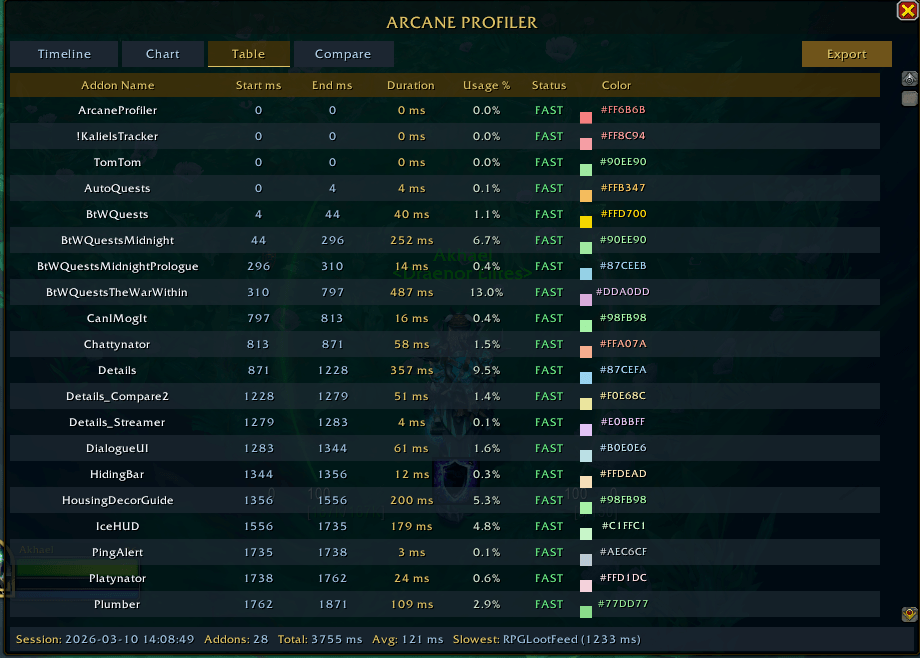
Tracks the load time of every addon on each login. Type /ap to view a colour-coded timeline, duration chart, and full breakdown table. Export data for deeper analysis. WoW Midnight 12.0+.
Screenshot 2026-03-10 140949.png
Screenshot 2026-03-10 140959.png
Screenshot 2026-03-10 141008.png
Screenshot 2026-03-10 140936.png
Screenshot 2026-08-14 095255.png
Screenshot 2026-08-14 100704.png
Description
Arcane Profiler
If your load screens feel like they're getting longer and you aren't sure which addon is the offender, Arcane Profiler gives you a millisecond-by-millisecond breakdown of what's happening behind the scenes.
Zero setup needed. Just install it, log in, and type
/ap (or click the minimap icon) to see your stats.Key Features
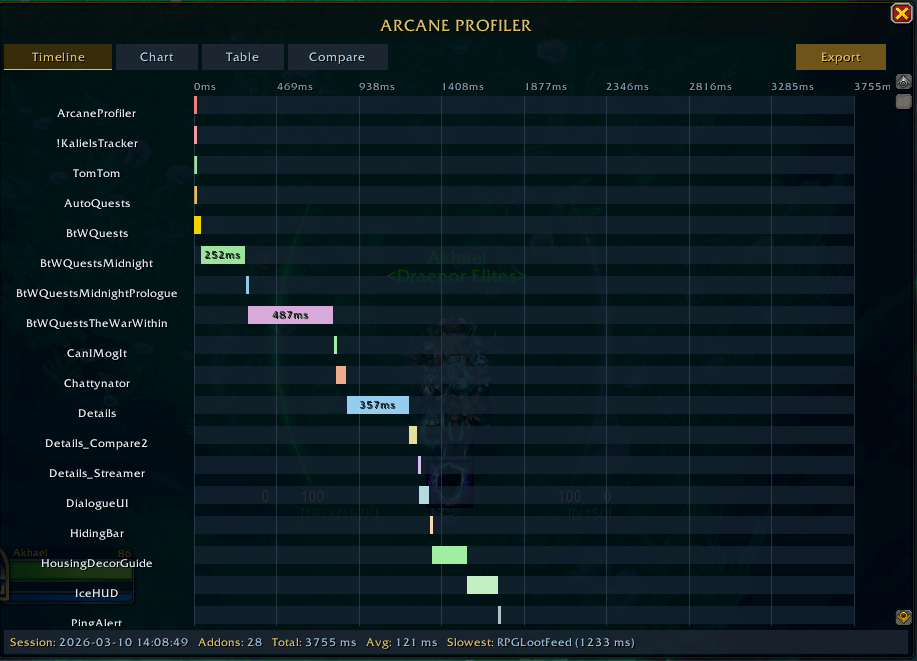
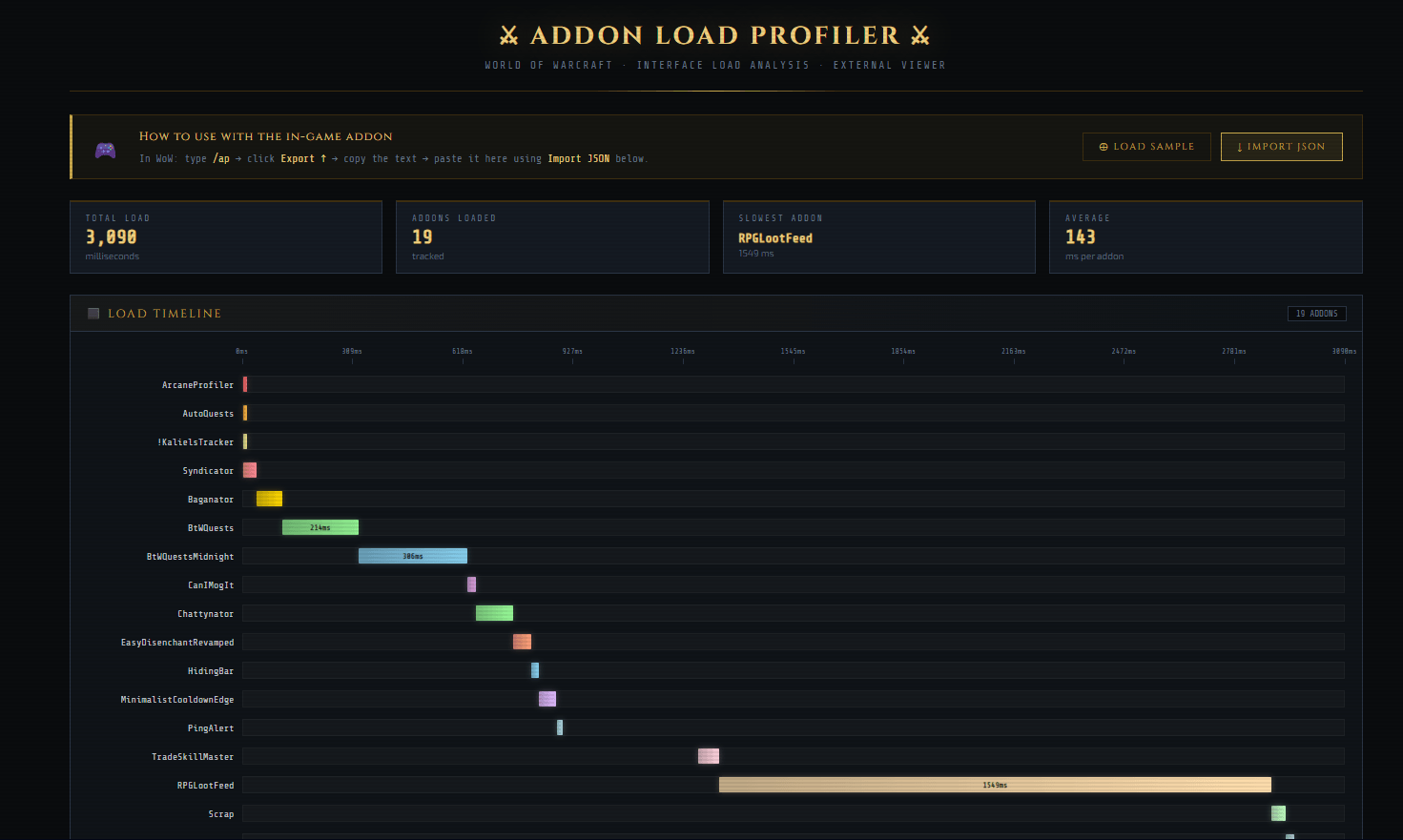
- Visual Load Timeline: A Gantt chart that plots every addon across your load window. Easily spot which addons load early, late, or in parallel.
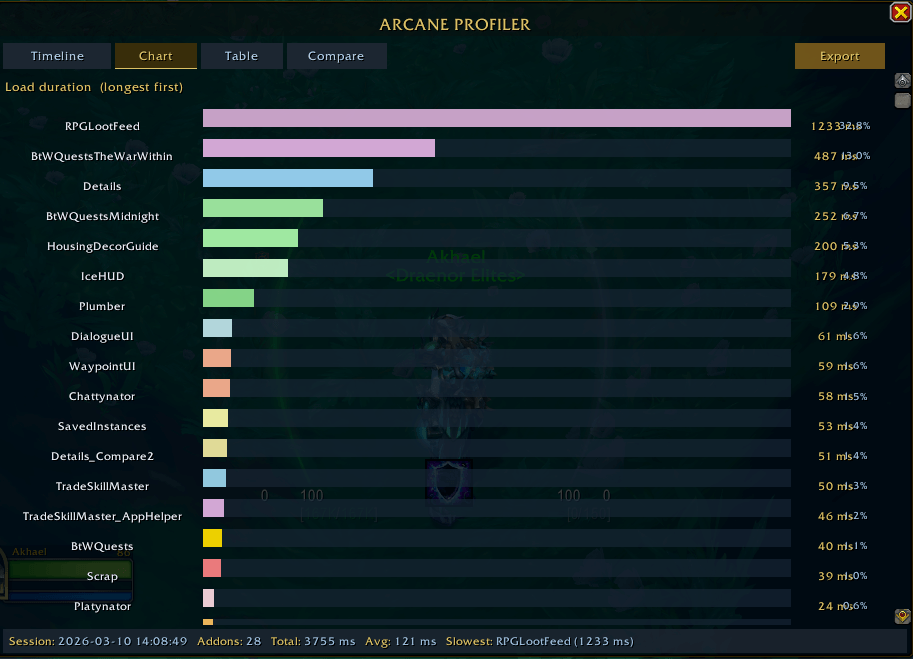
- Slowest Addons at a Glance: A duration chart automatically sorted from longest to shortest load times.
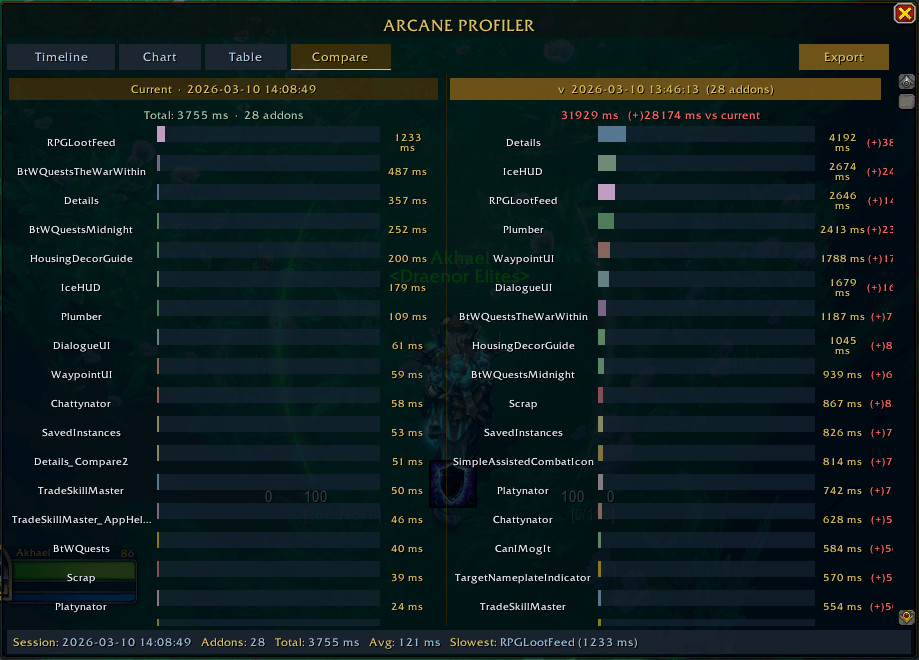
- Side-by-Side Compare Mode: Open two load sessions side-by-side on the same millisecond scale. Disable an addon, hit
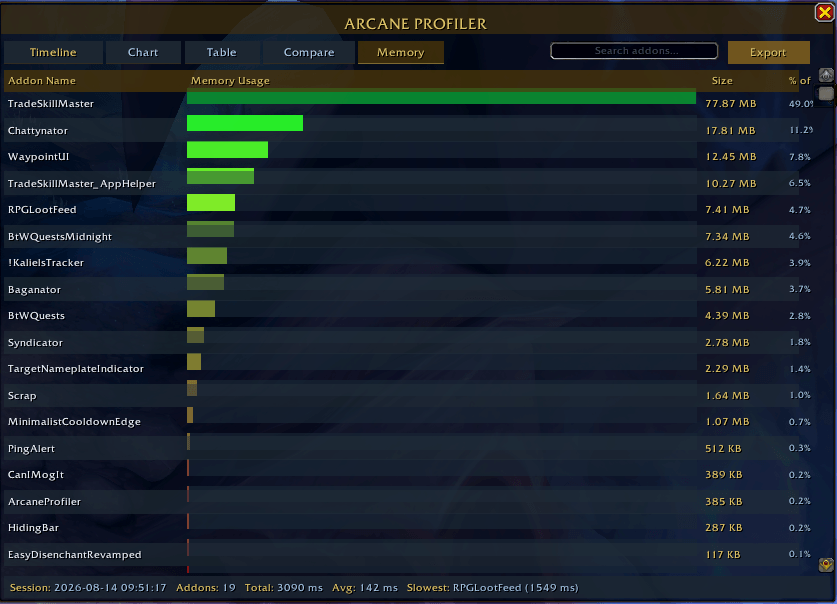
/reload, and immediately see how much time you saved with (+/-) delta badges. - Memory Tracking: Dedicated tab with a heat-mapped chart showing exact memory footprints per addon.
- Load Trends & Minimap Indicator: Keeps track of your last 20 sessions. The minimap icon glows green if your last load screen was faster than your previous login, and red if it got slower.
- Standalone HTML Viewer: Export your session data to view, filter, and compare load times outside the game in your browser.
- Quick Chat Output: Don't want to open the full UI? Use
/ap topor/ap memto see your biggest offenders directly in chat. - Web Viewer & Data Export
Arcane Profiler includes an offline browser viewer (
ArcaneProfilerViewer.html) located inside the addon folder so you can analyze your performance without keeping WoW open.How to use it:
-
Export from WoW: Type
/ap exportin-game, click Select All, and copy (Ctrl+C) your data. -
Open the Viewer: Double-click
ArcaneProfilerViewer.htmlin any browser. -
Load Your Data: Click ↓ Import JSON, paste your text (
Ctrl+V), and click Load Data. (No data handy? Click ⊕ Load Sample to try it out.) -
Compare & Analyze: Import multiple sessions to quickly tab between logins (e.g., before vs. after disabling an addon). The viewer includes full-screen Gantt timelines, sorted duration charts, and a filterable addon registry.
Slash Commands
| Command | Action |
/ap |
Toggle the main profiler window |
/ap top |
Print your top 5 slowest addons in chat |
/ap mem |
Print your top 5 memory-heavy addons in chat |
/ap export |
Jump straight to the JSON export window |
/ap history |
List saved sessions with recent performance trends |
/ap reset |
Clear all saved session history |
/ap help |
Show slash command options in chat |
FAQ & Compatibility
Does this hurt load performance?
No. It only reads internal timers and memory values that WoW already tracks automatically. Background overhead is practically zero.
Why do addons show 0ms?
Addons that load in the queue before Arcane Profiler finishes initializing won't have a starting timestamp. This affects only the first couple of addons in your load order.
Is it compatible with WoW Midnight?
Yes. Built specifically for Patch 12.0+ using modern
C_AddOns APIs. It doesn't touch restricted combat systems or use deprecated globals.Arcane Profiler Team