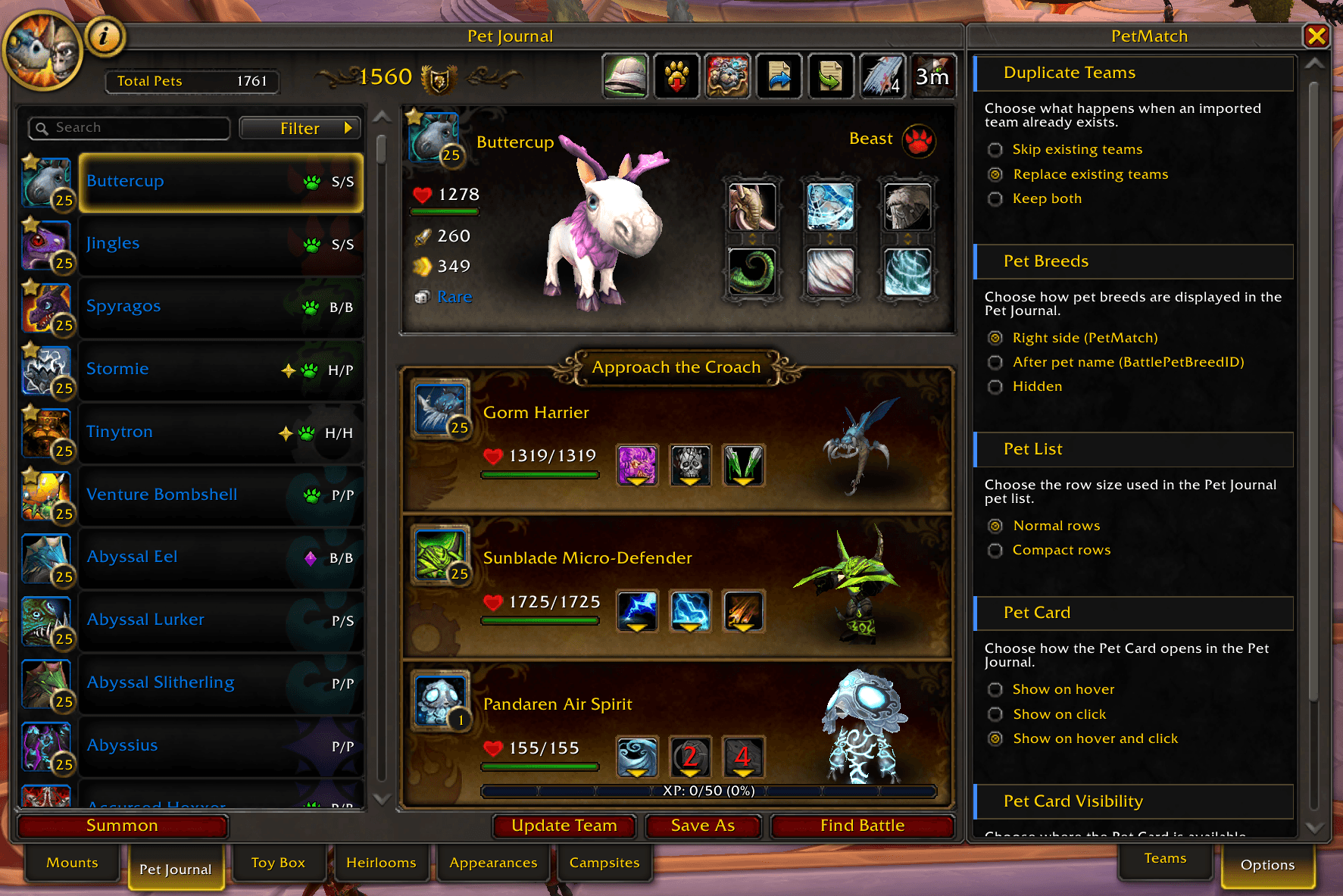
OptionsList-with-normalpetrows.png
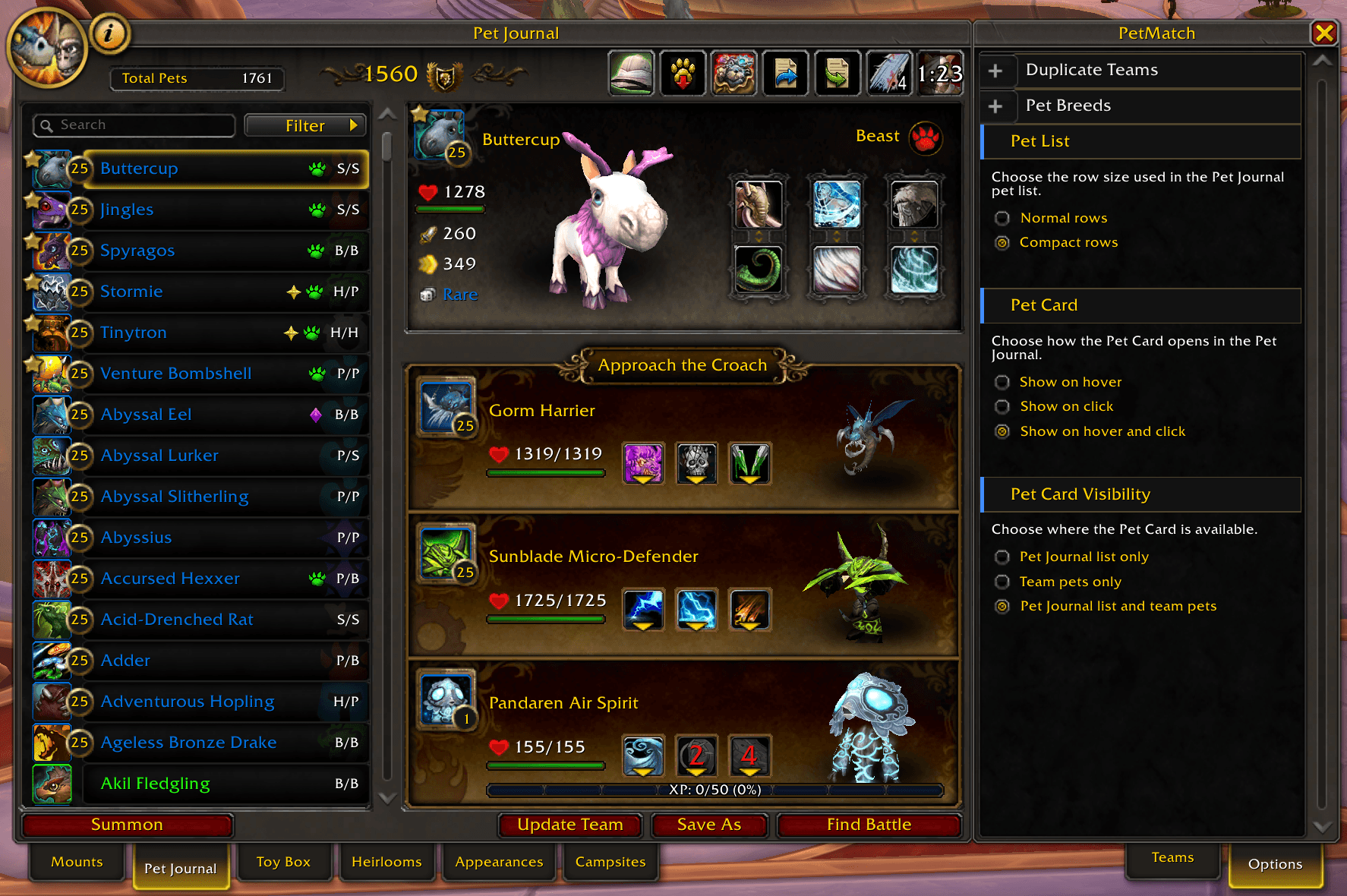
OptionsList-with-compactpetrows.png
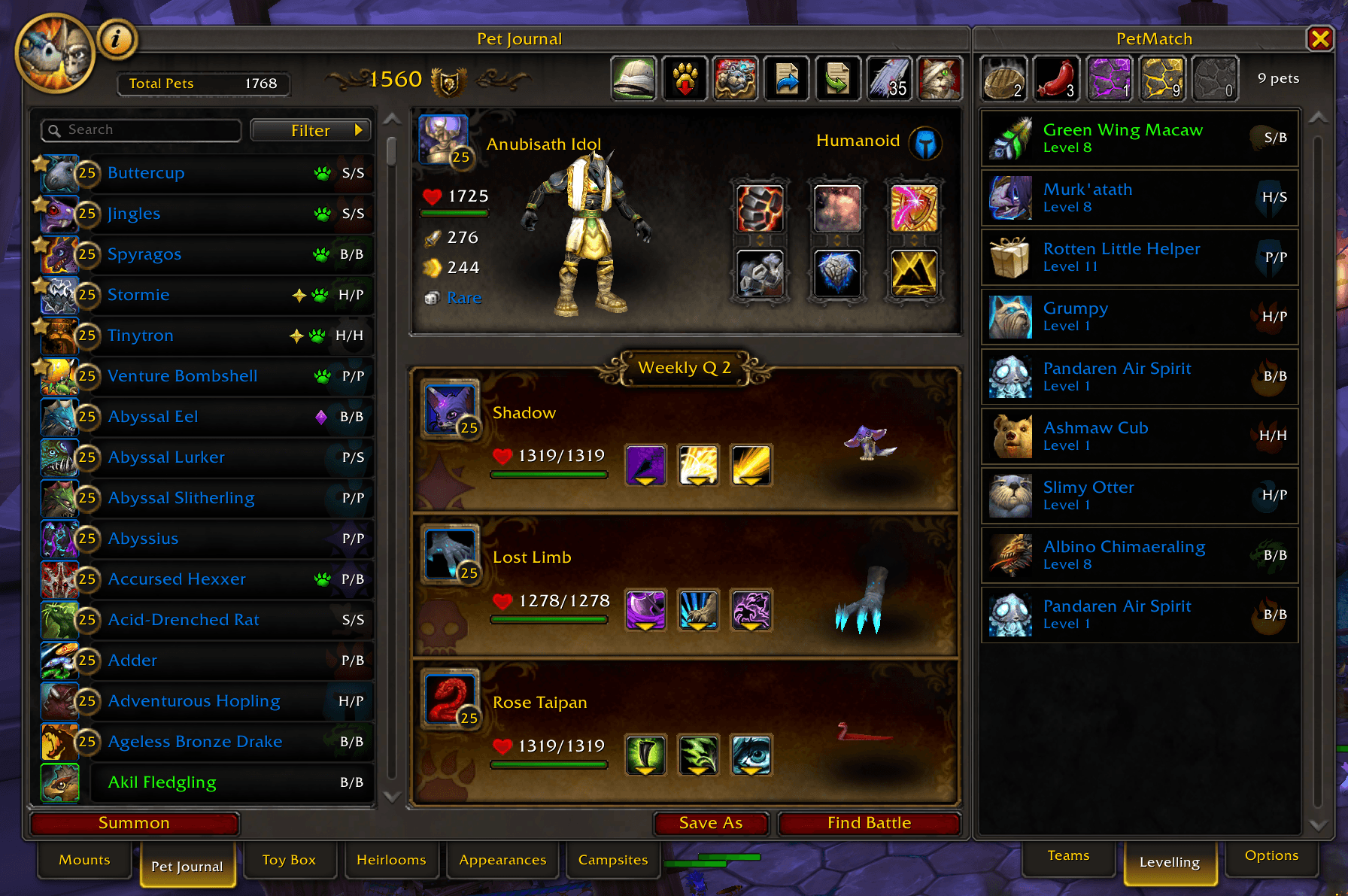
LevellingQueue.png
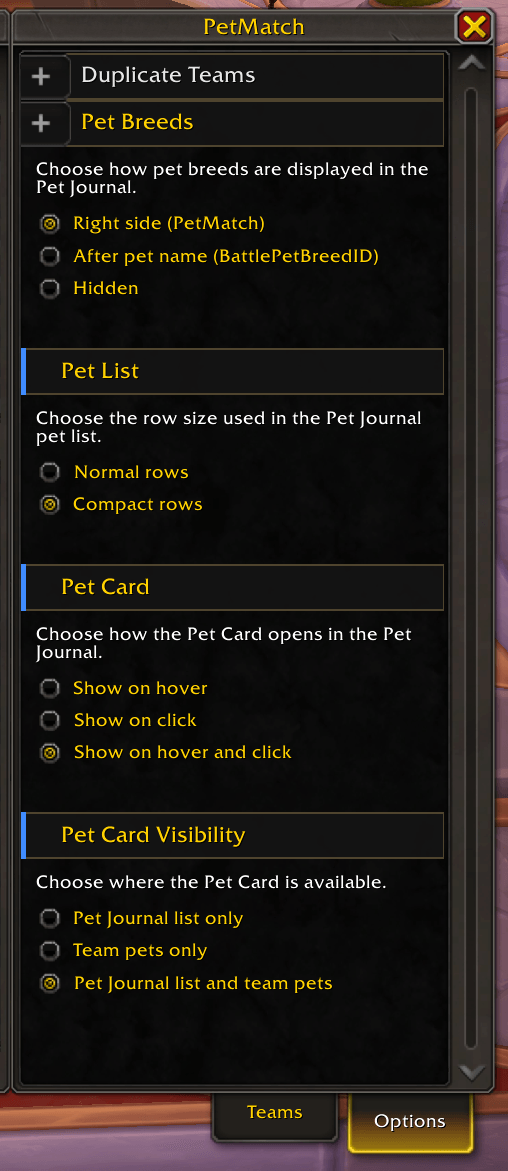
OptionsList.png
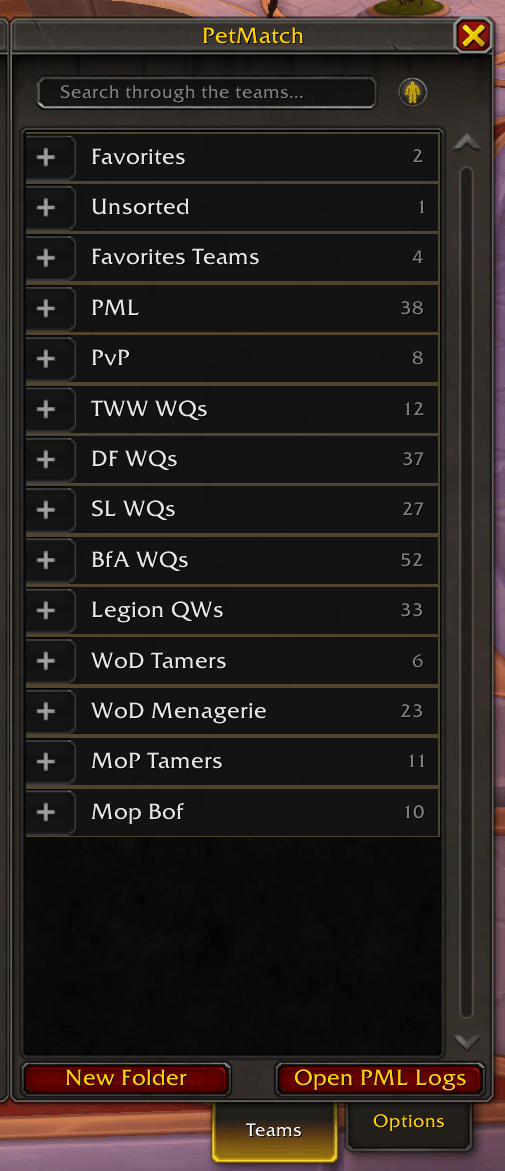
TeamsList.png
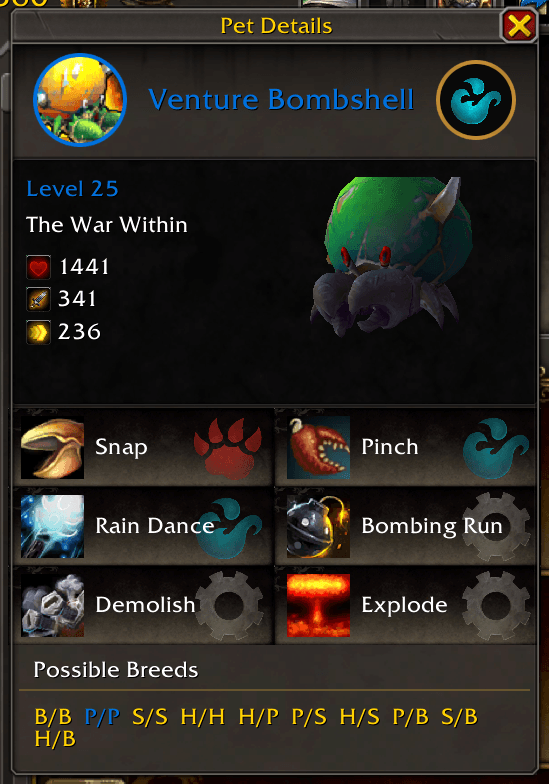
PetCard.png
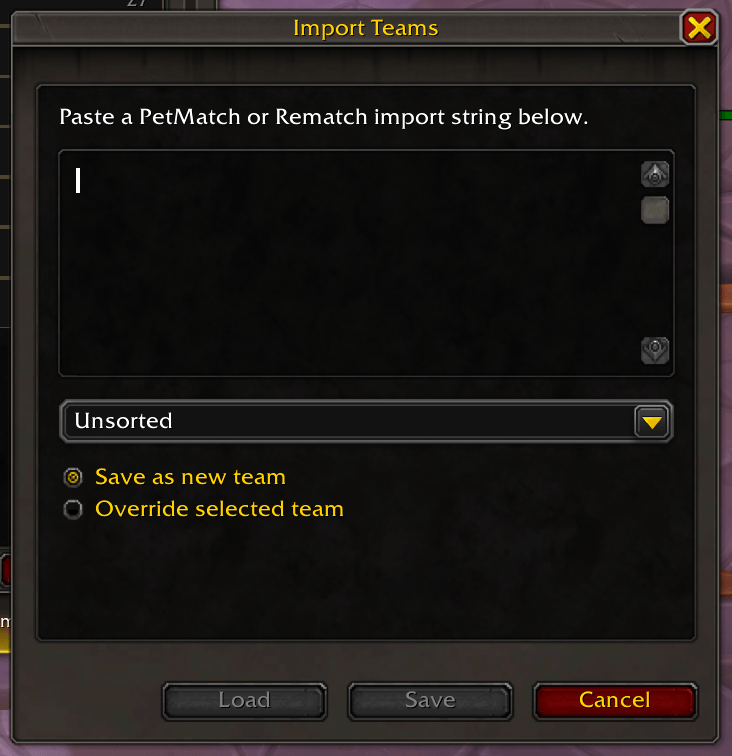
ImportDialog.png
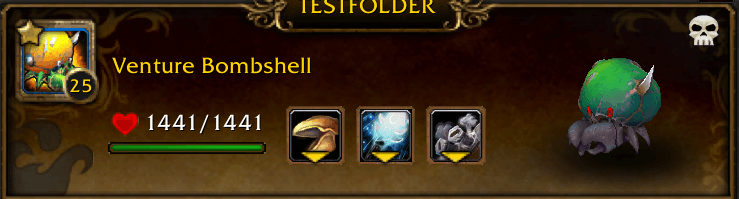
Pet Tag Added to Pet Slot.png
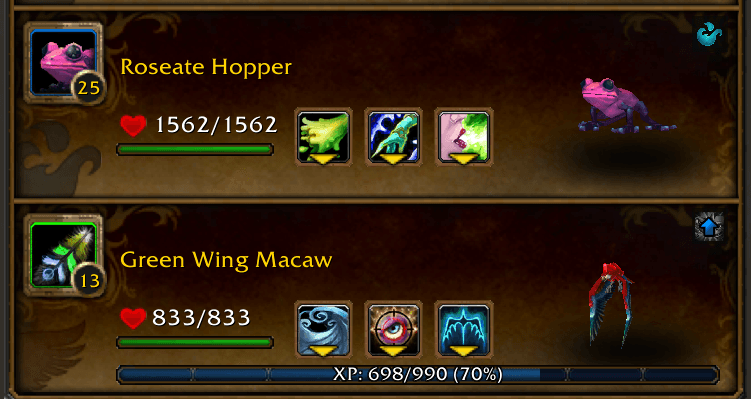
Icon for Levelling or Random Pet Slot added to Pet Slots.png
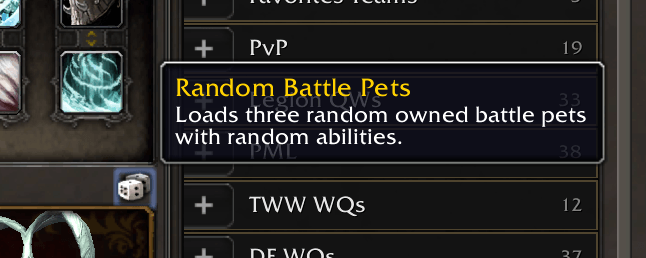
Load Random Pets With Random Abilities Button.png
Description
PetMatch
A complete Battle Pet team-management companion, built directly into the World of Warcraft Pet Journal.
PetMatch expands the standard Pet Journal with powerful tools for creating, organizing, loading, and managing Battle Pet teams — without replacing the familiar World of Warcraft interface.
Whether you're building teams for trainers, achievements, family challenges, levelling strategies, PvP, or simply managing a large Battle Pet collection, PetMatch keeps your teams and pets organized in one place.
Instead of rebuilding teams manually or keeping track of them outside the game, you can manage your Battle Pet collection and strategies directly from the Pet Journal.
PetMatch has no required Battle Pet addon dependencies.
Optional addons can be installed for breed information and battle-script support.
✨ Key Features
- Create, save, update, load, and unload Battle Pet teams
- Organize teams into folders
- Assign teams to Battle Pet Target NPCs
- Automatically detect teams for your current target
- Get suggested counter teams for supported trainers
- Use Random, family-specific Random, and Levelling Pet slots
- Manage a dedicated Levelling Queue
- Inspect pets using detailed Pet Cards
- Search, filter, sort, and tag your pet collection
- Import and export Rematch-compatible teams
- Optional Battle Pet BreedID integration
- Optional Pet Battle Scripts integration
- Extensive Pet Journal quality-of-life improvements
Team Management
PetMatch adds full Battle Pet team management directly alongside the standard Pet Journal.
Create teams for the encounters and strategies you use regularly, organize them into folders, and load them directly into your active Battle Pet slots.
When a saved PetMatch team is loaded, its name is displayed above the Battle Pet slots so you can immediately see which team is currently active.
Teams can be updated directly from the Pet Journal after changing pets, abilities, special slots, or their assigned target.
A dedicated Unload Team action completely clears the active Battle Pet loadout and returns the Pet Journal to its normal Battle Pet Slots state.
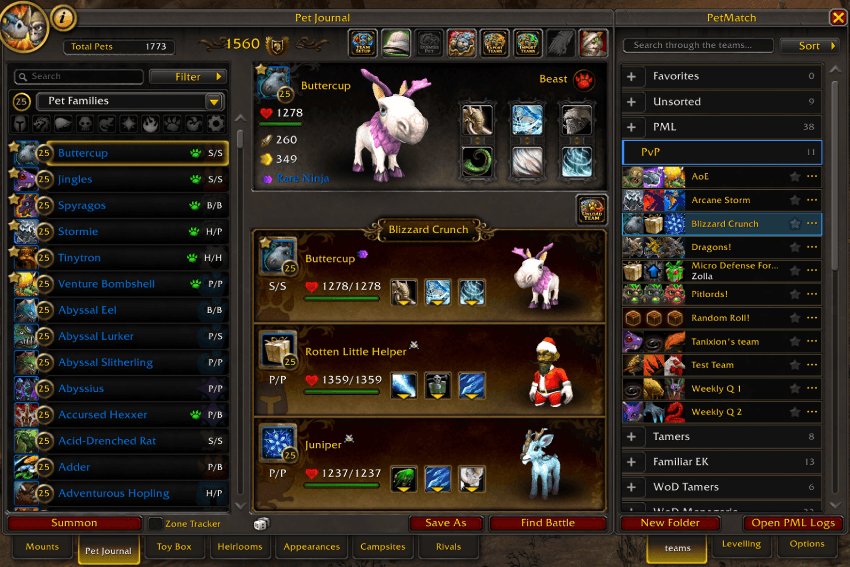
Team Setup Mode
Teams don't have to consist of three permanently assigned pets.
PetMatch's Team Setup Mode lets you configure how each individual Battle Pet slot should behave when the team is saved and loaded.
Each slot can be configured as:
- Current Pet — use the pet currently occupying the Battle Pet slot (or choose another pet that should be a steady pet in your team).
- Random Pet — choose a random battle-capable pet from your collection.
- Random Pet Family — choose a random pet belonging to a specific Battle Pet family.
- Levelling Pet — choose a suitable pet from your PetMatch Levelling Queue (PetMatch will always pick the first pet in the levelling queue, unless the pet slot has preferences set).
Special slots are displayed directly on the Battle Pet slots and on saved team cards, making their purpose easy to recognize.
Changes made in Team Setup Mode are not immediately written to your saved team. Configure your team first, then use Update Team or Save As when you're happy with the setup.
Always make sure you toggle the team setup mode off again when you are done!
You can recognize the mode being enabled by the blue borders on the pet slots, the team setup toggle button in the toolbar and that the target NPC dropdown is showing.
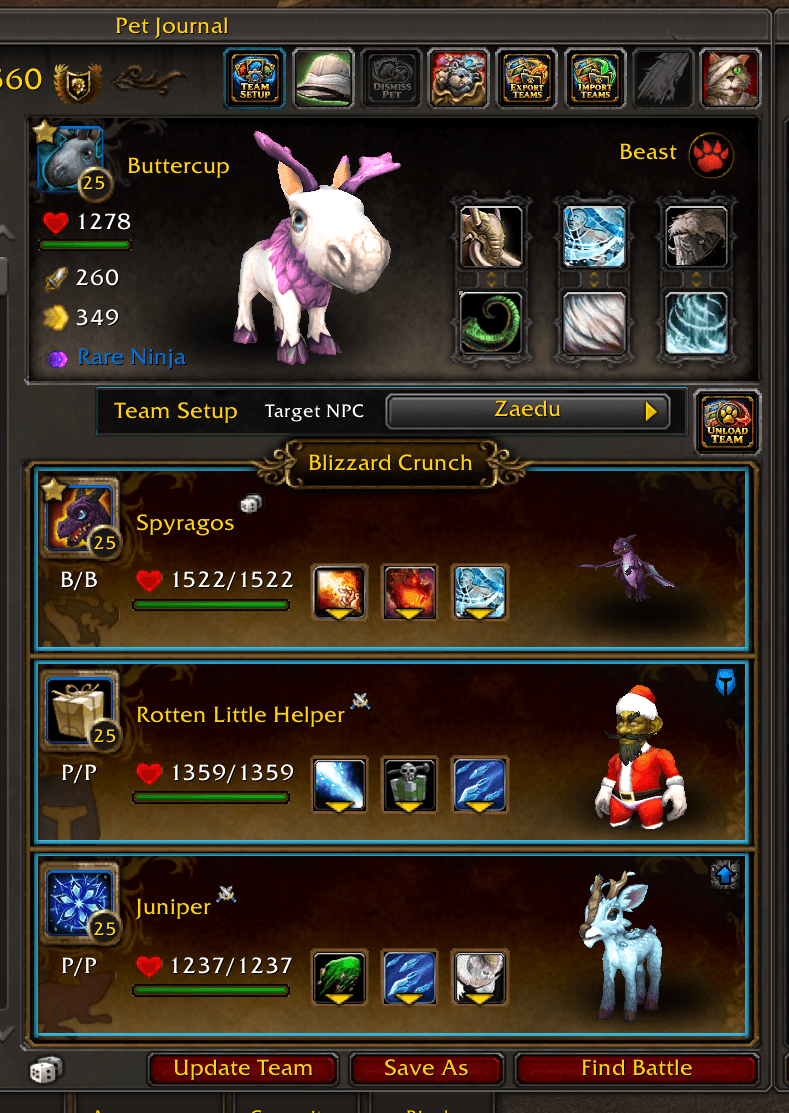
Levelling Pet Preferences
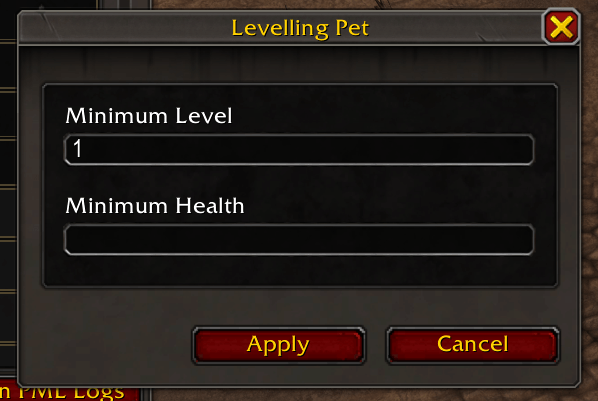
Levelling slots can be configured (in the team setup mode) with additional requirements, giving you more control over which queued pet PetMatch should select. To set these preferences, you will need to set the pet slot to a levelling pet and a dialog will appear.
Available preferences include:
- Minimum Level
- Minimum Health
This makes it possible to build reusable levelling strategies without having to manually replace the levelling pet every time one reaches level 25. It also gives you the freedom not to be dependent on websites if you do not wish to use those, or if you want to create teams that you later want to add to those websites as a strategy.
Battle Pet Target NPCs
PetMatch teams can be associated with supported Pet Battle Target NPCs.
When you target an NPC, PetMatch can detect whether you already have a team saved for that encounter.
You can choose how PetMatch should respond:
- Disabled — do nothing when a matching NPC is targeted (this is the default option).
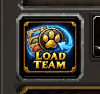
- Show Load Team Button — display a Load Team icon button left above to the Battle Pet slots.
- Load Team Automatically — immediately load the matching team.
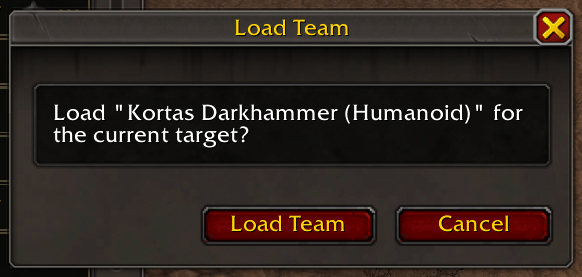
- Ask Before Loading — ask for confirmation before loading the team via a dialog.
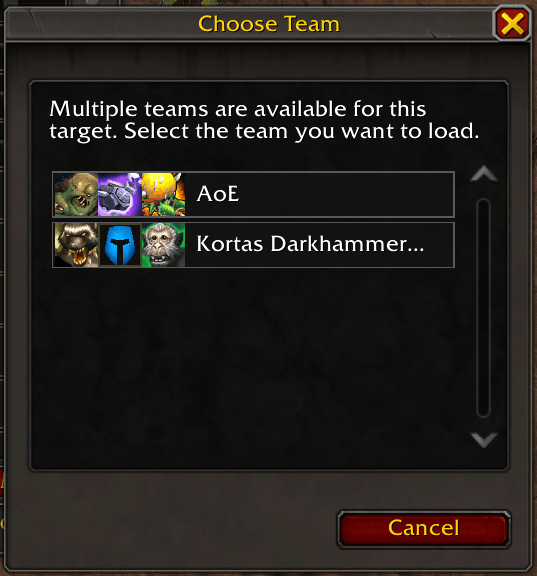
If several teams are associated with the same NPC, PetMatch displays a team selection dialog so you can choose which strategy you want to use.
Target associations imported from compatible Rematch teams are supported as well.
Load Team Button
Confirmation Dialog
Multiple Teams Dialog
Target Team Card
When working with a supported Pet Battle Target NPC, PetMatch can display a Target Team Card above your Battle Pet slots.
The card provides an at-a-glance overview of the encounter:
- The enemy Battle Pets
- The target's name
- Your currently loaded pets
- Or, when appropriate, a suggested team from your collection
This makes it easy to compare the encounter with the team you're about to use without leaving the Pet Journal.

Suggested Teams
Don't have a saved team for a supported target NPC yet?
PetMatch can inspect the target's Battle Pets and suggest suitable pets from your own collection.
Suggestions take multiple factors into account, including:
- Strong abilities against the enemy
- Defensive matchup against enemy ability types
- Pet quality
- Current health
- Power
- Speed
- Maximum health
PetMatch also chooses suitable abilities for the suggested pets.
Suggested pets appear directly in the Target Team Card. Click one of them to load the complete suggested team and its selected abilities into your Battle Pet slots.
A suggested team is temporary — it does not automatically create or overwrite one of your saved teams.
You can use it as-is or turn it into your own saved strategy.

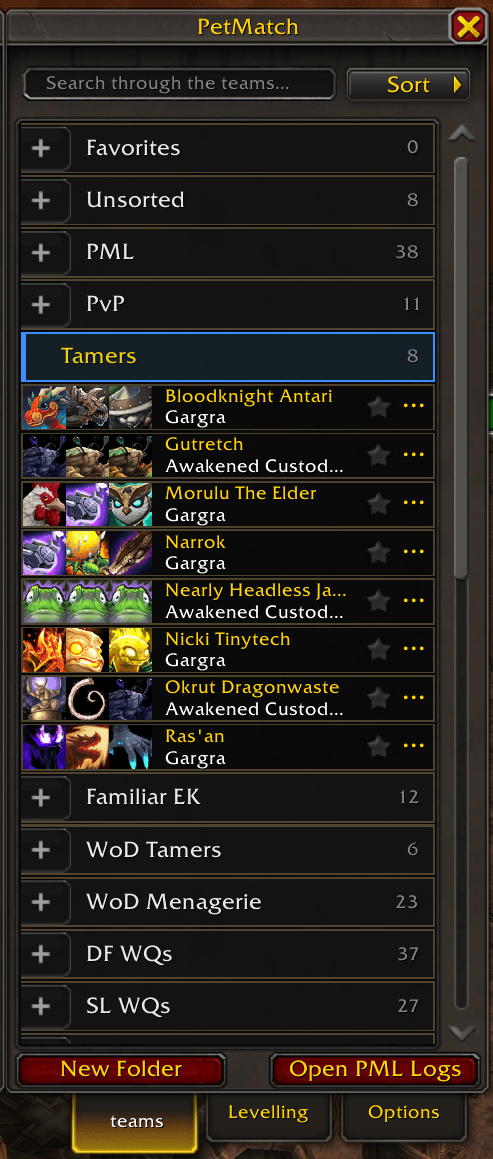
Organize Your Teams
A large team collection quickly becomes difficult to manage as one long list.
PetMatch includes folders so you can organize teams in whatever way makes sense for your collection.
For example:
- Battle Pet Trainers
- Expansions
- Family achievements
- Dungeons and events
- Levelling teams
- Daily or weekly content
- PvP teams
- Your own custom categories
New teams are saved into the folder you currently have open (meaning if you want to have the team in a specific folder you either have to select the folder by clicking on it or choosing the folder from the dropdown when you save the team). If no folder is selected, they are placed in Unsorted. The Unsorted and Favorites folders are defaults folders from PetMatch, and cannot be changed or deleted.
Combined with team searching, and sorting, folders make even large team collections much easier to navigate.
Import & Export
PetMatch supports importing and exporting Battle Pet teams using Rematch-compatible team strings.
This makes it easier to:
- Share teams with other players
- Import strategies from compatible sources
- Import teams from resources such as Xu-Fu's Pet Guides
Target NPC information and supported levelling preferences will also be preserved through compatible imports and exports, as well as notes, and scripts.
Moving from Rematch to PetMatch
If you already have a large Rematch collection, you don't need to rebuild everything manually.
The PetMatch Rematch Import Tool can convert your existing Rematch data into PetMatch-compatible data.
The tool can use your:
Rematch.luatdBattlePetScript.lua
SavedVariables files and generate:
- Import strings for individual teams, or per folder, or all the folders and teams
- An import string for your Levelling Queue
- A generated
PetMatch.luaSavedVariables file that you can download
Rematch Import Tool
Please read the instructions on the import tool page before replacing or importing SavedVariables!
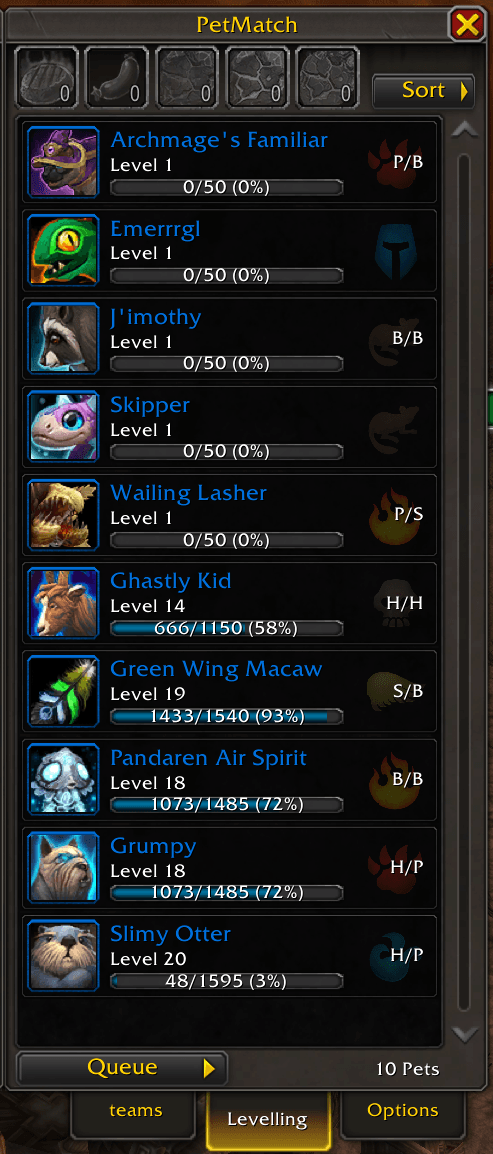
Levelling Queue
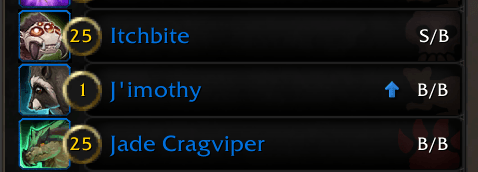
Keep the Battle Pets you still want to level in one convenient queue.
Pets can be added directly from the Pet Journal and reordered using drag-and-drop.
When a queued pet reaches level 25, PetMatch will automatically remove it from the queue.
Pets currently in your Levelling Queue are also marked in the Pet Journal, making them easy to recognize while browsing your collection.
The queue also provides quick access to relevant items in your bags, including Pet Treats and Battle-Training Stones.
Live item counts show what you currently have available, and supported training stones can be used directly on queued pets.
Automatic queueing can also be enabled if you want newly learned Battle Pets below level 25 to be added to the queue automatically.
Most importantly, the Levelling Queue integrates directly with Levelling Pet team slots.
Instead of saving one specific levelling pet into a strategy, mark the slot as a Levelling Pet slot and PetMatch can choose an appropriate queued pet when the team is loaded.
Pet Cards
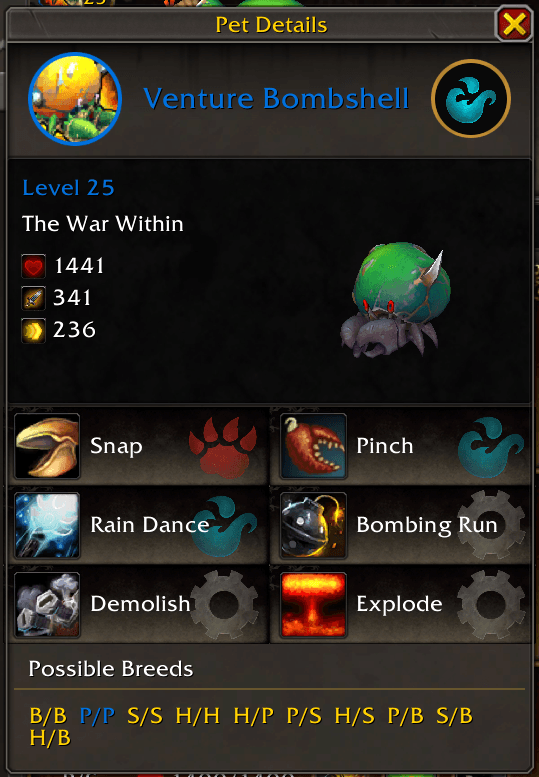
PetMatch includes a detailed Pet Card for inspecting Battle Pets without leaving the interface you're currently using.
Depending on the pet and the information available, the card shows:
- Pet name and family
- Level and expansion
- Health, Power, and Speed
- 3D pet model
- Battle abilities
- Ability families
- Source information
- Pet description
- Breed information when available
Abilities are grouped by Battle Pet ability slot, making it easy to compare the two available ability choices.
Pet Cards are integrated throughout PetMatch and can be available for pets in areas such as:
- The Pet Journal
- Saved teams
- The Levelling Queue
- Target Team Cards
You can independently choose where Pet Cards should be enabled.
Pet Card Interaction
Choose how Pet Cards should behave:
- Hover — show the Pet Card while hovering over a pet.
- Click — click a pet to open and pin its Pet Card.
- Both — use hover for quick inspection while retaining click-to-pin functionality.
PetMatch uses Blizzard's existing Battle Pet information and tooltips where appropriate, keeping pet and ability information consistent with the standard Pet Journal.
Search, Filtering & Sorting
PetMatch adds additional tools for navigating large Battle Pet collections.
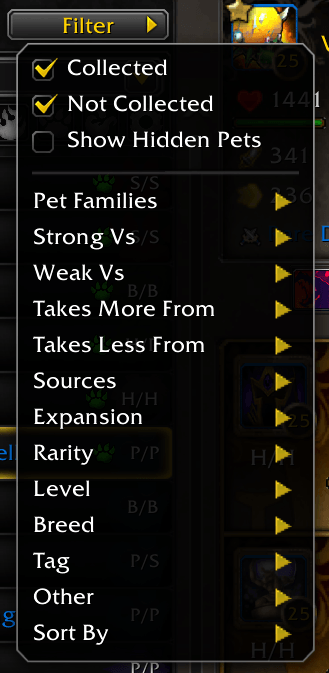
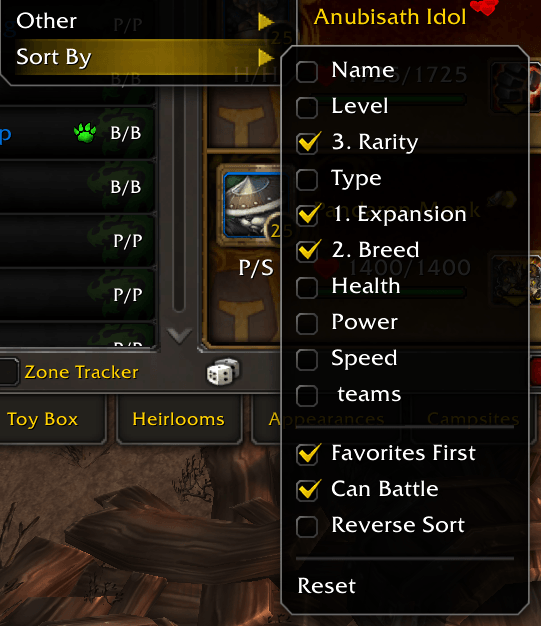
Search, filter, and sort your pets using additional criteria to quickly narrow the Pet Journal down to the pets you're looking for.
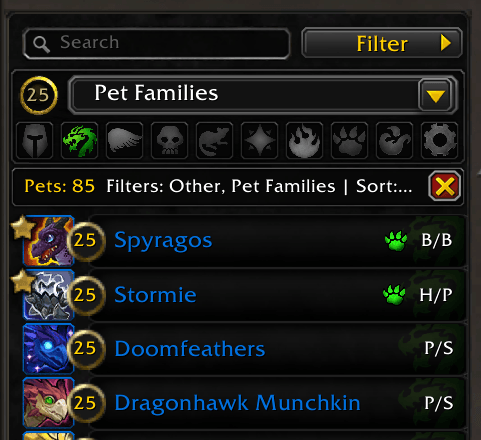
Active filters and sorting options are displayed in the filter bar, where they can also be removed without reopening the individual menus.
Filters added to the original filters
Sorting (add up to 3 sorting options)
Search en filter bar
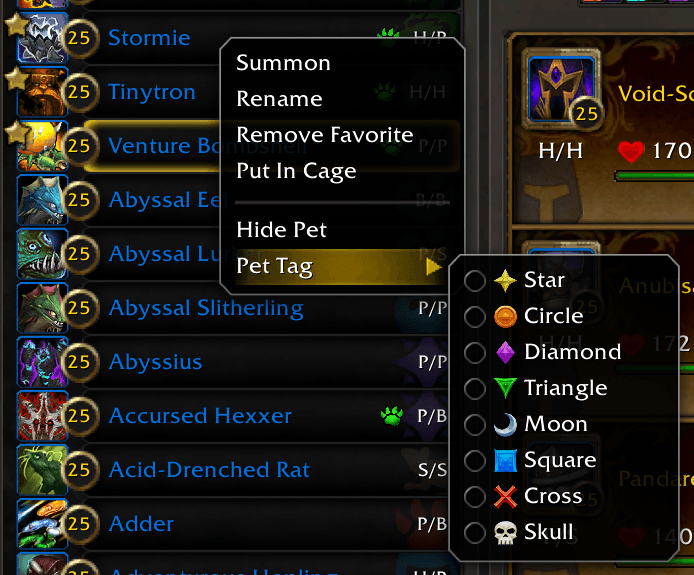
Pet Tags
Pets in your collection can be tagged to make important pets easier to recognize.
Tags appear directly in the Pet Journal pet list and on active Battle Pet slots.
They can be useful for identifying:
- Frequently used pets
- Pets reserved for particular strategies
- PvP pets
- Levelling pets
- Favorites or personal categories
You can filter on the specific pet tag via the Tag filter option in the Filters menu.
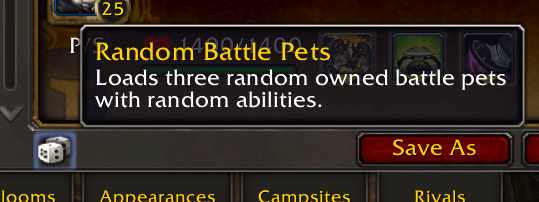
Random Battle Pets
Want to battle with something completely different?
Use the Random Battle Pets dice button to instantly load three random battle-capable pets from your collection.
PetMatch also randomizes their abilities while respecting which abilities are currently available to each pet.
This does not create or modify a saved team!
It's simply a quick way to generate a random loadout and start battling, or when you want to have a challenge.
Pet Journal Enhancements
PetMatch is designed to extend the existing World of Warcraft Pet Journal rather than replace it.
Alongside its larger features, it includes numerous smaller quality-of-life improvements for managing your Battle Pet collection.
These include features such as:
- Additional pet information in the Pet Journal
- Compact Pet Journal layouts
- Pet tags and Levelling Queue indicators
- Battle Pet slot overlays
- Team names above the Battle Pet slots
- Integrated Load and Unload Team controls
- Additional contextual actions
- Configurable Pet Card integration
- Breed placement options
- Search, filtering, and sorting improvements
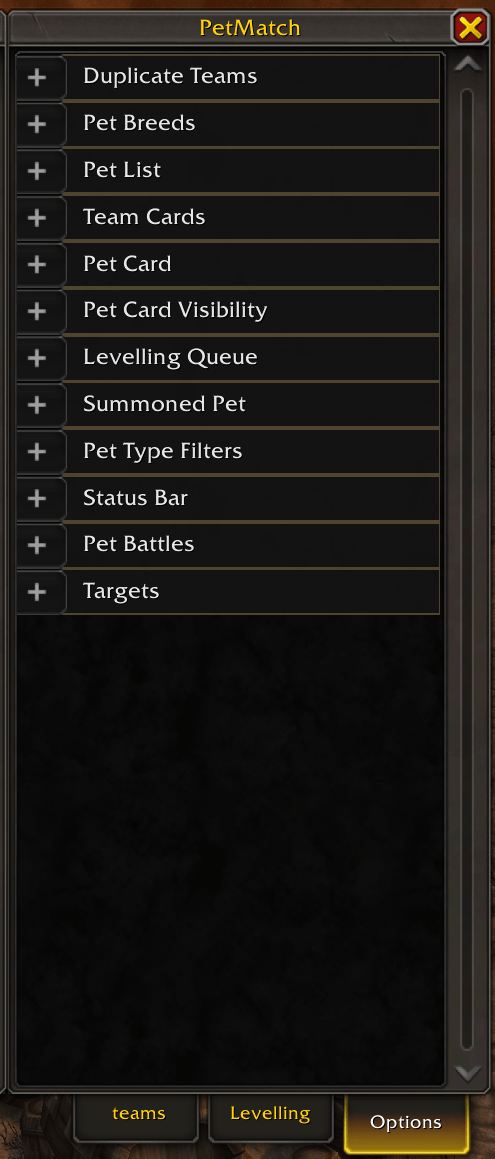
Many interface features can be enabled, disabled, or customized through the PetMatch options.
Duplicate Team Handling
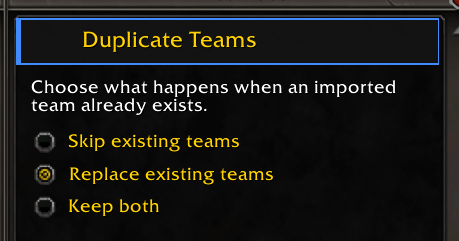
PetMatch can detect when a newly created team matches an existing team.
You can configure whether matching teams should:
- Replace the existing matching team (default option)
- Or be saved as another copy
- Or just skip the existing teams
This gives you control over whether identical setups represent an update or a separate strategy.
Optional Breed Support
Battle Pet BreedID is completely optional.
PetMatch works normally without it.
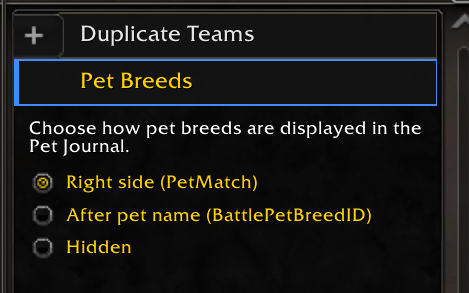
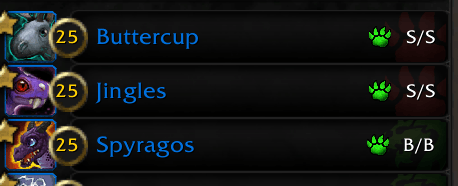
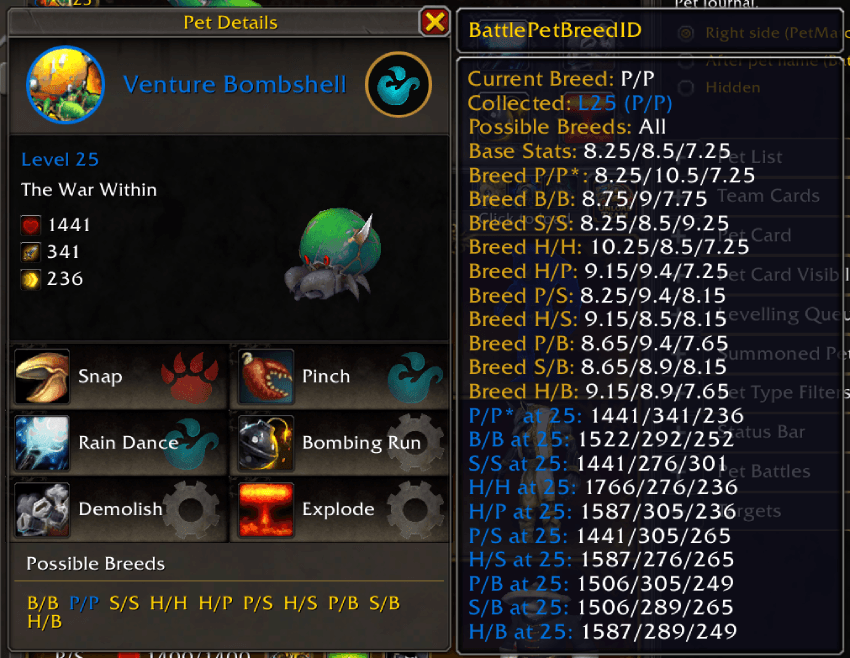
If Battle Pet BreedID is installed, PetMatch can use its data to display additional breed information, including possible breeds and detailed breed information in the Pet Card.
If you don't need breed information, you don't need to install it, or you can hide it in the options panel.
Breed Option
In pet list
On Pet Card
Optional Battle Script Support
Battle Pet scripting is also optional.
To use Battle Pet scripts with PetMatch, install the following addons:
Pet Battle Scripts provides the Battle Pet scripting functionality itself.
PetMatch_PetBattleScripts connects those scripts with PetMatch teams.
If you only want to create, organize, and load teams, neither addon above is required.
PetMastersLeagueLogs Integration
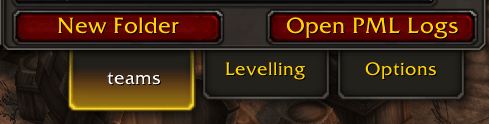
If PetMastersLeagueLogs is installed, PetMatch automatically detects it.
This applies whether you're participating in the Pet Masters League or simply using PetMastersLeagueLogs to keep track of your PvP Pet Battle logs.
When detected, PetMatch adds quick access to PetMastersLeagueLogs from the Teams panel.
Optional Dependencies
PetMatch's core functionality has no required Battle Pet addon dependencies.
Install these only if you want the corresponding additional functionality:
| Addon | Adds |
|---|---|
| Battle Pet BreedID | Detailed Battle Pet breed information |
| Pet Battle Scripts | Battle Pet scripting functionality |
| PetMatch_PetBattleScripts | Integration between PetMatch teams and PetBattleScripts |
Designed to Feel Like Part of World of Warcraft
One of PetMatch's main design goals is integration.
Rather than placing Battle Pet management inside an entirely separate interface, PetMatch extends the Pet Journal you already use.
Blizzard-style frames, buttons, backgrounds, pet models, slots, and tooltips are used where appropriate so that the additional functionality feels at home alongside World of Warcraft's existing Battle Pet interface.
The goal is simple:
Add powerful Battle Pet management tools without losing the familiar Pet Journal experience.
Development & Feedback
PetMatch is actively developed, and its features will continue to evolve.
Future updates may bring additional team-management tools, customization options, integrations, and Battle Pet quality-of-life improvements.
Feedback, suggestions, and bug reports are always welcome.
They help improve PetMatch and can help shape future versions of the addon.
Requirements
PetMatch itself has no required Battle Pet addon dependency.
Optional functionality:
Breed information
Battle Pet scripts
Build your teams. Organize your strategies. Find the right pets.
Battle Pet team management, directly inside the World of Warcraft Pet Journal.
PetMatch
PetMatch Team