


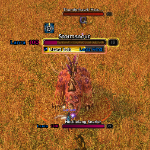
What's new
Pet Autocast Icons
1.1.0
- Pet stance icon (aggressive, defensive, passive, assist) and pet command icon (stay, follow, move to) at the end of the row, whichever way it grows. Each can be turned off.
- Abilities are found in the pet spellbook too, not only on the pet bar.
- Hide any ability you don't want to see (settings, or
/pai ignore <ability>;/pai show <ability>undoes). - Put the abilities in any order with the arrows in the settings. The order is kept per ability name, so it carries over between pets.
- Lighter: the update loop stops completely while no ability icons are showing; the stance and command icons only update when the game reports a change.
1.0.0
First public release, for World of Warcraft: Forever.
- An icon for every pet ability that has autocast on: Growl, Claw, Bite and any other family ability. Turning autocast off removes its icon.
- Ready: full colour with a border glow.
- On cooldown: grey, no glow, with a white outlined countdown in the middle.
- Not enough pet focus: the icon is tinted (cyan by default).
- The pet's global cooldown is ignored, so autocast abilities don't flash grey every second.
- Settings in Options → AddOns → Pet Autocast Icons, or
/pai: lock and move, icon size, spacing, grow direction, border and tint colours, focus tint on/off, cooldown numbers, minimap button. - Minimap button, off by default (
/pai minimap). - Built for WoW Forever's hidden combat values: the addon never reads a hidden cooldown, it hands it to the game to display.
This mod has no additional files