Perchance PSK Loot Master Addon
This addon aims to simplify and speed up loot distribution of loot in raids where the guild is using a KSK loot distribution system. It tracks a "Main" and "Tier" list for KSK standings, and allows you, as the Loot Master, to start and close bidding windows, assign loot, log loot assignment, and manage the KSK lists.
If your raid members have the PSK Client installed, it will also broadcast the Main/Tier lists, dropped loot list, and bid list to all clients so that they can see what's going on. It's very helpful as a raid member to have a displayed list of loot that you can peruse before making your choice on what to use your bids on.
Features:
- Allows easy adding of max-level guild members to each KSK list through the Manage tab.
- Each KSK list can be managed easily from inside the list (up/down movement, removal).
- Automatically logs Epic/Legendary loot in the Loot Drops list.
- Automatically records all 'bid" or "retract " commands by raid members in chat.
- Provides an easy way to assign loot (to be traded manually) and log who got what.
- Allows the export and import of each list (Main/Tier) with two options:
- An ordered list for posting to members (Discord, etc).
- Encoded data for import into the Loot Master if someone else needs to run as Loot Master.
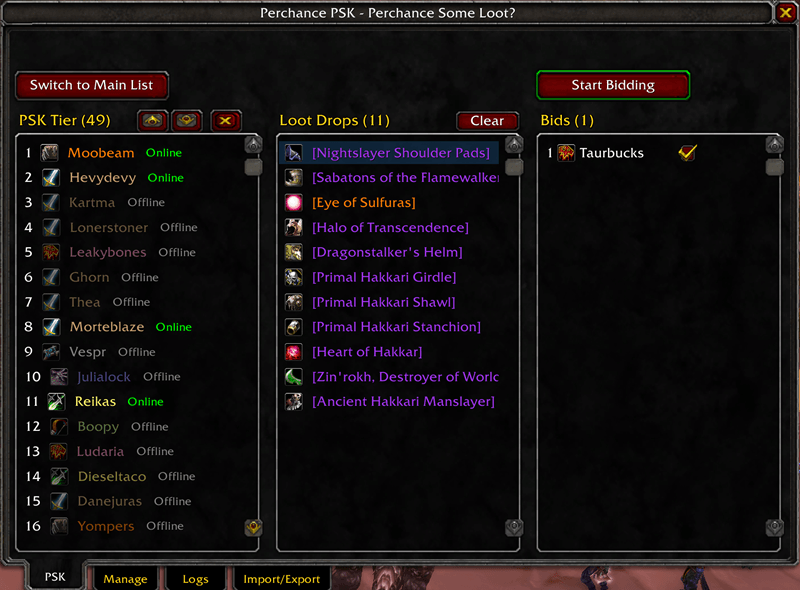
"PSK" tab:
- The Main/Tier PSK list is displayed on the left. This is populated in the "Manage" tab.
- You can toggle between the Main/Tier PSK list by clicking the toggle button above the list.
- Move players up/down each list manually by left-clicking the player and clicking the ^ or v buttons.
- The Loot Drops list is displayed in the center.
- This list is auto-populated as the Loot Master views Epic/Legendary items in the loot bag.
- Left-clicking an item will enable the "Start Bidding" button.
- Once the "Start Bidding" button is clicked, bidding will begin.
- The chat log will display the item being bid on and the time left.
- The "Bids" list is displayed on the right.
- While the bidding timer is counting down, bids can then be read from chat.
- Any player may type "bid" into /say, /party, /raid, or /whisper (to the addon user) to submit a bid.
- Any player may type "retract" into /say, /party, /raid, or /whisper (to the addon user) to retract their bid.
- If there are no bids placed within the timeframe (20 seconds), a roll-off will begin:
- The chat log will display the item being rolled on, and the time left.
- Main Spec rolls will /roll 100. Off Spec rolls will /roll 99.
- The addon will detect the highest rolls out of both MS and OS rolls.
- After the timer is finished, it will list the roll winner, with MS taking precedence over OS.
- In the event of a tie, the list of players who tied will be listed in chat.
- Of that happens, I leave it to the tied players and the guild to decide on who gets the loot.
- If there are bids placed within the timeframe (20 seconds), the bids will display in the Bids list, sorted by PSK standing.
- Once the bid timer is finished, or bidding is stopped manually, the addon user can click the check mark next to a player to award loot.
- Awarding loot will display who and what is being awarded to the chat log.
- It will then perform sorting on the PSK list:
- All active raid members will be moved up the PSK list.
- The awarded player then gets moved to the bottom of the PSK list.
- The Bids list is cleared, and the Loot Drop being bid on is removed from the Loot Drops list.
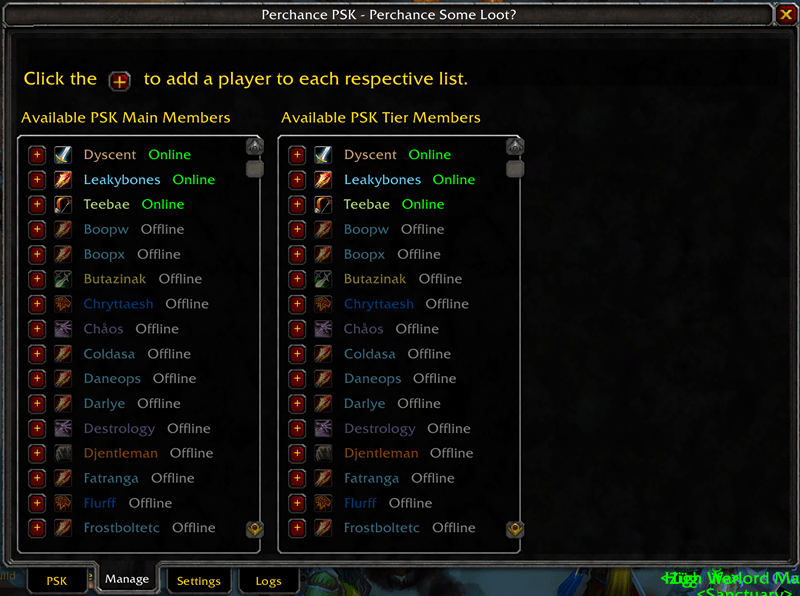
"Manage" Tab:
- Two lists display here:
- "Available Main" is a list of max-level guild members who are not currently in the Main PSK list.
- "Available Tier" is a list of max-level guild members who are not currently in the Tier PSK list.
- To add a player to either the Main or Tier PSK list, simply click the + icon to the left of their name.
- A slight delay is added to prevent issues when the + button is clicked repeatedly.
- The player will be added to the bottom of the selected list.
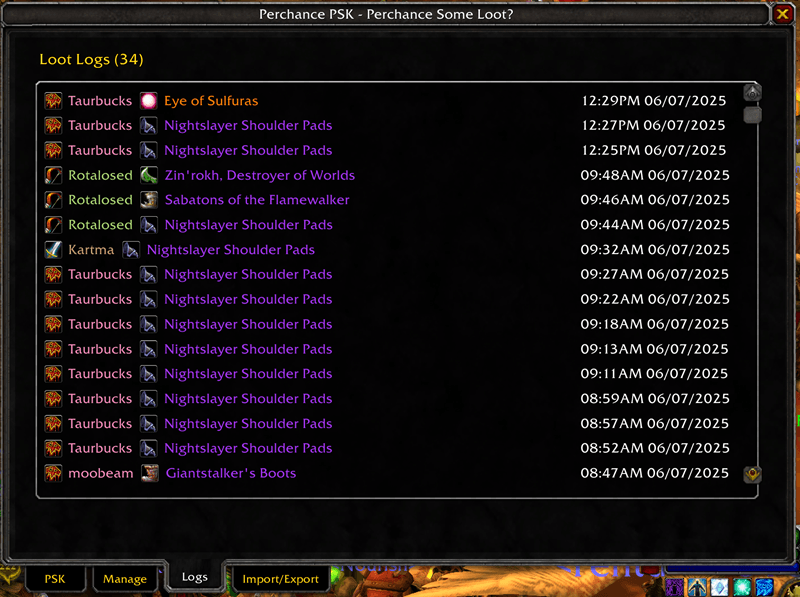
"Logs" tab:
This tab will display the player, their class, the loot they received, and the date and time they received it.
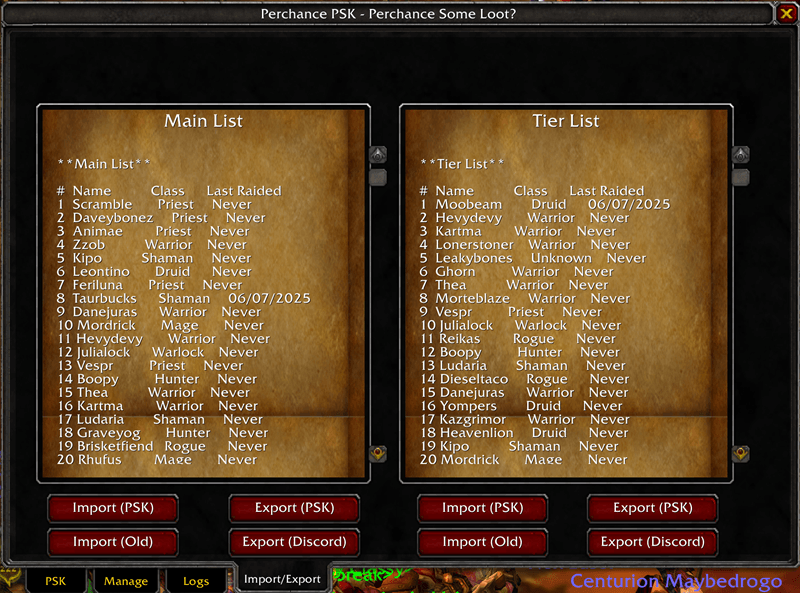
"Import/Export" tab:
- To export data (for importing) from the addon, click the "Export (PSK)" button.
- To import data (exported by PSK), click the "Import (PSK)" button after pasting in exported data.
- To import a comma-separated list of names (older version of addon), paste/type them in, then click "Import (Old)".
- To export lists for pasting into Discord (or elsewhere), click "Export (Discord)".
Commands:
- /psk - Opens the addon window.
- /pskhelp - Will show all commands available to the addon
- /pskadd <top|bottom> <main|tier> <player> - Adds a player to top or bottom of mian or tier list.
- /pskclear - This will wipe both the Main and Tier lists in PSK. This is IRREVERSIBLE!!!
Perchance PSK Loot Master Team