Peelometer - Damage Meter
- By
A damage meter built on Blizzard's own meter data: themed windows, hover details, spell breakdowns, fight history and reports.

Peelometer – Damage Meter
Blizzard's own meter numbers, in windows you can make your own.
Damage · Healing · Interrupts · Dispels · Deaths · Hover details · Breakdowns · Fight history · Reports
Public beta (1.0.0-beta1): please report anything odd, or type /pm bug in game.
Peelometer shows damage, healing, interrupts, dispels, deaths and more in themed meter windows. It reads the same data as Blizzard's built-in meter, so the numbers match it, and adds what that window can't do: as many windows as you like, each with its own metric, fight, theme and bar style, plus hover details, a spell breakdown, saved fights and reports to chat.
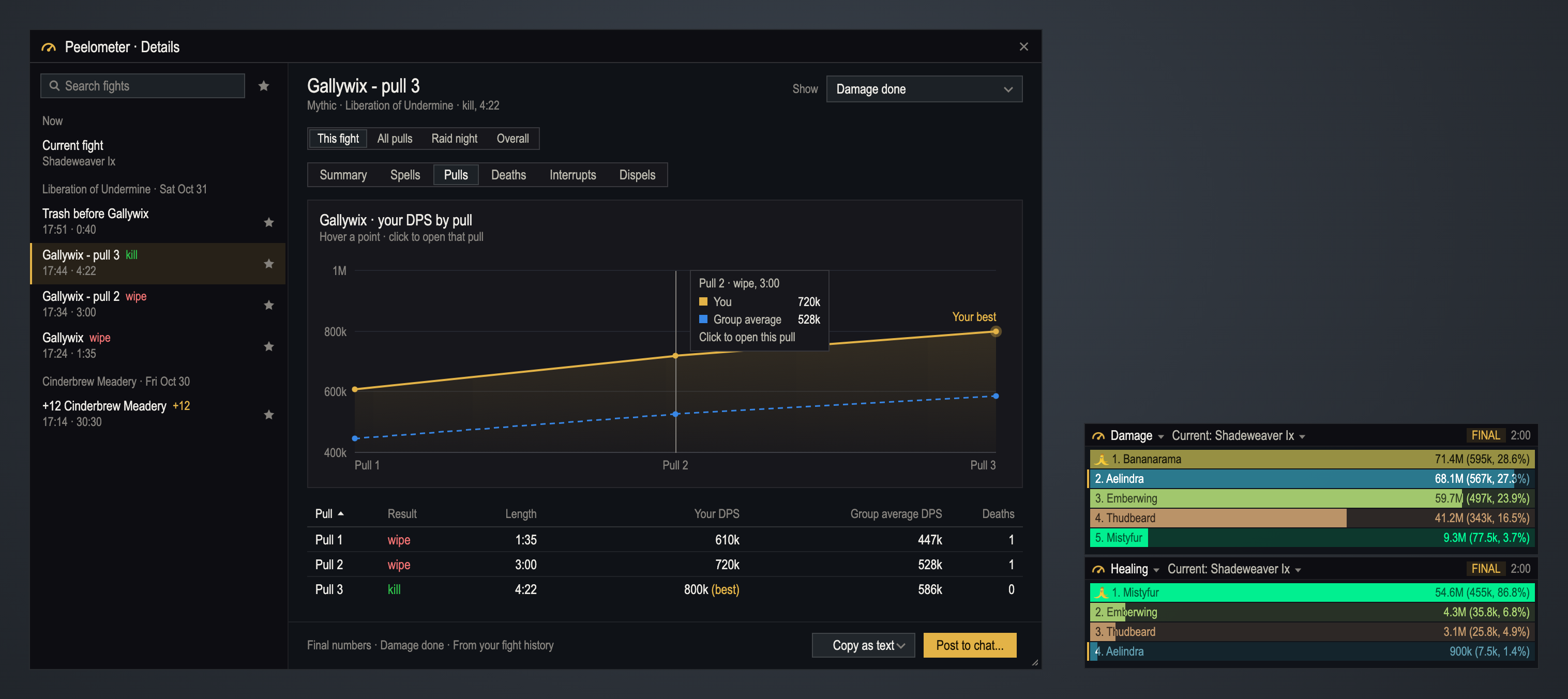
Features
📊 Every meter Blizzard has
- Damage done, DPS, healing done, HPS, absorbs, interrupts, dispels, damage taken, avoidable damage taken, deaths and enemy damage taken
- After combat also: total output (damage plus healing), healing plus absorbs, overkill, avoidable damage share and deadly hits taken
- Windows say LIVE in combat and FINAL once the fight's numbers are complete
🪟 Windows your way
- Any number of windows; snap them to each other and the screen edges, and move snapped windows together
- Several metrics in one window as tabs
- Visibility rules (combat, group, instance, raid, M+, PvP), fade out of combat, click-through and lock
- Window presets for Solo, Dungeon, Raid healer, Raid DPS and PvP, and your own presets you can share as a string
🎚️ Bars your way
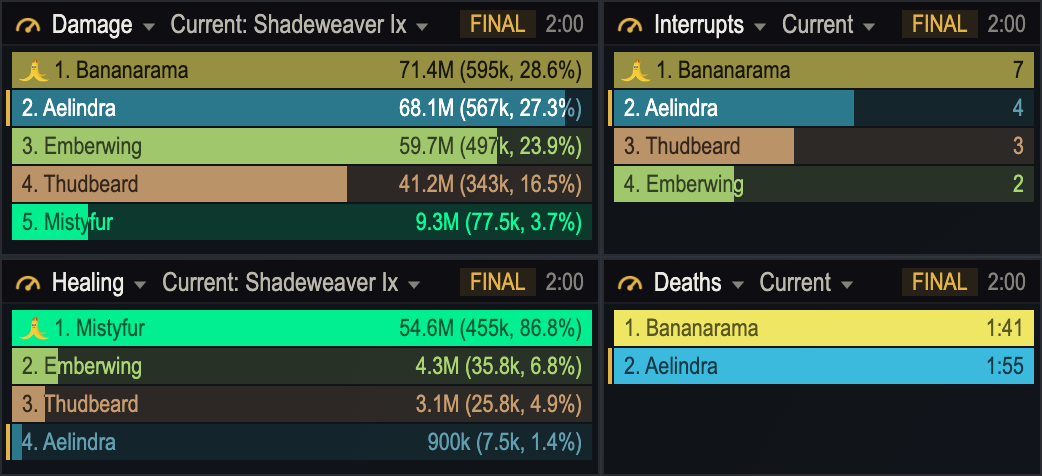
- Eight bar style presets and a style editor with a live preview
- Fill by class, spec, role, rank or one color; gradients, textures, borders, rounded or pill corners, glow, icons, crown and spark
- Text templates like
{rank}. {name}and{amount} ({perSecond}, {percent}) - Bar text takes a shade of the bar's color, so it always reads, on the bar and past it
- Five fonts included (Inter, Roboto Condensed, Bebas Neue, JetBrains Mono, Montserrat), plus LibSharedMedia fonts and textures and your own files
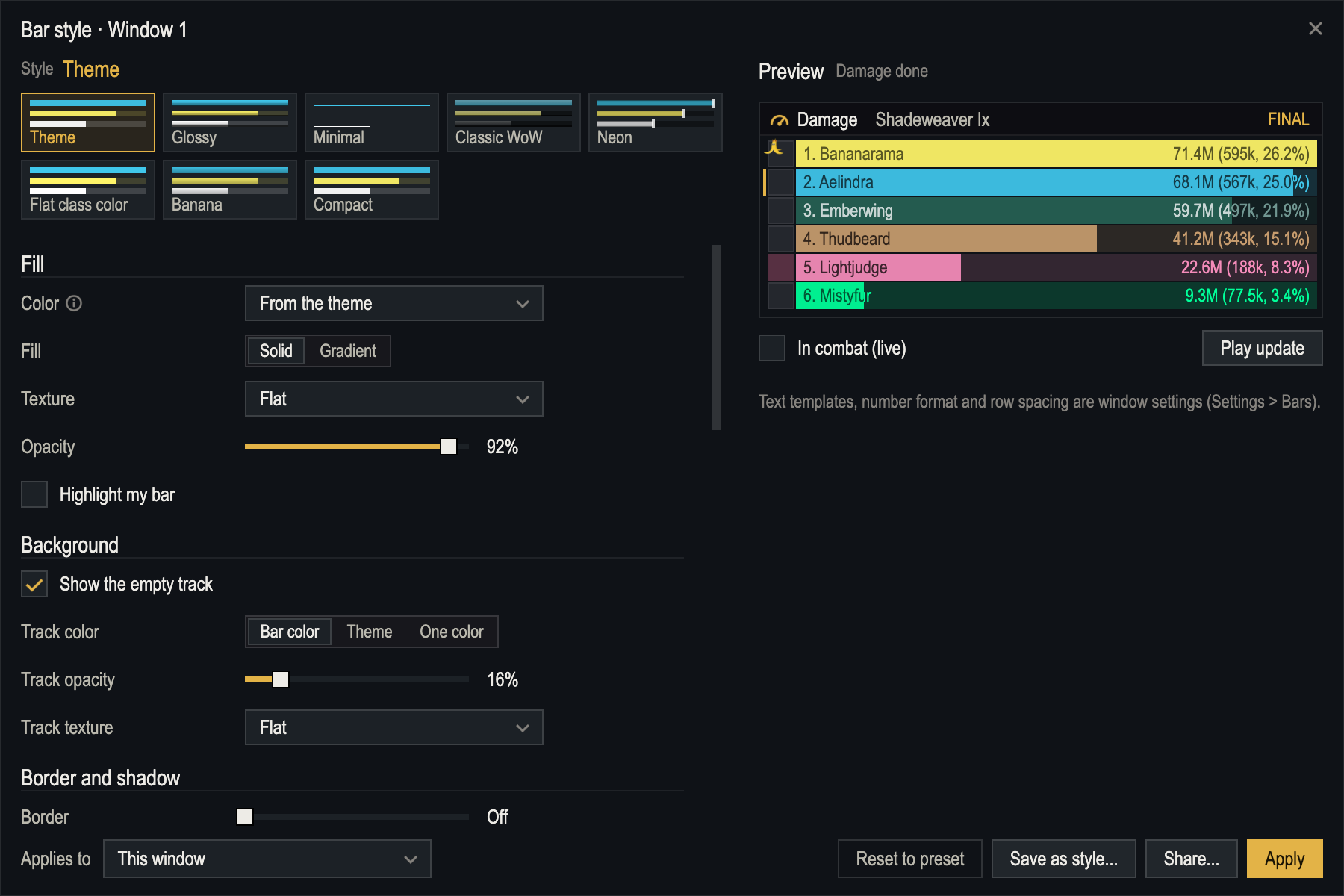
🎨 Over 40 themes
- Peel & Profit's six (Flat, Blizzard, Parchment, Void, High contrast, Faction)
- Twelve banana themes with their own art, plus Hallow's End and Winter Veil by date
- BananaMojis palettes in dark and light, editor classics (Dracula, Catppuccin, Tokyo Night, Solarized) and High contrast light
- Make your own from 8 colors and share it. Every window can have its own theme
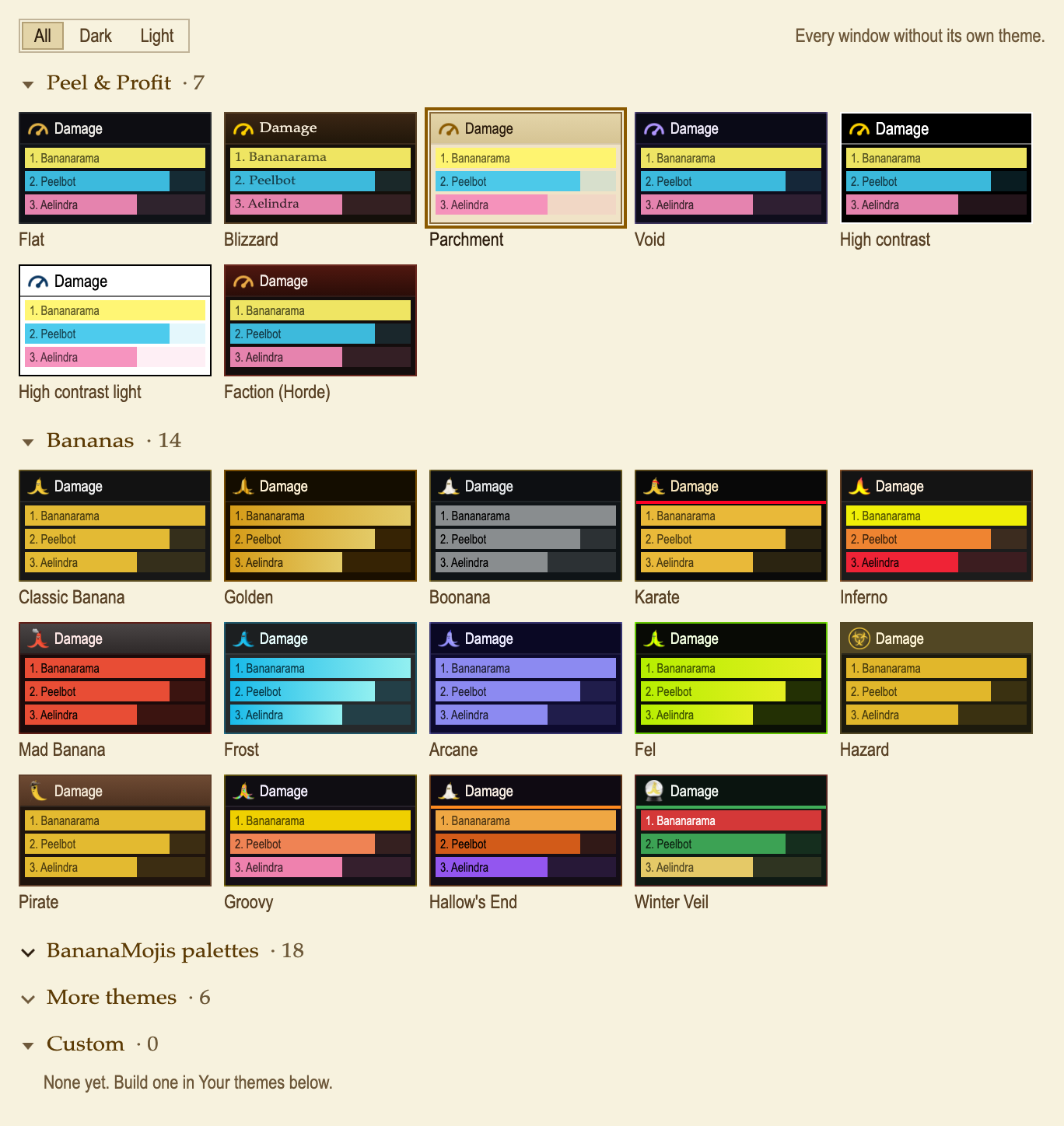
🔍 Hover details and breakdown
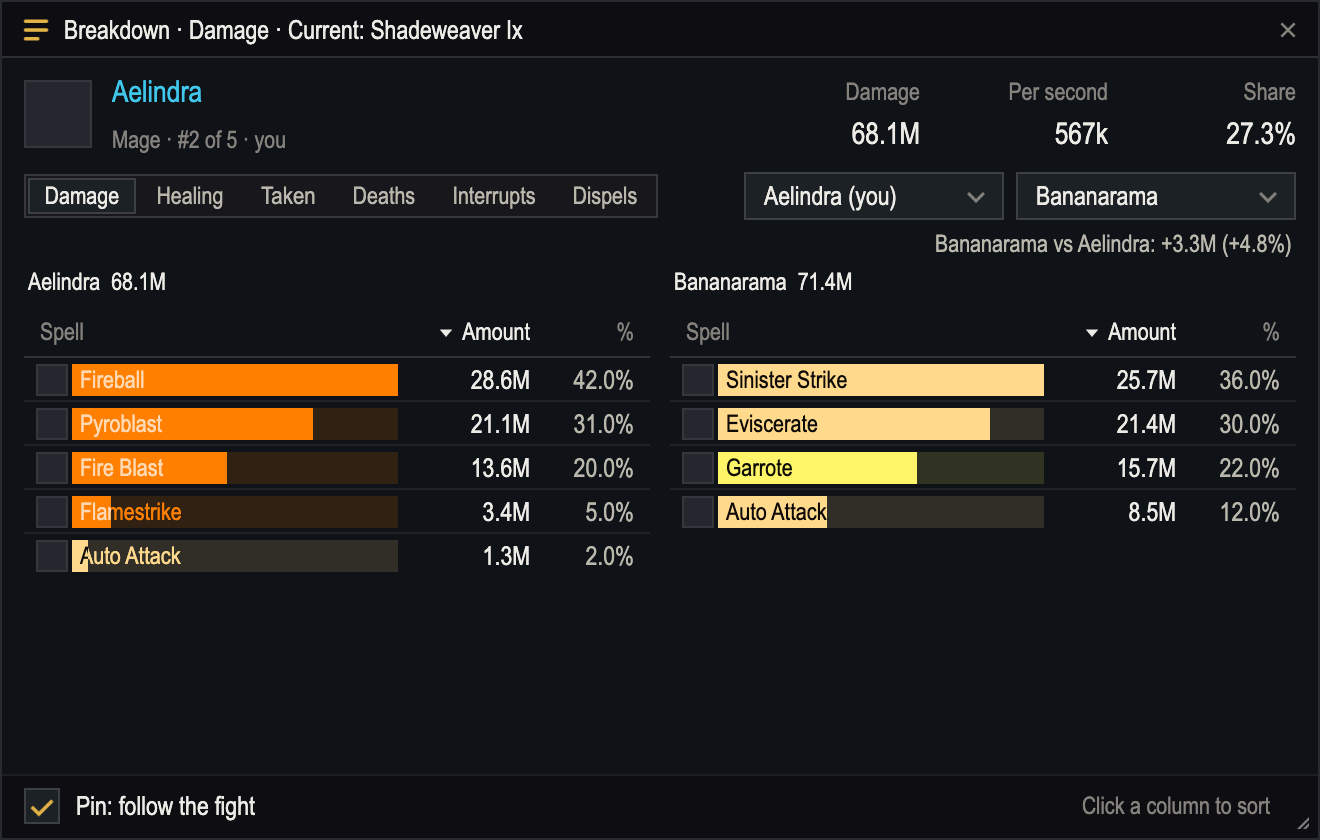
- Hover a bar for totals, strongest and weakest spells as bars, pets, overkill, avoidable and deadly hits, main target, deaths and a compare with you. You pick the sections and their order
- Click a bar for every spell of that player: sort, switch metric, compare two players side by side, pin it to follow the fight
📜 Fight history, details and reports
- Fights are saved once their numbers are final, named by boss, key or zone, with pull numbers. A whole M+ run or raid night as one fight
- Favorites, reset rules, personal bests per boss and dungeon, and fights shared as strings
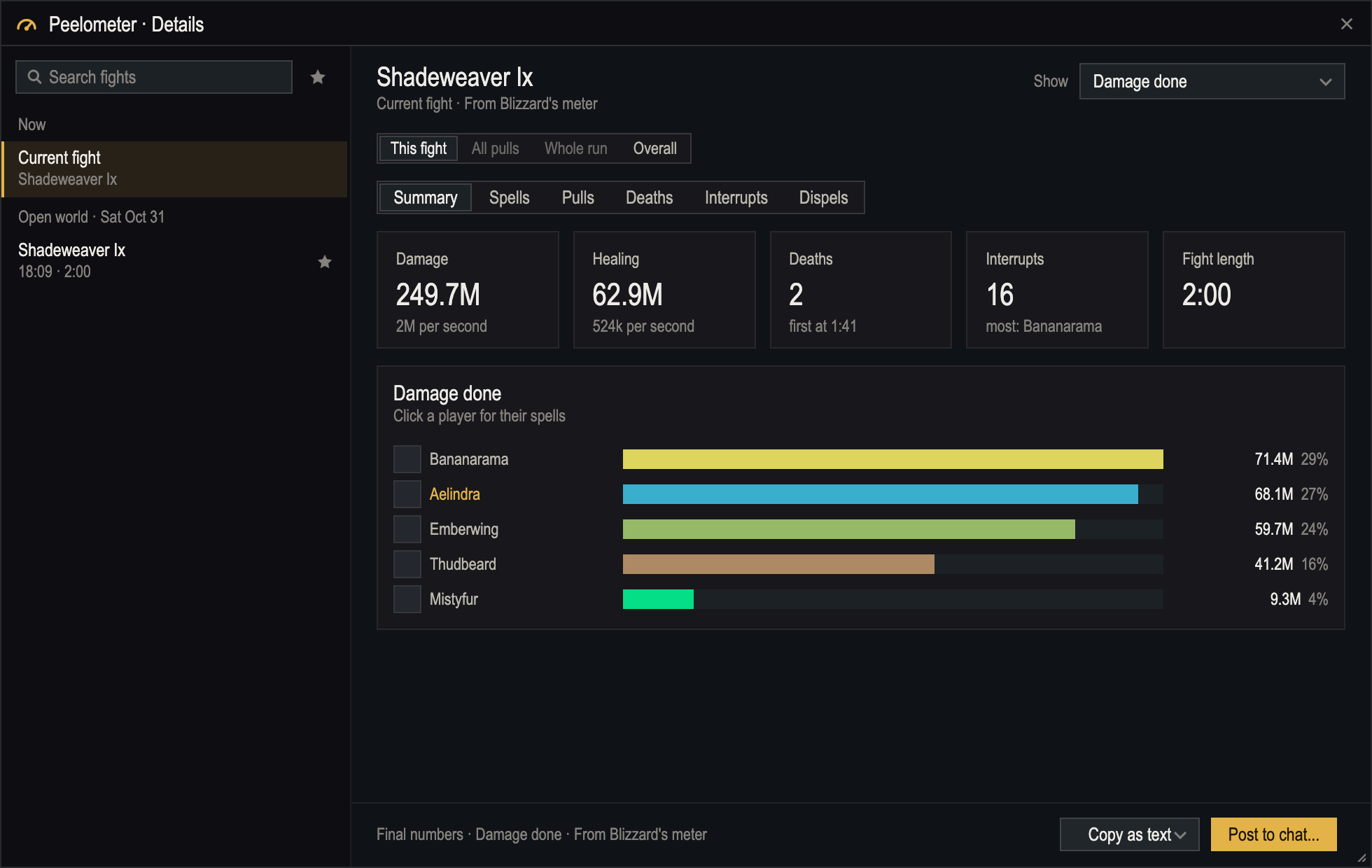
- Details window: any fight, every pull of a boss, a whole run or raid night. Summary, charts, pull by pull, deaths with Blizzard's recap, interrupts and dispels with the spells used
- Post to chat (party, instance, raid, guild or say) with a preview and a confirm step, or copy as text
- Death log with killing blow and overkill, and optional death alerts (sound, text, row flash)
✨ Extras
- A small Top 3 window or a one-line HUD with your rank and DPS
- Personal mode: one bar per spell for you, live
- After each boss pull: your DPS this pull against your best on that boss
- M+ run summary when a key ends, plus gold per run when Peel & Profit is installed
- Data Broker feed for Titan Panel, ElvUI and other panels, and an opt-in avoidable damage board with a banana per rank
⚙️ Settings that stay tidy
- Search, info tips, "Changed only", Simple / Advanced and a live preview
- Change every window at once or just one
- Profiles per character, spec or role, shared as strings
🖥️ Companion app (optional)
The 1svc Addon Utils desktop app shows your saved fights, compares pulls and charts trends. It can also read the combat log file for overhealing, crits, uptime, crowd control and stops by stuns or knockbacks (labeled estimated). Everything stays on your computer.
What a meter can do in 12.x
Since patch 12.0 no addon can read the combat log. Every meter, this one included, shows Blizzard's own meter data. That means:
- Blizzard's meter must stay switched on in Options > Gameplay. Peelometer can hide its window for you; the data keeps coming
- In combat the numbers are secret. Peelometer shows them, in Blizzard's order, but can't do math with them. Percentages, re-sorting, merged pets and your own per-second basis fill in the moment the fight ends
- Some things aren't in the game at all: overhealing, friendly fire, healing taken, buff uptime, threat, crits and per-target details. Interrupts caused by stuns or knockbacks aren't either. The companion app can work these out from the combat log file
Commands
/pm, /peelo, /damage and /dmg all work the same.
| Command | What it does |
|---|---|
/pm | Open settings (/pm help lists every command) |
/pm details | Details window: fights, pulls, charts, deaths |
/pm report | Post a report to chat (asks where) |
/pm history · /pm bests | Saved fights and personal bests |
/pm presets · /pm theme <name> | Window presets and themes |
/pm new <metric> | Open another window |
/pm lock · /pm reset | Lock the windows · reset the data (asks first) |
/pm blizz | Hide or show Blizzard's meter window |
/pm changes · /pm bug · /pm feature · /pm tester | What's new, report a bug, ask for a feature, tester checklist |
FAQ
Why is the percent column empty during a fight?
Blizzard keeps combat numbers secret from addons until the fight ends. Peelometer shows the amounts live and fills in percentages as soon as the fight is over.
Do the numbers match Blizzard's meter?
They should: they are the same data. If they don't, please report it with /pm bug.
Can it show overhealing, crits or buff uptime?
Not in game: Blizzard doesn't give that to addons in 12.x. The optional companion app reads it from the combat log file.
Can I run it next to Details! or another meter?
Yes. They read the same Blizzard data and don't get in each other's way.
Will it slow my game down?
It only redraws what Blizzard already worked out. Refresh speed is a setting, and Settings > Performance shows what it costs in milliseconds.
Is my data sent anywhere?
No. Fights are saved in your own SavedVariables file. The companion app, if you use it, reads that file on your computer.
Feedback
Found a bug or have an idea? Type /pm bug or /pm feature in game, or use the form on the website. Testers: /pm tester adds a checklist with an export to paste into the report.
Peelometer is free and open source (MIT). It's the sister addon of Peel & Profit – Gold Tracker: same look, same settings style. 🍌
Peelometer - Damage Meter Team