Peel & Profit - Gold Tracker
- By
characters.png
auctions.png
goals.png
checklist.png
changelog.png
Description

Peel & Profit – Gold Tracker
Know exactly where your gold comes from, where it goes, and how fast it's growing.
All characters · Warband bank · Charts · Auction profits · Price alerts · Goals
Public beta (1.0.0-beta1): please report anything odd.
Peel & Profit tracks the gold on every character on your account, plus your Warband bank, from the moment you install it. It records every gain and loss, sorts each one into a category automatically, and shows the results in a clean, fast in-game dashboard. You don't need spreadsheets, a companion app, or a logout to see your numbers.
Features
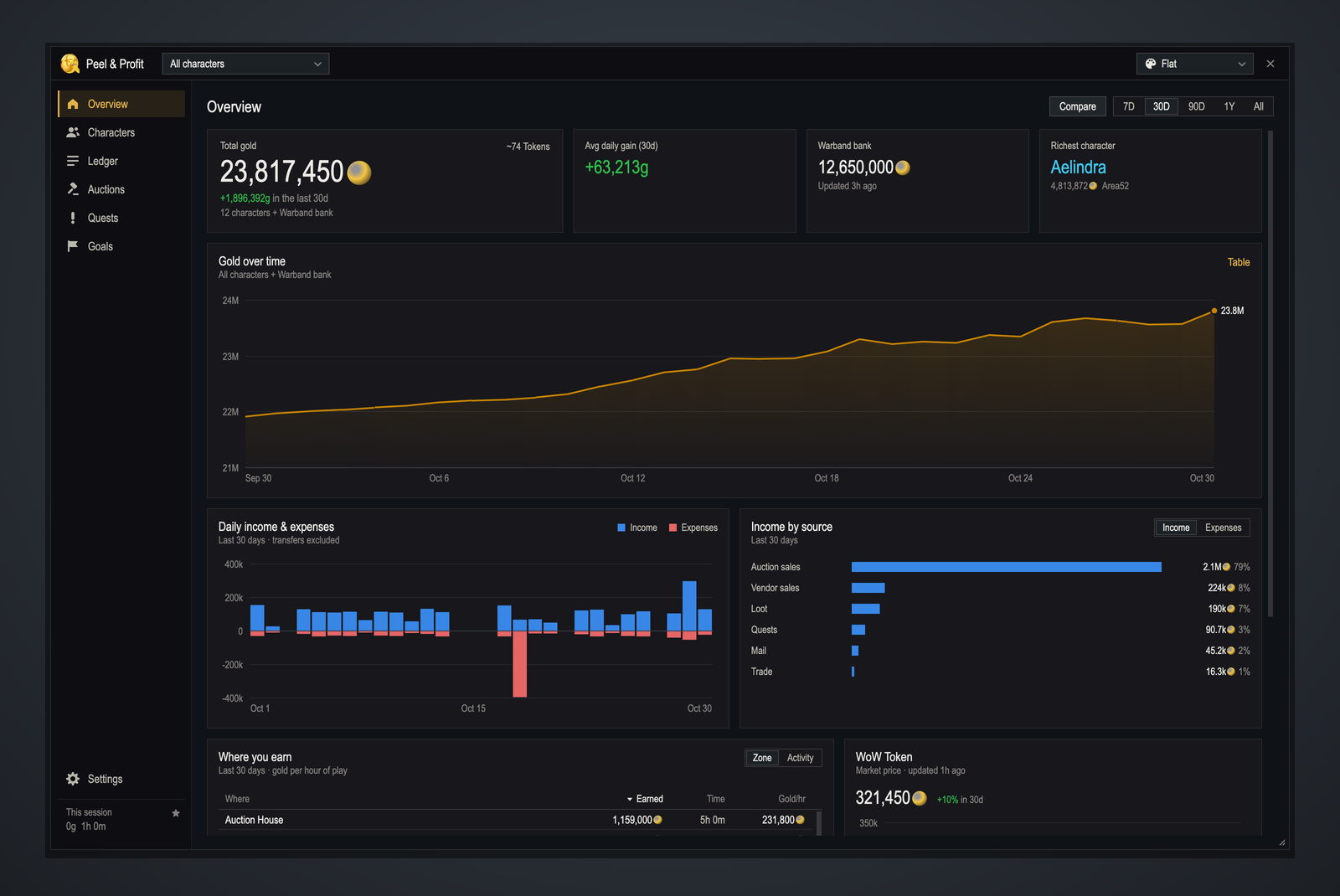
📈 Gold over time
- Total gold across all characters and the Warband bank, charted over 7 days, 30 days, 90 days, 1 year or all time
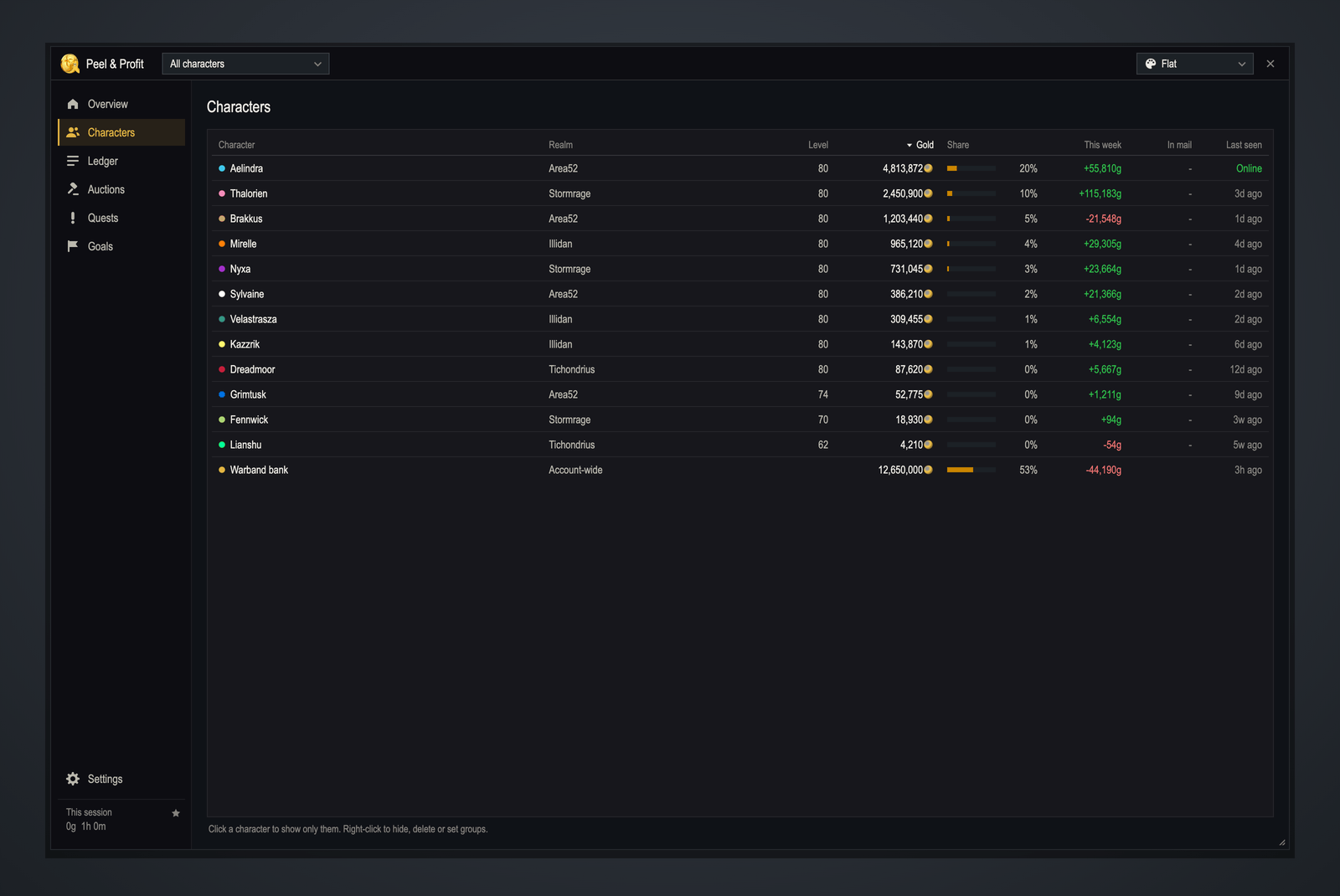
- Average daily gain, richest character and this week's change on every character
- Compare to previous period: see this month against last month at a glance
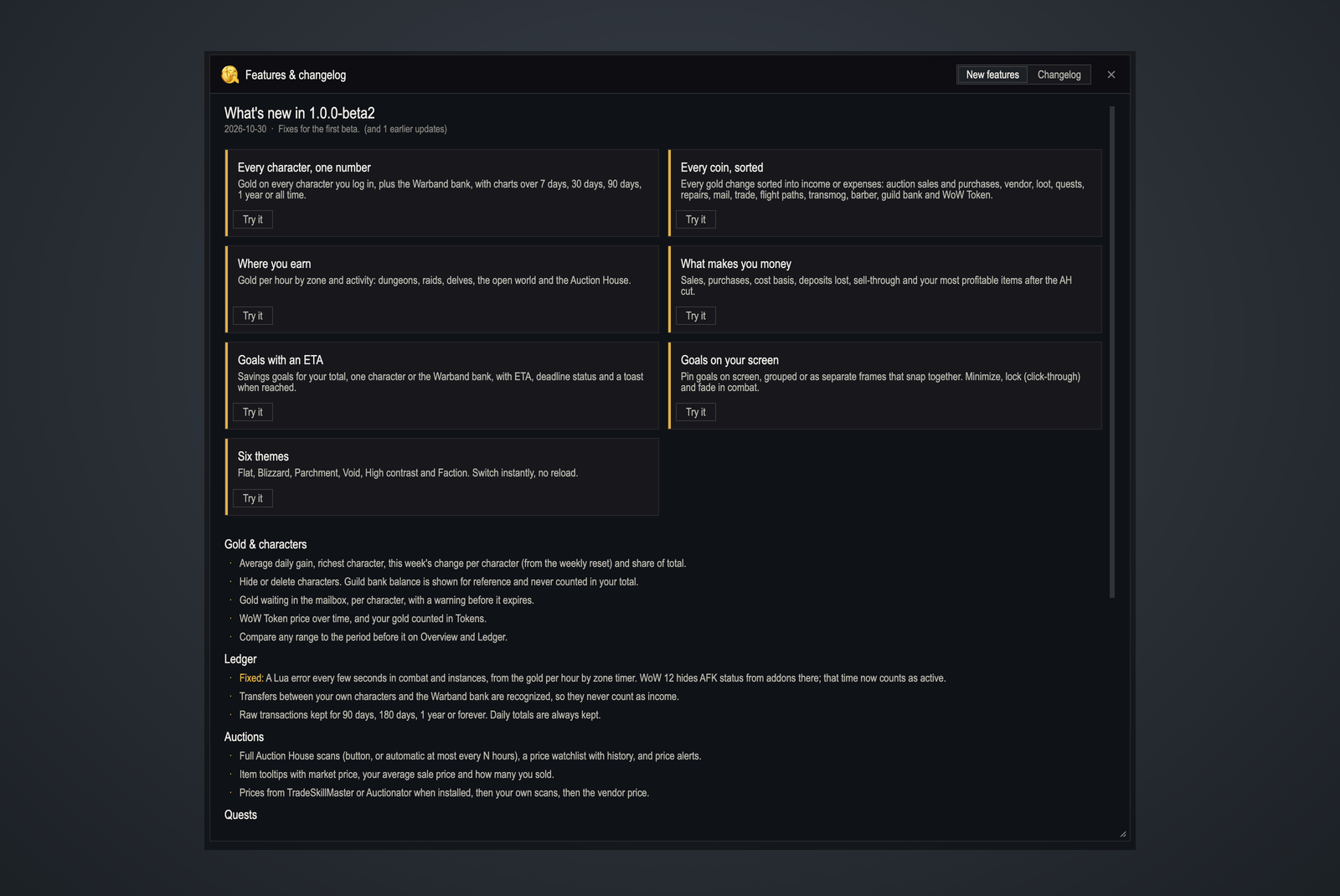
- WoW Token price over time, and your gold counted in Tokens
- Gold waiting in mailboxes, with a warning before it expires
🧾 Income & expense ledger
- Every transaction is categorized automatically: auction sales and purchases, vendor, loot, quests, repairs, mail, trade, flight paths, transmog and more
- Transfers between your own characters are recognized (mail to alts, Warband bank deposits), so they never inflate your income
- Filter by character, category or character group (Mains, Bank alts, Crafters…)
- Gold per hour by activity and zone: find out whether delves, gathering or the Auction House pays best for you
💰 Auction House profits & prices
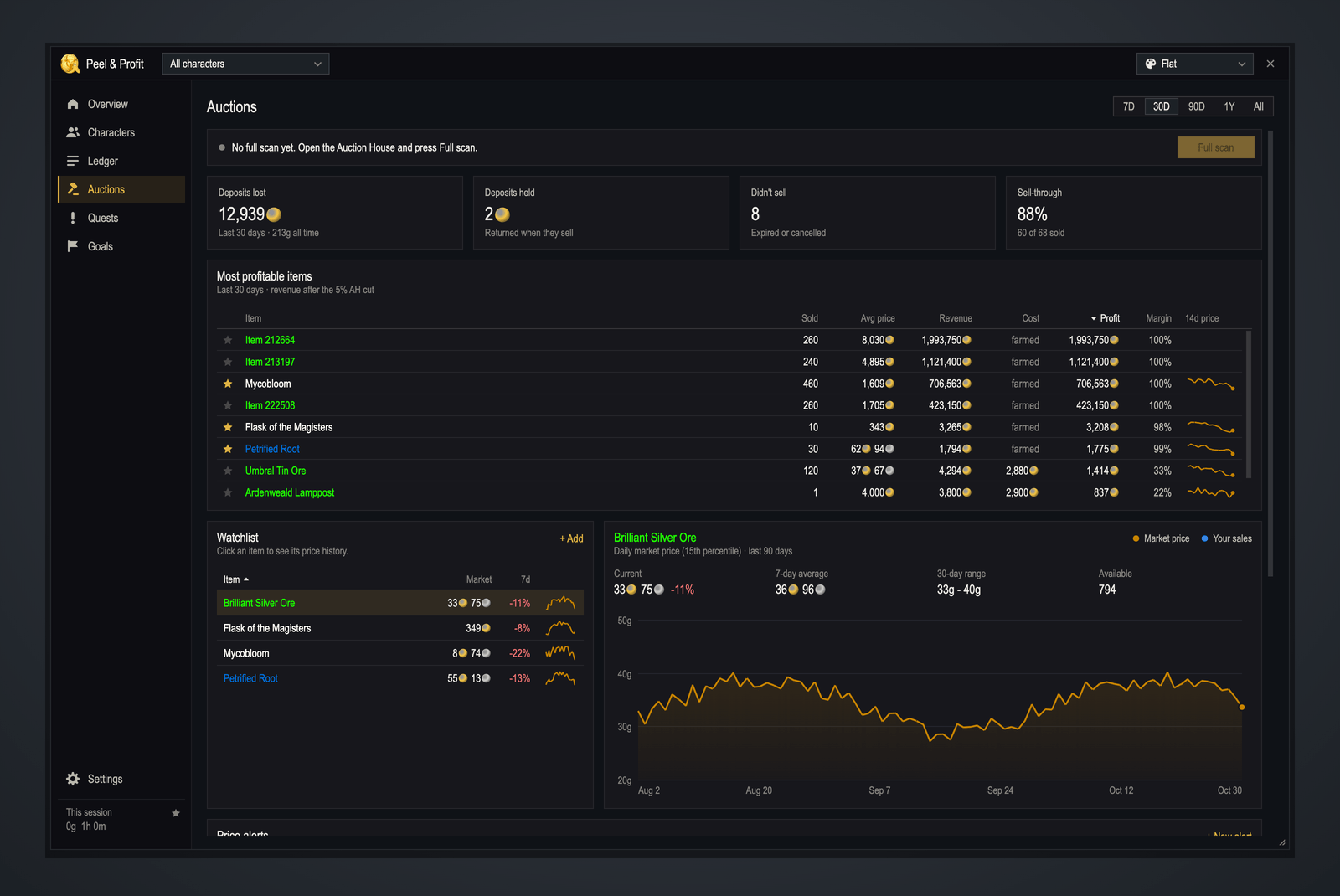
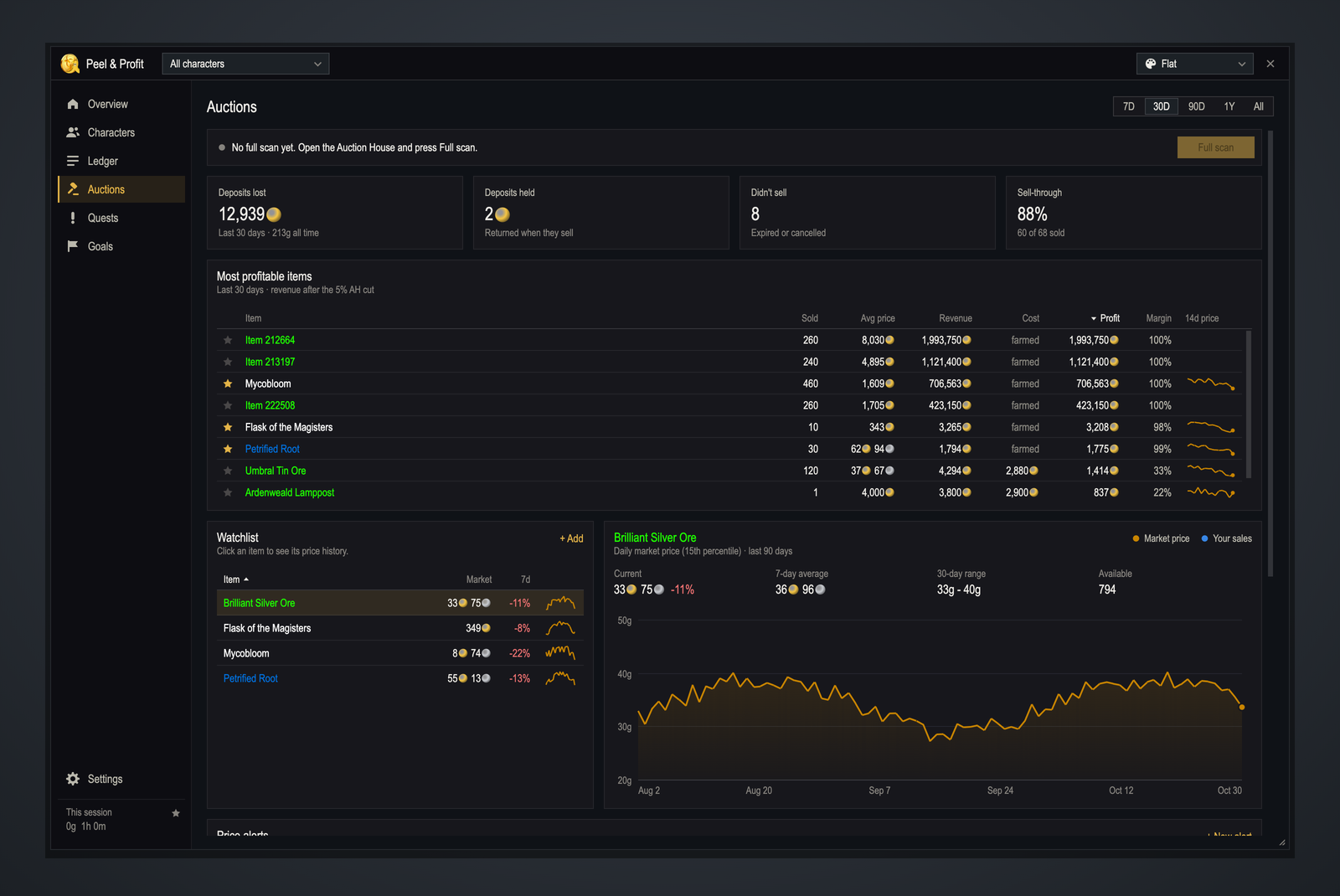
- Most profitable items: revenue after the AH cut, cost basis, lost deposits, profit and margin
- Price history for your watchlist, with your own sales plotted on the chart
- Price alerts: get a chat message, sound and toast when an item drops below (or rises above) your target
- Optional full AH scans, plus price data from TradeSkillMaster or Auctionator if you use them
- Item tooltips show market price, your average sale price and how many you've sold
📜 Quest gold
- Gold per quest and per completion, with gold per hour based on how long each quest took
- Repeatable quests first (world quests, dailies, weeklies, callings), or every quest that paid gold
- World quests with gold up right now, sorted by reward, with a click to track them
🎯 Goals & on-screen widgets
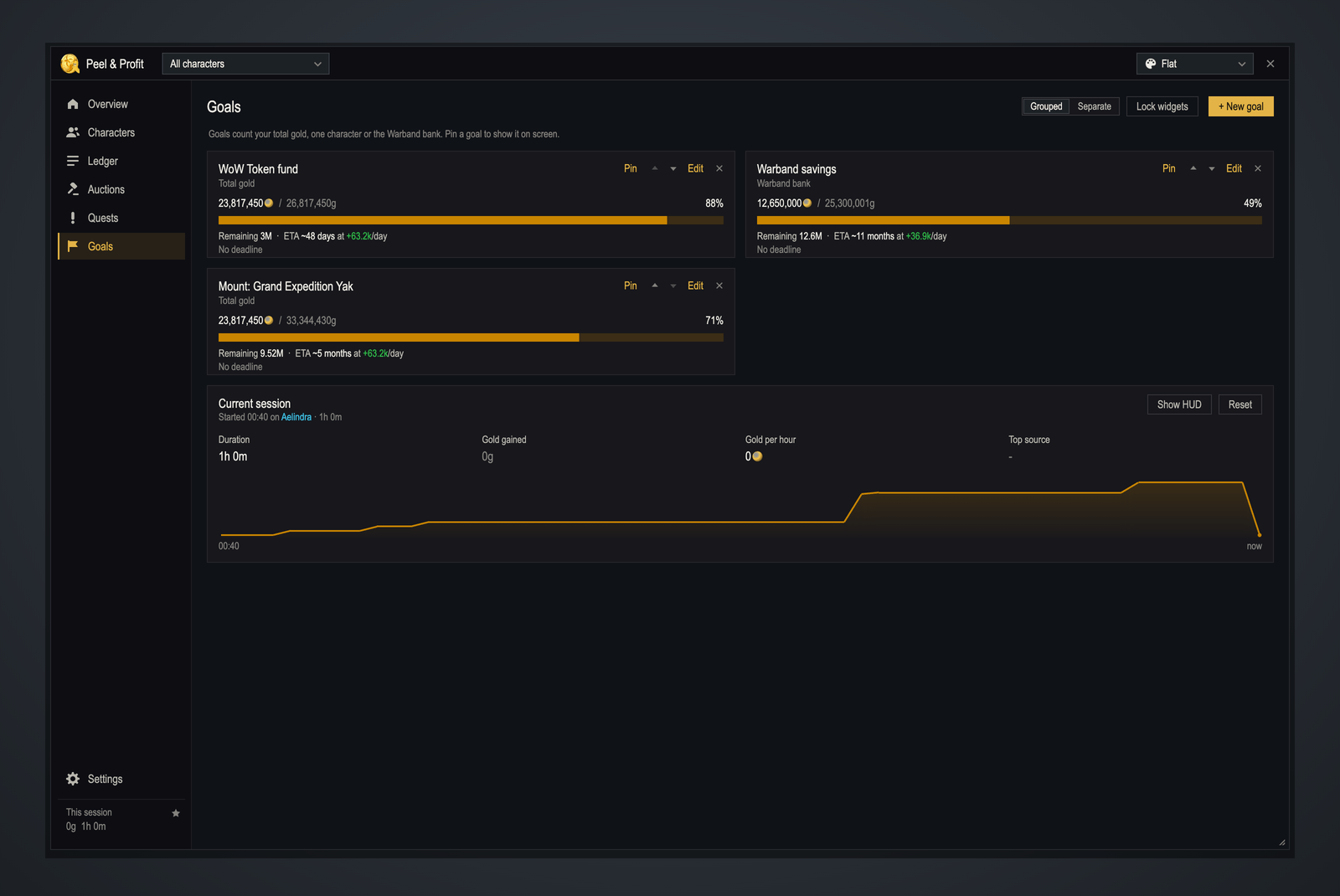
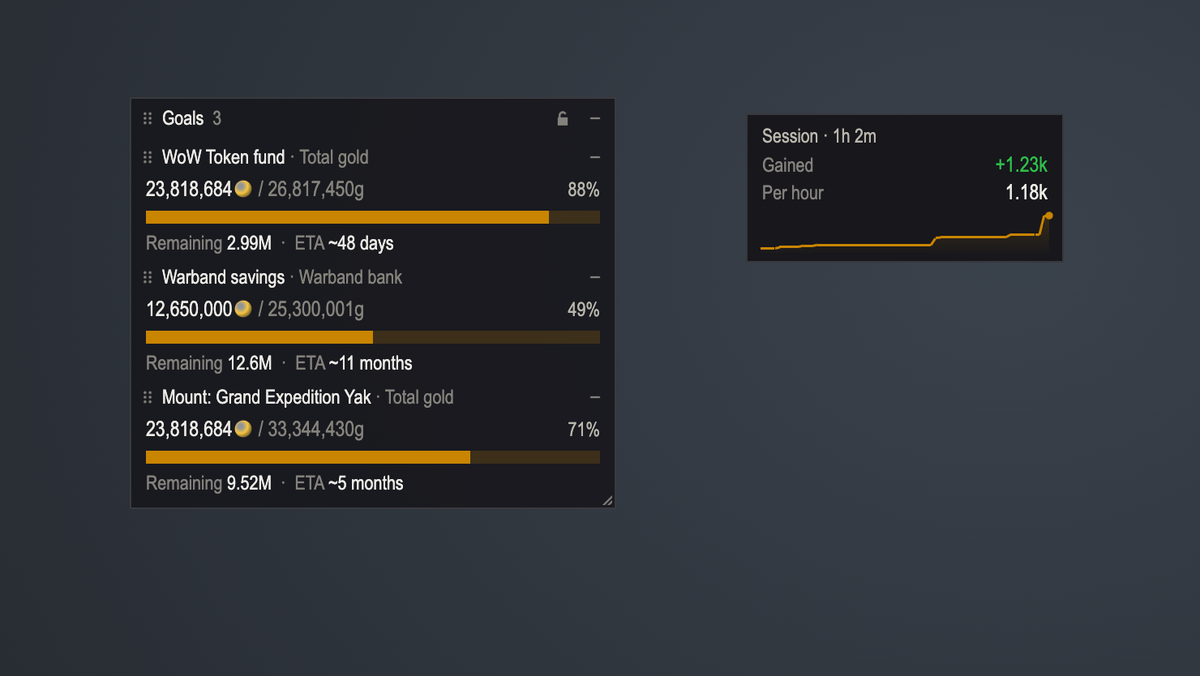
- Set savings goals for your total gold, one character, or the Warband bank, with a progress bar, current / goal and an ETA at your current pace
- Pin goals to your screen as compact widgets. Keep them grouped in one frame, or as separate frames that snap together
- Minimize a widget to a single progress bar, and lock it to make it click-through
- Session tracker: gold earned this session and gold per hour, with an optional mini HUD
🎨 Six themes
Flat (default) · Blizzard · Parchment (light) · Void · High contrast · Faction (Horde or Alliance, picked automatically). Every chart color has been checked for color-blind readability in every theme.
⚙️ Built for everyday use
- Login summary: what you earned since last time, your top seller, and any mail about to expire
- Streamer mode: hide every exact amount with one click or keybind. Percentages and trends stay visible
- Keybindings to open the window, lock widgets and toggle streamer mode
- Hide or fade widgets in combat, instances, pet battles and cinematics
- Export and import your full history as a backup string or CSV
- Number formats for US, EU and FR, and weekly stats that start at the weekly reset
- Per-character layout profiles
Getting started
- Install and log in. Tracking starts immediately on each character you log into, and a short welcome card explains the basics.
- Type /gt, /peel or /gold, or click the minimap button (or the addon button next to the minimap) to open the dashboard.
- Open your mailbox to record auction sales, and the Auction House to update watchlist prices.
- Log in on each of your characters once so their balances are included.
Slash commands
| Command | What it does |
|---|---|
/gt · /peel · /gold | Open or close the dashboard. All three work with every subcommand below |
/gt show <tab> | Open a tab: overview, characters, ledger, auctions, quests, goals, settings |
/gt total · /gt chars | Print your total gold, or every character, in chat |
/gt session | Show or hide the session HUD |
/gt watch [item] | Add an item to your watchlist (shift-click the item link) |
/gt scan | Start a full Auction House scan (AH must be open) |
/gt widgets lock / unlock / reset | Lock, unlock or reset goal widgets |
/gt reset session | Start a new session |
/gt bug · /gt feature | Get a link to report a bug or request a feature |
/gt export · /gt import | Back up your data, or restore a backup or CSV |
/gt help | List every command |
FAQ
Can it show gold from before I installed it?
No. The game doesn't keep a gold history, so tracking starts on install. If you have records from a spreadsheet, you can import them as CSV.
Will it slow down my game?
No. Data is compacted automatically, nothing runs in combat, and full AH scans are processed in small steps so the game stays smooth.
Do I need TradeSkillMaster or Auctionator?
No. Peel & Profit works on its own. If either is installed, it can use their prices for item values.
I play on two WoW accounts. Can I combine them?
Each account is tracked separately. You can export from one and import into the other to combine histories.
Is my data sent anywhere?
Never. Everything is stored in your own SavedVariables file on your PC.
Compatibility
- World of Warcraft Retail (current expansion)
- No required dependencies. Libraries are included.
- Works alongside TradeSkillMaster, Auctionator, ElvUI and other popular addons
Feedback & support
Found a bug or have an idea? Report a bug or request a feature on the website (sign in with Battle.net or Google, takes a minute). In game, /gt bug gives you a link that fills in your addon and game version. Before reporting, check the known issues.
When reporting a bug, include the error text (BugSack makes this easy).
Peel & Profit is free under the MIT license. The Lua source is included in the download.
Peel & Profit - Gold Tracker Team