PatchToolsMaps
- By
Move, resize and zoom the world map, with optional reveal of unexplored areas. Requires PatchTools.
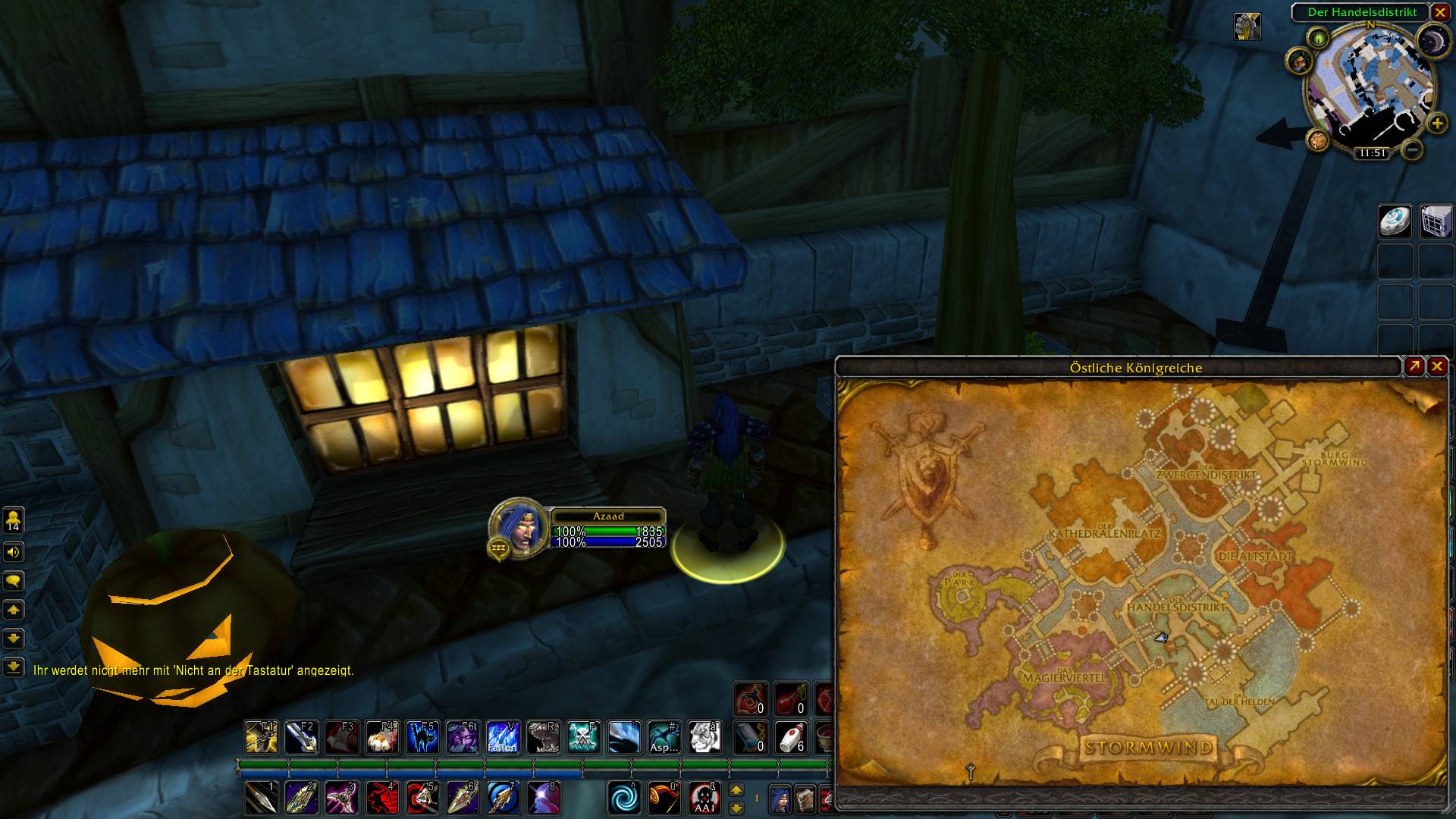
photo_2026-10-23_23-53-30.jpg
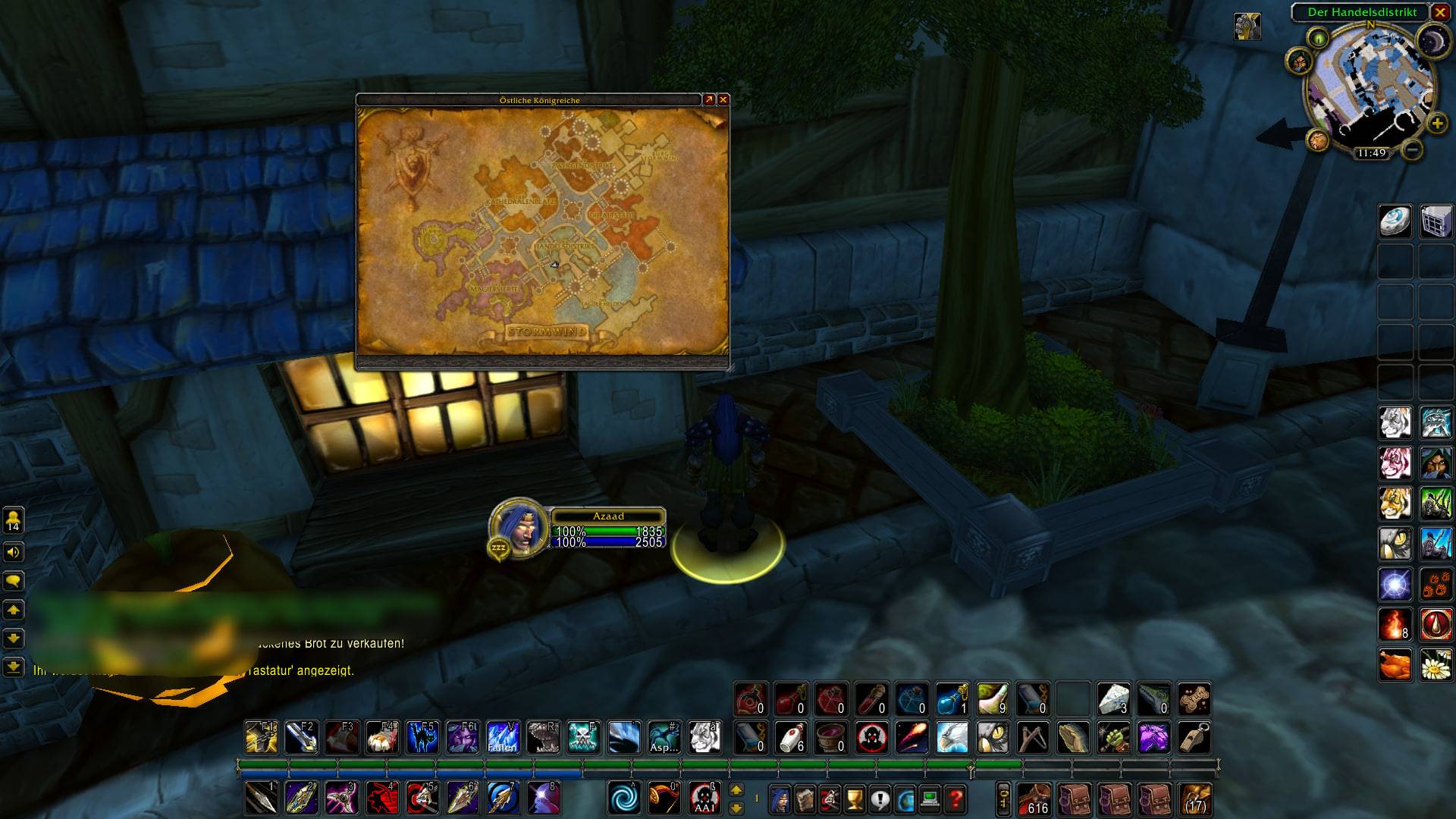
photo_2026-10-23_23-59-39.jpg
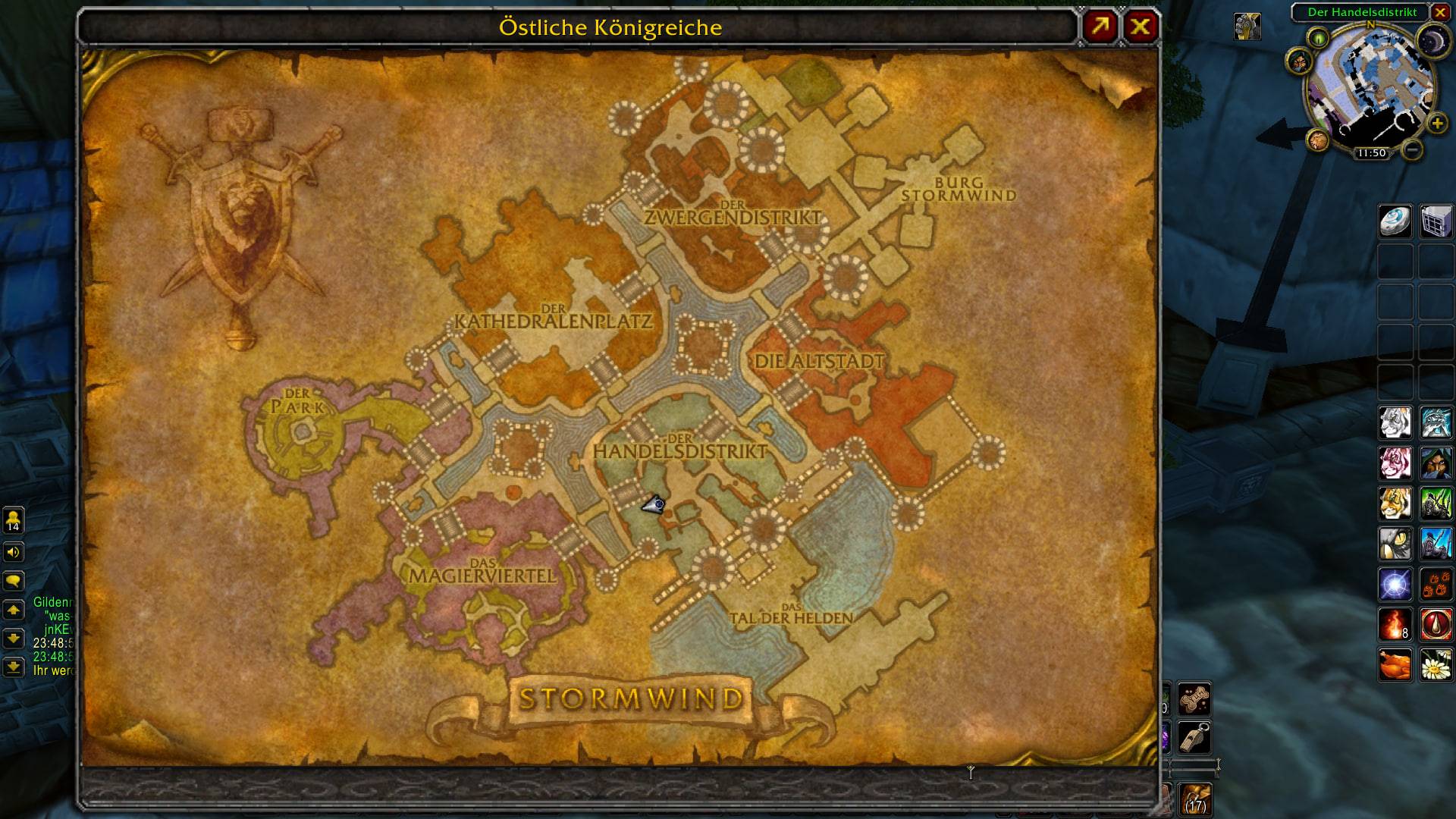
photo_2026-10-23_23-53-37.jpg
Description
PatchToolsMaps
Optional world map tools for World of Warcraft: Forever and Classic Era, with built-in English and German language support. Made by Patch & Zen.
Requires PatchTools. Adds a Map section to the PatchTools settings.
CurseForge project · Source code
Features
- Move the world map using its existing title bar, without an extra label covering other addons.
- Resize it with a native-style bottom-right handle, without an upper size limit. Move it beyond screen edges if desired.
- Save your preferred position and size between sessions.
- Extended mouse-wheel zoom is enabled by default for new settings; zoom for up to four times the native maximum outside combat. Native zoom remains available during combat.
- Choose Classic, Semi-transparent fog (default), or Fully revealed for unexplored areas.
- Reset position, size and zoom with one button. An open map closes so it can rebuild cleanly when reopened.
Reveal changes only the map display. It does not grant exploration, experience or achievements. Map coverage depends on the supported client build.
Availability and requirements
Requires PatchTools 0.7.0 or newer. Install or update the base addon before enabling PatchToolsMaps. PatchTools 0.6.0 does not support this module.
Tested in game on Forever Beta 1.60.1, build 70532. Classic Era 1.15.9, build 70003 has passed in-game checks for zoom on world, continent and zone views, and error-free combat behaviour. The updated zoom is covered by automated Forever checks but could not be retested in the closed Beta. Newer builds are not yet confirmed. Window movement, resizing and zoom have passed initial in-game checks.
Installation
Install PatchTools and PatchToolsMaps together. For manual installation, place both folders next to each other in your WoW Interface/AddOns folder, for example:
World of Warcraft/_forever_beta_/Interface/AddOns/PatchToolsMaps
World of Warcraft/_forever_/Interface/AddOns/PatchToolsMaps
World of Warcraft/_classic_era_/Interface/AddOns/PatchToolsMaps
Some existing beta installations use _classic_beta_ instead. Choose the folder used by your game. Do not put PatchToolsMaps inside the PatchTools folder.
Controls and languages
- Open
/patchtools, then choose Map (German: Karte). - Drag the existing title bar to move the map; drag the corner handle to resize it.
- Use the mouse wheel to zoom. Extended map zoom starts enabled for new settings; existing choices are preserved.
- Use Reset map position, size and zoom, or
/ptmaps reset(also/patchtoolsmaps reset), to restore the default view even if the map is off-screen. - English and German follow your game language; other languages use English.
Reporting issues and suggesting features
Open an issue for a bug or an idea. Tell us what happened, what you expected, and your WoW, PatchTools and PatchToolsMaps versions. Screenshots and error messages help but are optional. Please leave out account details and private chat. English and German are welcome.
License
MIT. You may change and share the project while keeping the copyright and license notice.
Changelog
2026-10-23 — 0.2.0
- Add Classic Era support with its own map catalog.
- Enable map zoom by default for new settings, including world and continent views.
- Remove the window size cap and screen-edge restriction.
- Use the existing Era title bar and a native-style resize handle.
- Add
/ptmaps resetand/ptmaps status; preserve saved choices and combat safeguards.
2026-10-23 — 0.1.0
First regular release. Requires PatchTools 0.7.0 or newer.
Keep move/resize controls visible during combat; ignore drag attempts until combat ends.
Avoid modifying Blizzard's zoom table or registering addon textures in its shared mask list.
Keep the additional zoom step disabled for combat compatibility; ordinary zoom is unchanged.
Added optional map settings, movement and resizing.
Added three display modes for unexplored areas.
Added saved window settings and a reset button that closes an open map.
Fixed opening the map before its zoom levels are ready.
Replaced the pointed decoration with a compact square resize handle.
Developer notes: DEVELOPMENT.md. Client-data generation: tools/README.md.
PatchToolsMaps Team