PartyFilter
- By
Find the tank or healer you need in seconds: filter the Looking For Group list by role, armor type and class with one-click icons.
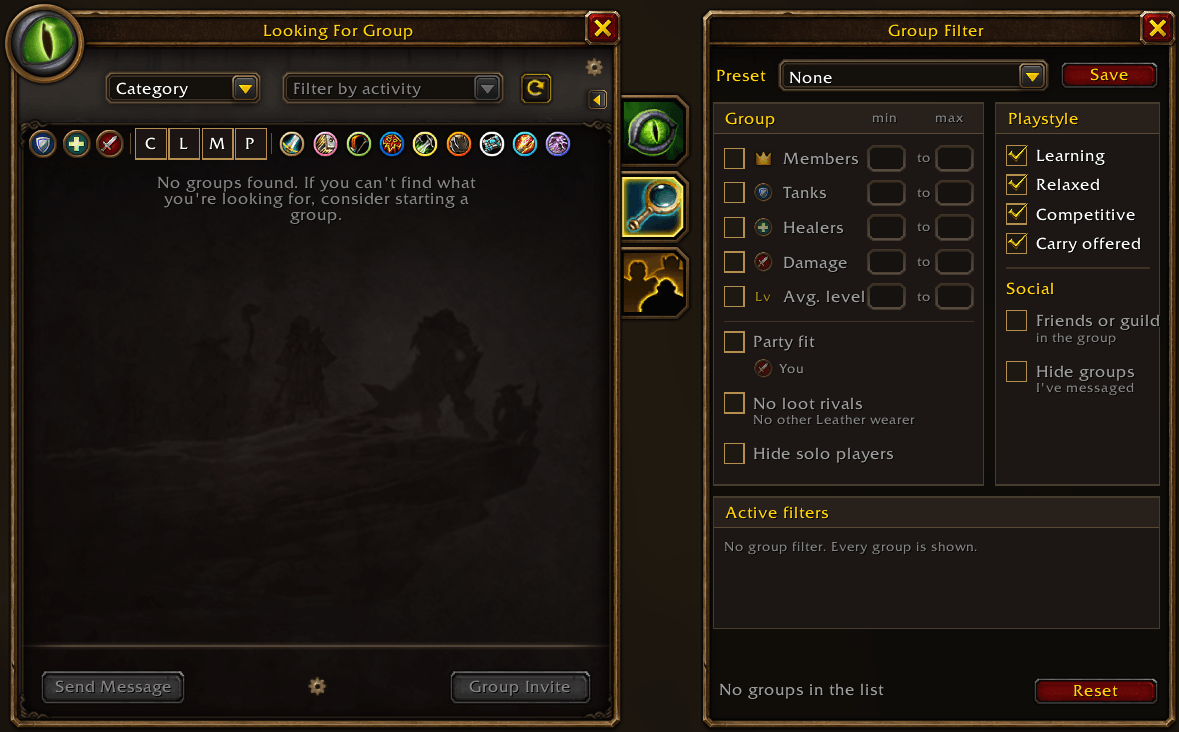
Find groups that fit you. Filter by group size, roles, average level, party fit, playstyle and more.
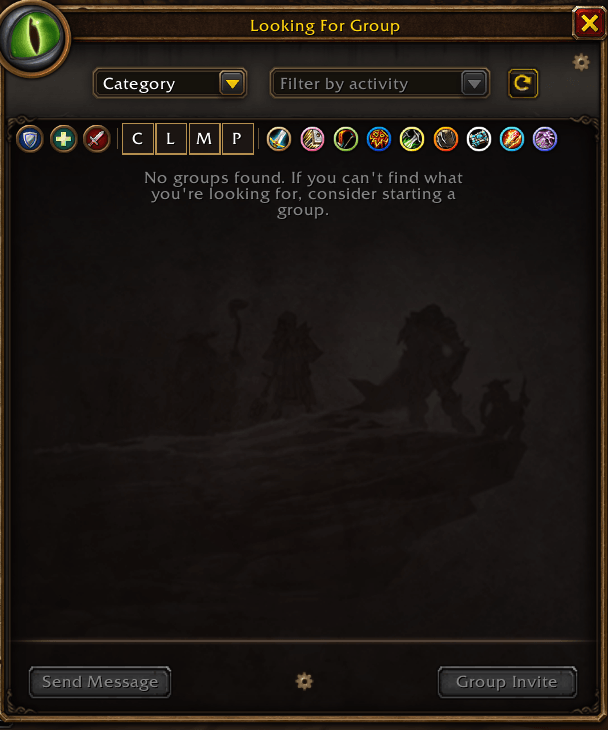
One-click filters for role, armor type and class, right inside Blizzard’s own window.

Left-click to show or hide. Right-click to show only that one.
Description
PartyFilter
Find the right players, or the right group, in seconds.
PartyFilter adds filters to the Looking For Group window in WoW: Forever. Everything works with one click, right inside Blizzard's own window.
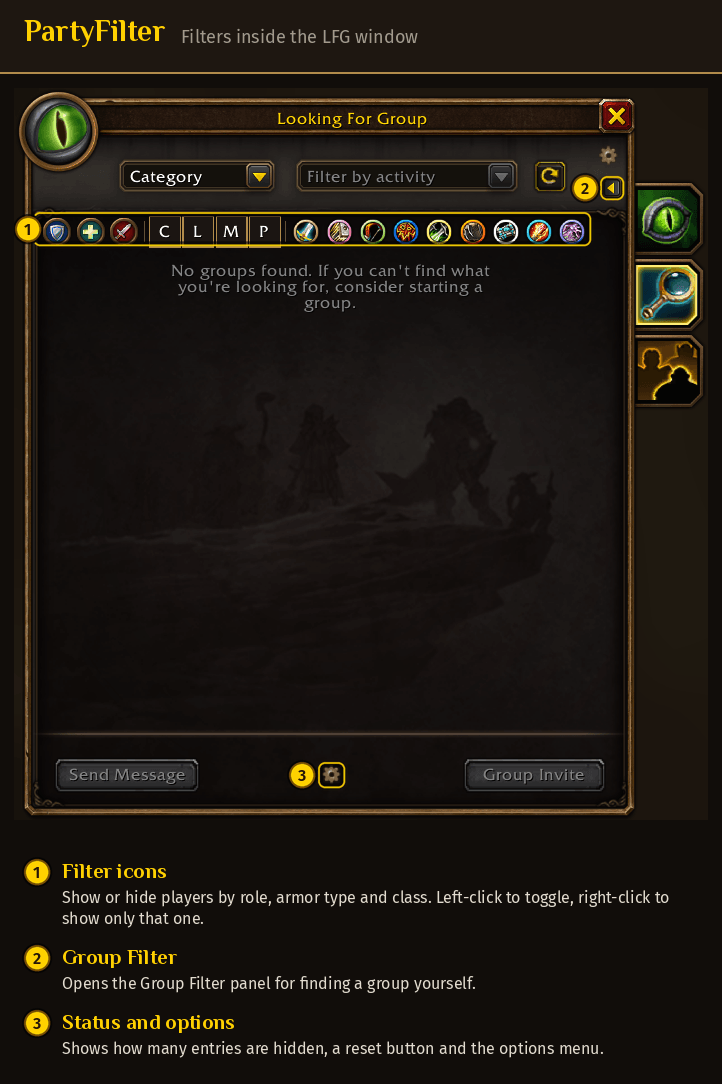
- Filter icons: show or hide players by role, armor type and class.
- Group Filter: opens a panel for finding a group yourself.
- Status and options: shows how many entries are hidden, with a reset button and the options menu.
Filter icons: find players for your group
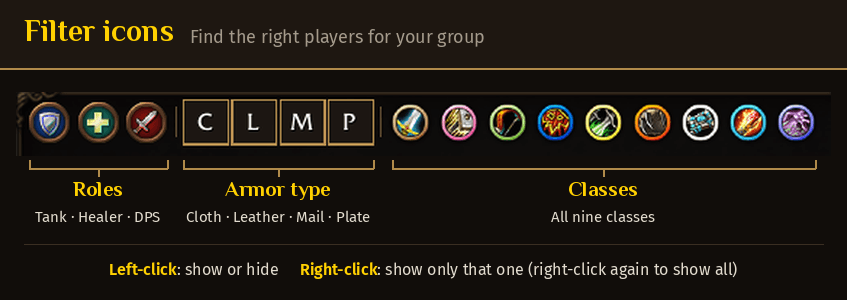
- Roles: Tank, Healer, DPS. A player stays visible if they signed up for at least one role you are looking for. A Warrior listed as Tank + DPS still shows when you hide DPS, because he can tank.
- Armor type: Cloth, Leather, Mail, Plate. Hunters and Shamans count as Leather, and Warriors and Paladins as Mail, until level 40, just like in vanilla.
- Classes: all nine classes. Need a Priest? Right-click the Priest icon.
Left-click an icon to show or hide it. Right-click it to show only that one, and right-click again to show everything.
🆕 Group Filter: find a group that fits you
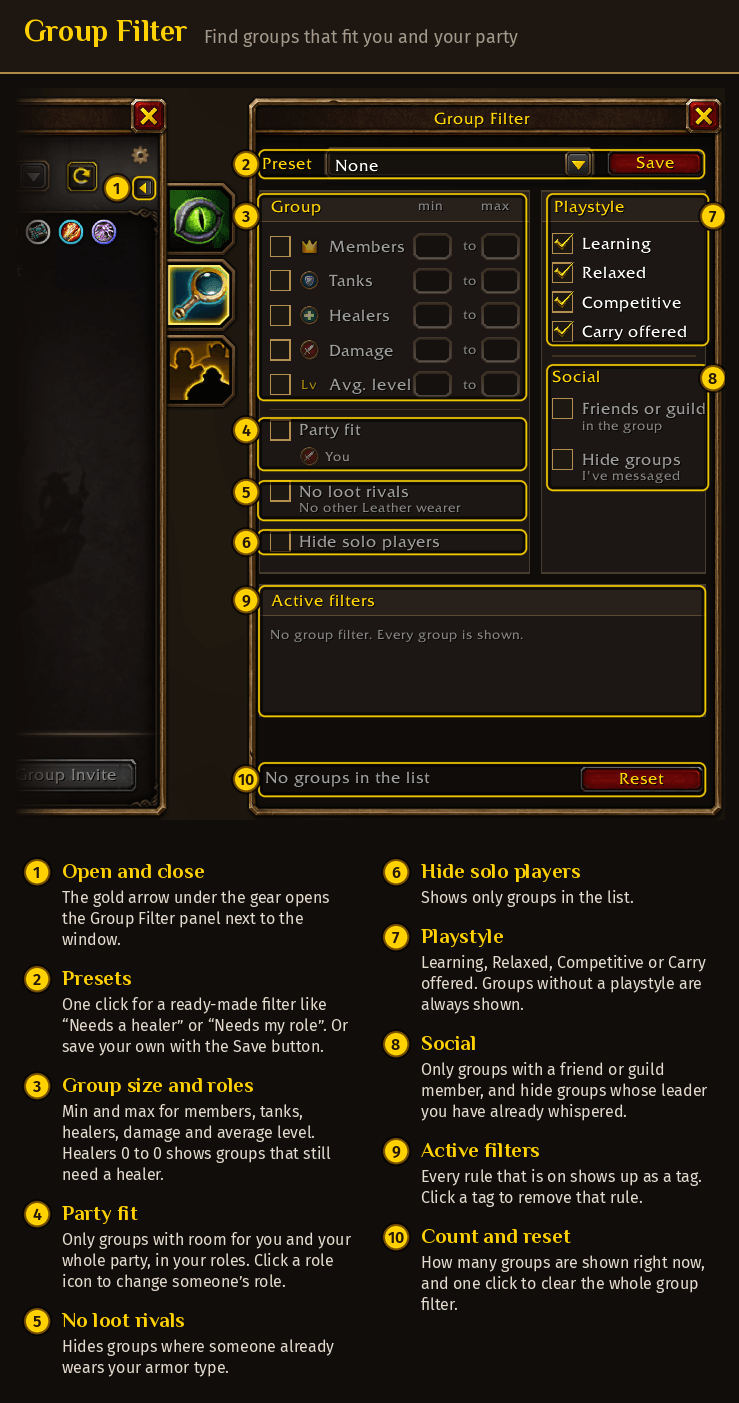
- Open and close: the gold arrow under the gear opens the panel next to the window.
- Presets: one click for a ready-made filter like "Needs a healer" or "Needs my role". You can also save your own.
- Group size and roles: set a min and max for members, tanks, healers, damage and average level. Healers 0 to 0 shows groups that still need a healer.
- Party fit: shows only groups with room for you and your whole party, in your roles. Duo with a healer friend? Groups that already have a healer are hidden. Click a role icon to change someone's role.
- No loot rivals: hides groups where someone already wears your armor type.
- Hide solo players: shows only groups in the list.
- Playstyle: Learning, Relaxed, Competitive or Carry offered.
- Social: shows only groups with a friend or guild member, and hides groups whose leader you have already whispered.
- Active filters: every rule that is on appears as a tag. Click a tag to remove it.
- Count and reset: shows how many groups are visible, and one click clears the whole group filter.
Quick invite
Every solo player gets a small gold +
PartyFilter Team