Pally HUD
- By
A Basic class HUD for paladins with every spell toggleable. Presets for each spec that you can edit and customize from there.
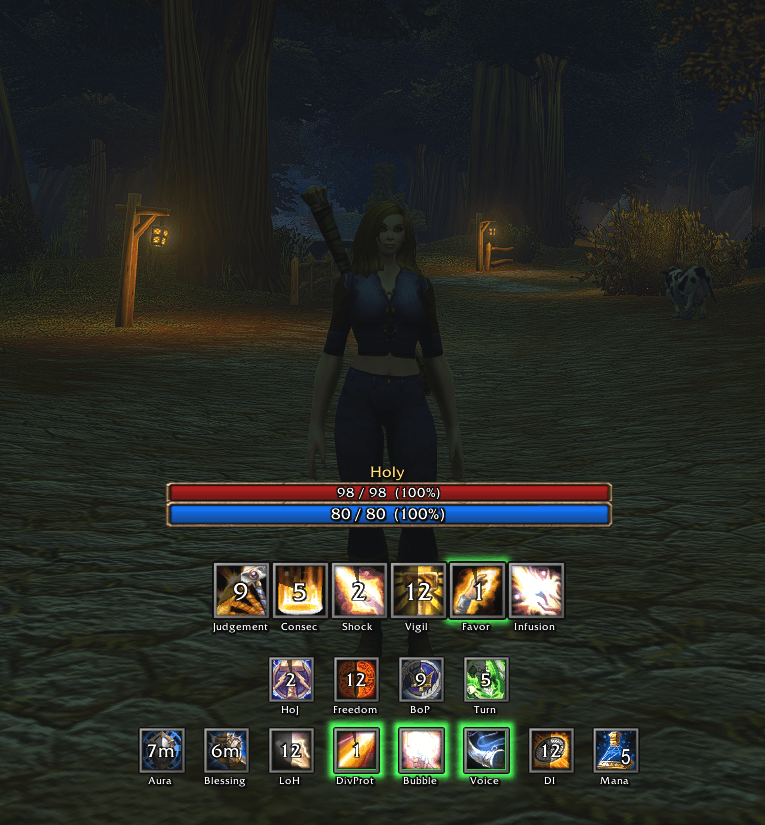
Phudholy.png
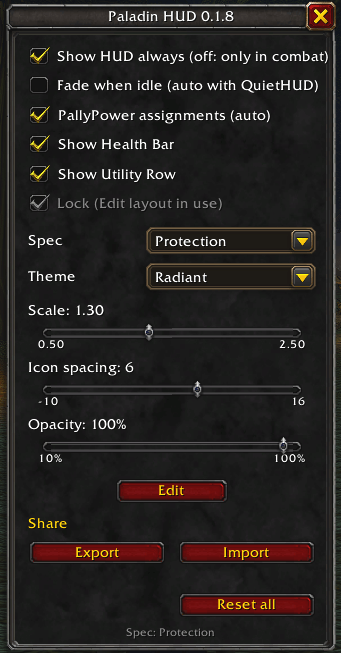
phudmenu.png
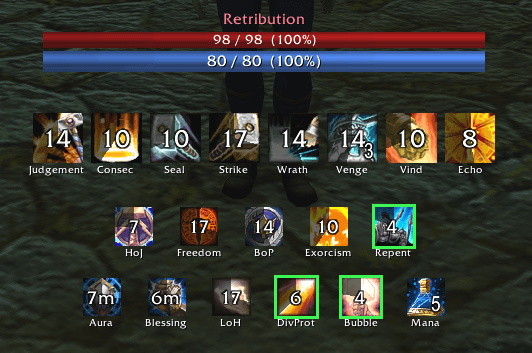
phudplain.png
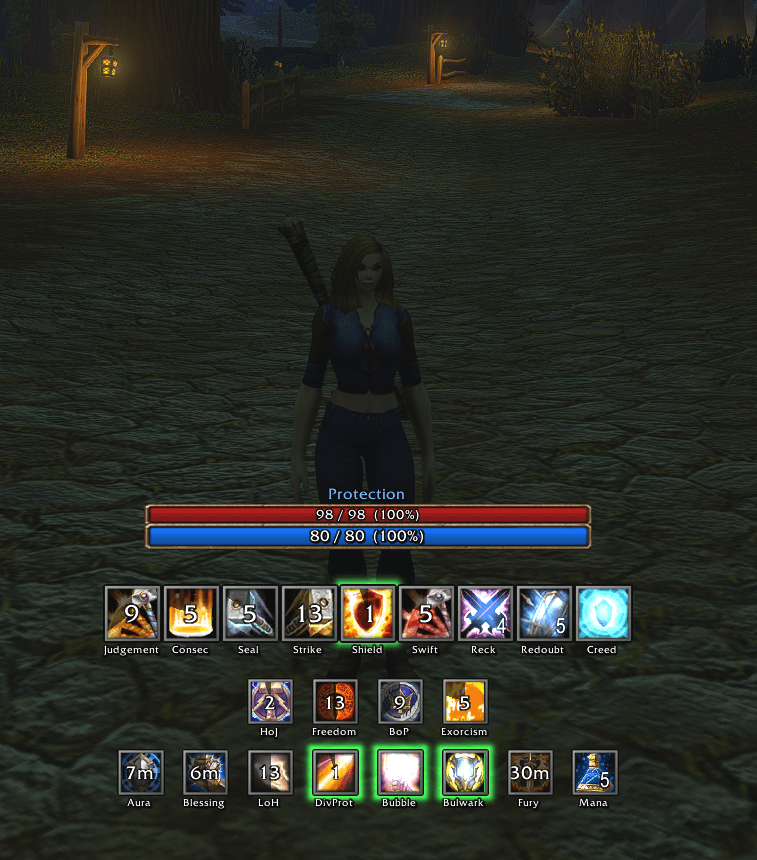
phudprot.png
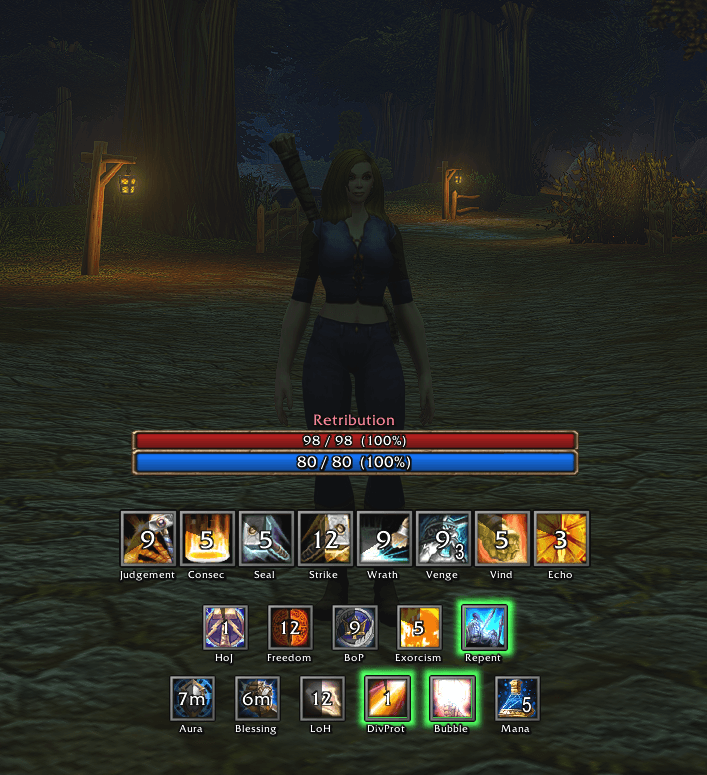
phudret.png
Description
Paladin HUD follows your spec and shows only what that spec needs. Move it, style it per spec, and share your layout with a code.
What each spec shows
- Holy: Judgement, Consecration, Holy Shock, Light's Vigil, Divine Favor, Infusion of Light, Oath of Light (with the name of the ally it is on), Divine Intervention.
- Protection: Judgement, Consecration, your seal, Holy Strike, Holy Shield, Swift Judgement, Reckoning, Redoubt, Iron Creed, Templar's Bulwark, Righteous Fury.
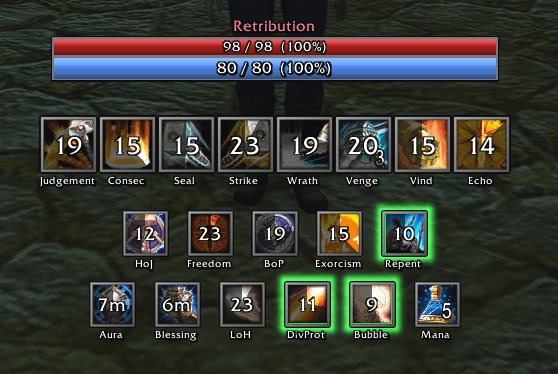
- Retribution: Judgement, Consecration, your seal, Holy Strike, Hammer of Wrath, Vengeance stacks, Vindication, Unsealed Wrath's Echoes.
- Utility row (one tick in the menu): Hammer of Justice, Blessing of Freedom, Blessing of Protection; Holy adds Turn Undead, Protection Exorcism, Retribution Exorcism and Repentance.
- Every spec: health and mana bars with their percent, your aura and blessing (with a reminder when either is missing), Lay on Hands, Divine Protection, Divine Shield, mana potions.
Spells shared by specs keep the same spot in every spec. Your spec is read from your talent points, or set in the menu. Spells and talents appear as you learn them; potions while you carry them.
How it tracks
- Real buff and debuff timers, in combat too.
- Cooldowns straight from the game: ready, active, cooling down.
- Talent procs show their charges and timers: Vengeance, Reckoning, Redoubt, Infusion of Light and more.
- An icon turns blue while you lack the mana for it. Hammer of Wrath lights up when your target is at 20% health or under, and Holy Shield turns red with no shield on.
- Works in every game language. The menus, messages and nametags speak English, German, French, Spanish or Russian: Language, in the menu (Auto, the default, follows your game).
Holy
Protection
Works with PallyPower
With PallyPower loaded, your aura and blessing slots follow your PallyPower assignments: the slot shows the aura and blessing you're assigned, and the reminder names the one that's missing. Without assignments, any aura or blessing counts. Switch it off in the menu (PallyPower assignments) or with /phud pallypower assign off.
Menu
Type /phud (or /paladinhud or /pallyhud): Show HUD always, Fade when idle, PallyPower assignments, Show Health Bar (with a Green box), Show spec name, Show Utility Row, Lock, Spec, Language, Theme, Scale, Icon spacing, Opacity, Edit, Share, Reset all.
Edit mode
Click Edit or type /phud edit, then tick the spec to edit. Each spec keeps its own layout.
- Green box: drag it to move the HUD.
- Blue boxes: drag the bars, an icon row or the warnings into another socket in the HUD, or drop them anywhere else to unsocket them.
- Shift + drag an icon: move it along its row, to another row, or anywhere on screen. An unsocketed icon drags without Shift.
- Drop an unsocketed part back on the HUD to socket it again. Click an icon to hide it.
- Hide: tick it beside the bars, a row or the warnings to hide that part in this spec.
- Show: under the bars' box, untick Health or Mana to hide that bar in this spec.
- Add from other specs: tick another spec's spell to show it in this spec too, such as Hammer of Wrath in Protection or Holy Shock in Retribution.
- Racials: your race's racials, such as Blood Fury for an Orc or Berserking for a Troll, show in the bottom row of every spec, with their buff and cooldown. To drop one from a spec, untick it under Racials in the same list.
- Reset resets the spec you are editing; Reset all in the menu resets everything.
- Also here: Show in (untick to hide the HUD in that spec), Snap grid, Copy to all specs, nametags and their size. Done returns to the menu.
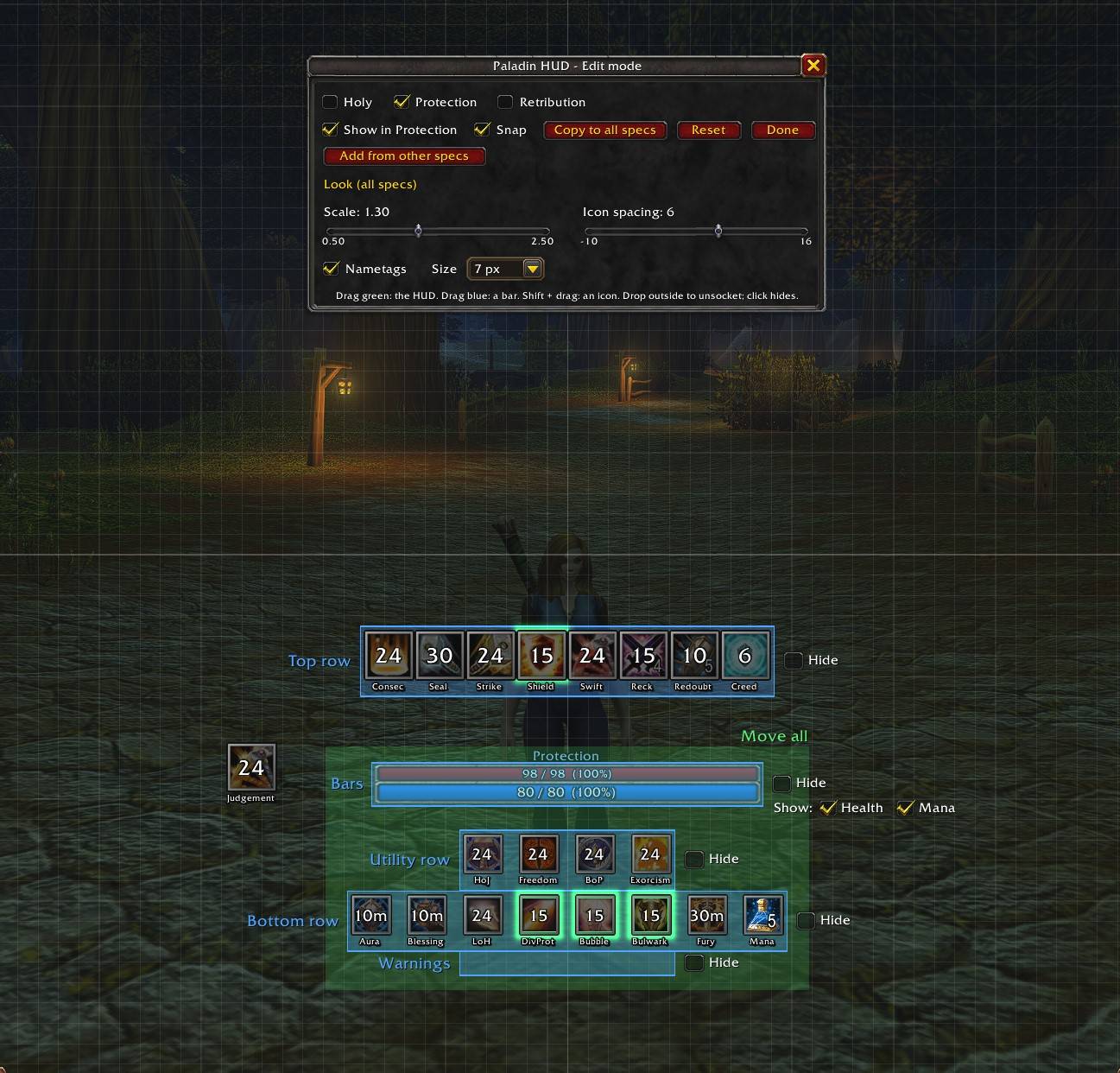
Share: Export gives a code; Import applies that layout and keeps your own settings.
Looks
- Radiant (default): Blizzard's art with a gold trim.
- Plain: lightest on performance.
- Smooth: polished bars and bevelled icons.
- Forged Iron: riveted iron round the bars and icons, with ember-lit seams.
Plain
Smooth
Commands
- /phud edit: edit mode.
- /phud language auto|en|de|fr|es|ru: the HUD's language; auto follows your game.
- /phud spec auto|holy|protection|retribution: which spec's display; auto follows your talent points.
- /phud utility on|off: the utility row in every spec.
- /phud pallypower: what it reads from PallyPower; /phud pallypower assign on|off|auto switches it.
- /phud test: lights every icon for 15 seconds.
- /phud showall: shows every icon of every spec, learned or not.
- /phud lock / unlock: drag the HUD.
- /phud health on|off: the health bar in every spec.
- /phud healthcolor red|green: the health bar's colour.
- /phud formname on|off: the spec's name on the HUD.
- /phud mirrors on|off: real in-combat auras, or timers from your casts.
- /phud idlefade on|off|auto: fades the HUD when you're idle. Auto (the default) turns it on when QuietHUD is on and uses QuietHUD's opacity and timing.
- /phuddebug: having a problem? Paste what it shows into a comment.
Licence
© LimJahey1337, all rights reserved. Free to use; ask before reusing its code or art. Spell icons and Blizzard's bar art are drawn from your game; the download does not include them. PallyPower is its authors' own add-on (Aznamir; Forever port by Pallyblaze and Laxativum) and is not part of Paladin HUD.
If you like my addons and want to support my work, it's greatly appreciated!



If you liked my addon and have an idea for one you'd like to see developed, contact me here on CurseForge. Suggestions are always welcome!
Pally HUD Team