


Paladin Advanced Toolkit
All-in-one Paladin toolkit: seal and Righteous Fury timers, aura, seal and blessing warnings, cooldown icons, group blessing check, Holy Shield tracking, a Ret swing timer with Twist of Light, action bar glows and per-spec profiles.
Screenshot 2026-10-17 081409.png
Description
Paladin Advanced Toolkit (PAT)
The all-in-one Paladin addon for WoW Forever: seals, Righteous Fury, auras, blessings, cooldowns, tanking and Retribution tools in one place.
Formerly Paladin Seal Tracker. It only runs on Paladins and stays idle on every other class.
Features
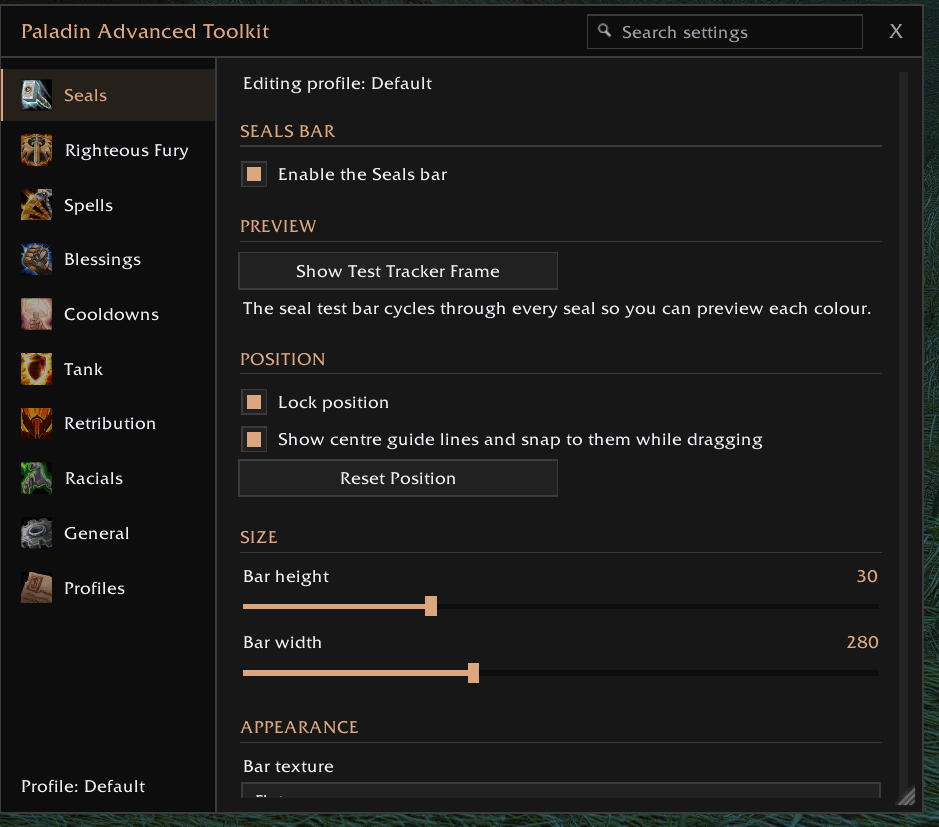
Seal and Righteous Fury bars
- Icon, name and time remaining on bars that drain as the buff runs out, with optional flash in the last 5 seconds.
- Seal bar colour-coded per seal (Righteousness, Command, the Crusader, Justice, Light, Wisdom, Fury), every colour editable.
- A sound of your choice when you're left with no seal or no Righteous Fury. Swapping seals doesn't trigger it.
- Righteous Fury expiry warning a set number of minutes before it runs out.
Combat warnings
- On-screen alert and sound when combat starts without your own aura, a seal, a blessing, or (for tanks) Righteous Fury.
- Pulsing Righteous Fury icon while you tank without it, and a "Righteous Fury dropped!" warning if it falls off mid-fight.
- Warnings stack, so you see them all at once with a single sound.
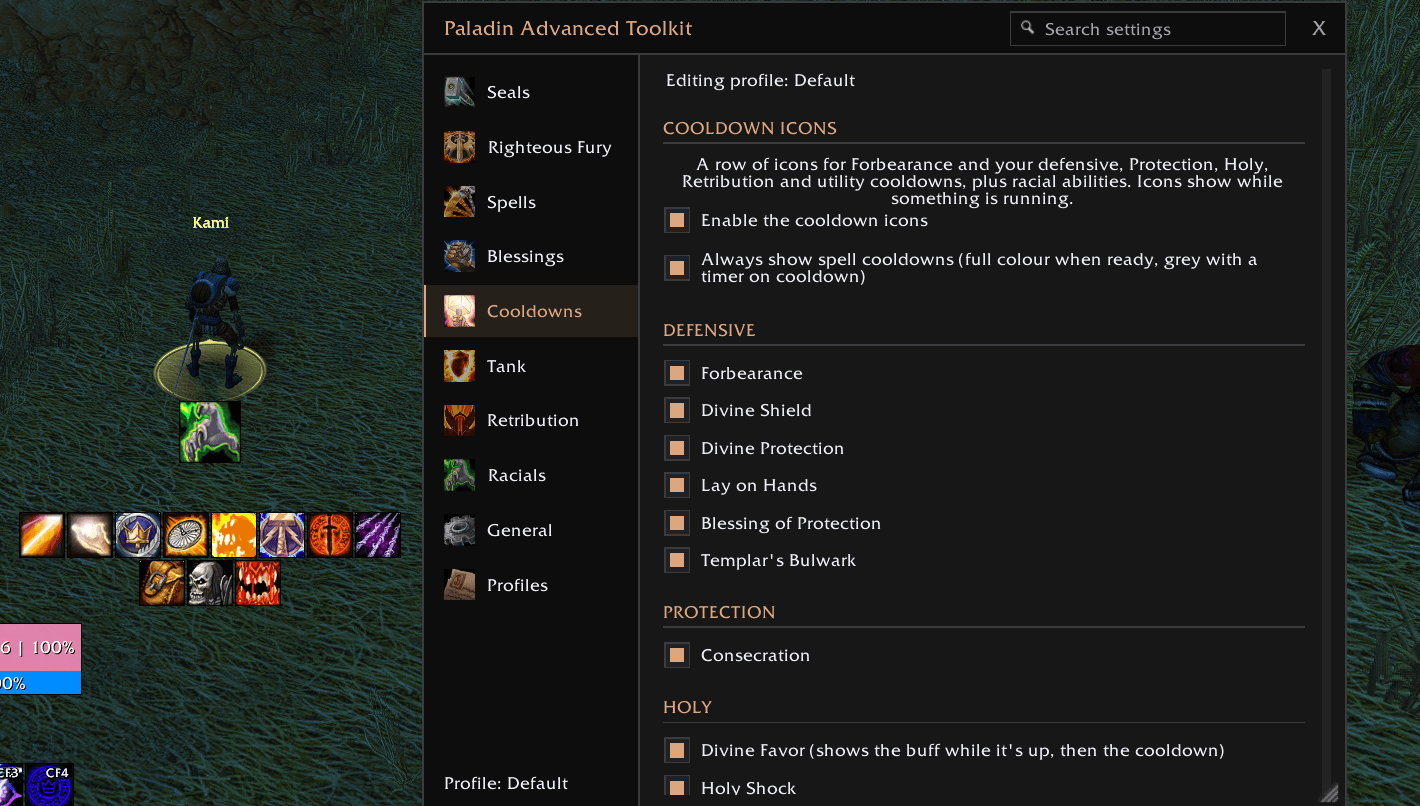
Cooldowns
- A movable row of icons with a countdown and cooldown sweep, showing while something is running. Spells you don't know stay hidden.
- Defensive: Forbearance, Divine Shield, Divine Protection, Lay on Hands, Blessing of Protection, Templar's Bulwark.
- Protection: Consecration's time on the ground. Holy: Divine Favor, Holy Shock, Divine Intervention.
- Retribution: Repentance, Exorcism, Holy Wrath, Hammer of Wrath. Utility: Hammer of Justice, Blessing of Freedom, Turn Undead.
- Both trinket slots (trinkets with a use effect) and the racial abilities of all three Paladin races: Human (Will to Survive, Perception), Dwarf (Stoneform), Undead (Will of the Forsaken, Cannibalize).
- Optional: always show cooldowns, flash and play a sound when a big cooldown is ready.
Tank tools
- Holy Shield charges and time left, or its cooldown when it's down (flashes in combat when ready).
- Shown only while you're tanking, if you like.
Retribution
- Main-hand swing timer with the Twist of Light window highlighted at the end of the bar (length adjustable), plus a "swap to Seal of Righteousness" prompt while Seal of Command is up.
Blessings
- Warns when combat starts without a blessing, and when yours is about to expire.
- Group blessing check: a small movable panel listing party or raid members missing your blessing, in class colours, plus anyone dead, offline or out of range.
Action bar glows
- Lights up Judgement, Holy Strike and Holy Shield on your action bars when they're ready, including inside macros.
- Add any other spell you want to glow (Consecration, Exorcism, Hammer of Wrath...).
- Four glow styles and a colour per spell. Works with the default bars and EllesmereUI.
Options window
- Search bar: type a keyword to jump straight to any setting.
- Resizable: drag the corner, hold Ctrl and scroll over the title bar, or use the scale slider.
- Closes automatically when combat starts.
Profiles
- Named profiles store every setting. Assign one to each specialization and switch automatically.
- Export and import profiles as text strings to back up or share. Imports are validated and never run as code.
Appearance
- Bars and icon rows can be locked, or dragged with centre guide lines that snap to the middle of the screen. Icon rows stay centred and can wrap onto several rows.
- LibSharedMedia support: fonts, sounds and textures from other addons appear in the lists automatically.
- EllesmereUI integration: the options window follows its accent colour, panel colour and font. Without it there's a built-in dark theme.
Commands
/patk or /paladintoolkit opens the options (/pst still works). /patk debug shows what the addon can read, if something doesn't show up.
Upgrading from Paladin Seal Tracker
- Delete the old
Interface\AddOns\PaladinSealTrackerfolder. - To keep your settings, close the game, go to
WTF\Account\<ACCOUNT>\SavedVariables\and copyPaladinSealTracker.luatoPaladinAdvancedToolkit.lua.
Paladin Advanced Toolkit Team
