PadProbe
- By
Find out which controller buttons WoW actually receives, with a guided button-by-button test, drawings of your device and a shareable report.
Description
PadProbe 🇺🇸 🇬🇧 🇫🇷 🇩🇪 🇪🇸 🇲🇽 🇮🇹 🇧🇷 🇷🇺 🇰🇷 🇨🇳 🇹🇼
See which buttons of your controller the game receives.
PadProbe is a standalone tool for players and addon developers. It walks you through your controller button by button and tells you what World of Warcraft actually receives for each one: the right button, another one, a raw signal with no name, a keyboard key or mouse click, or nothing at all. Handy to understand a new handheld, find out why a back button does nothing, or send a clear report to an addon author.
It changes no setting and no key binding: it only reads.
How it works
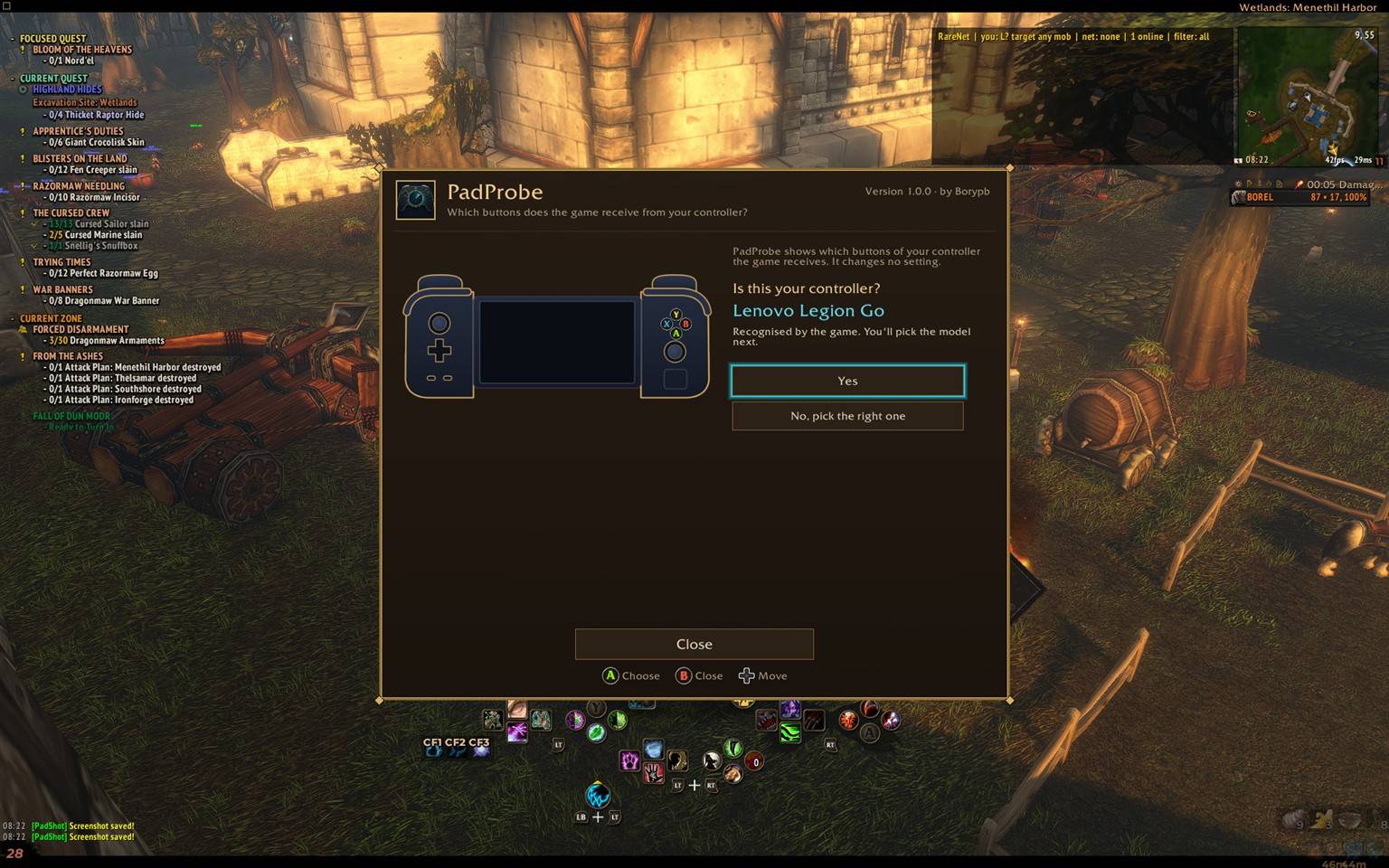
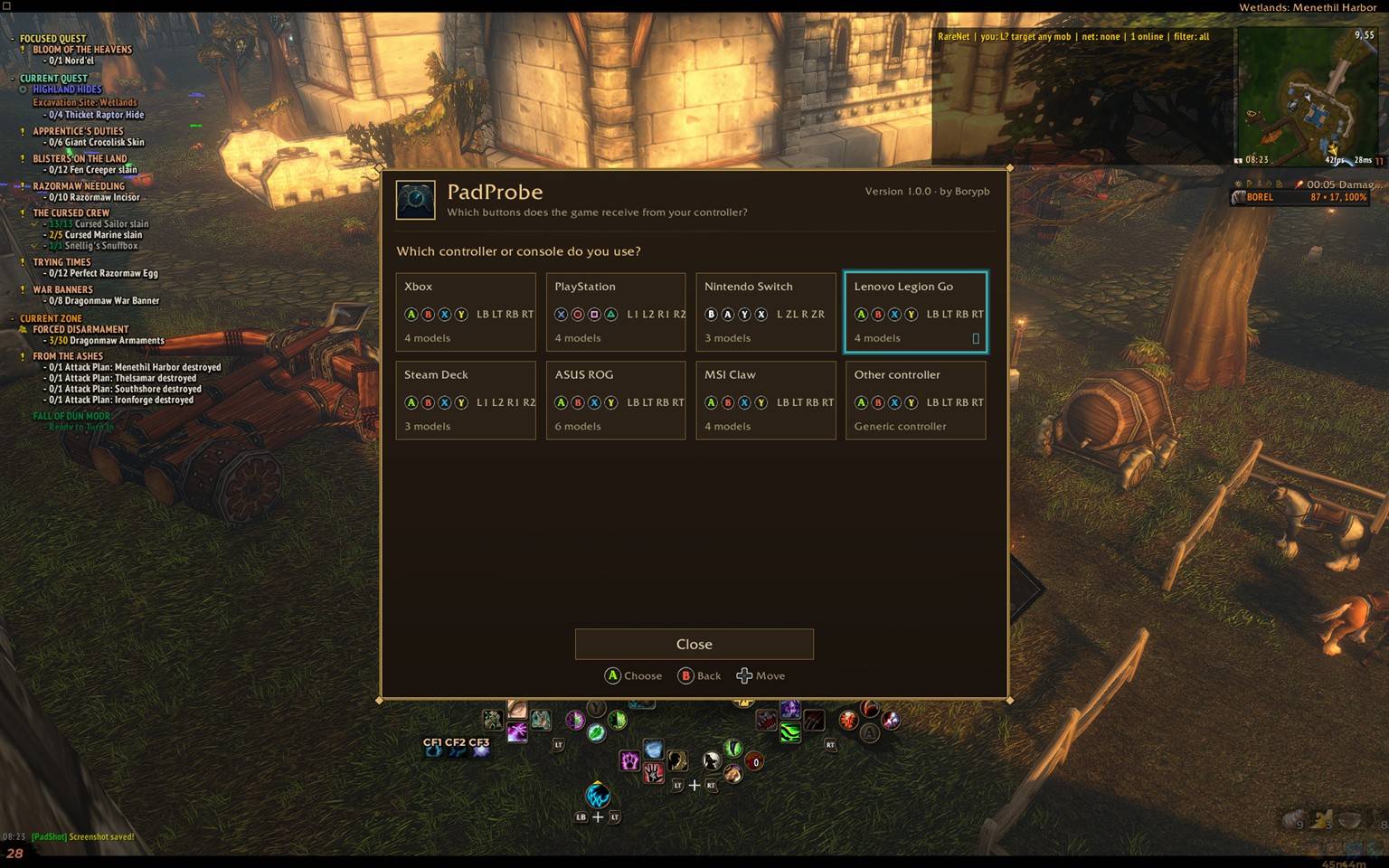
- Is this your controller? PadProbe asks the game which controller is connected and suggests it. Answer Yes, or pick the right one: family first, then model.
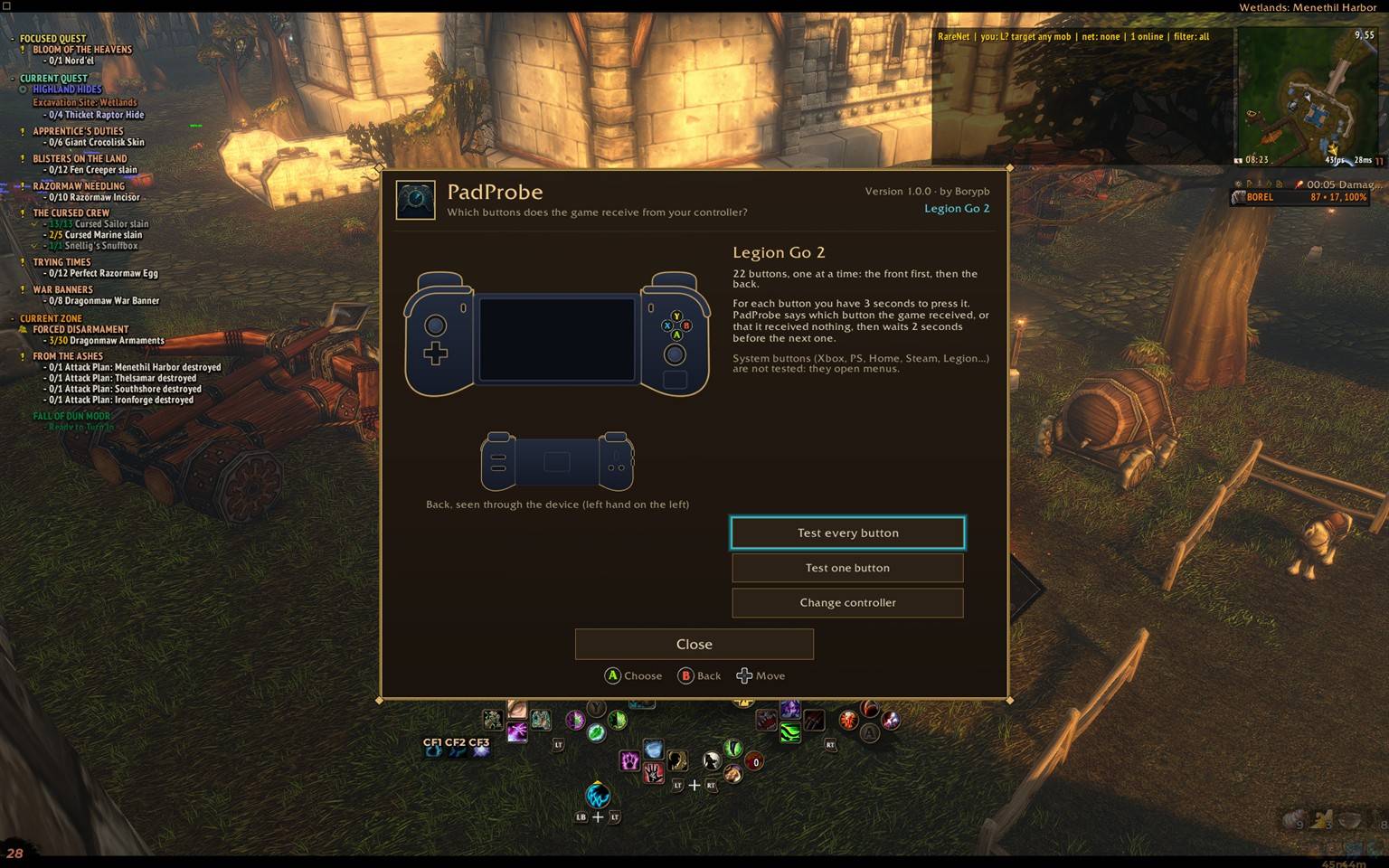
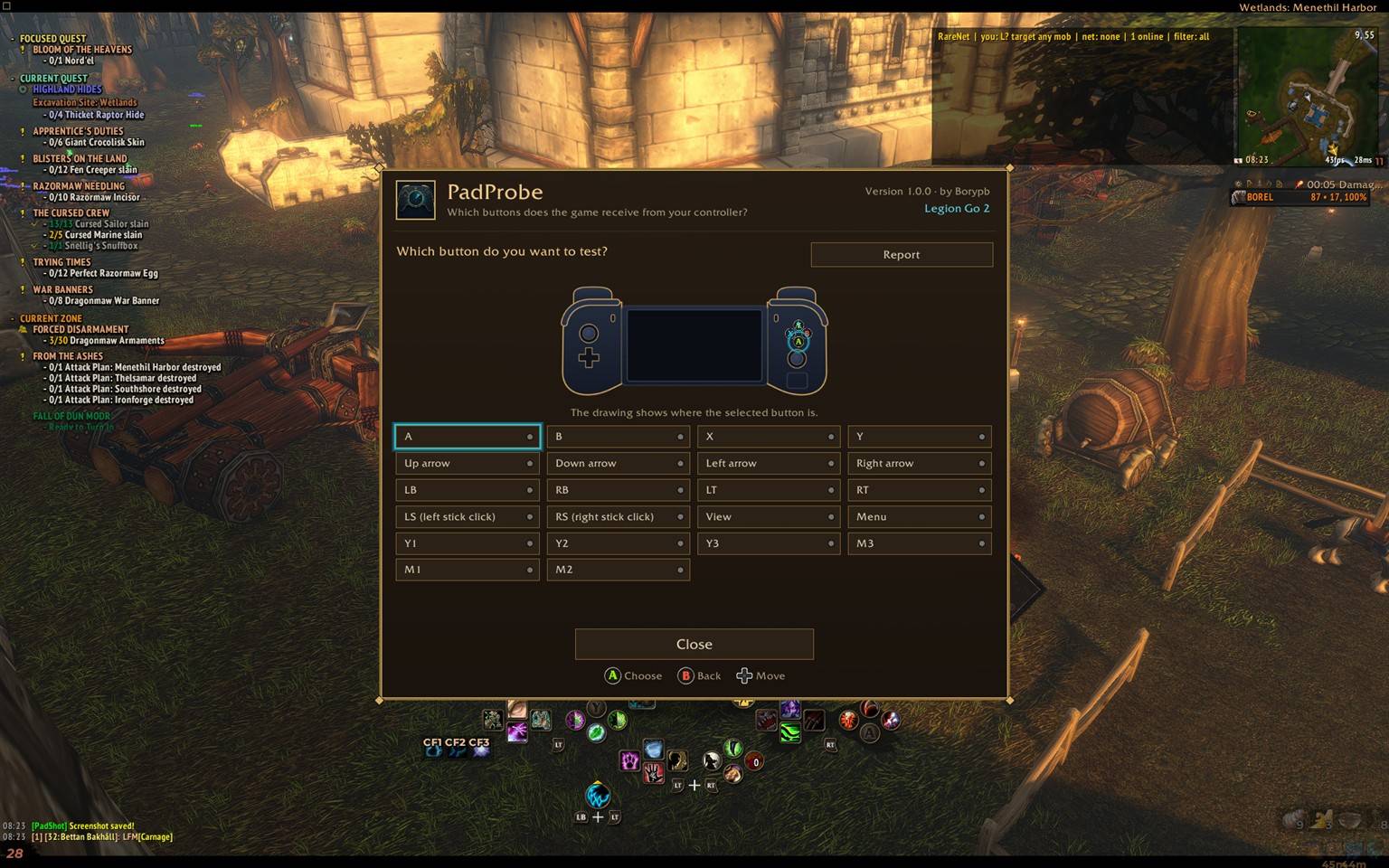
- Test every button (front first, then back) or test one button.
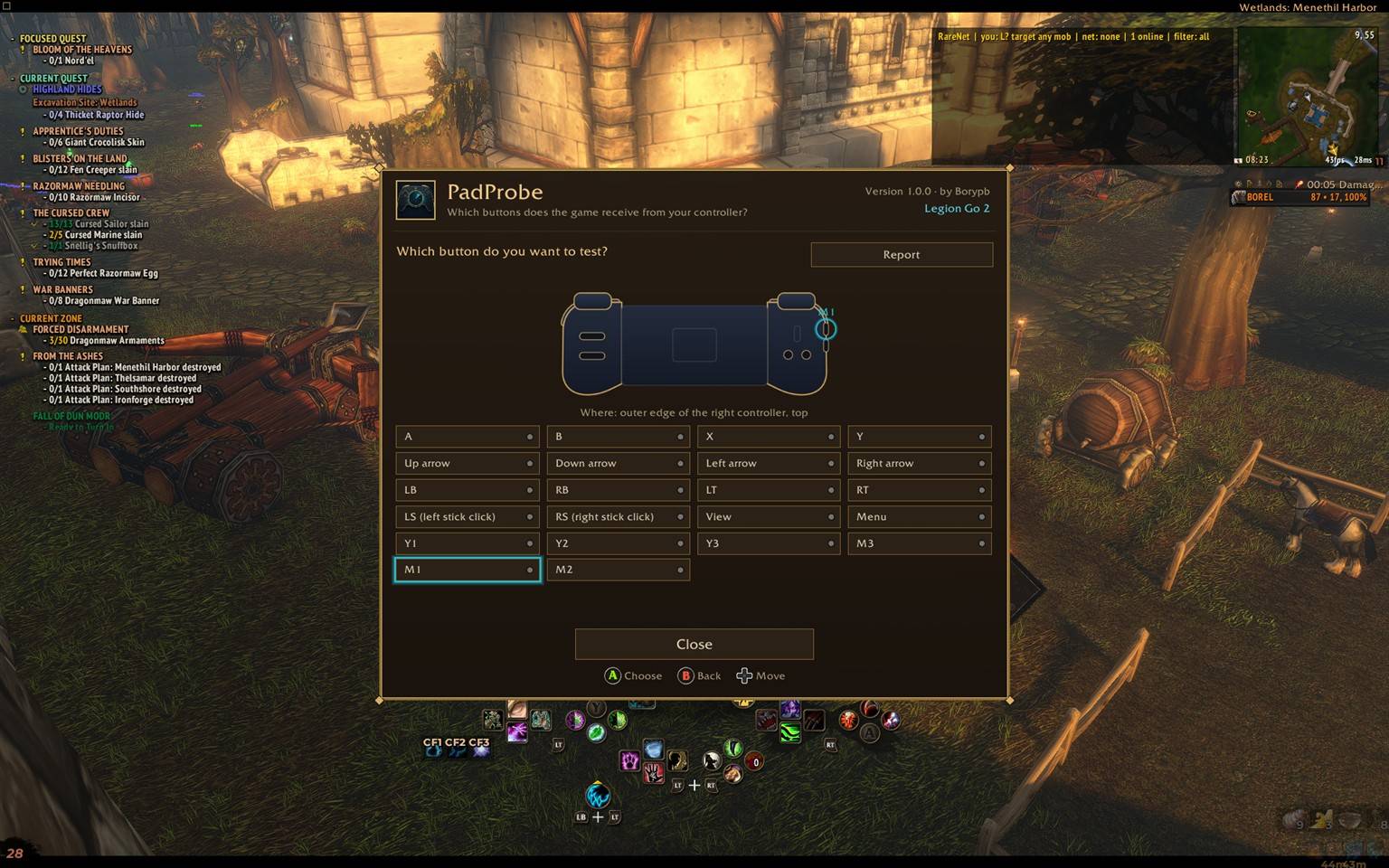
- For each button, a drawing of your controller targets it, with its name and where to find it. The next button is already shown in grey, so you always know which one comes next, even for buttons like M3 or L4.
- You have 3 seconds to press it. PadProbe then tells you what the game received, for example Button "A" recognised for A, or that nothing was detected. 2 seconds later, the next button comes.
- At the end comes the report: front and back drawings with a coloured dot on every button, plus a detailed text report.
The report
- Green: recognised · Orange: another button, or a raw signal only · Red: nothing · Grey: not tested
- One line per button, with the name the game gives it.
- Technical details for developers: game version, every device the game sees, vendor and product IDs, number of buttons and axes.
- A Take a screenshot button: it confirms the screenshot and tells you where it was saved (
_retail_or_forever_Screenshots folder). On Steam Deck, it also reminds you of Steam + R1. - The last report is kept: open it again any time from the first screen.
Supported controllers
Each model has its own drawing, in the addon's style, showing only the buttons PadProbe tests.
- Xbox: Series, One, Elite Series 2 (with its 4 paddles)
- PlayStation: DualShock 4, DualSense, DualSense Edge (Fn and back buttons)
- Nintendo Switch: Pro Controller for Switch and Switch 2 (C, GL and GR)
- Lenovo Legion Go: Legion Go, Legion Go 2, Legion Go S
- Steam Deck: LCD and OLED (L4, L5, R4, R5)
- ASUS ROG: Ally, Ally X and ROG Xbox Ally models
- MSI Claw
- Any other controller, plus "Other model" in every family
System buttons (Xbox, PS, Home, Steam, Legion…) are not tested: they open system menus.
Good to know
- During the test, the controller, keyboard and mouse only feed the test: nothing happens in the game.
- Full gamepad navigation: D-pad or left stick to move (hold to keep moving), confirm and back as on your controller (A confirms on Nintendo controllers). The mouse works too.
- Already found: on Legion Go 2 the game does not receive Y1 to M3 (kept by Legion Space), and on Steam Deck it does not receive L4, L5, R4, R5 (kept by Steam).
- Works on its own: no other addon needed.
Commands
/padprobeor/pprobe: open PadProbe (also in the Esc menu)/padprobe clear: forget the last report and the chosen controller
Compatibility
World of Warcraft: Midnight (retail) and WoW Forever.
Languages
English, French, German, Spanish (Spain and Latin America), Italian, Portuguese (Brazil), Russian, Korean, Simplified and Traditional Chinese.
PadProbe Team