• Browse
    Browse all (124)
    • iconMinecraft
    • iconThe Sims 4
    • iconWorld of Warcraft
    • iconMinecraft Bedrock
    • iconArk Survival Ascended
    • iconHytale
    • iconinZOI
    • iconStarCraft II
    • iconKerbal Space Program
    • iconStardew Valley
    • iconAmerican Truck Simulator
    • iconHogwarts Legacy
    • iconTerraria
    • iconWildStar
    • iconWorld of Tanks
    • iconPalworld
    • iconRunes of Magic
    • iconRift
  • Create
    MOD AUTHORS
    • Become an Author
    • Start a Project
    • Project Submission Guide
    MODDING TOOL DEVELOPERS
    • Apply for an API Key
    • Documentation
    • Terms & Conditions
    SOCIAL
    • Join Our Discord!
    • Authors Discord
  • Studios
    GAME DEVELOPERS
    • Unlock Modding for Your Game
    • Documentation
  • Help Center
  • Our Blog
  • Follow Us
    • Discord
    • Instagram
    • Reddit
    • TikTok
    • Twitter / X
    • YouTube
  • Surprise Me
  • Legacy
  • Go Premium
  • Get CurseForge App
Code conundrum...
DiscoverBrowse All
  • World of Warcraft
  • Addons
OyanaUI - Masque Skin & Weakaura Textures logo

OyanaUI - Masque Skin & Weakaura Textures

  • By
    OyanaOyana
Everything needed to recreate OyanaUI!
Total Downloads
18.6K
Last Update
Dec 22, 2022

OyanaUI - Masque Skin & Weakaura Textures

Details

Downloads
18,647
Created
3 years ago
Updated
3 years ago
Project ID
695745
License
All Rights Reserved

Flavors

  • Retail

Class & Categories

  • Addons
  • HUDs
  • Artwork

informative placeholder

Game Versions

    10.0.2

Main File

10.0.2

Masque_OyanaUI_1.0.9.zip
Latest release
  • R
  • Retail
  • Dec 22, 2022

Recent FilesView all

WoW Retail

Masque_OyanaUI_1.0.9.zip
Latest release
  • R
  • Retail
  • Dec 22, 2022

  • Description
  • Files
  • Gallery (6)
  • Relations
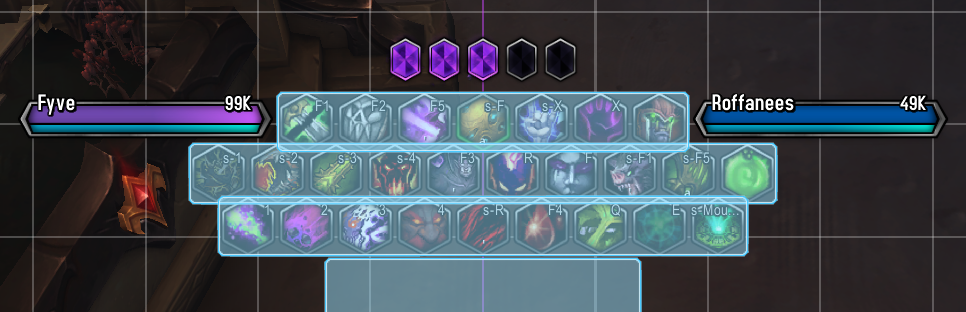
  • Thumbnail How to set up actionbars in Edit Mode, keeping each bar slightly overlapping with an odd, even, odd amount of buttons per bar.
    How to set up actionbars in Edit Mode, keeping each bar slightly overlapping with an odd, even, odd amount of buttons per bar.

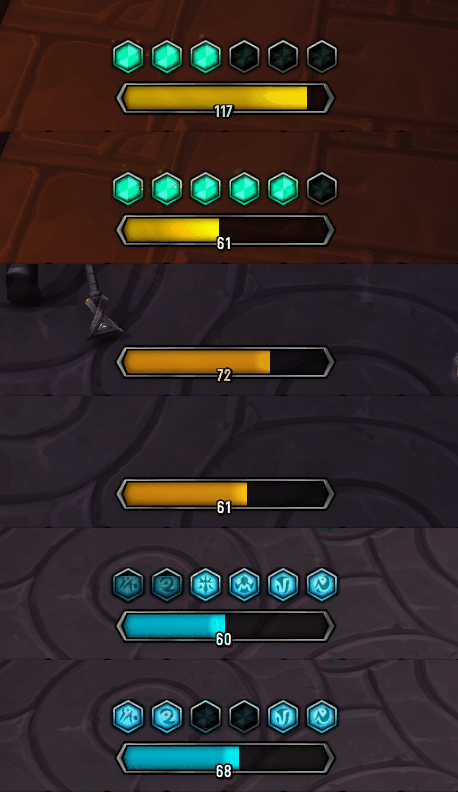
  • Thumbnail Several Examples of Resource Displays in-game.
    Several Examples of Resource Displays in-game.

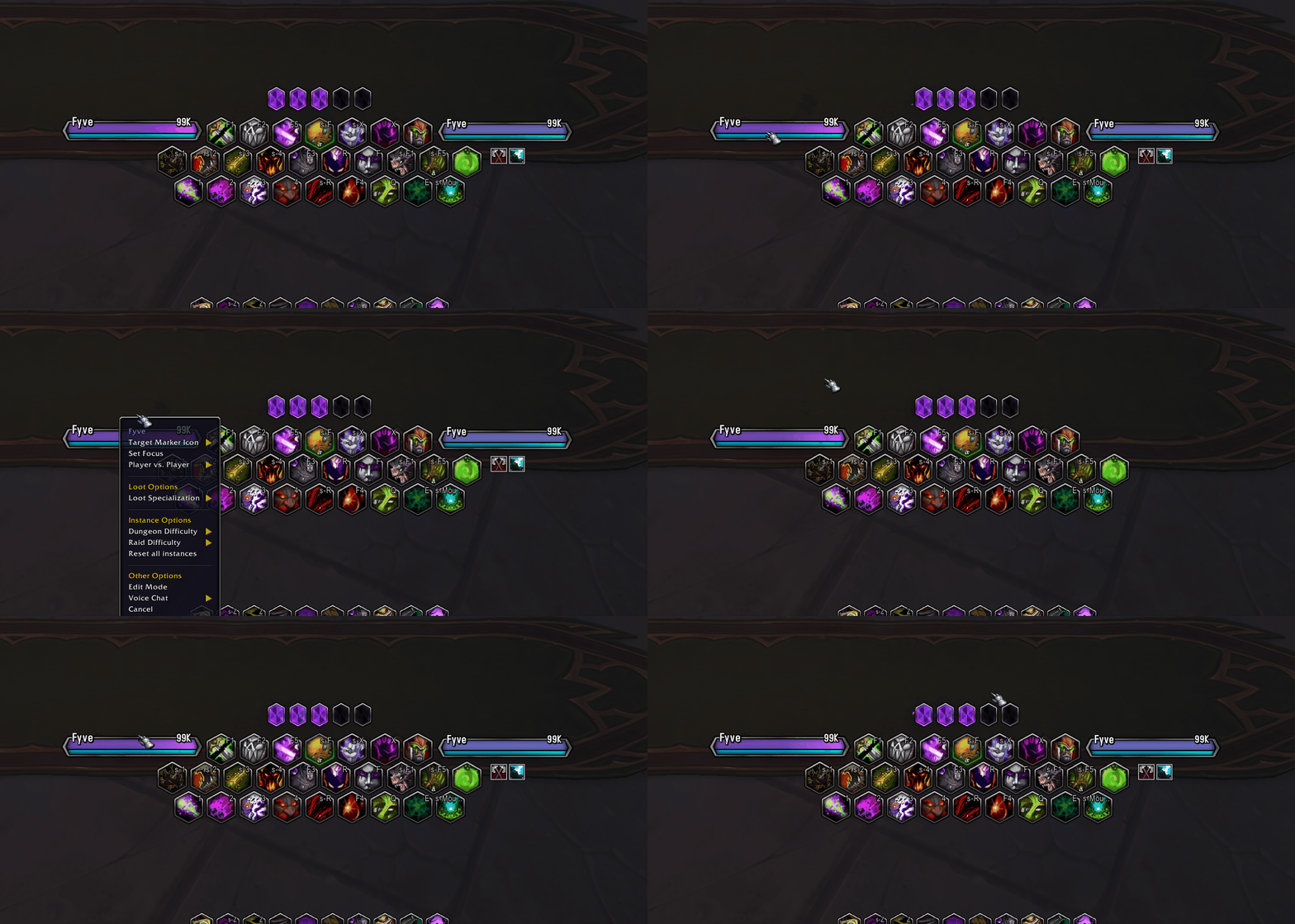
  • Thumbnail Showing how your Unitframes should interact if properly set up with the correct SUF profile! (See description)
    Showing how your Unitframes should interact if properly set up with the correct SUF profile! (See description)

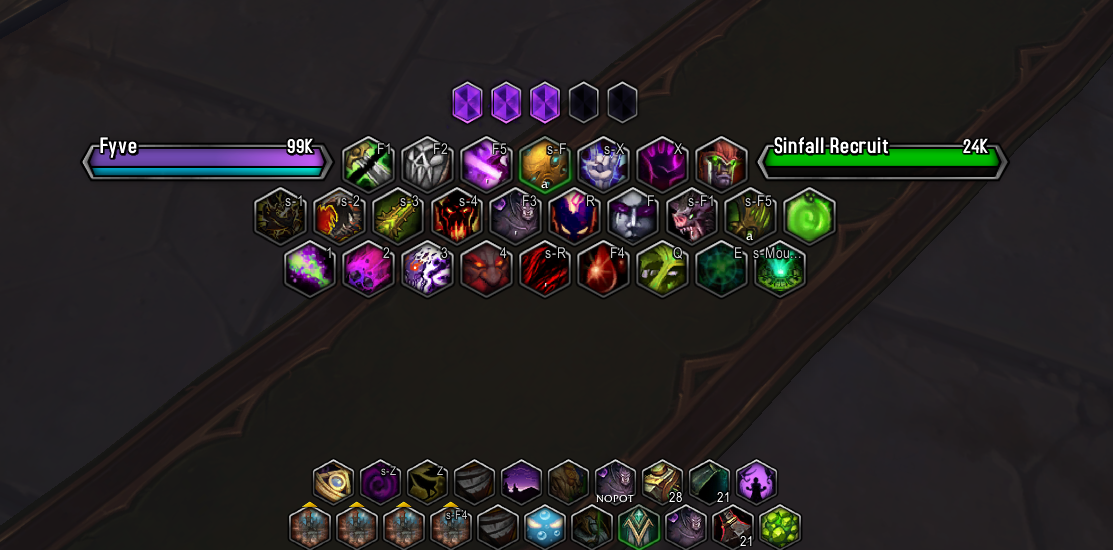
  • Thumbnail Look achieved with Edit Mode, Masque, and OyanaUI Weakauras.
    Look achieved with Edit Mode, Masque, and OyanaUI Weakauras.

  • Thumbnail Several Examples of Resource Displays in-game.
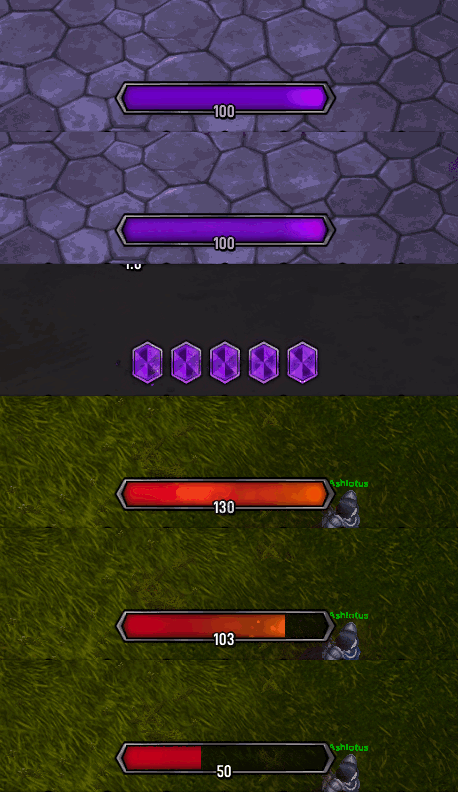
    Several Examples of Resource Displays in-game.

  • Thumbnail Display of how the Unitframes will look in-game, they display class colors, power + power type, for both Player/Target and reaction of NPCs!


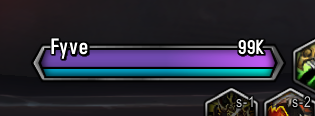
    Display of how the Unitframes will look in-game, they display class colors, power + power type, for both Player/Target and reaction of NPCs!

World of WarcraftDiscoverBrowse
CurseForge - a world of endless gaming possibilities for modders and gamers alike.
Download the best mods and addons!
  • Games
    • All games
    • Minecraft
    • World of Warcraft
    • The Sims 4
    • Starcraft II
    • Kerbal Space Program
    • Minecraft Dungeons
    • World of Tanks
  • Create
    • Start a project
    • Project submission guide
    • Author Rewards Program
    • Apply for an API Key
    • 3rd Party API T&C
  • Community
    • Join Our Discord!
    • Ideas Portal
    • CF blog
    • Newsletter
    • Roadmap
    • Bukkit forums
    • CurseForge Servers
  • Support
    • Knowledge base
    • Troubleshooting
    • Contact us
  • Companions
    • Overwolf
    • CurseForge for Studios
    • Tebex
    • Nitro
  • Terms of Service
  • Privacy Policy
  • Licenses
  • Mod Author Terms
© 2026 Overwolf. All rights reserved.