OpenMap on Gamepad Forever
- By
Makes OpenMap fully usable with a controller on WoW Forever: recenter, jump from icon to icon, browse places, type on an on-screen keyboard and navigate every OpenMap window with the D-pad.
Capture d'écran 2026-11-20 201530-1.png
Capture d'écran 2026-11-20 201502.png
Description
OpenMap On Gamepad
Play OpenMap with a controller on WoW Forever. OpenMap On Gamepad is a plugin for OpenMap that makes its seamless world map fully usable with the game's Gamepad UI. It also adds routes: press R3 on the map and it plans the quickest way there, then guides you step by step.
It doesn't change any of OpenMap's files. It hooks into OpenMap and never writes into Blizzard's frames, so the Gamepad UI keeps working normally.
Routes with R3
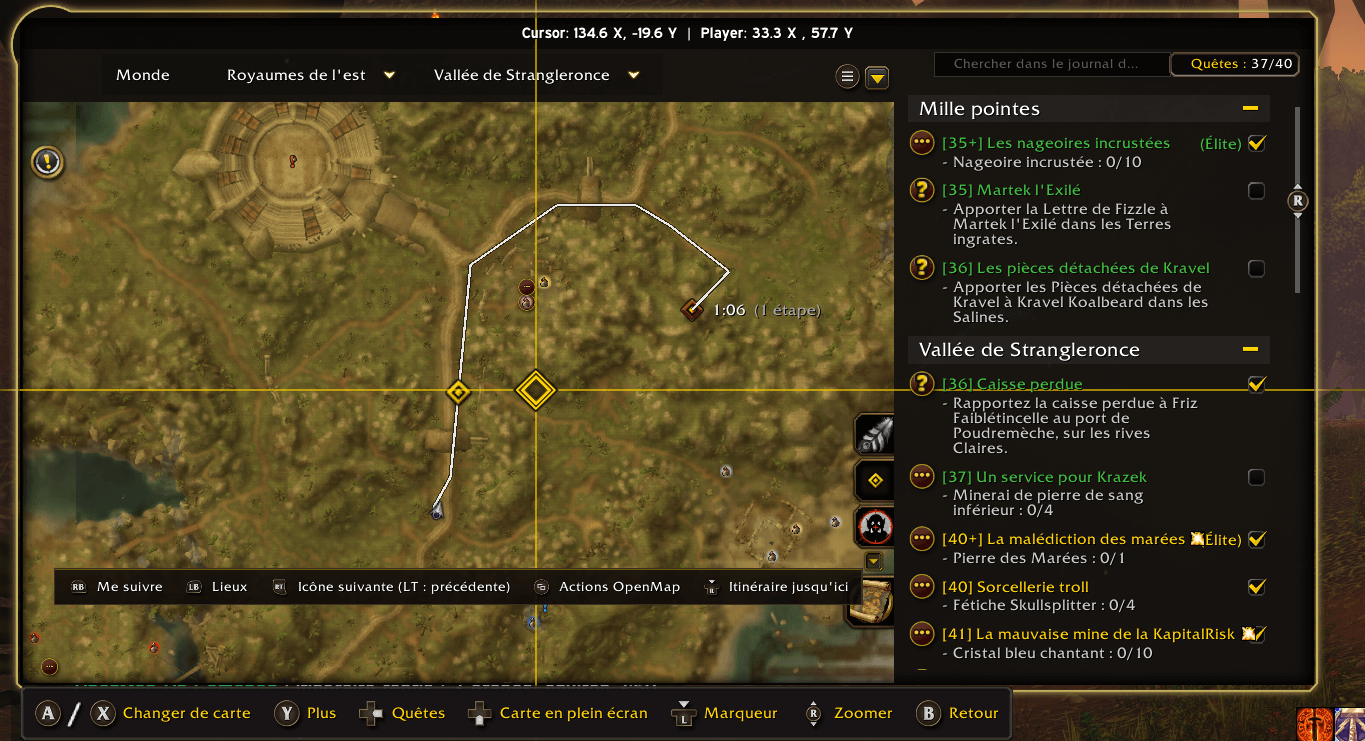
- R3 on the map plans the quickest route to the spot under the cursor. It combines walking, your learned flight paths, boats, zeppelins, the Darnassus portal and the Deeprun Tram.
- R3 on a quest in the quest list (small map) plans the route to that quest's objective, or to the quest giver once it's complete.
- Walking follows the game's roads and goes around cliffs, mountains and water, worked out in the background.
- Walking inside cities follows the streets, bridges and floors, and takes the lifts (Undercity, Thunder Bluff, the Great Lift, Freewind Post).
- The route is drawn on the map and the minimap, colored by type of step, with the total time on the destination.
- The game's arrow guides you from step to step. Each step is announced in the chat ("Step 2/3: Fly to Ironforge").
- The route follows you. It's planned again if you leave the path, and kept after a
/reload. - R3 on the destination cancels the route.
The map with a controller
| Button | On the map |
|---|---|
| RB | Follow your character: the map keeps you centered as you move (RB again to stop) |
| LB | Place browser: cities, zones, dungeons, with an on-screen keyboard to search |
| LT / RT | Jump to the previous / next icon around the cursor |
| View | Action bar: OpenMap's menu, map pins, the sketch pen, places, recenter on me |
| R3 | Plan a route to the cursor (or cancel it on its destination) |
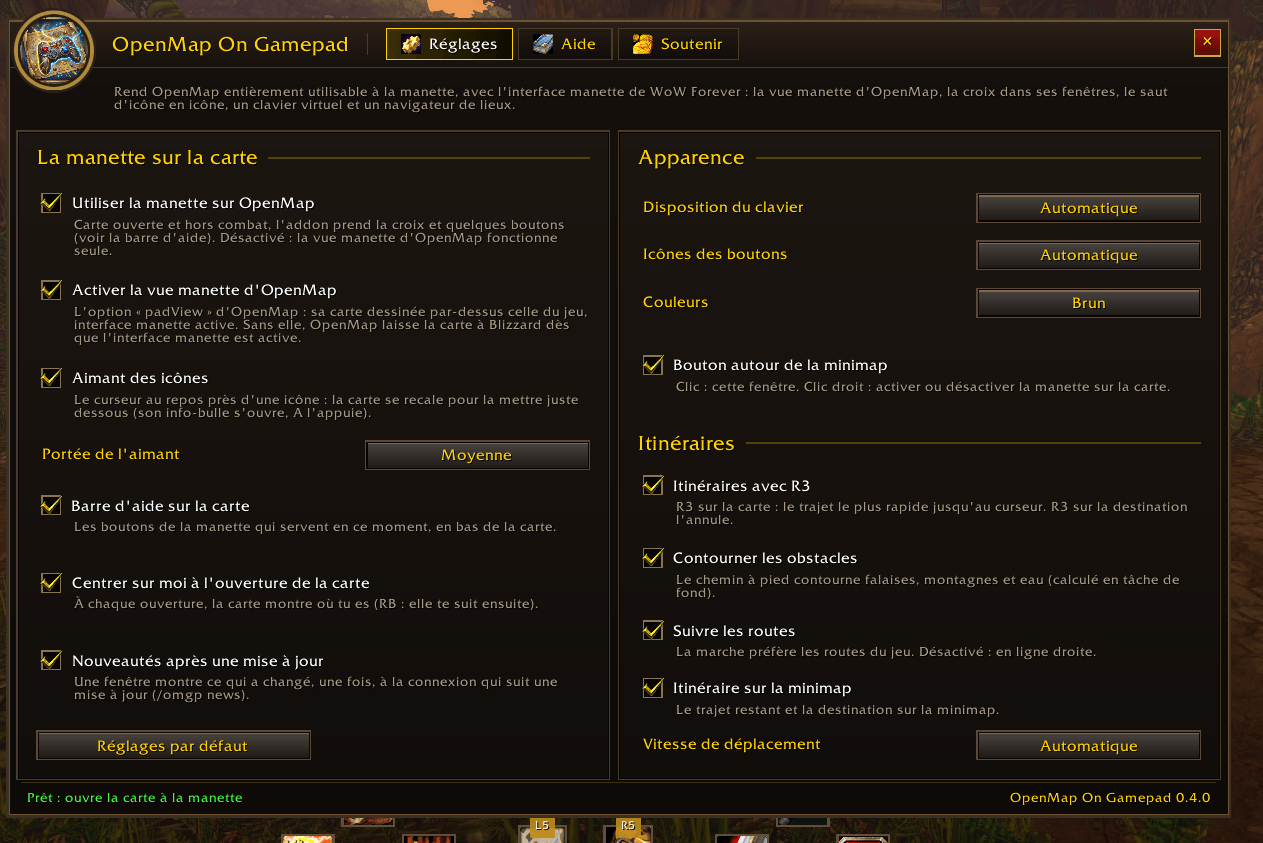
- Icon magnet: when the cursor rests near an icon, the map settles on it.
- A hint bar at the bottom of the map shows what each button does right now.
- The map opens centered on you.
- With the small map, when the cursor is on the quest list, the right stick turns the camera as it does in game.
OpenMap's windows with a controller
- D-pad navigation in every OpenMap window, with a gold frame on the selected element. A / X / B are confirm / right-click / back, and LB / RB switch tabs.
- On-screen keyboard for every text field.
- Dungeon maps with the controller: move, zoom, change floors and switch panel tabs.
Good to know
- Requires OpenMap. The addon turns on OpenMap's controller view for you. The first time, a second
/reloadmay be needed. - Nothing happens in combat: no button is taken while you fight.
- Works with My Gamepad Is Rich: its extra buttons step aside while the map has the controller.
- Xbox or PlayStation button icons, six color themes, and a minimap button (click: settings; right-click: turn the controller on the map on or off).
- 10 languages: English, French, German, Spanish, Italian, Portuguese, Russian, Korean, Simplified and Traditional Chinese.
Commands
/omgp: the addon's window (Settings, Help, Support)/omgp trajet: the route in progress, step by step;/omgp trajet stopcancels it/omgp etat: the addon's status (OpenMap found, controller view, learned flight masters)/omgp news: what's new in the latest versions/omgp camera: turn the right-stick camera on or off with the small map/omgp reset: back to the default settings
Credits and license
The road network, the walking grid, the lifts and the passages are converted from Shortest Path Forever by cjber. Many thanks for this data! For this reason, OpenMap On Gamepad is licensed under GPL-3.0-or-later. Flight paths, boats and places come from OpenMap and are read in game, not copied.
Feedback
Found a bug, have an idea, or something is unclear? Please open an issue on GitHub: https://github.com/Nolween/openmap-on-gamepad/issues
OpenMap on Gamepad Forever Team