Okidoki Chat Sounds
- By
Okidoki Chat Sounds: Add audio alerts to chat so you never miss a message.
Menu
Description
Okidoki Chat Sounds
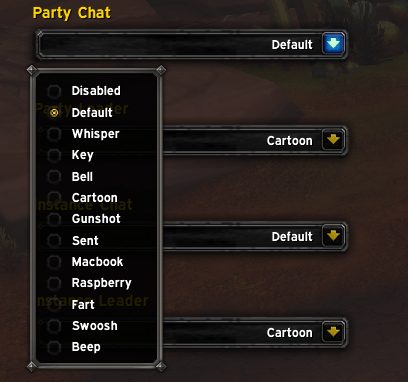
Add sounds to your chat, choose from a selection of built in sounds.
Choose which sound for each chat, like "Guild" "Instance" "Whisper" etc.
Type /okics to open the menu, or use the ingame addons menu (Esc -> Addons -> Okidoki Chat Sounds).
It plays the sound when you select one in the list, to make it quick to find the sound you want.
Must be configured for sounds to work, as all sounds are disabled by default.
1 time configuration, works across all characters.
Okidoki Chat Sounds Team