Screenshot 2026-02-01 222515.png
Description
Missing a custom bloodlust sound? This addon has a few sounds already included and supports your own custom MP3 or OGG as well.
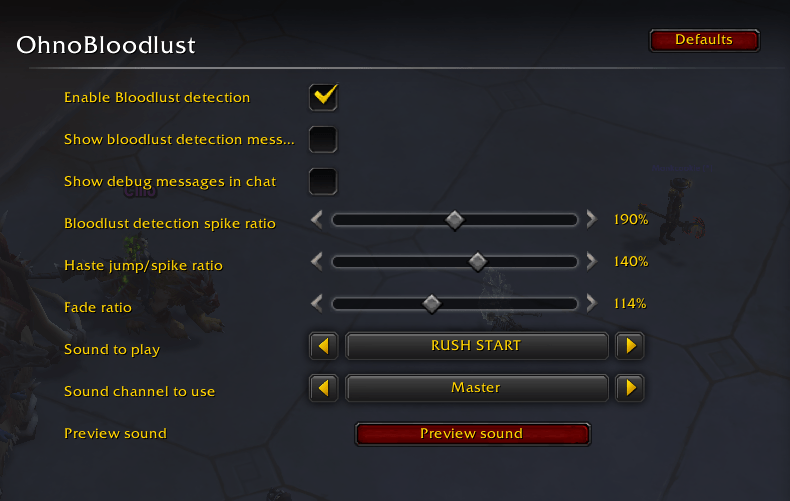
Since we can no longer detect using buffs and debuffs, instead we need to look for outliers in your character's haste rating. The default settings should be okay for many classes, but you can adjust the ratios in the options to better detect and tune.
Included are five jams created with Suno and licensed appropriately for distribution in this addon, if that's your vibe
- Bloodlust - For the Horde
- For the Horse (an amusing typo we decided to keep)
- Hero - Go Crazy!
- Rush Start
- Time warp - Go Go Go
Instructions for Custom MP3/OGG
First open your World of Warcraft directory.
- On Windows this is probably something like C:\Program File (x86)\World of Warcraft
- On Mac OS X it's /Applications/World of Warcraft
Open the _retail_ directory, then open the Interface folder that's inside it.
If you don't have a Sounds folder alongside the AddOns folder, create one.
Inside the Sounds folder, your custom sound must be named either blooglust.ogg or bloodlust.mp3. The specific filename depends on whether you are adding an MP3 file or an OGG file.
Once you've done that, you'll probably need to restart the game (exit completely) in order for the file to be available to the game. Then you can go into the options and select Custom MP3 or Custom OGG and then click "Preview Sound" to make sure its working!
The OhnoBloodlust Team


Owner