OGIfraims
- By
Customizable hexagonal party and raid frames with class-colored health, resource indicators, threat highlights, and click-casting.
05-layout-demo.gif
Description
OGIfraims
Your party. A different shape.
OGIfraims is a standalone party and raid frame addon with class-coloured hexagons, honeycomb layouts and classic square frames. Keep your group's health, resources and roles in view, without constantly flashing borders or unnecessary clutter.
Created by OGI.
Clear information in every cell
-
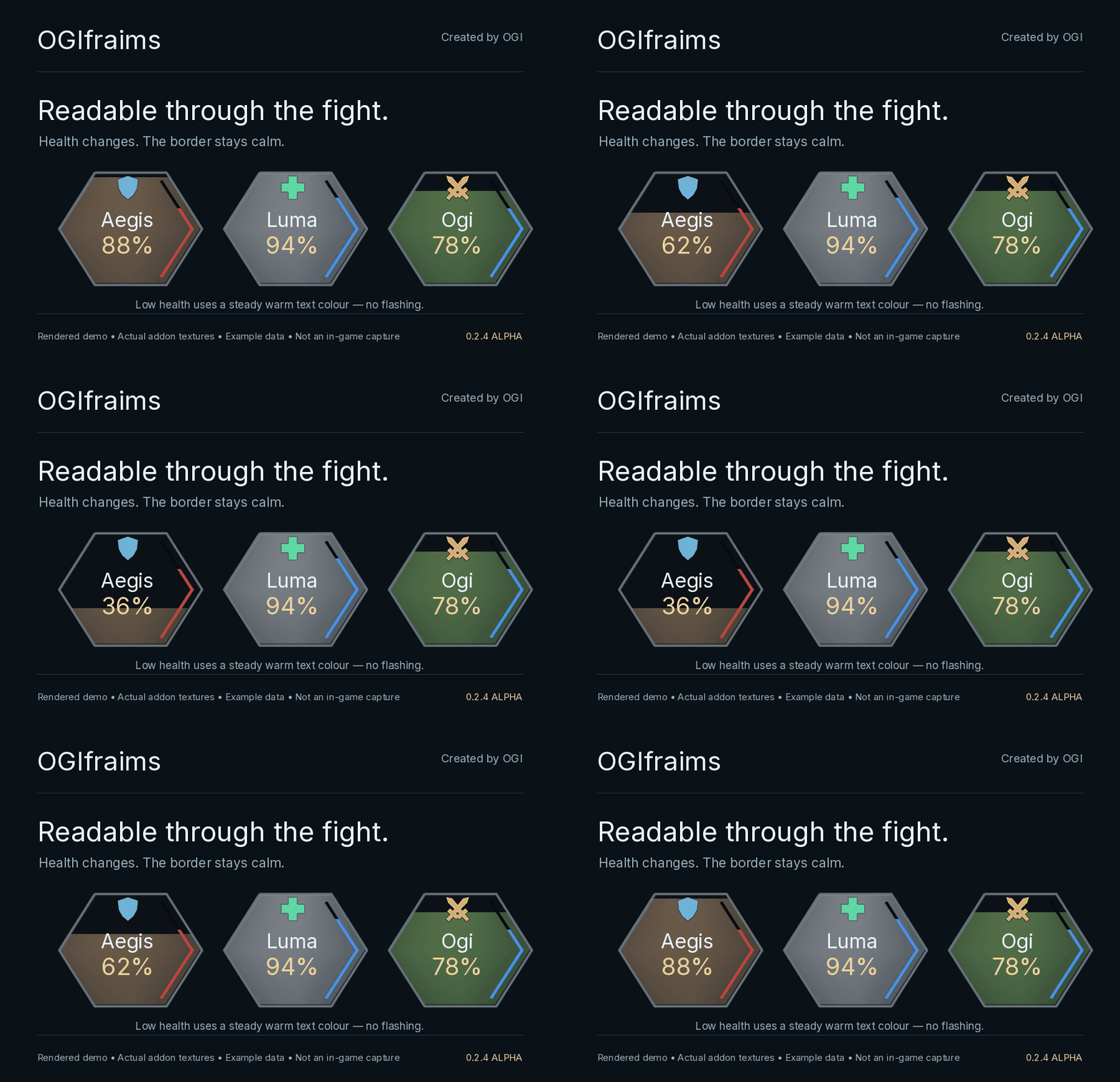
Class-coloured health: vertical health fills with percentage, current-health or missing-health text.
-
Internal resources: mana, rage, energy and focus use their own colours. In hexagon mode, the indicator follows the two right edges inside the cell.
-
Custom role icons: a blue shield for tanks, a green cross for healers and amber crossed blades for damage dealers. Use automatic roles or local manual overrides.
-
Static threat borders: grey, yellow, orange and red communicate threat without pulsing or glow effects.
-
Low-health indication: a steady warm text colour, with a configurable threshold.
-
Range fading: distant units fade while their names remain readable. A specific spell can be used for the range check.
-
Priority debuffs: one important harmful effect on the cell, with additional effects in the tooltip.
-
Healing and absorption: coloured overlays for incoming healing and absorbs, when supported by the client's available data.
-
Target and status markers: separate indications for the selected target, death and disconnection.
Build your own layout
Choose honeycombs or squares, resize party and raid cells separately, adjust spacing and decide whether to show your own frame while solo.
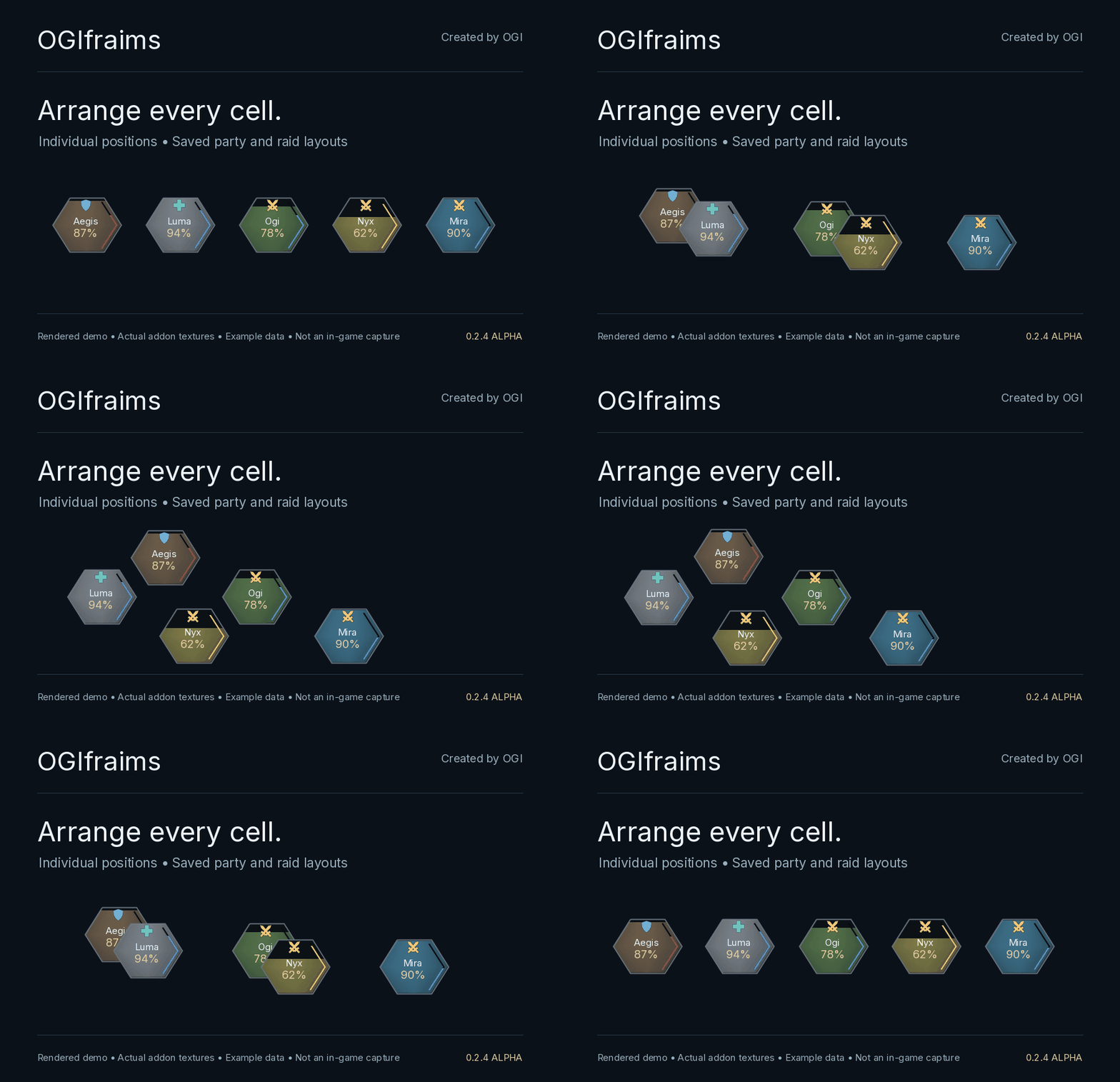
The layout editor provides 5, 10, 20 or 40 preview players. Move individual cells, arrange the group your way and lock the result. Party and raid positions are saved separately for each character.
Click casting included
Configure five mouse buttons with Shift, Ctrl and Alt combinations. Assign targeting, the standard unit menu, a spell or no action.
Click casting is optional. By default, left-click selects a unit and right-click opens its standard menu. Configure bindings outside combat; saved secure bindings are used during combat. Alt + left-drag is reserved for movement while frames are unlocked.
Automatic language selection
The interface follows your client language:
-
English
-
Русский
-
简体中文 — Simplified Chinese
-
繁體中文 — Traditional Chinese
Other client languages fall back to English. Chinese locales use the game client's font for native character support.
Getting started
Install the OGIfraims folder in Interface/AddOns, enable the addon and open /ogifraims or click its minimap button.
-
/ogifraims party— party layout editor -
/ogifraims raid— raid layout editor -
/ogifraims lock— finish editing and lock frames
OGIbars is not required. OGIfraims replaces standard party and raid frames while enabled. Existing OGIbars users can import their group layout and use the handoff option to avoid duplicate frames.
Alpha status
Version 0.2.4-alpha.1, targeting WoW Forever 1.60.1 / Interface 16001. Compatibility with other game versions is not claimed. Dungeon and raid testing is ongoing.
Aura, range, incoming-heal and absorb indicators depend on the data available from the client. Restricted health data may prevent low-health colour evaluation. A generic group range check does not necessarily match a healing spell's range.
The gallery and GIFs are rendered demonstrations using addon textures and example data, not in-game captures. The layout GIF illustrates manual cell placement, not an automatic in-game transition.
For bug reports, please include your client build, addon version, class, group size and any Lua error or screenshot.
OGIfraims Team