NyariChat
- By
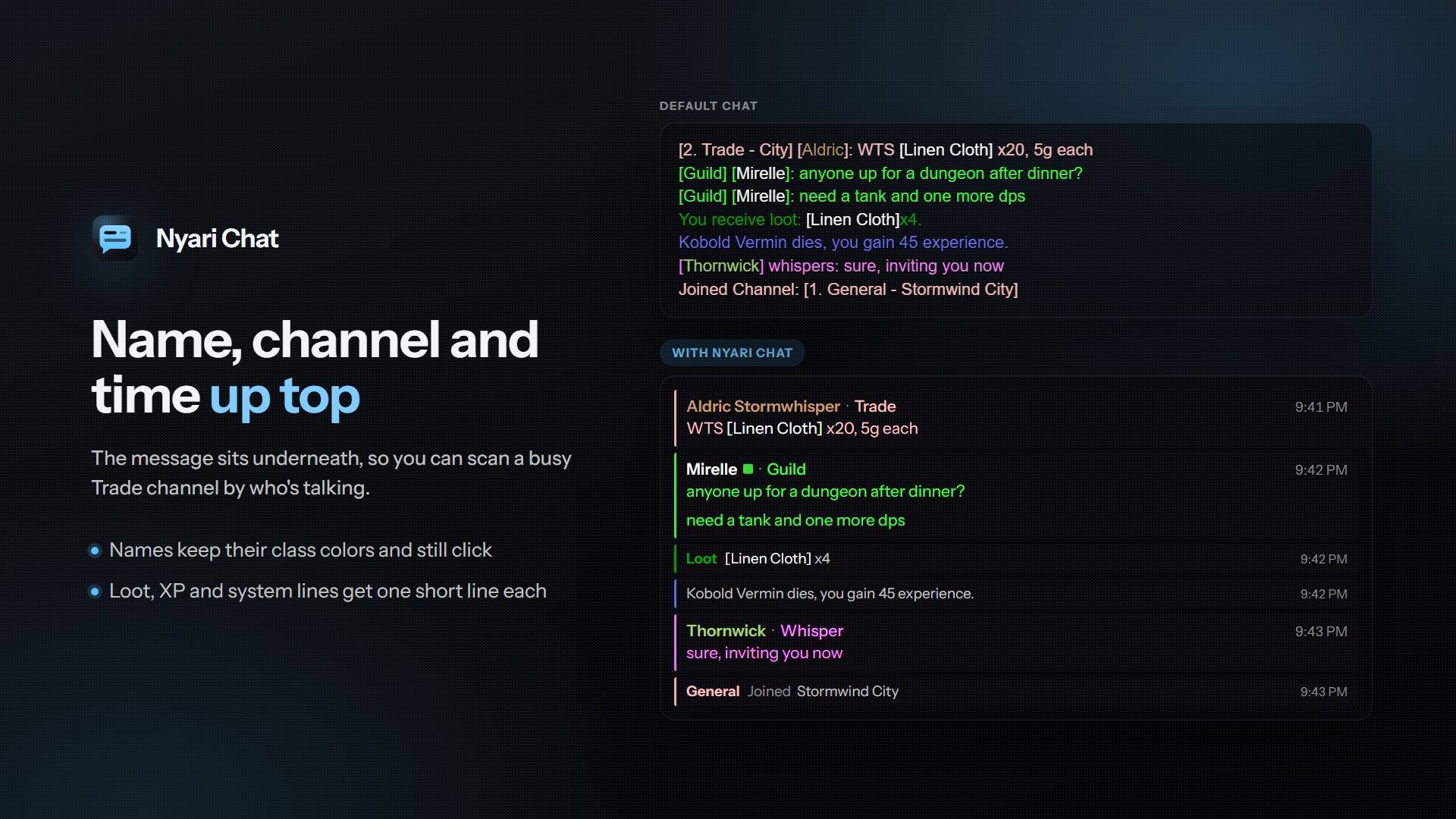
Cleaner chat for World of Warcraft. Every player message gets a header with the name, channel and time. The message sits on its own line underneath. Loot, XP and system lines stay short and tidy.
1-layout.jpg
2-looks.jpg
3-alerts.jpg
nyari-chat-styles.gif
Description
Nyari Chat
Nyari Chat gives every player message a header with the name, channel and time, and puts the message on the line below. Loot, XP and system lines get shorter and smaller, so they don't bury the conversation.
Aldric Stormwhisper · Trade                9:41 PM
WTS [Linen Cloth] x20

Loot  [Linen Cloth] x4                     9:41 PM
Features
- Header lines. Name, channel and time on top, the message underneath. Names keep their class colors and stay clickable, and channel tags still open chat to that channel.
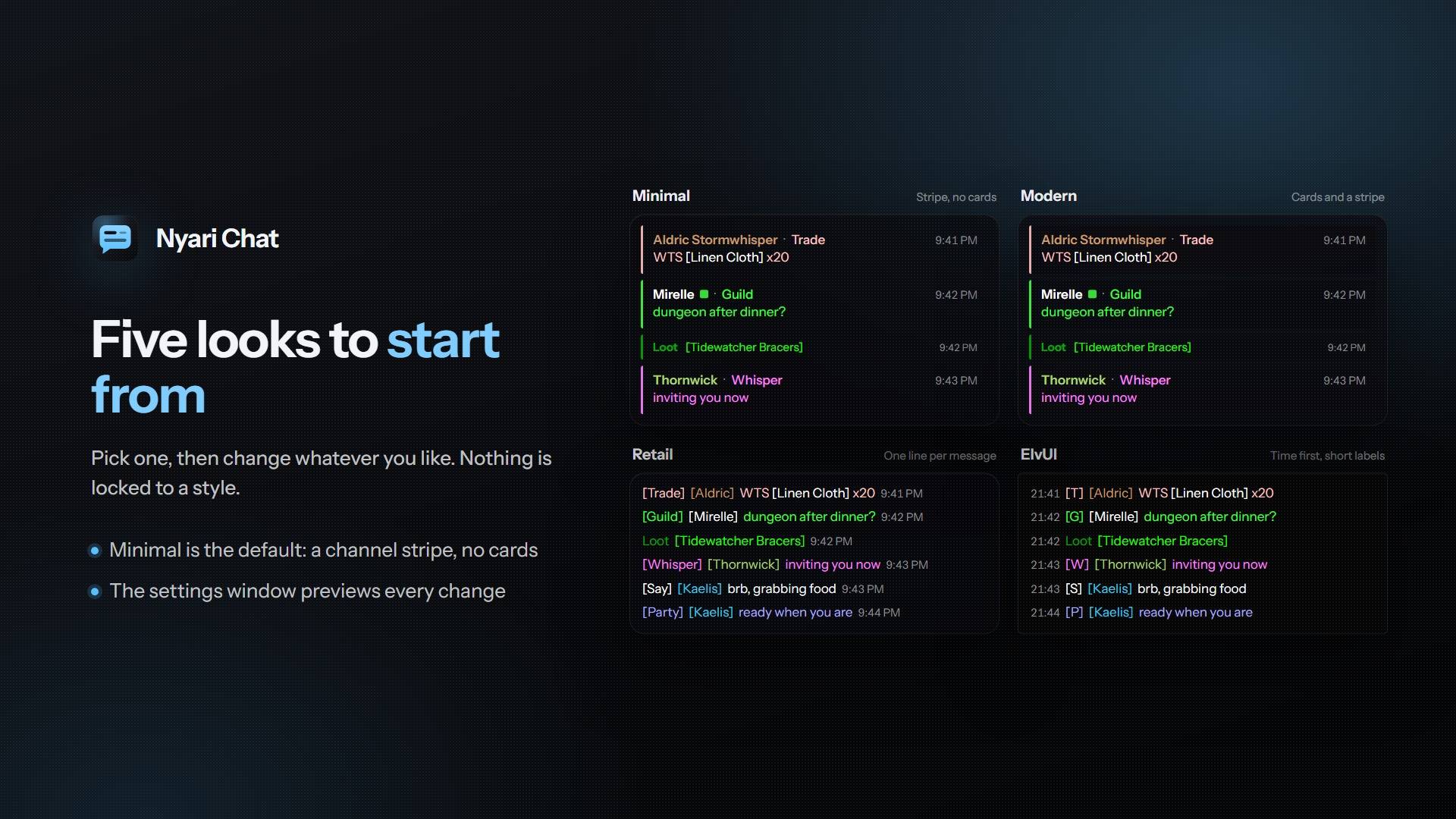
- Channel stripe. Each message gets a thin stripe in its channel's color. Turn on cards if you also want each one on a dark panel.
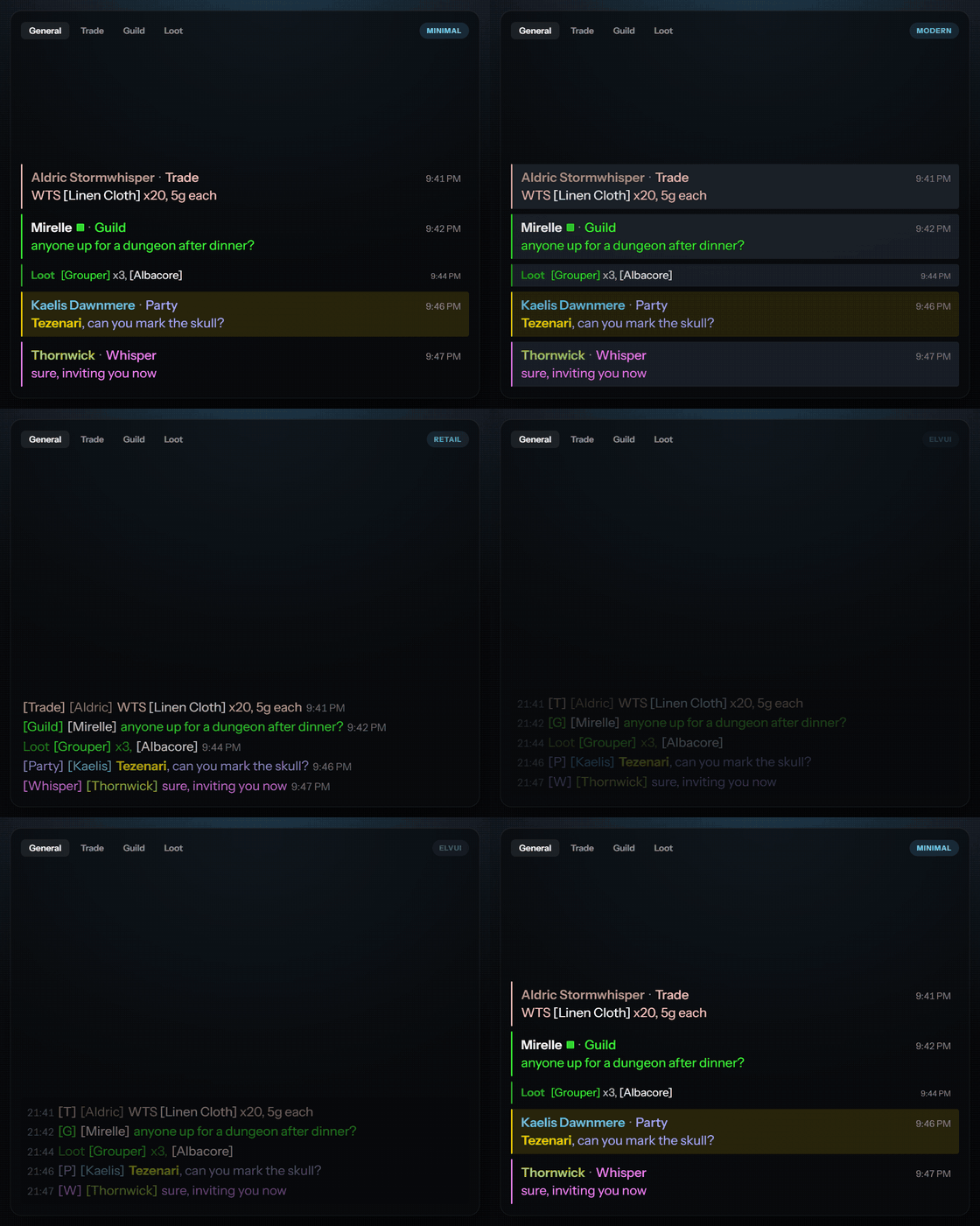
- Five presets. Minimal (the default), Modern, Retail, Classic and ElvUI. Pick one, then change whatever you like.
- Merged loot. Fishing or making bandages won't flood chat anymore. Items from a run go on one line with counts: [Grouper] x3, [Albacore].
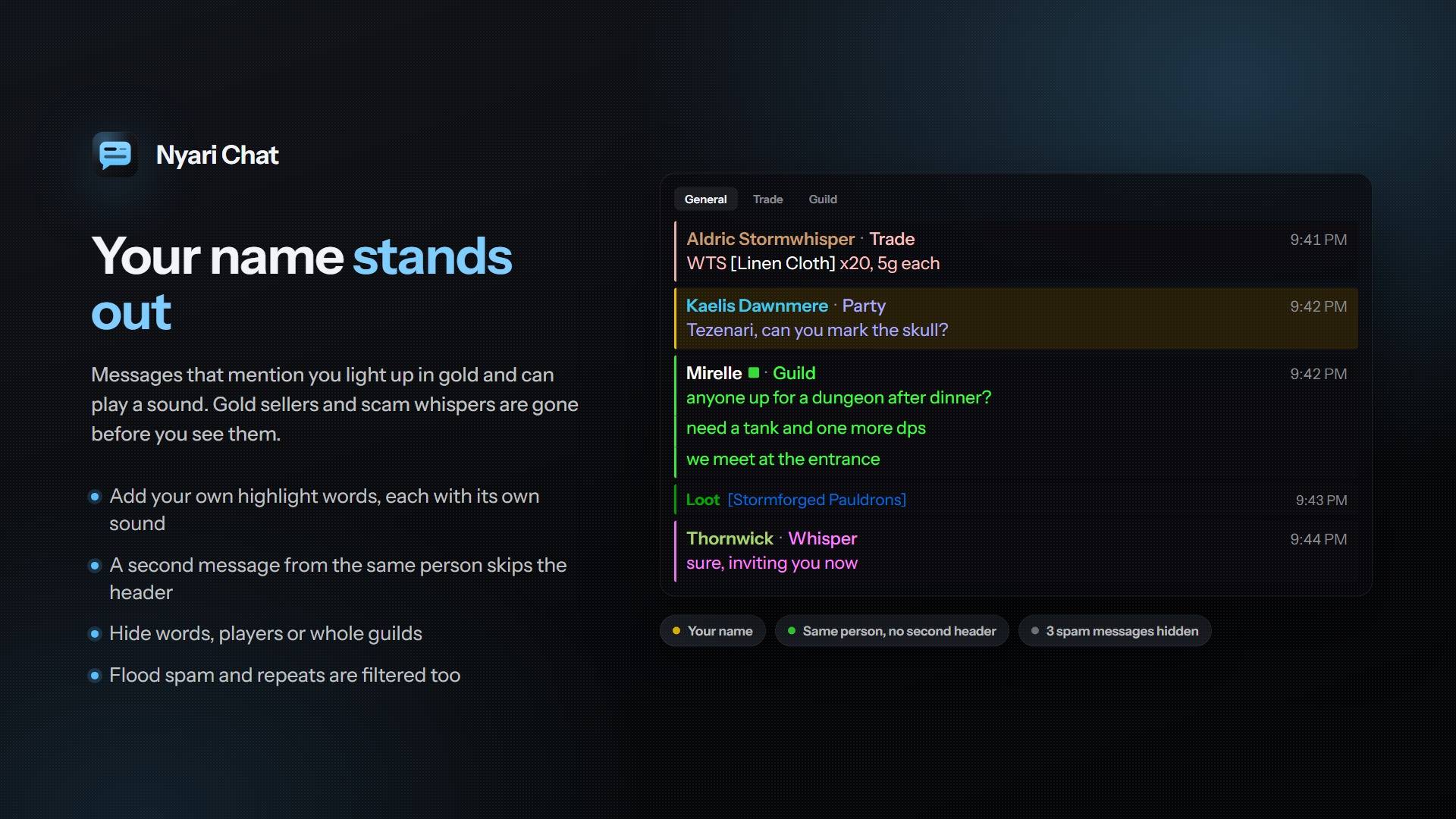
- Grouping. If someone posts again in the same channel within five minutes, the new message joins the one above without another header.
- Mentions. Your name and any words you add can show as a tinted band, a stripe or just a colored word. Each gets its own color and sound.
- Spam filters. Gold sellers, scams, flooding and repeats are blocked by default. You can also block recruitment, boost ads and all-caps messages.
- Your own filters. Hide words, players or guilds. You can paste a whole list at once.
- Saved history. Chat can survive a reload or logout.
- Small things. The up and down arrows bring back what you typed, web addresses turn into links you can copy, and a copy button opens chat as plain text. There are scroll shortcuts too, and a button that jumps back to the newest message.
- EllesmereUI Chat. Its chat windows get the same look and animation, and clicking names and links still works.
- Performance. Each message is restyled once, and nothing runs while chat is quiet.
Settings
Type /nc, use the minimap's addon menu, or open Settings > AddOns > Nyari Chat. The settings window has a live preview and a search box. If you have Nyari Threat too, the two share one window. Every setting also works as a chat command, and /nchat help lists them.
The NyariChat Team