NRML Suite
- By
Three WoW addons in one download: plan your week with Planner, follow the fight with Combat, and review your pulls with GetGud Tracker.
Screenshot 2026-11-18 111742.png
Screenshot 2026-11-18 111433.png
Screenshot 2026-11-18 112105.png
Screenshot 2026-11-18 112151.png
Description
NRML Suite includes NRML Planner, NRML Combat, and GetGud Tracker in one download for World of Warcraft Retail.
This started because a friend wanted a random spec button. It grew into a set of tools we use throughout the week, from figuring out which character to play to looking back at the pull that finally killed the boss.
Before the run · NRML Planner
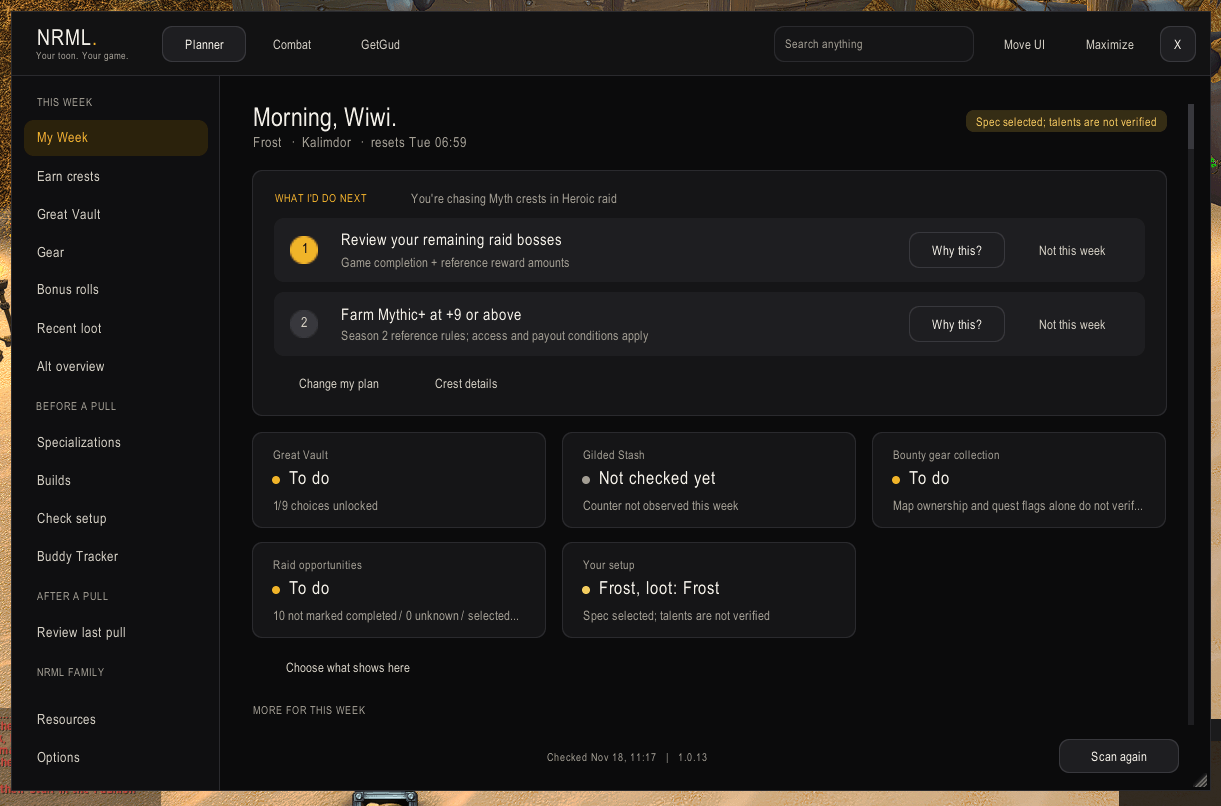
Open My Week to see what’s worth doing next and why. Check how close you are to another Great Vault slot, where to earn the crests you need, and which items are still in your tracked bonus-roll pools. When the group is ready, use the quick spec picker to get into your saved build before the key goes in.
During the fight · NRML Combat
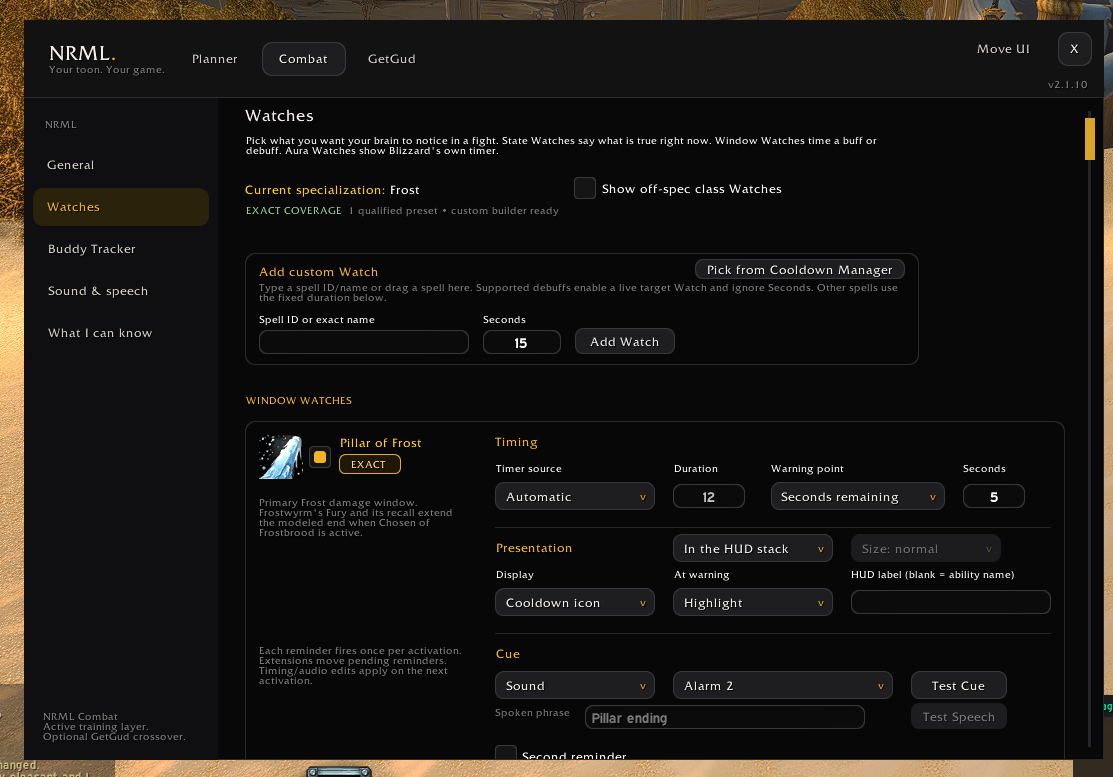
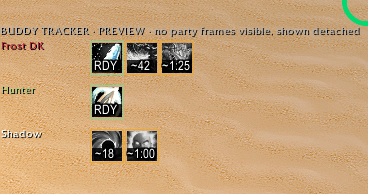
See when your hunter’s Trueshot or your DK’s Pillar of Frost lights up beside their party frame. Buddy Tracker follows supported teammate effects with just your copy of the addon. You can also give your own buffs a separate stack counter, put a refresh reminder on a target debuff, or set a sound for Power Infusion so you can hear when it lands.
After the pull · GetGud Tracker
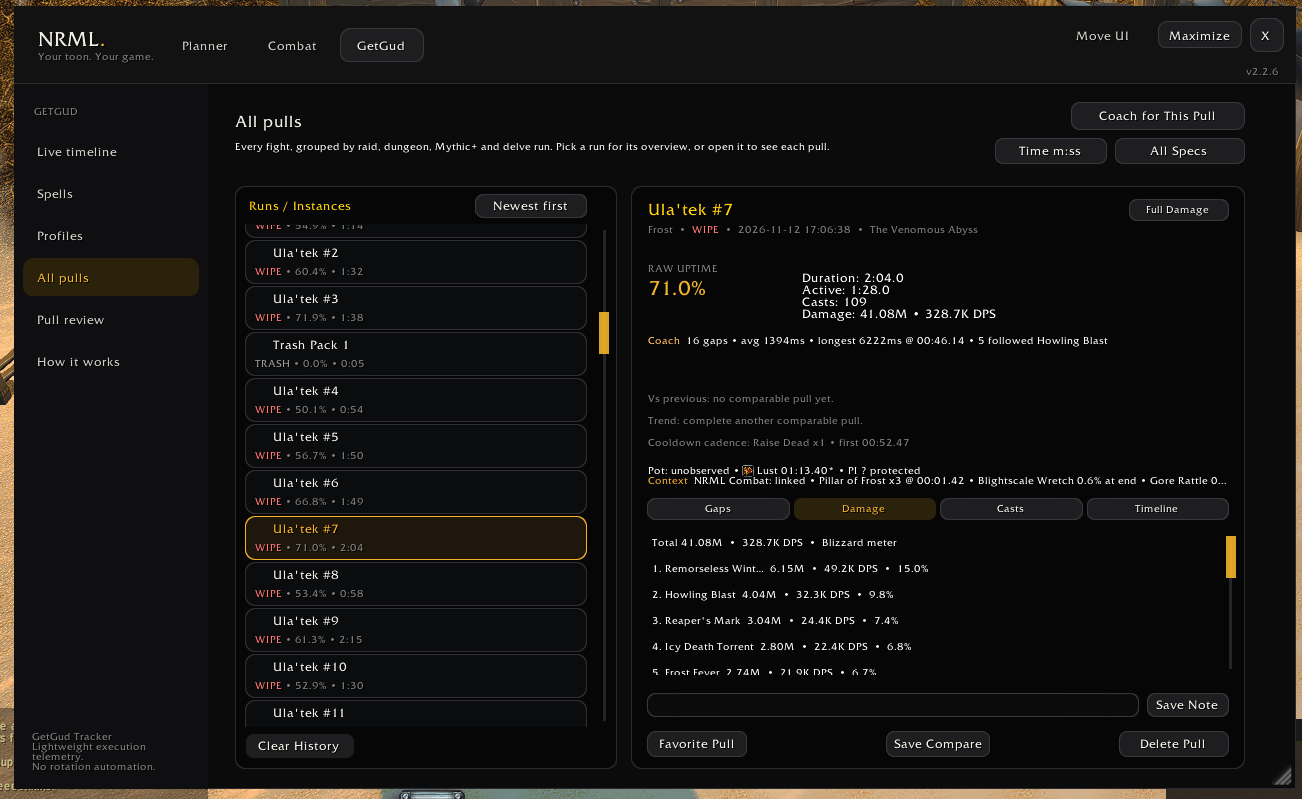
Pick the boss attempt you want and open Pull review. Click a pause to see what you pressed on either side, check where you died, or look back at your opener. GetGud gives you one thing to work on before you pull again.
Getting started
/nrmlopens Planner. Start with My Week./nrcopens Combat. Choose Buddy Tracker for teammates or Watches for your own effects./ggt coachopens GetGud’s Pull review./ggtopens its settings.
Use the shared header to switch between the three tools. Move UI lets you position supported displays together.
Which download do I want? This Suite download already contains all three addons. If you only want one, [NRML Planner] (https://www.curseforge.com/wow/addons/nrml-planner), NRML Combat, and GetGud Tracker each work on their own. Returning players will find the old weekly planner under its new name, NRML Planner. It still opens with /nrml and uses your existing saved builds and settings.
Feedback
Open Feedback & community in Planner or email imsonrml@icloud.com. If something feels off, tell me what you were doing and what you expected to see.
Development Disclosure
I design and test the NRML addons and use AI tools to help write code. Development includes regression testing, in-game playtesting, and changes based on player feedback.
NRML Suite, NRML Planner, NRML Combat, and GetGud Tracker are independent community projects. They are not affiliated with or endorsed by Blizzard Entertainment.
NRML Suite Team