GetGud Tracker
- By
Lightweight combat execution analysis for cast cadence, uptime, meaningful gaps, and grouped pull reports.
Screenshot 2026-11-18 111433.png
Screenshot 2026-11-18 111512.png
Screenshot 2026-11-18 111445.png

Screenshot 2026-08-26 120707.png
Description
Press buttons. Find gaps. Get better.
Pull seven felt better than pull six. What changed? GetGud Tracker records your successful actions in raids and dungeons so you can look back at your own play while the fight is still fresh. Pick an attempt, find the moment you care about, and take one adjustment into the next pull.
Review a pull
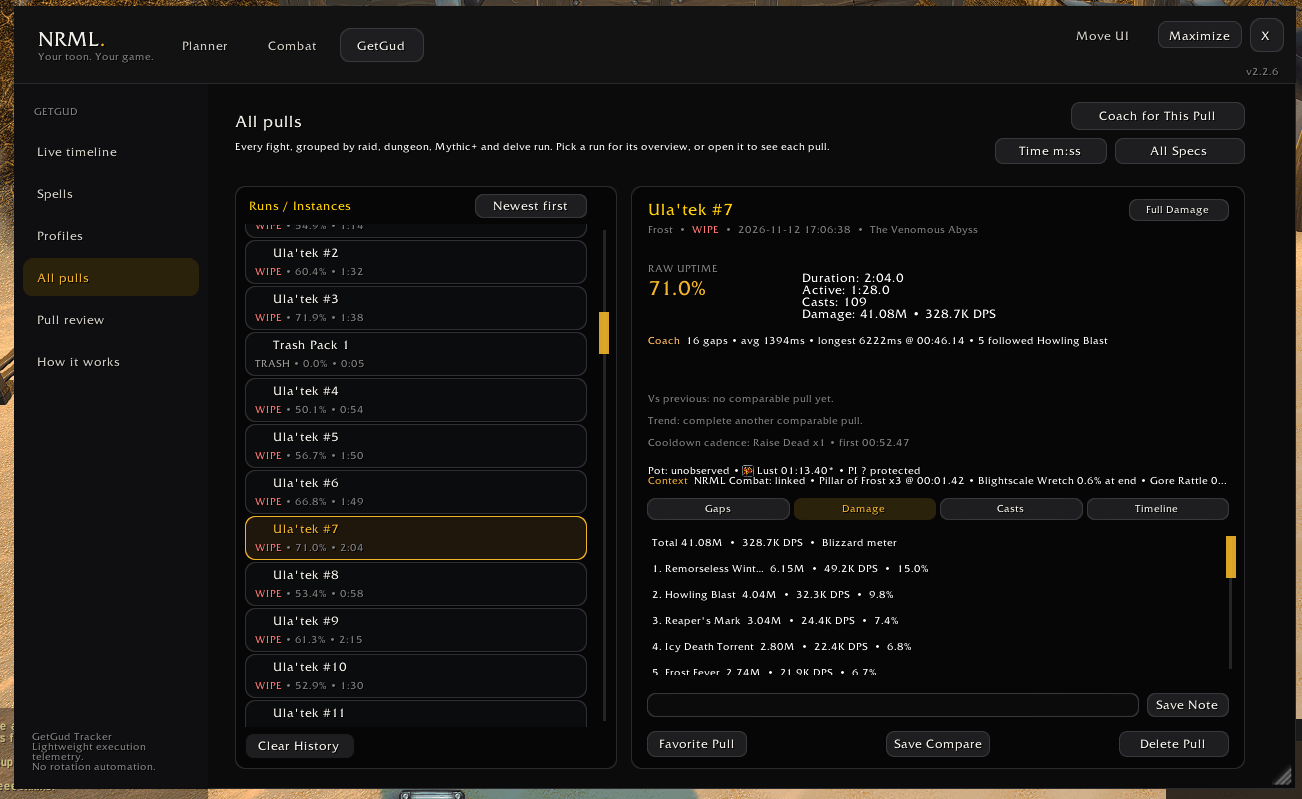
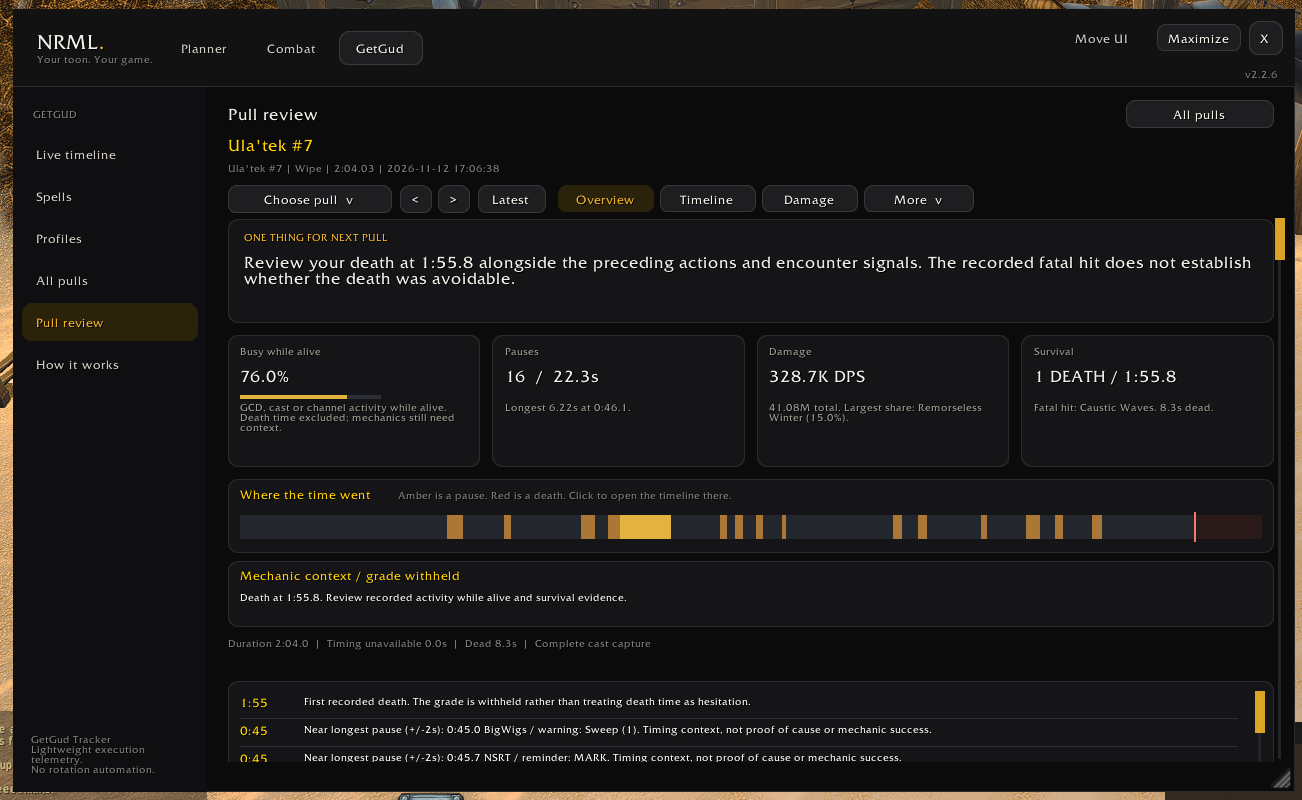
- Overview shows how much of your time alive you spent pressing buttons, where you paused, and how the pull ended. A coaching suggestion gives you somewhere to start.
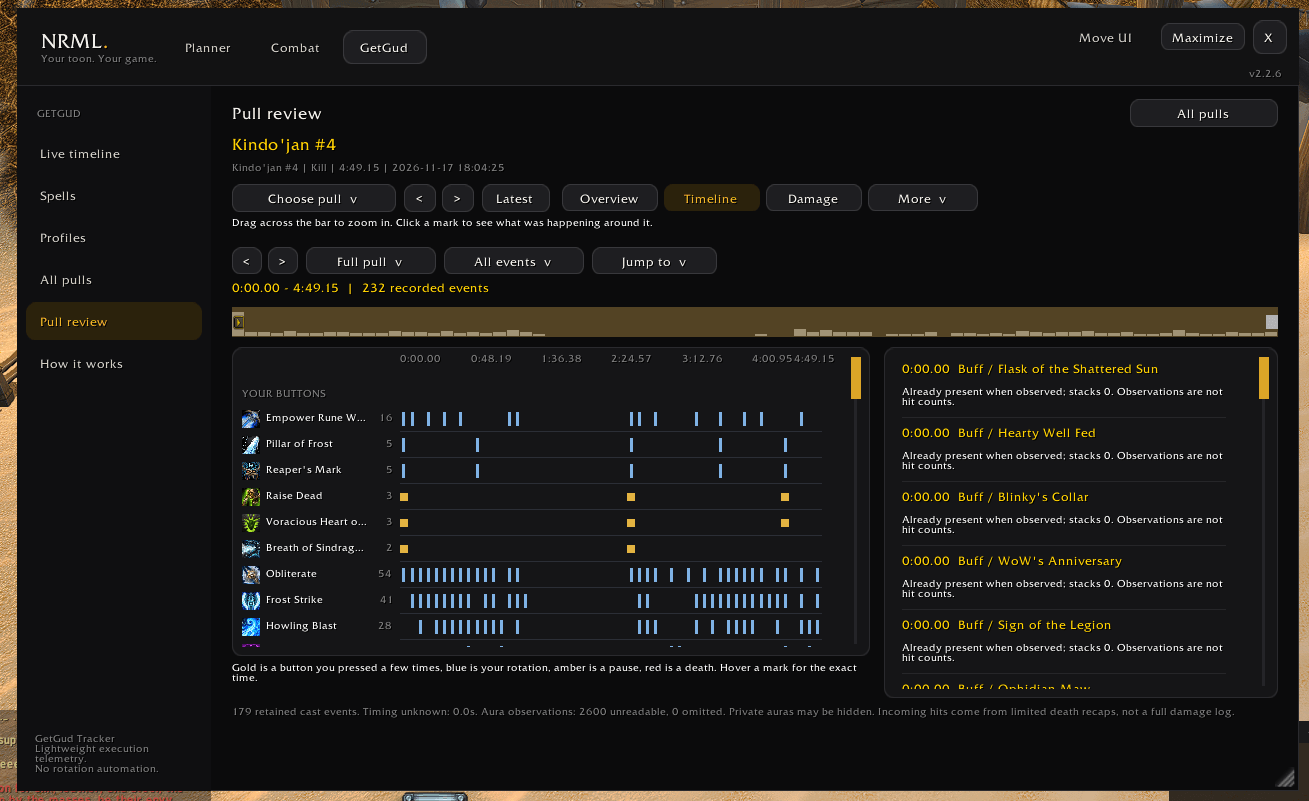
- Timeline puts your recorded presses on spell rows. Amber marks a pause and red marks a death. Click either on the pull strip to jump to that moment and inspect the casts around it.
- Damage brings in Blizzard’s native damage breakdown when the game makes it available. You can still review casts and gaps when damage data is unavailable.
- All pulls groups saved attempts by run. Numbered boss pulls such as Ula’tek #7 make it easy to find the wipe everyone’s talking about.
Put the pause in context
Sometimes you stopped pressing because you had a job to do. Tag your longest pause with “It was a mechanic” or “I meant to hold.” GetGud saves your explanation alongside the measured activity, so the next time you open that pull you’ll remember why the gap is there.
Open More to look at your opener, inspect death and encounter details, or work on your timing in Practice. When available, potion, Bloodlust, and other encounter markers help you place your casts in the fight. Optional Group Telemetry shares potion and Lust/Drums markers with other GetGud users in your group. You control it under General.
Getting started
After a raid or dungeon pull, type /ggt coach, choose the attempt, and click the longest amber gap. That’s a good first review. Type /ggt for settings and spec profiles.
Part of NRML Suite
GetGud works independently in World of Warcraft Retail. NRML Suite includes GetGud, NRML Planner to prepare your week and build, and NRML Combat to follow teammate cooldowns and hear combat cues during the fight.
Feedback
If a pull looks wrong, open /ggt debug and email imsonrml@icloud.com with the addon version, the encounter, and what you expected to see.
Development Disclosure
I design and test the NRML addons and use AI tools to help write code. Development includes regression testing, in-game playtesting, and changes based on player feedback.
NRML Suite, NRML Planner, NRML Combat, and GetGud Tracker are independent community projects. They are not affiliated with or endorsed by Blizzard Entertainment.
GetGud Tracker Team