Nova Instance Tracker
- By
Track instance lockouts with detailed stats about your time in an instance. Money Trade logs. Alts rested XP amounts. And more.
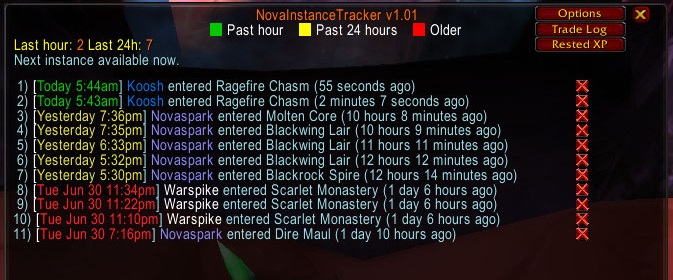
The main log window.
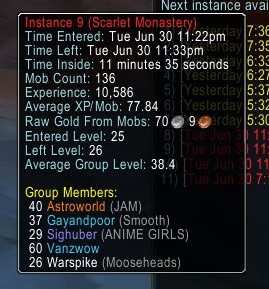
Hover any line in the main log window for a tooltip.
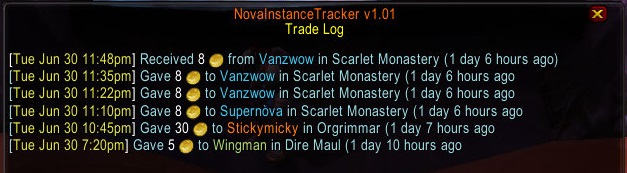
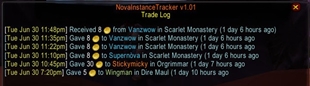
Trade log shows all gold trades.

Click the X icon to delete the new instance from database if you need to.

The addon will try detect if you re-enter the same instance (requires mobs to be around).

Auto show the instance stats to group when you zone out.

Print the instance stats to yourself when you zone out.
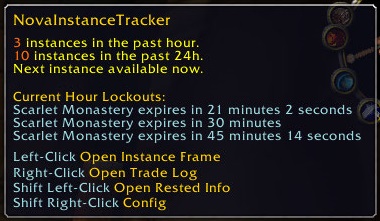
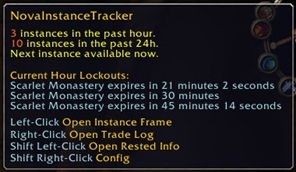
Hover the minimap button to see lockouts.
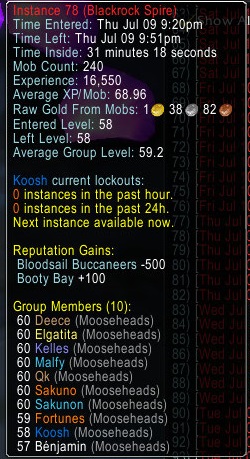
Shows lockouts for that alt when you hover over the instance in log.
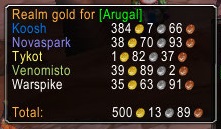
Mouseover realm name in the "Your Characters" window to view total gold.
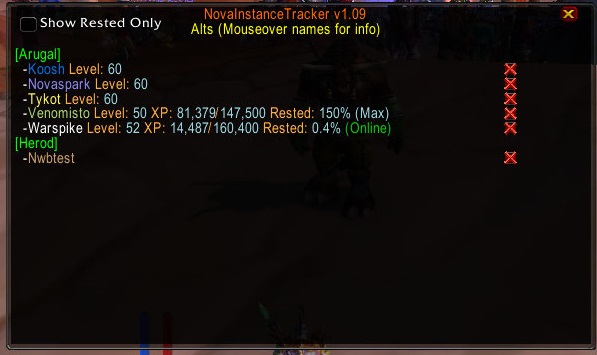
The your characters window.
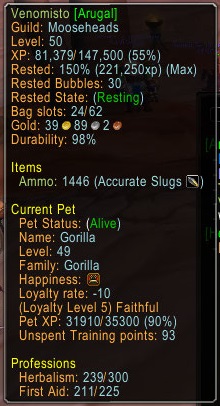
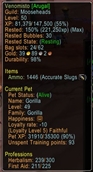
Mouseover an alt in the "Your Characters" window to view stats.
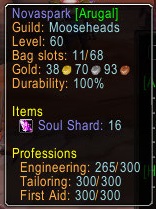
Mouseover an alt in the "Your Characters" window to view stats.

Hover over your character in the character info frame to see your completed attunements and current raid lockouts.
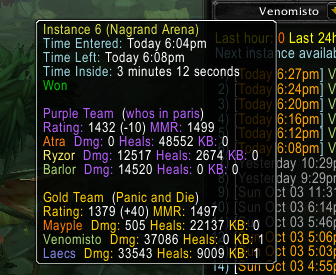
Hover over instance to see tooltip.
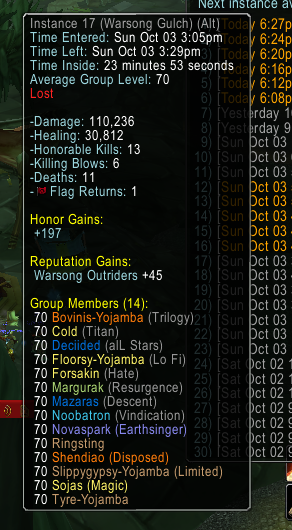
Hover over instance to see tooltip.
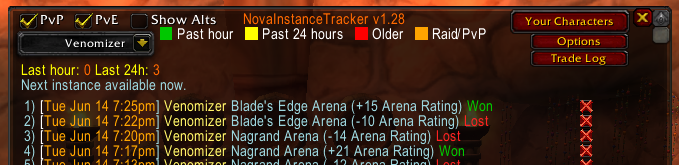
Tracks pvp instances the same way as dungeons.
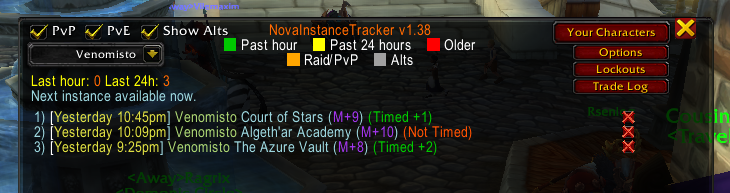
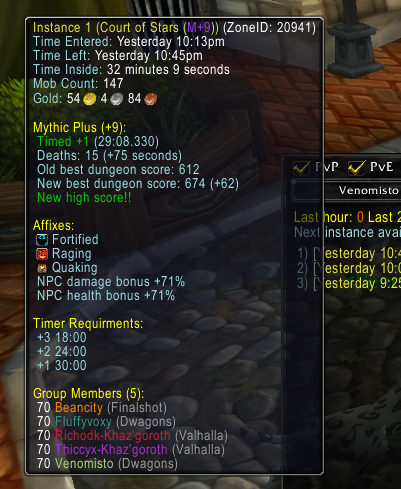
Description
Nova Instance Tracker
What it does:
Tracks all your instance lockouts across all alts and servers.
Shows you how long left on 5 per hour and 30 per 24hour lockouts.
Tells you if you are currently on hourly lockout or 24h lockout so you can tell the difference.
Calculates from when you leave the instance not when you enter.
Tells your group when you reset an instance.
Tells you if your leader resets an instance if they have this addon or NovaWorldBuffs installed.
Print your dungeon stats to the group chat or just your chat window when leaving a dungeon (can be turned on/off in /wb config).
Click any text in chat from this addon to open the instance log easily, or type /nit, or use minimap button.
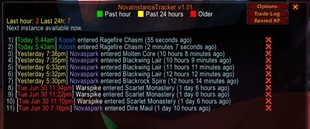
Detects if you re-enter the same instance ID to not add duplicates to the instance log and calc lockouts correctly (like different Scarlet Monastery wings).
Easily clickable X icon in chat to delete any instance you enter if it's not new and not auto detected.
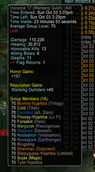
Hover your mouse over any entry in the log to show detailed stats
-Logs all group members Name/Level/Class etc.
-Time you entered and left the instance.
-Time spent inside each instance.
-How many mobs were killed.
-How much XP was earnt.
-Average XP per mob killed.
-Average Group level.
-Raw gold looted from mobs.
-What level you were when entered/left to see which dungeons you dinged in.
-All rep gains (good for checking how much you got while inside raids like MC/ZG/AQ).
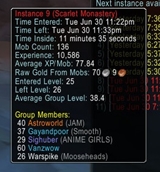
Print your instance stats to chat window when you zone out.

Or print them to the group.

Hover the minimap button to easily see lockouts
Gold trades
This addon also tracks gold trades to help boosters and people buying.
Shows you in chat window any time you give or receive gold to/from another player.
Has a trade log window to show all trade history and what instance you were in at the time.
Alt statistics and tracking (Includes rested XP and more)
-The alts list showing rested xp will be display when you open the "Your Characters" window.
-You can open the "Your Characters" window by clicking the button in the /nit window or right clicking the minimap button.
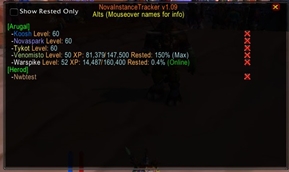
-Hover your mouse over any realm name to see your total gold on that realm.
-Hover over any character to get some detailed stats about that character.
--Level, XP, Current RestedXP saved up.
--Gold, free bag slots, armor durability.
--Profession skills.
--Important reagent counts for buffing, soul shards, and more.
--Hunter alts will show how much ammo they have and detailed stats about their pet.
PvP Instance Logging
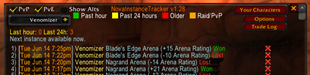
Arena stats
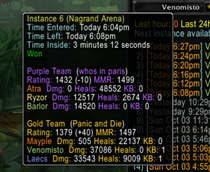
Battleground Stats
My addon discord for support or suggestions: https://discord.gg/RTKMfTmkdj
The Nova Instance Tracker Team


Owner