NKAssign - Raid Assignments & Assignment Editor
- By
NKAssign lets raid leaders write boss assignments (tanks, kill order, crowd control, heals, and custom notes) in a simple editor and send them with one click to every raid member with the add-on. The assignments are also sent to the raid chat if wanted.
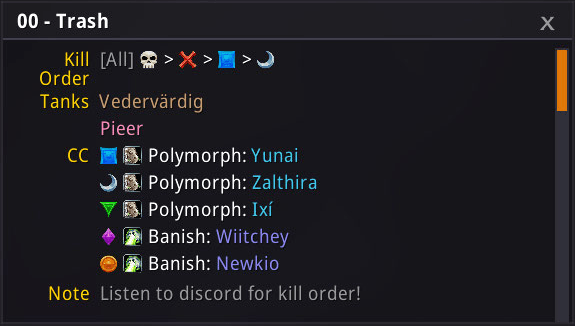
Assignments Viewer
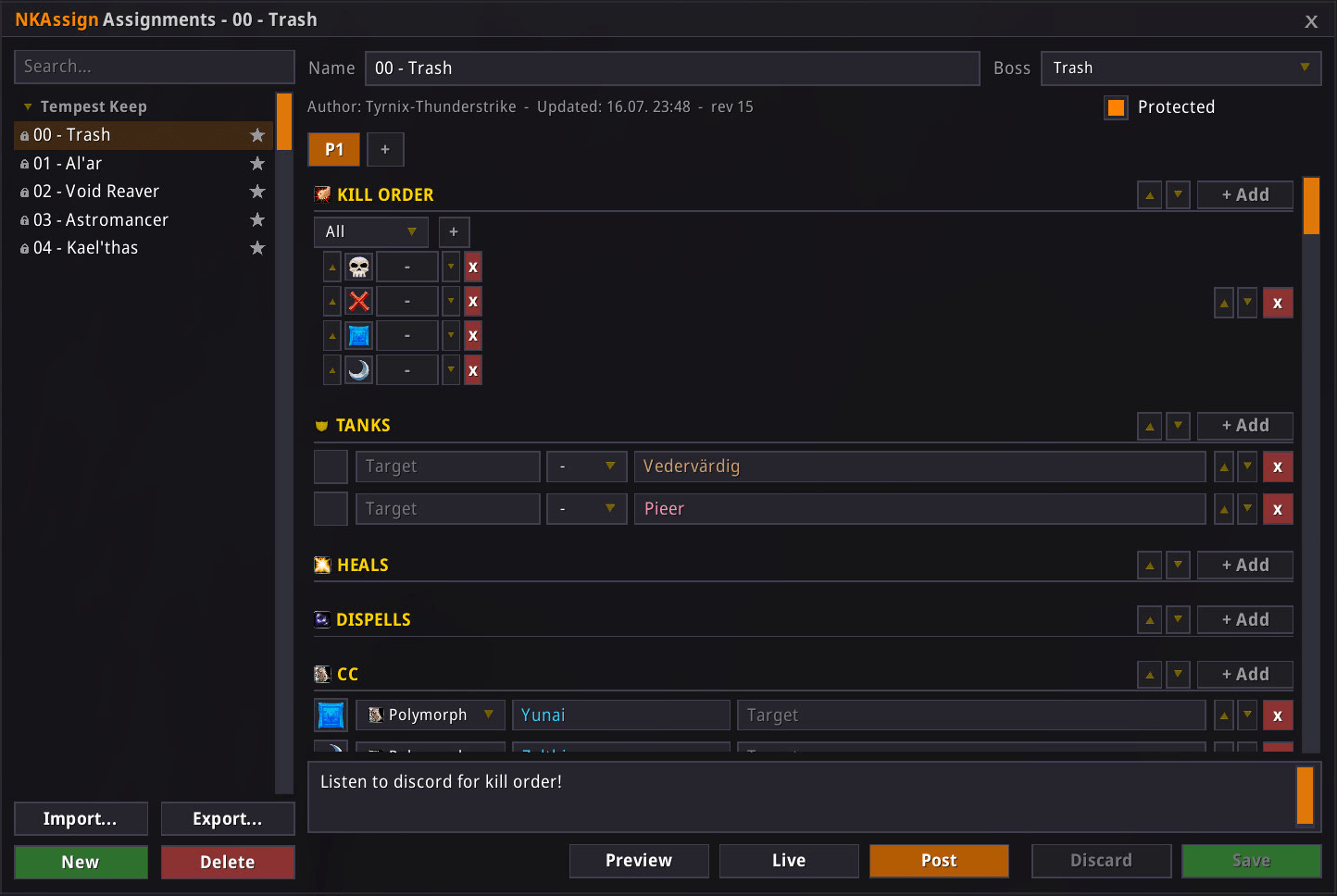
Assignments Editor
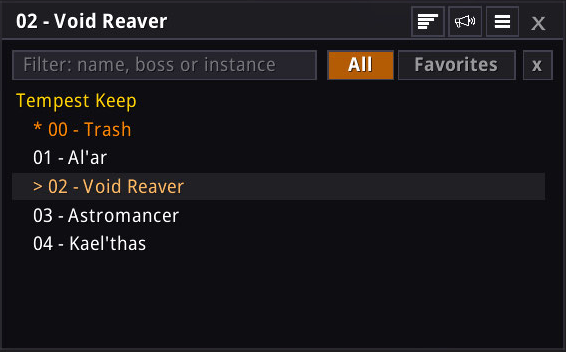
Profile Quick Selection
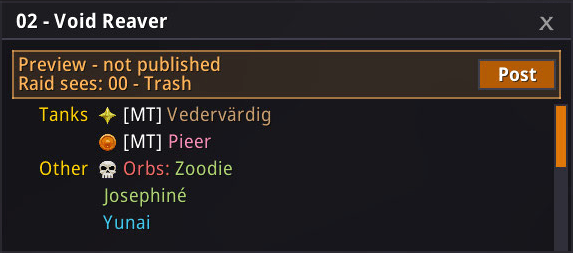
Assignments Viewer
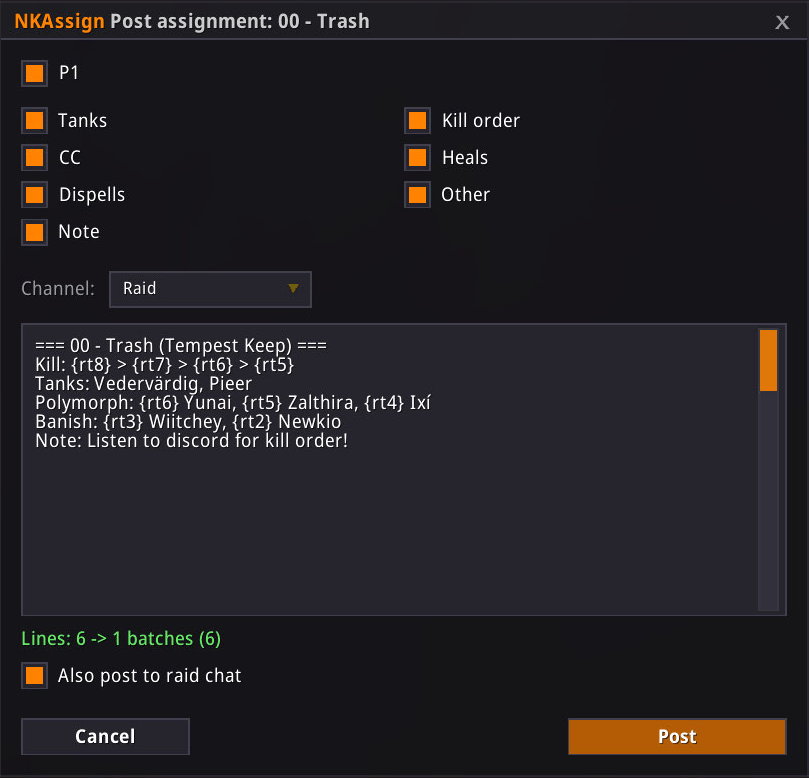
Post Assignment
Description
NKAssign
Structured raid assignments for WoW TBC Anniversary.
NKAssign lets raid leaders write boss assignments (tanks, kill order, crowd control, heals, and custom notes) in a simple editor. With one click the assignment is sent to every raid member who has the addon. Each player can filter the view down to the lines that matter to them. And nobody is left out: the assignment can also be posted to raid chat for everyone without the addon.
Features
- Assignment editor — pick a boss from the full TBC raid catalog (Karazhan to Sunwell) and fill in five sections: Tanks, Kill Order, Crowd Control, Heals, and Custom. Assignments can be split into boss phases.
- One-click sharing — send the assignment to everyone in the group who runs the addon. Only raid leaders and assists can send.
- Compact viewer — a small window showing the current assignment with class colors and raid icons. Turn on Only mine to see just your own tasks.
- Live mode — the raid leader can stream an assignment while editing it; every raid assist watching sees changes in real time.
- Chat posting — post assignments to raid or party chat, so players without the addon see them too. Exact preview before posting; long assignments are split into small paced batches, so you never flood the chat.
- Import / Export — share assignment profiles with other players as simple copy-paste strings.
- Version check — see which addon version everyone in your raid or guild is running, and notify players who are out of date.
- Looks — 13 color themes, adjustable UI scale and transparency, minimap button.
- Languages — English and German.
Quick start
As raid leader:
- Type
/nka editor, click New, name the assignment and pick the boss. - Add your entries. Use the phase tabs for phase-specific assignments.
- Click Share to send it to the raid, or Post to put it in chat.
As raid member:
Nothing to do — when the leader shares, the viewer opens with the assignment. Type /nka to toggle the viewer at any time.
Slash commands
/nka— toggle the viewer/nka editor— open the editor/nka post— post to chat/nka share— send to the raid (leader/assist only)/nka options— settings/nka version— version check window/nka help— full command list
NKAssign - Raid Assignments & Assignment Editor Team

![NKThreat – Threat Meter & Threat Analysis, Aggro Alerts & Nameplates [Classic/TBC/MoP/Forever/Retail] project image](https://media.forgecdn.net/avatars/thumbnails/1717/538/256/256/639092015359729918.png)