NetPulse
- By
Lightweight FPS, Home latency, and World latency monitor for World of Warcraft Retail.
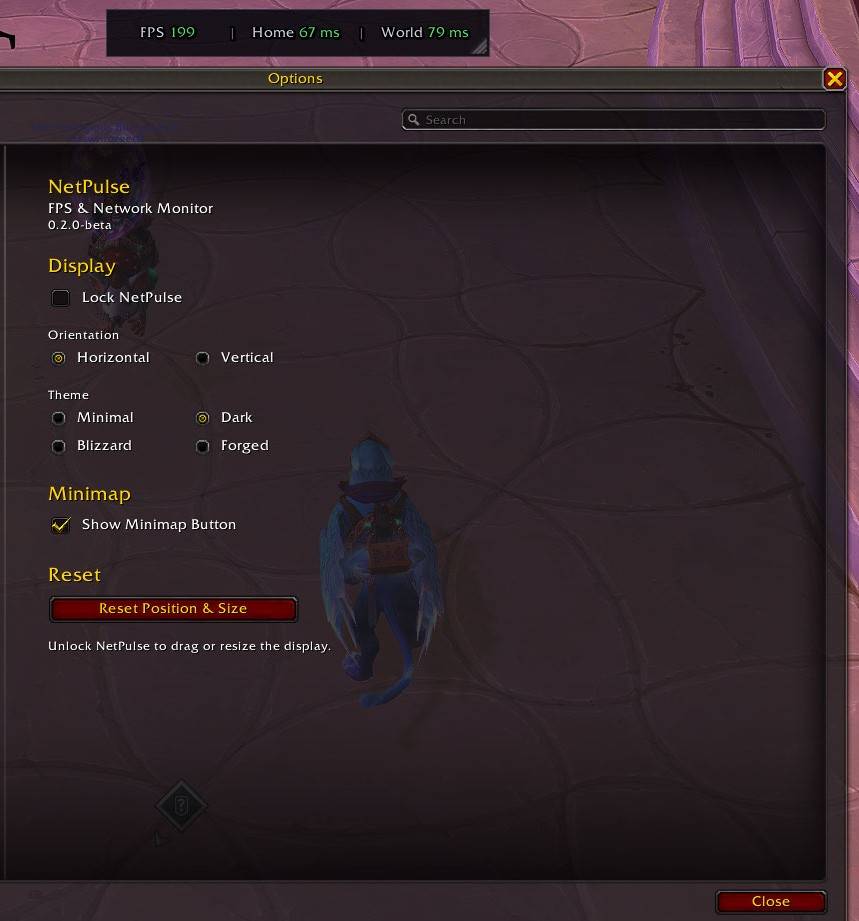
WoWScrnShot_092426_192214.jpg
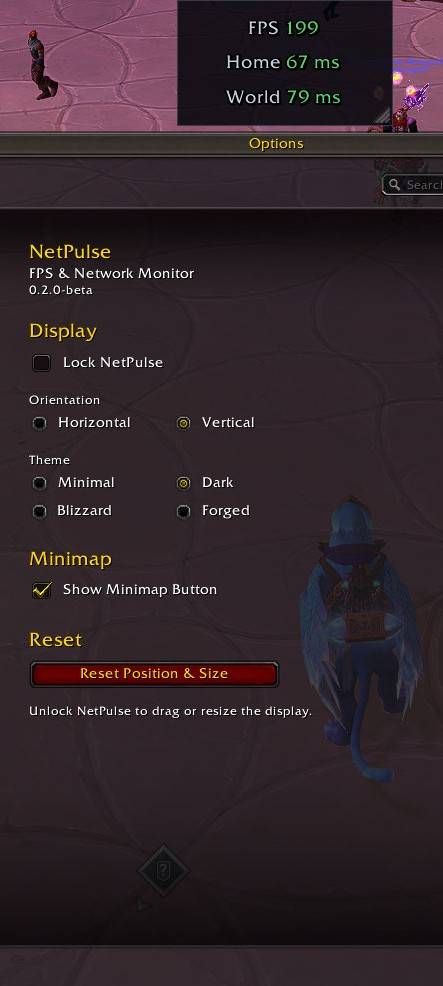
WoWScrnShot_092426_192231.jpg
Description
NetPulse
NetPulse is a lightweight FPS, network latency, and addon-memory monitor for World of Warcraft Retail.
It is designed to provide the performance information you actually want without turning into a full system-monitoring suite.
Features
- Live FPS monitoring
- Home latency monitoring
- World latency monitoring
- Optional total addon-memory monitoring
- Hover over AddOns memory to see the highest-memory addons currently loaded
- Horizontal and vertical layouts
- Movable and resizable as one unit
- Lock/unlock positioning
- Persistent position and per-layout size
- Color-coded FPS and network values
- Optional draggable minimap button
- Native World of Warcraft Settings panel
- No external libraries
- Lightweight timer-based updates
Addon Memory
NetPulse can optionally display the combined memory usage of your loaded addons.
When enabled, hover over the AddOns memory reading to see a breakdown of the highest-memory addons currently loaded, sorted from highest usage to lowest.
The tooltip displays the top memory users while keeping the main NetPulse display compact.
Addon-memory monitoring can be disabled completely from Settings if you only want FPS and network information.
Themes
NetPulse includes several built-in themes:
- Minimal
- Dark
- Blizzard
- Forged
- Blizzard Native
Blizzard Native is designed to blend more naturally with the modern World of Warcraft interface while still keeping NetPulse compact and readable.
Layouts
NetPulse supports both:
- Horizontal
- Vertical
With addon memory disabled, the original three-metric layout displays:
FPS | Home | World
With addon memory enabled:
FPS | Home | World | AddOns
The display can be moved, resized, and locked in place.
Settings
Open NetPulse Settings with:
/np
or:
/netpulse
You can also open Settings by clicking the optional NetPulse minimap button.
Available settings include:
- Lock / unlock NetPulse
- Horizontal or vertical orientation
- Theme selection
- Show / hide addon memory
- Show / hide minimap button
- Reset position and size
Slash Commands
/np
Open NetPulse Settings.
/np lock
Lock the display.
/np unlock
Unlock the display.
/np reset
Reset position and size.
/np horizontal
Switch to horizontal layout.
/np vertical
Switch to vertical layout.
/np theme minimal
/np theme dark
/np theme blizzard
/np theme forged
/np theme blizzardnative
/np minimap on
/np minimap off
/np debug
Display NetPulse diagnostic information.
Performance
NetPulse is intentionally lightweight.
- FPS updates approximately every 0.5 seconds.
- Network latency updates on a slower interval appropriate for WoW's network statistics.
- Addon-memory polling only runs while the memory metric is enabled.
- The addon-memory tooltip refreshes when opened rather than continuously.
- No permanent display
OnUpdateloop is used.
Compatibility
World of Warcraft Retail / Midnight
Currently updated for:
Retail 12.1.5
Development Status
NetPulse is actively maintained.
Version 0.3.0 adds optional addon-memory monitoring, a sorted memory-usage tooltip, the Blizzard Native theme, and improved dynamic layout support while preserving the original lightweight NetPulse design.
Feedback and bug reports are welcome.
NetPulse Team