NetherGoblin - Auction House Overhaul
- By
A goblin-run auction house for WoW: Forever. Quick Scan in seconds, 14-day price trends, deal badges, undercut checks, shopping lists, guild price checks by chat, and a snarky goblin who reports every scan. Optimize your auctions. In gold we trust!
NetherGoblin-banner-1600x500.png
goblin auctin house.jpg
Description
NetherGoblin
"Optimize your auctions. In gold we trust!"
An auction house goblin for WoW: Forever. Works on its own; joins the Nether family (NetherUI theme) when it is installed. Nothing in it buys, posts or cancels without a click of yours: that is the game's rule, and NetherGoblin keeps to it.
🏷 ITS OWN AUCTION HOUSE WINDOW
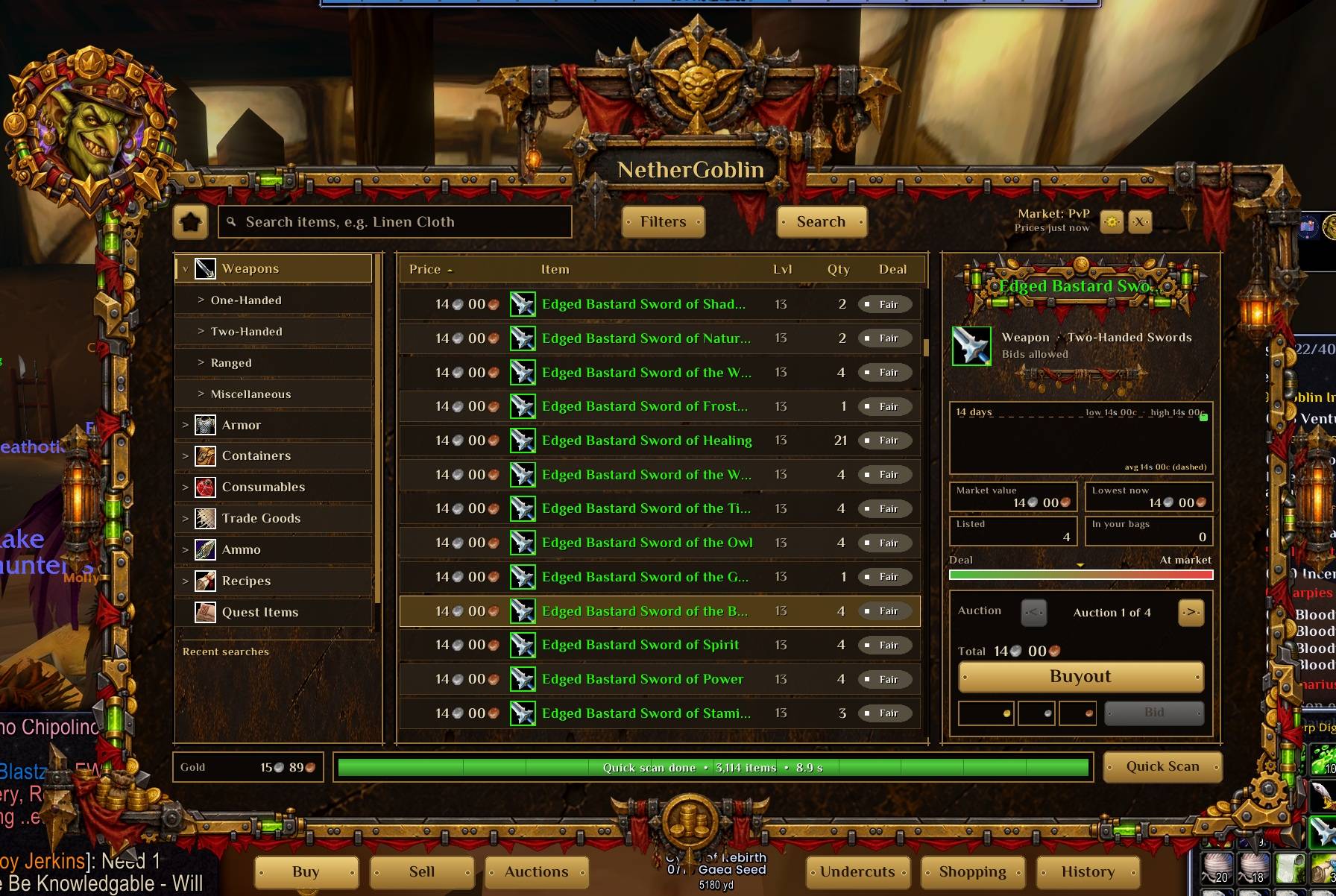
The goblin's brass and leather, with the game's window tucked away behind it (/goblin blizzard brings it back for a visit). Six tabs along the bottom: Buy, Sell, Auctions, Undercuts, Shopping, History. Opens at 75% size; drag the gear on the bottom-right corner to resize, and everything scales together so the layout always fits. Size and position are remembered, account-wide or per character.
⚡ QUICK SCAN
One pass over the whole auction house: every item's lowest price and how many are listed, in a few seconds. The work is spread over frames so the game never stutters, and it runs by itself when you open the auction house with prices older than half an hour.
🔍 BUY
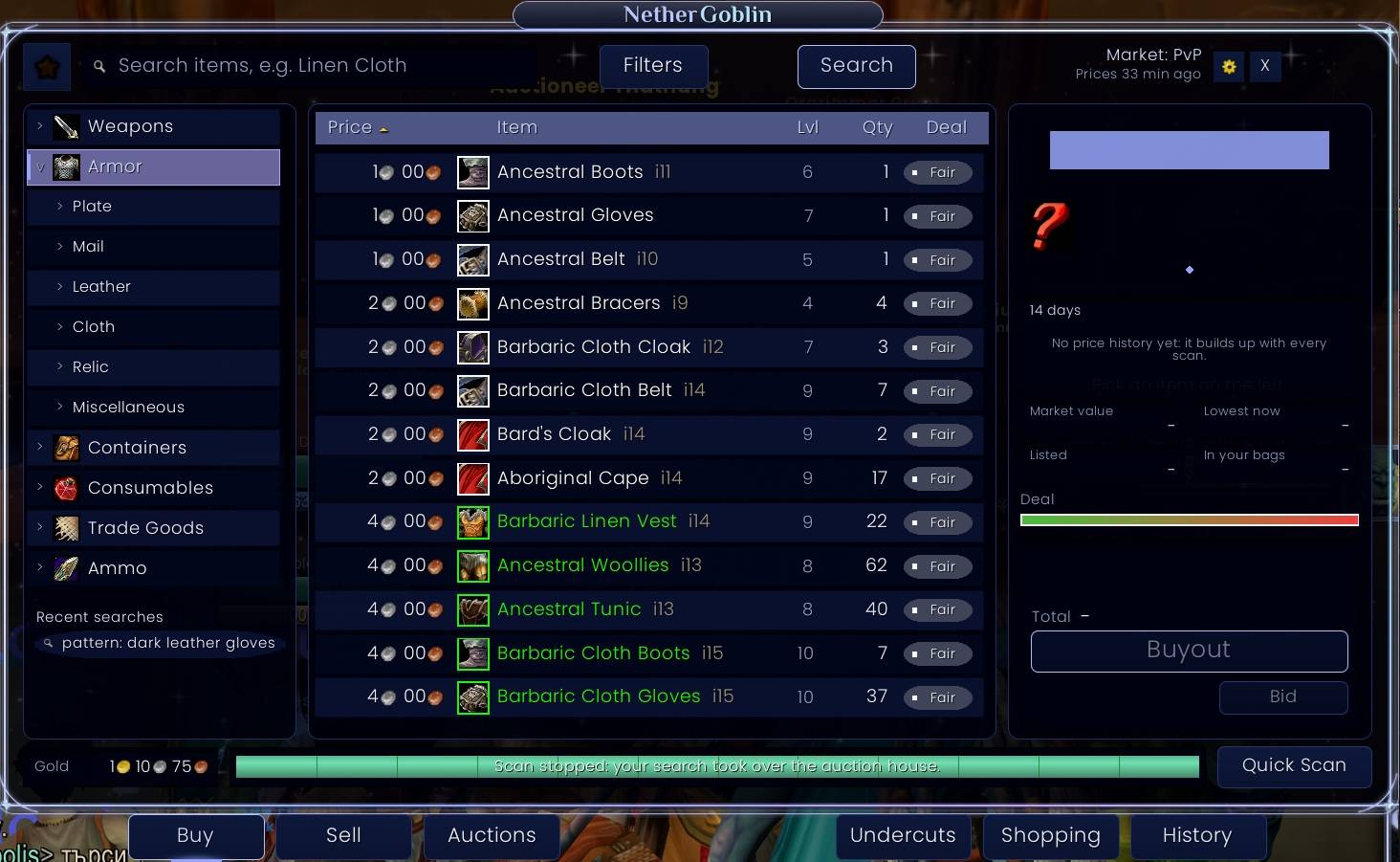
Search, the game's full category tree (Weapons > Two-Handed > Axes...), filters for exact name, usable only, rarity and level range, recent searches, and for the selected item: a 14-day price trend, the usual price, the lowest right now, how many are listed and how many you carry, a deal meter, and buying. Every result wears a Great / Good / Fair / Pricey badge and shows the level it needs. Stackable goods: pick a quantity, click Buyout once for the exact price, once more to buy. Gear: step through the auctions and buy.
💰 SELL
What you carry that can be sold, what it sells for right now, a price filled in (the cheapest listing minus your undercut, or the usual price when none is listed), quantity, duration, deposit, what you keep after the cut, and Post. It asks first when a price is under what a vendor pays or far under the usual price. Built for Forever's rules: gear sells in whole silver, there is no bidding, and the durations are the game's own.
📜 AUCTIONS AND UNDERCUTS
Your auctions with sold ones marked and time left; the ones someone has undercut, with Check now for an exact count from the live listings and Cancel next undercut to clear them one click at a time.
🛒 SHOPPING LISTS AND HISTORY
Lists of things to buy, each with the most you will pay; Search this list looks them all up and marks the ones within your price. History keeps everything you posted, bought or cancelled, with the week's totals.
💬 GUILD AND PARTY PRICE CHECKS
Anyone types @Linen Cloth, $[Linen Cloth] or @Linen Cloth x20 in guild or party chat and one NetherGoblin user answers by whisper: the one with the freshest price. Prices older than three days are never used.
🗨 THE GOBLIN TALKS
When a scan finishes, his portrait and speech bubble pop up with a random line (about forty of them, picked by what the scan found) and the scan's numbers: items updated, new lows, undercuts, deals waiting in Buy. Hover keeps it open, a click closes it. It waits out combat. Jokes and the ka-ching sound each have a switch, and the window is placed in the game's Edit Mode.
🧭 TOOLTIPS AND MINIMAP
The usual price, the lowest at the last scan and the whole stack's value on every item tooltip. The goblin's face on the minimap: left-click for settings, right-click for a Quick Scan.
🎨 LOOKS
The goblin skin by default. Follow NetherUI theme swaps the brass for your NetherUI theme's panels, colours and animations. The chosen tab is marked by a gold coin tucked under it.
⚔ RULESETS
Each auction house (PvE, PvP, RP, Hardcore, or a mix such as RP-PvP) keeps its own price book; they never blend.
COMMANDS
/goblin or /ng opens the settings. /goblin scan, /goblin blizzard, /goblin reset window, /goblin reset popups, /goblin diag.
FOR OTHER ADDONS
NetherGoblin:GetPrice(link) and friends are in Docs/API.md; the price-check messages in Docs/PROTOCOL.md. Plugins are welcome; the code itself is All Rights Reserved.
NetherGoblin - Auction House Overhaul Team