
NeedRoll - Modern/Expanded Atlasloot
- By

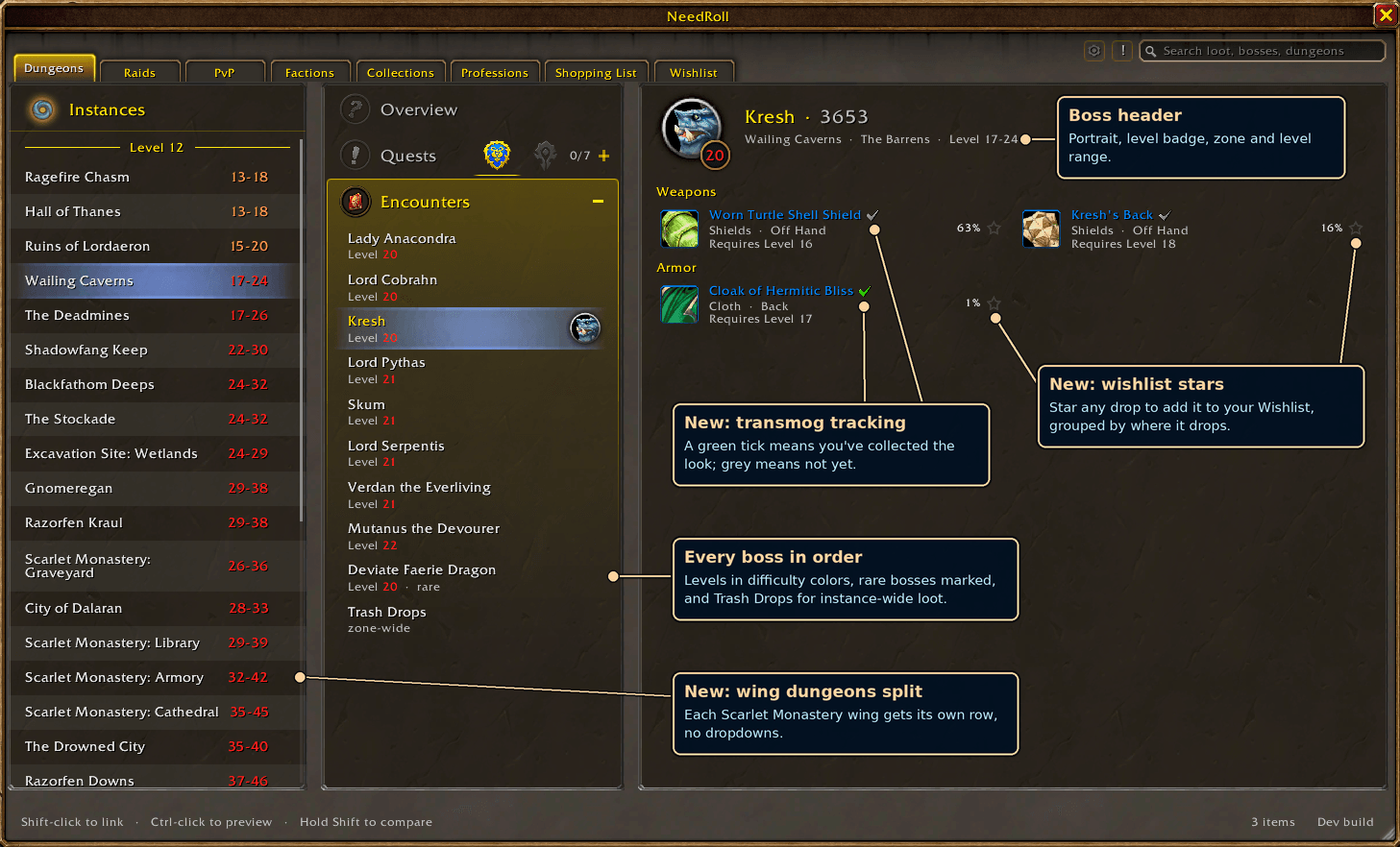
Quickly determine what items a boss drops, whether or not you've collected the appearance, and wishlist items to keep an eye on places you want to come back to in order to get gear!
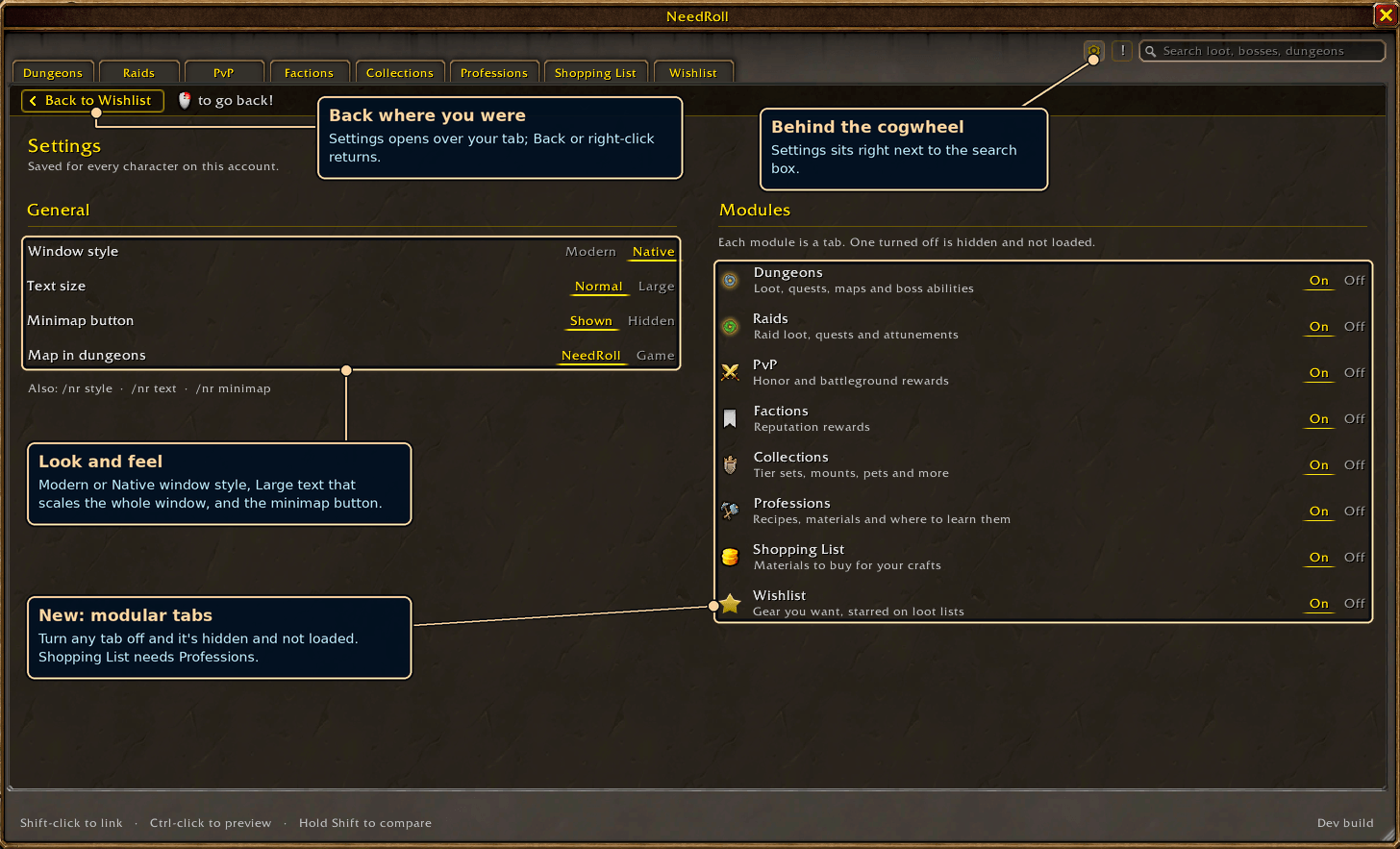
The settings allow you to determine which features you want to enable to better tailor the experience to your liking.
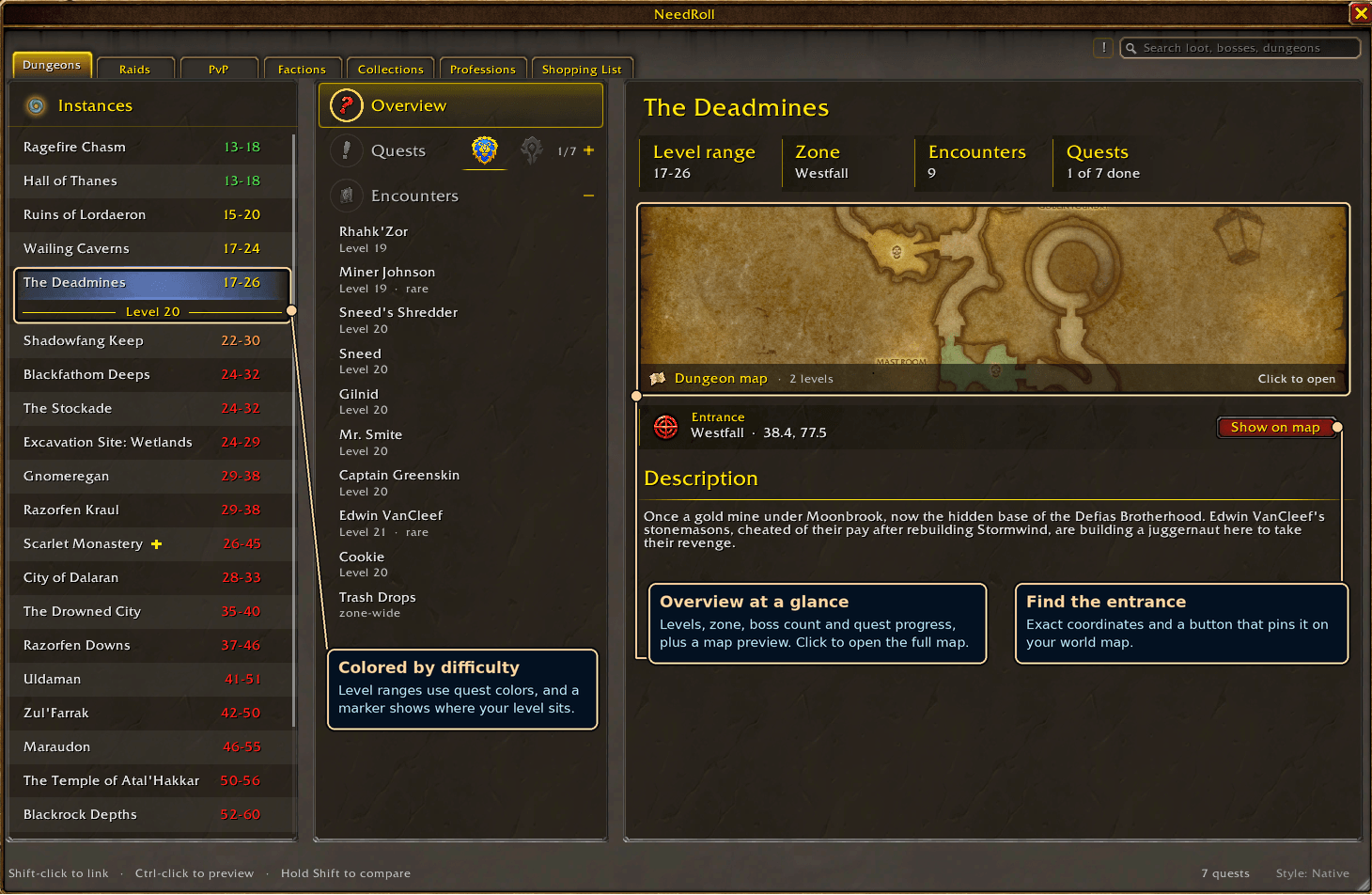
Overview of the dungeon, including entrance location, dungoen map, a brief description, and some baseline stats on level range/encounters/quests.
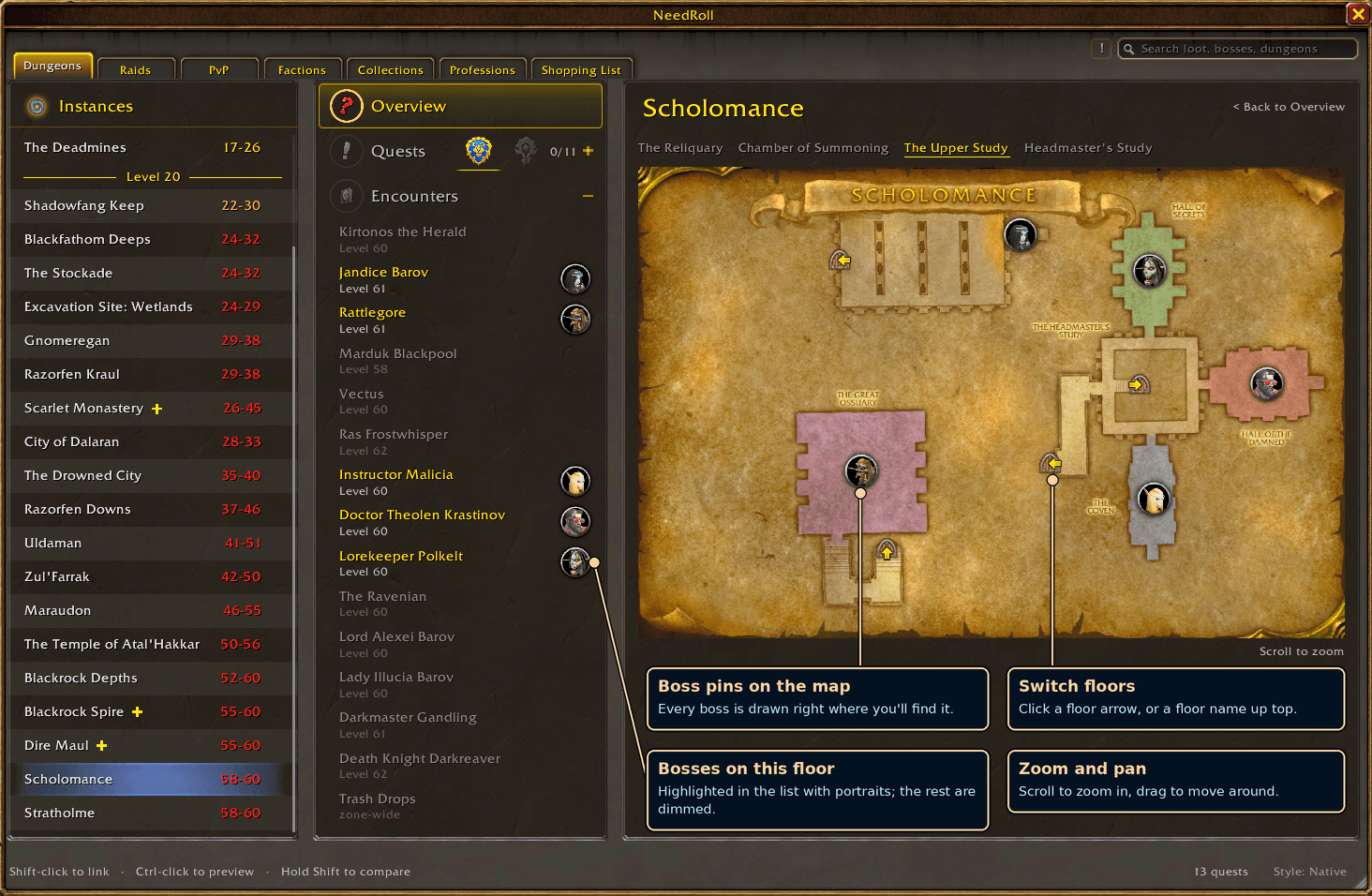
Visible in the dungeon map is the location of the bosses as well as navigational buttons to move through the dungeon as you may be when playing through it. On the left you'll see the bosses that are present in the section of the map you're viewing.
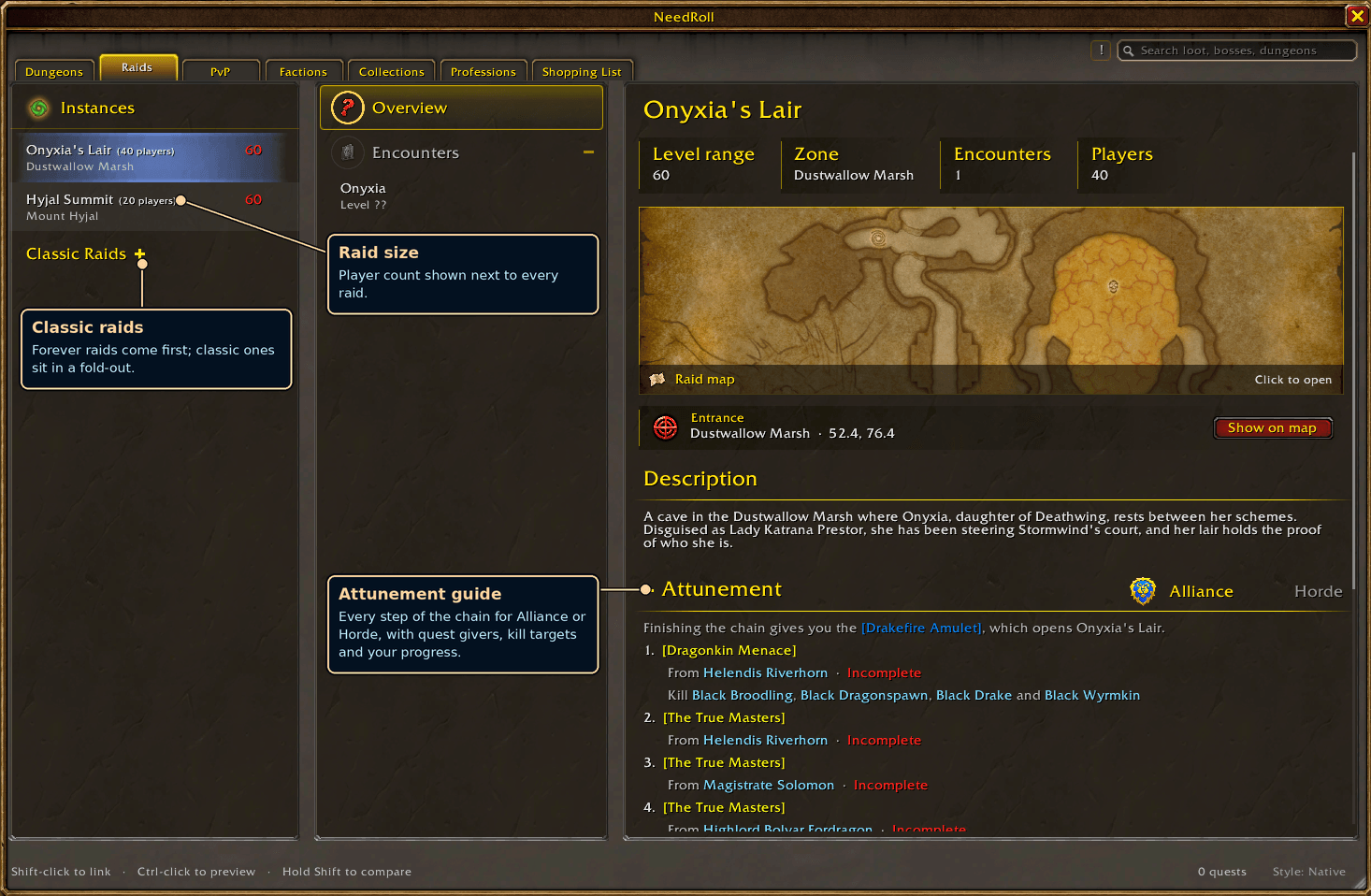
Included in the Raid Overview is the list of the attunement steps for a given raid. In this example Onyxia has their Alliance/Horde Attunement listed beneath the map/description pointing you where to go.
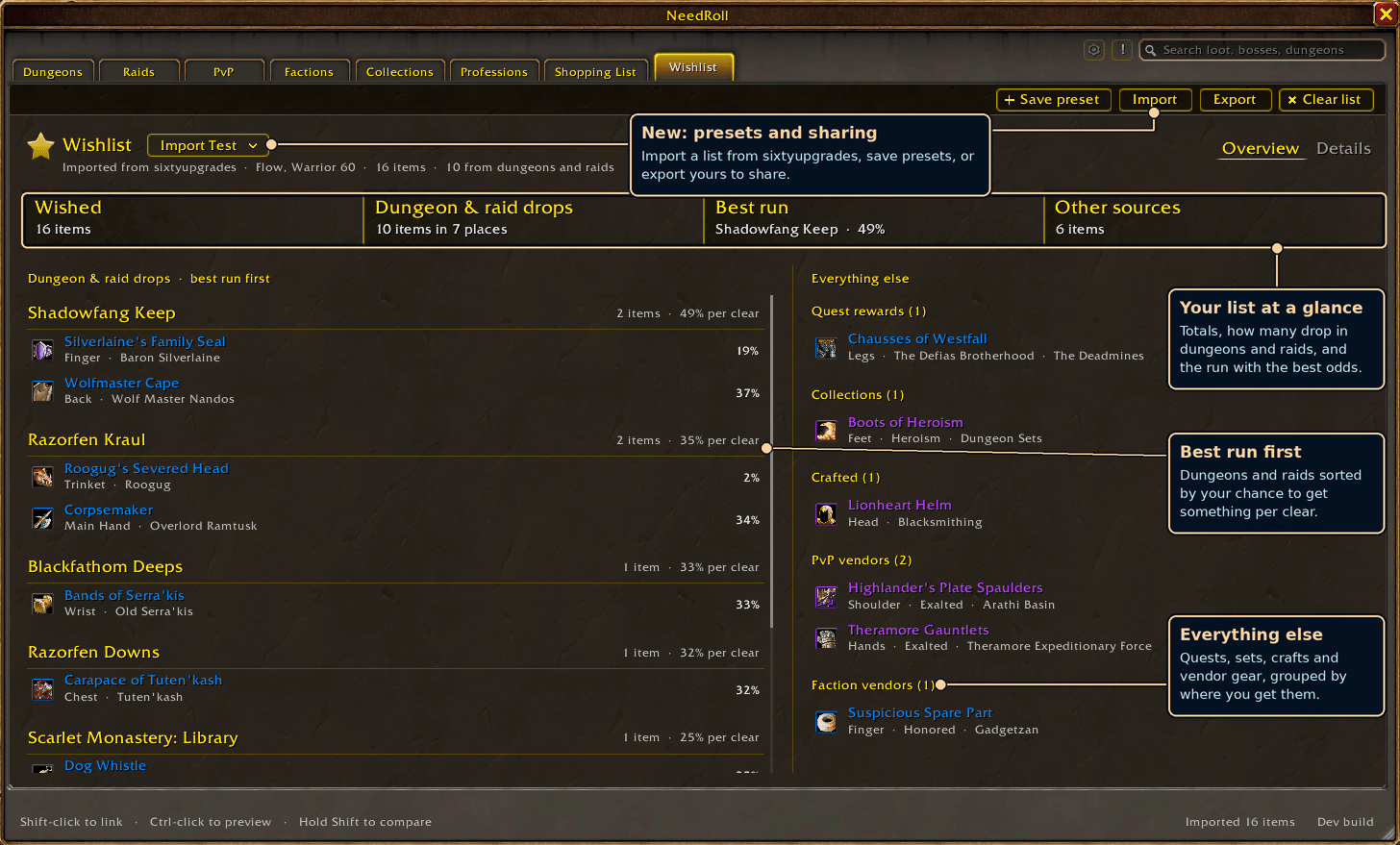
You're able to wishlist items in the boss droptable, or alternatively import a sixtyupgrades.com character to determine where you need to focus your efforts in gearing!
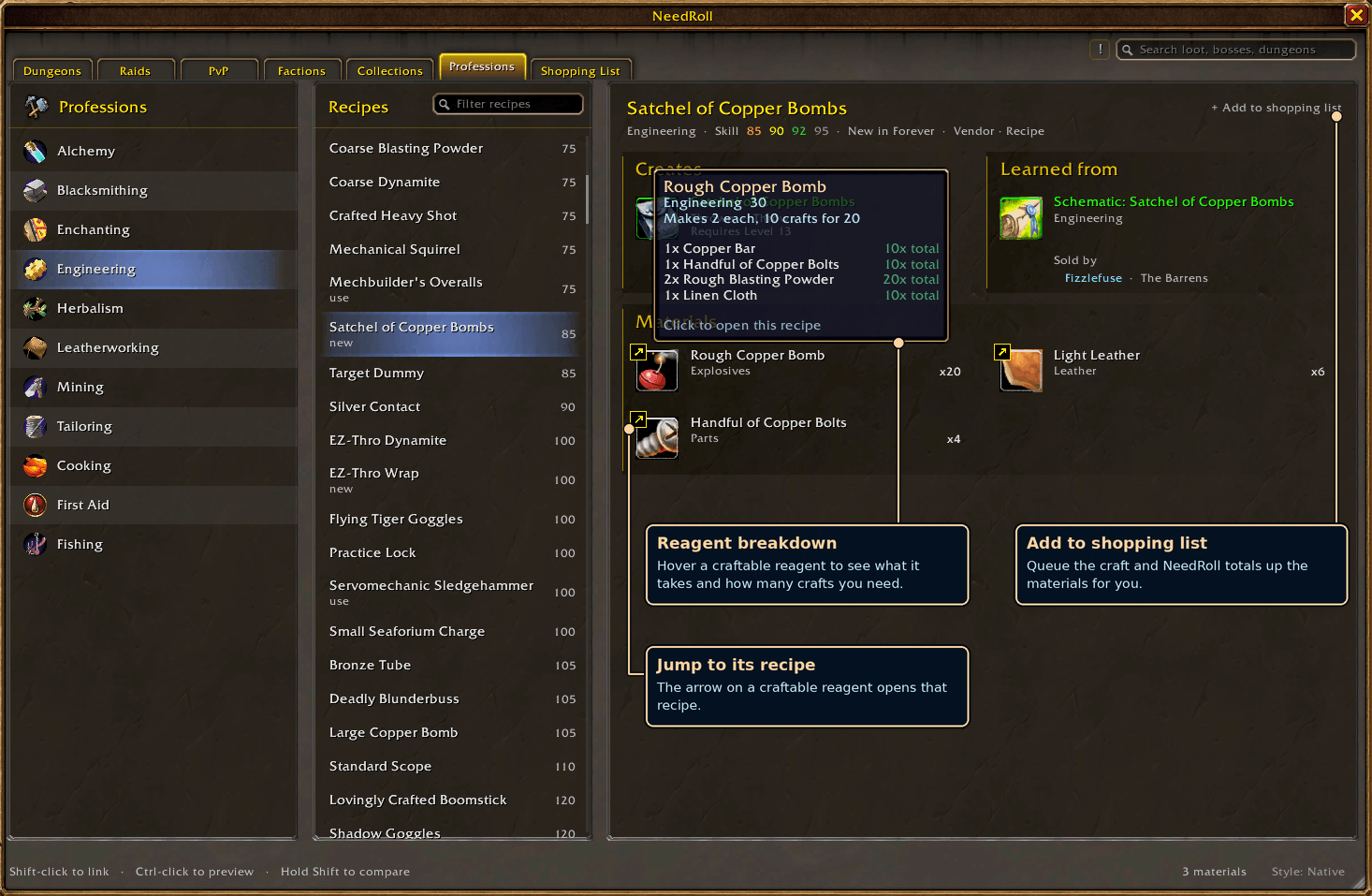
This shows how the professions pane operates, you can see all required materials, the cost to make them (or jump to them by clicking the arrow), and where to find/buy the recipe if it is not taught by a trainer.
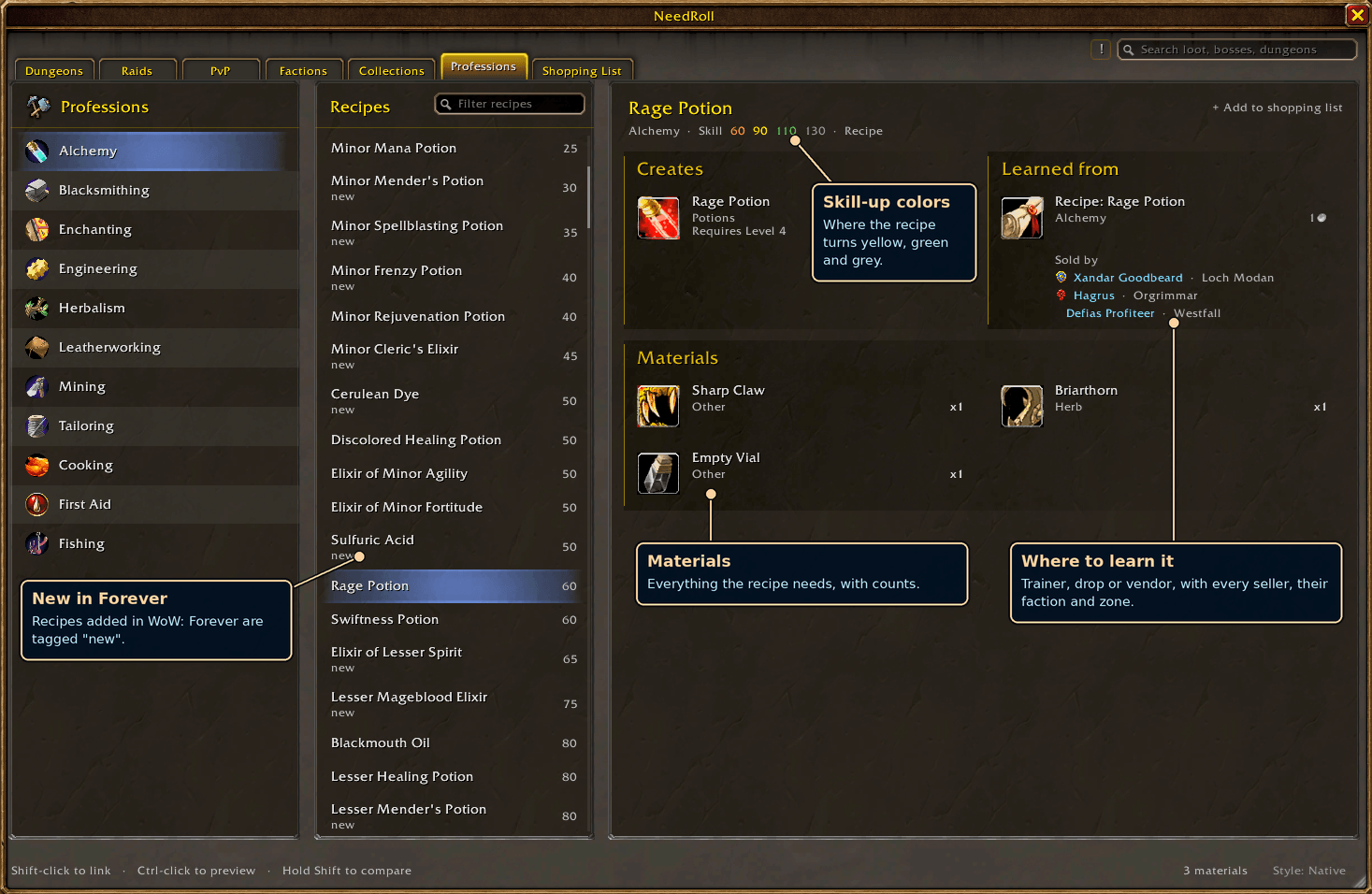
profession-recipe.png
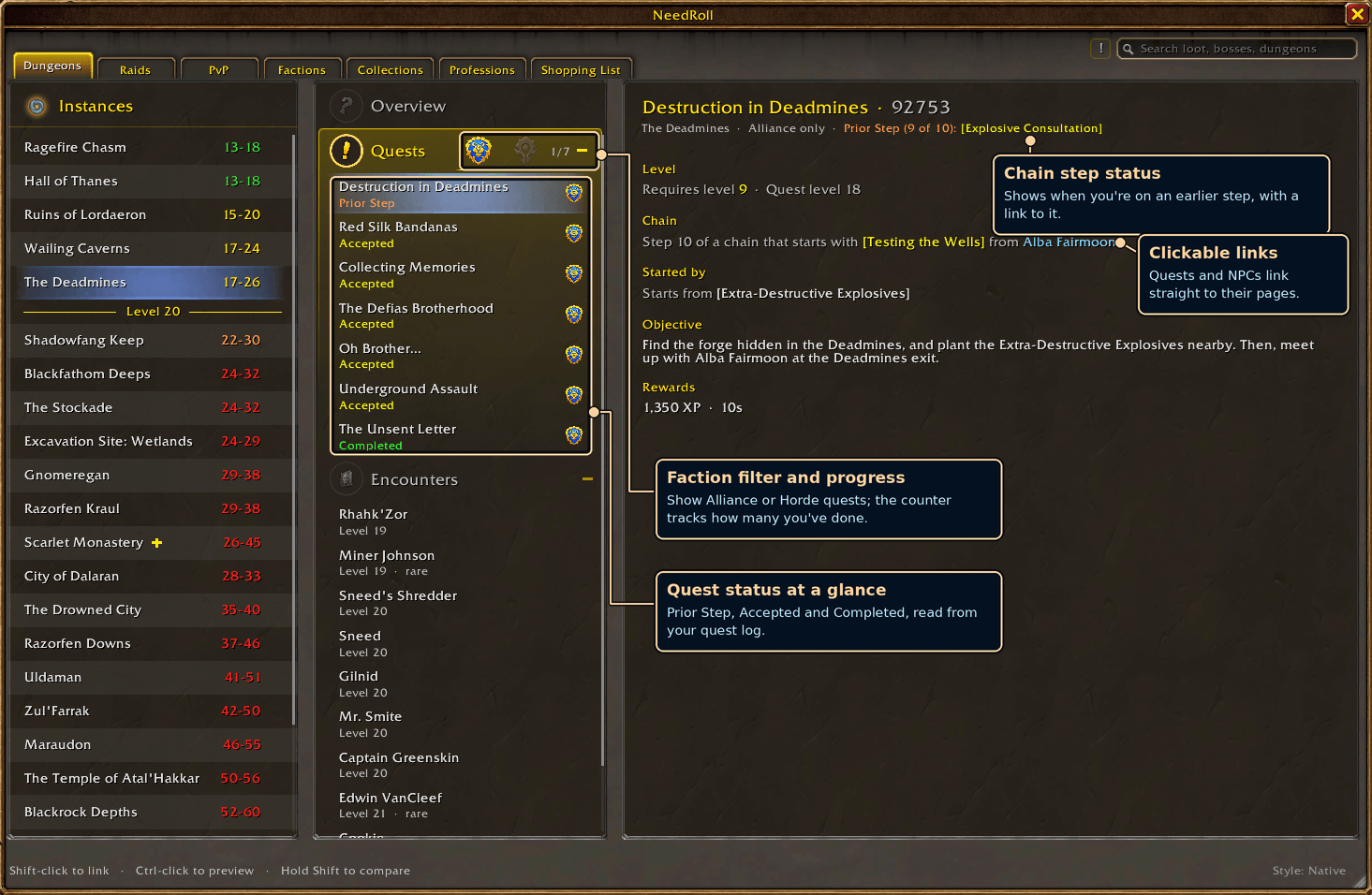
This shows you the quests related to the dungeon, sortable by faction and also includes quests that pertain to a specific class. You can see where to start the quest (or quest chain), it's objective, and where you are in the chain of steps leading up to it
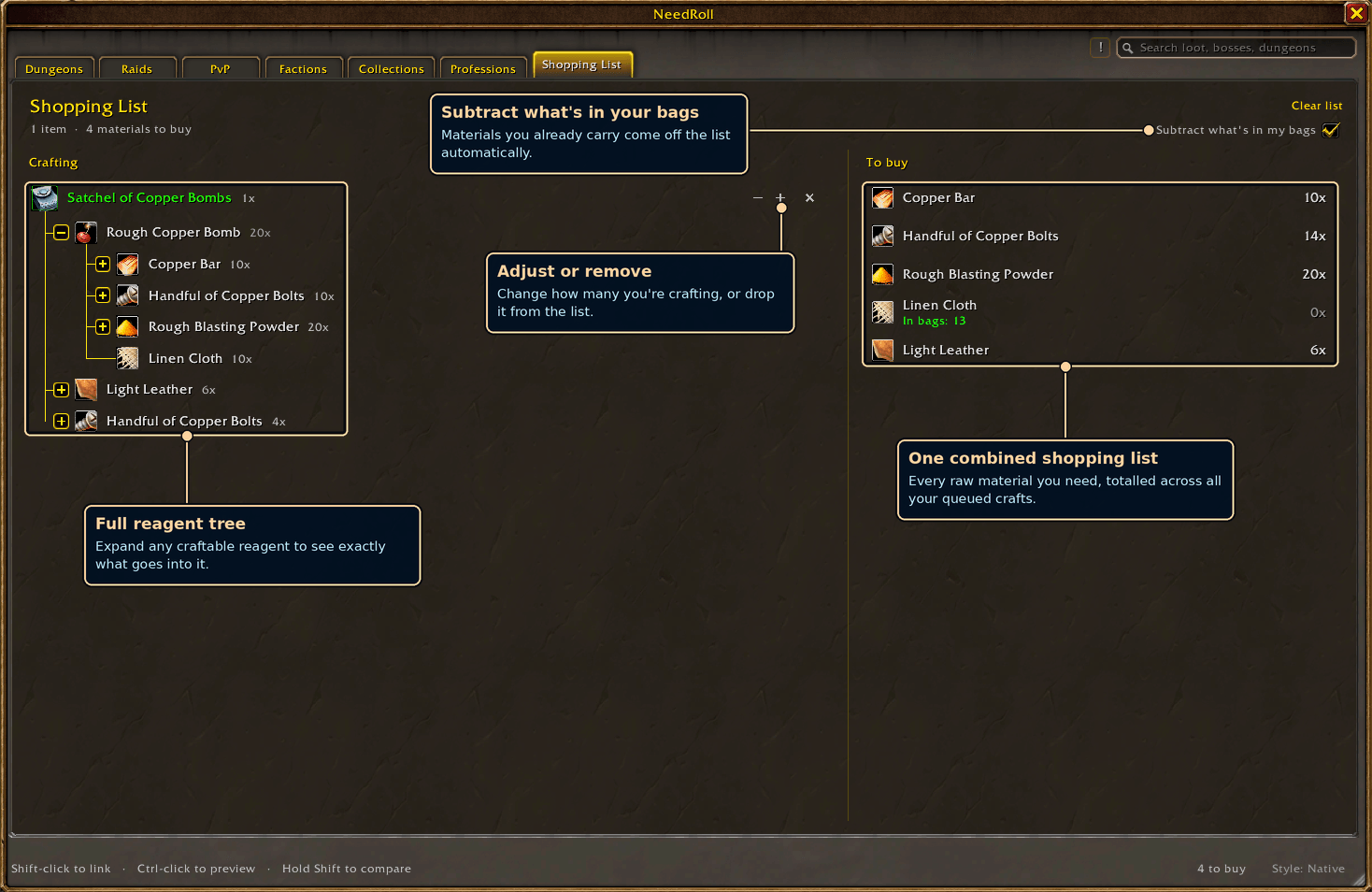
This is the shopping list that lets you add profession items to it and then breaks down the materials you require to craft them. You can opt to buy the reagents of a given item or the item itself, and it subtracts what you already have in your bags.