Nec's Emote-o-Matic
- By
Nec's Emote-o-Matic is a lightweight World of Warcraft addon designed for Classic Era and TBC Anniversary that puts every working emote into a single, movable on-screen menu.
nec emote menu.png
Screenshot 2026-10-11 145503.png
Screenshot 2026-10-11 145600.png
Description
Nec's Emote-o-Matic
Tired of trying to remember obscure emote slash commands, or constantly retyping custom emotes mid-dungeon? Nec's Emote-o-Matic puts every single working Classic Era and TBC emote right at your fingertips with a single, lightweight button on your screen.
Whether you're roleplaying in a tavern, calling out focus targets in a battleground, or just dropping some post-PVP banter, this addon keeps your screen clean and your emotes fast.
Key Features
-
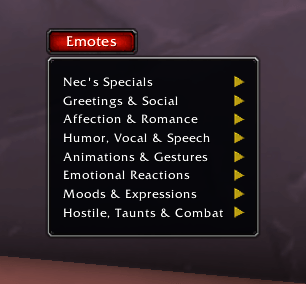
One Movable Button: A compact "Emotes" button sits on your screen. Left-click to open the menu, or drag it wherever you want your UI setup.
-
100% Classic Era & TBC Tested: Built specifically for Vanilla and TBC Anniversary. Every expansion-mismatched command from later expansions has been stripped out, so you won't get those annoying yellow "Type '/help' for a listing of commands" errors in your chat box.
-
Target & World Ready: Automatically targets your selected player when executing standard or custom emotes. If nobody is targeted, it executes locally into the world.
-
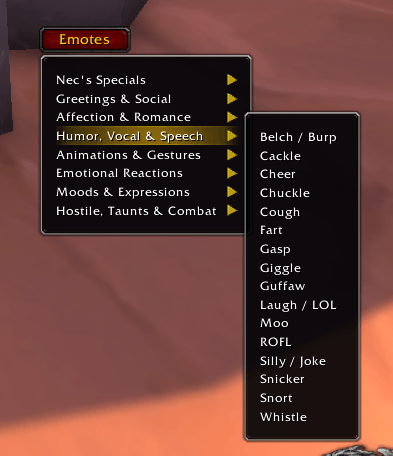
Clean Categorized Menus: No massive wall of text taking over your screen. Everything is organized into quick submenus:
-
Greetings & Social
-
Affection & Romance
-
Humor, Vocal & Speech
-
Animations & Gestures
-
Emotional Reactions Moods & Expressions
-
Hostile & Taunts
-
Combat & Tactical
-
Nec's Specials
-
Nec's Specials (Built-in Custom Commands)
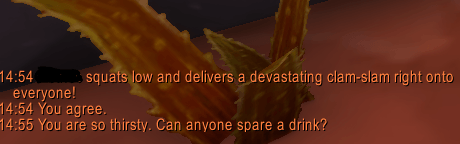
Because sometimes a standard /spit or /hug just doesn't capture the moment, Nec's Specials includes built-in custom RP emotes that work from the menu or straight out of your chat box:
-
/clamslam -
/teabag -
/flappacino
How to Use
-
Click the Emotes button anywhere on screen to open the menu.
-
Hold Left-Click on the button to drag it to your preferred screen position.
-
Hover over any category to pick an emote!
Nec's Emote-o-Matic Team