


1.jpeg
2.jpeg
3.jpeg
4.jpeg
5.jpeg
Description
NazgrelUI
A complete, modular interface for WoW Forever – one addon, one settings window, everything switchable.
NazgrelUI replaces and extends the default UI with a consistent look: action bars, unit frames, party and raid frames, nameplates, cast bars, bags, map tools, quest helpers and class helpers. Every part is its own module: switch on what you want, leave the rest to the game.
Built for WoW Forever (1.60.x), including its addon restrictions. Where the client hides data from addons (for example in combat), NazgrelUI shows what the game allows instead of guessing.
Highlights
- One dashboard –
/nzgopens a clean settings window: tabs per module, two-column cards, search across all settings, and an on/off switch for every module in the sidebar. - Edit Mode –
/nzg editlets you move, resize and scale every NazgrelUI element; positions are saved per profile. - Profiles – automatic profiles per role, import/export strings to share your setup.
- Themes & class styles – colours, fonts, frame style, large-text and colour-blind friendly options.
- English and Dutch – switch the addon's language at any time.
Modules
Combat
- Action bars – replaces the game's bars, stance bar, pet bar, micro menu and bag buttons; key bindings included.
- Unit frames – player, target, target-of-target and pet with portraits, health and power text, auras and threat border.
- Party & raid frames – class-coloured health, power, dispel colours, roles and range fading.
- Nameplates – health, threat colour, cast bar, your debuffs and target highlight.
- Cast bars – player and target, with icon, timer and latency; the target bar can sit below the target frame.
- Buffs & debuffs – timers and weapon enchants; right-click cancels a buff.
- Interrupts & boss warnings – an interrupt button that follows your stance, and on-screen cast warnings.
- Proc Alerts – big alerts for procs and reactive abilities (Overpower, Revenge, Execute, Riposte, …).
- Dispel – compact dispel frames for you and your group.
- XP & reputation bars – rested XP, kills to level, reputation and honor.
Class & role
- Specialisation helpers – spell tracker, threat meter and mana tools per spec.
- Class helper – buff reminders and a five-second-rule timer.
- Blessings (Paladin), Totems (Shaman), Combo points (Rogue/Druid), Auto Shot timer (Hunter), Class status (poisons, pets, weapon enchants).
World & quests
- Map – player and cursor coordinates, zone info and your own map notes.
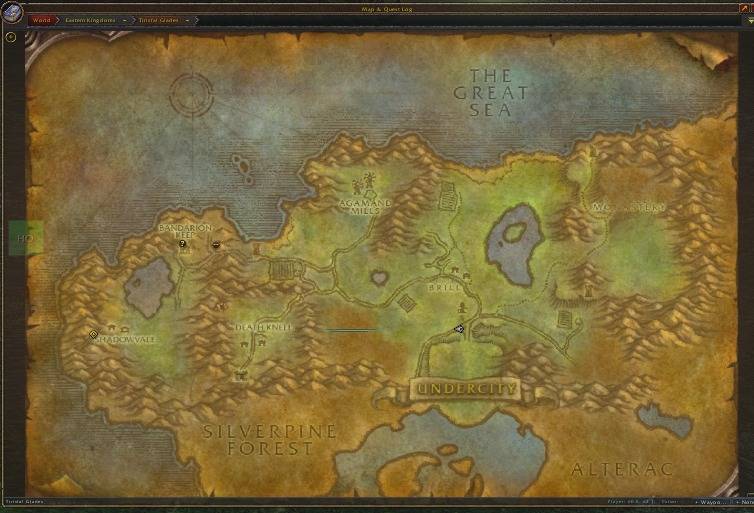
- World map window – move, resize and fade the world map.
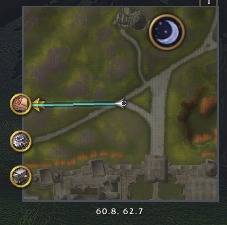
- Waypoints –
/waywith an on-screen arrow, distance, ETA and map pins. - Minimap – shape, size, border, zoom and which buttons to show.
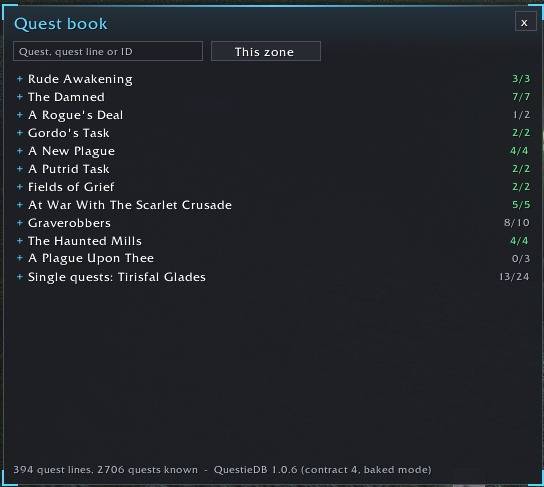
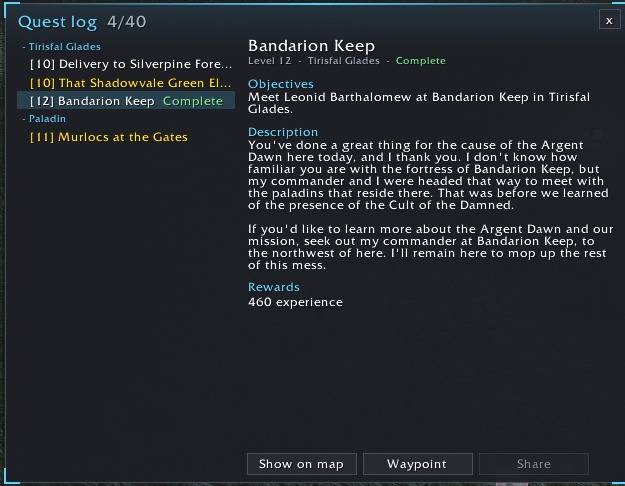
- Quests & Quest book – tracker with levels and quest items; search every quest line (uses QuestieDB when installed).
- Rare alert – sound and message when a rare or treasure shows up.
Items & bags
- Bags – all bags in one window, sorted into categories, with search, gold overview and a Sell junk button.
- Gear & bags – warnings for broken gear and full bags.
- Tooltips – item and spell IDs, item level, sell price, class colours.
Community & characters
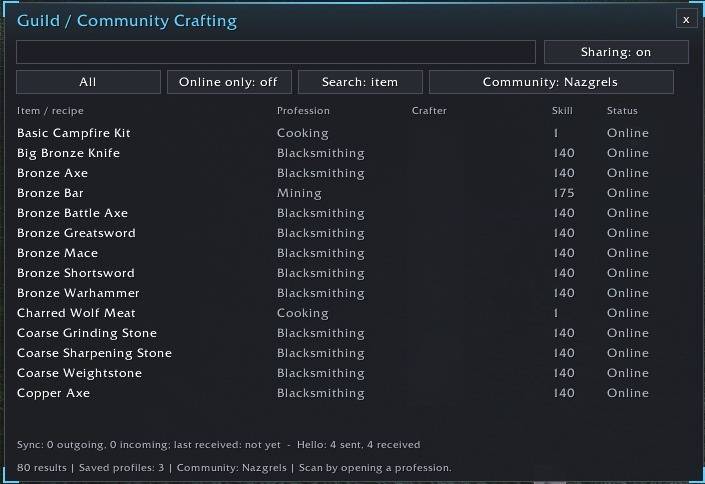
- Guild Crafting – see who in your guild or community can craft an item, including the materials to send them.
- Characters – level, gold, rested XP, played time and professions of all your characters.
- Session statistics – gold, XP, kills and quests this session.
Chat & comfort
- Chat – timestamps, copy window, history and filters.
- Quality of life – auto repair, sell junk, faster loot, quest auto-accept and more.
- Macro library – ready-made class macros per role, plus your own macros with import/export.
Getting started
- Install and log in – a short setup wizard helps you choose a layout.
- Open the settings with
/nzgor the minimap button. - Use
/nzg editto place everything where you like it.
Useful commands: /nzg, /nzg edit, /nzg check (what this client allows), /nzg crafting, /way.
Good to know
- NazgrelUI follows WoW Forever's rules: it never bypasses protected functions or combat restrictions. The combat log is blocked for addons on Forever, so there is no damage meter or swing timer.
- Some information is hidden by the client during combat. NazgrelUI then shows what the game itself provides.
- NazgrelUI is in active development (test channel). Feedback and bug reports are very welcome – a screenshot and the output of
/nzg checkhelp a lot.
NazgrelUI Team
