MyTalents
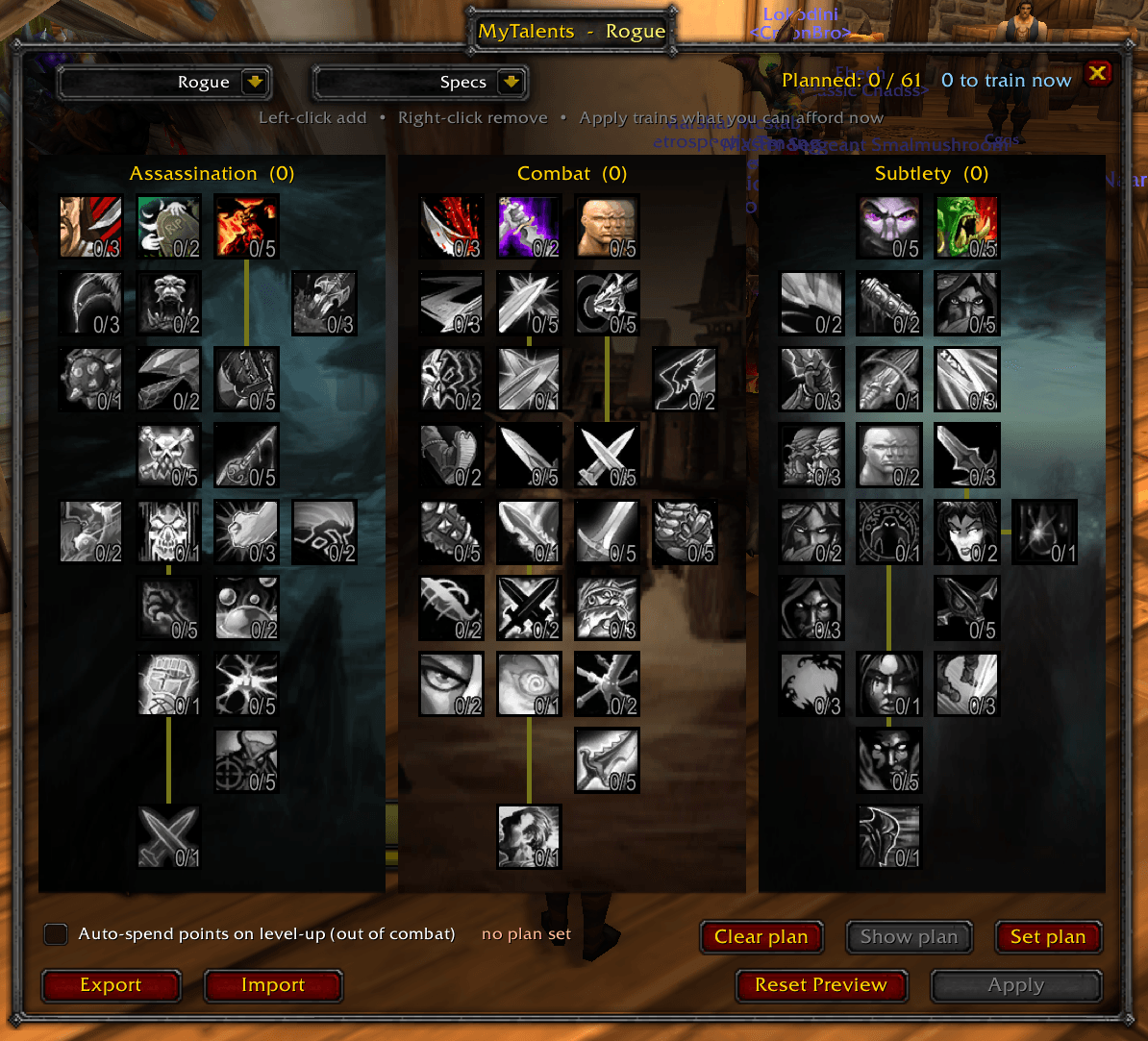
Combines all of your trees into a single pane.
2026-07-09_10-43-21.PNG
2026-07-09_11-03-57.PNG
2026-07-11_18-56-47.PNG
Description
🌟 MyTalents - The Ultimate Talent Planner & Auto-Leveler 🌟
Welcome to MyTalents, a modern, feature-rich quality-of-life addon for Burning Crusade Classic (interface 20504) that completely transforms how you plan, manage, and learn your talent trees! 🚀
Say goodbye to clicking between tabs, accidentally wasting gold on wrong talent choices, or breaking your combat flow to allocate points. With MyTalents, you get a gorgeous, single-pane talent dashboard where all three trees sit side-by-side, complete with full multi-class theorycrafting, profile saves, and hands-free automatic leveling! 🧙♂️✨
🛠️ Features That Transform Your Gameplay
1. 🎛️ Single-Pane Interactive Dashboard
- The Feature: View all three of your class's talent trees side-by-side in one beautiful, gold-trimmed classic Blizzard dialog window.
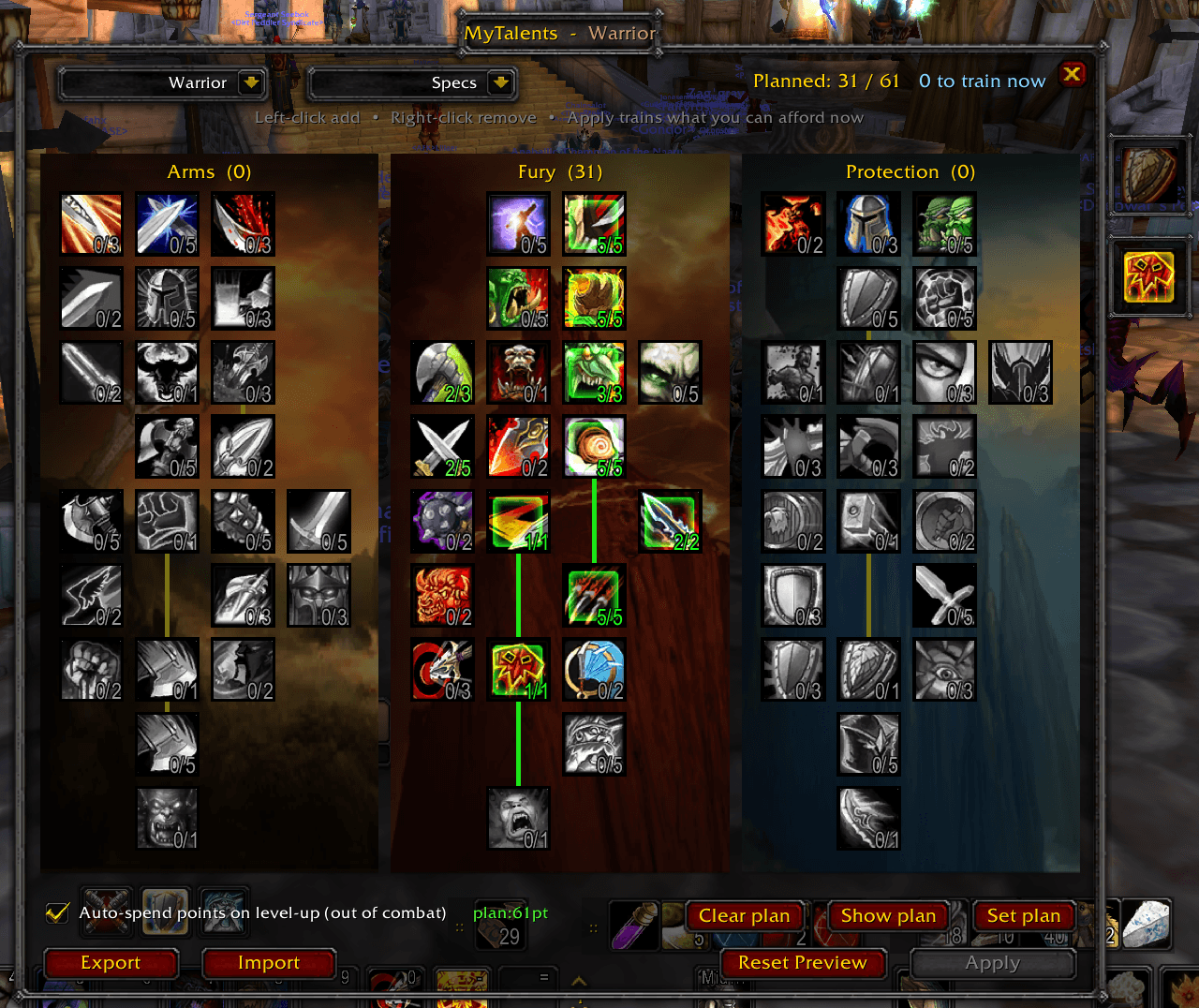
- The Experience: No more tab-hopping! Left-click talent cells to allocate points to a preview build first. Nothing is committed to the game server until you review your paths, verify prereqs (with active gold-to-green connecting lines), and click Apply!
- Example: Want to test if you can reach Mortal Strike in Arms while still grabbing Enrage in Fury? Preview it instantly, adjust on the fly, and lock it in only when it's perfect. ⚔️
2. 🤖 Auto-Spend on Level-Up
- The Feature: A smart background engine that automatically trains your talent points for you when you level up out of combat.
- The Experience: Gaining a level in the middle of a dungeon or while grinding mobs? Keep moving! The addon automatically learns your next talent point out of combat, strictly following the custom path you planned.
- Safety Lock: Visited a trainer for a respec? The addon detects the reset instantly, automatically disables auto-leveling, and clears the old plan to ensure your gold is never wasted on outdated builds. 🔒
3. 📂 Account-Wide Spec Profile Manager
- The Feature: A built-in profile system next to the class selector that saves, deletes, and loads custom spec presets.
- The Experience: Switch between your PvE raiding spec, PvP arena build, or farming layout in a single click. Keep multiple specs stored account-wide, and share them instantly using compact build-string codes.
- Example: Copy a build string from a class guide online, paste it into the Import dialog, and your preview pane instantly maps out the entire build! 📋
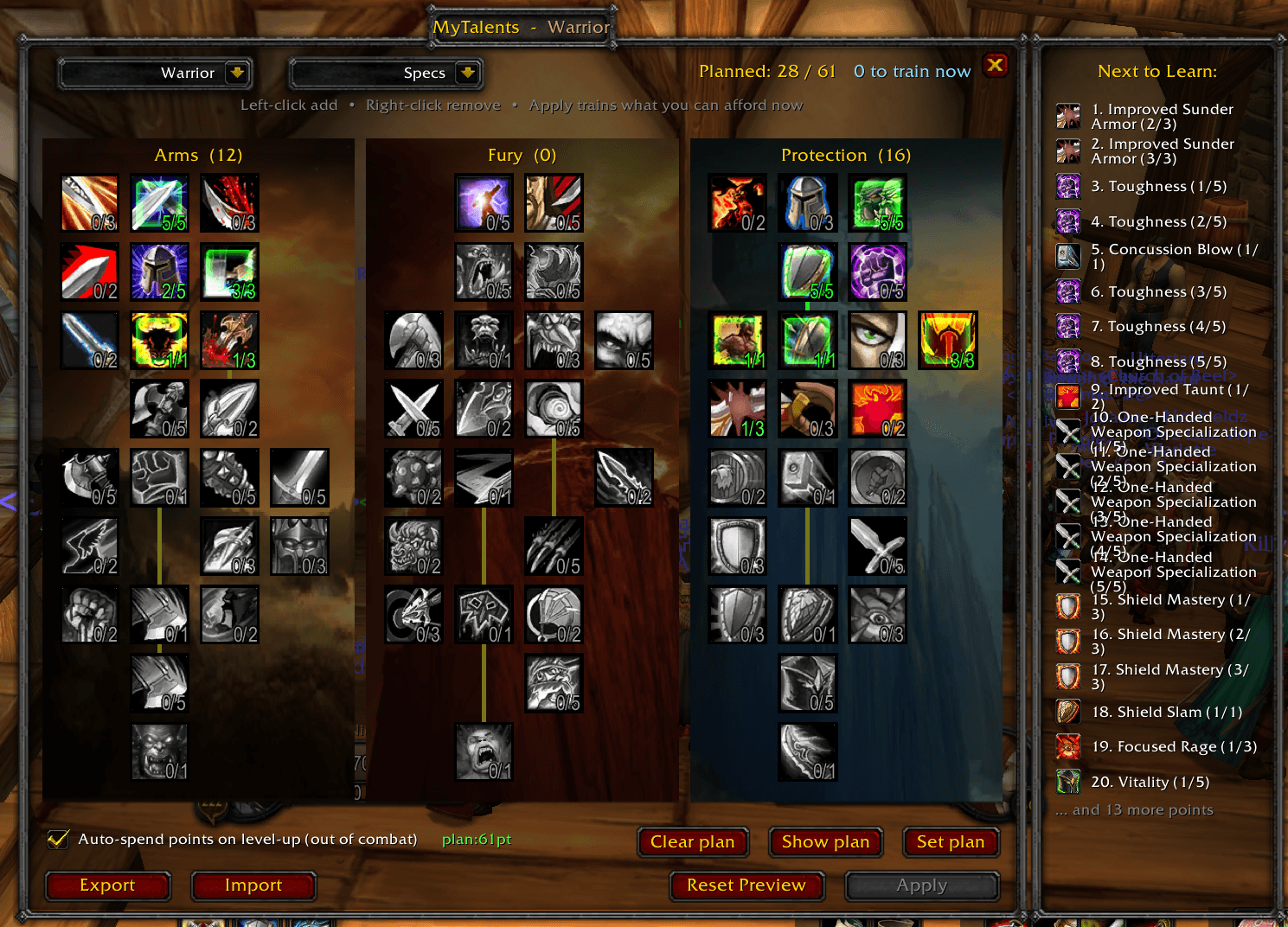
4. 🗂️ Sliding "Next to Learn" Side Panel
- The Feature: A toggleable side panel (popup window) that slides out of the right side when you click Show plan.
- The Experience: Visually inspect the exact sequence of your next 20 planned talent spends. See exactly which talent icons, ranks, and tiers are queued up next. It updates dynamically as you level up and hides itself when not in use or when viewing other classes. 🔍
5. 🎨 Aesthetic Immersion & High Performance
- The Feature: High-quality Blizzard-style dialog backdrops overlaid with original class-specific talent background artwork (like storm-swept peaks for Protection Shamans or fiery cauldrons for Affliction Warlocks).
- The Experience: The background illustrations are stretched smoothly to fit the modern 9-tier Burning Crusade layout. The artwork is slightly dimmed to keep your talent buttons, ranks, and lines extremely readable while keeping your interface looking clean, polished, and fully integrated with the native WoW art style. 🖼️
🚀 How to Get Started
- Open the Window: Press the standard Talents Key (N) or type
/mytalents(or/myt) in chat. - Plan Your Build: Switch your viewed class using the top-left dropdown, or stay on your character's class to plan your progression.
- Save Your Spec: Click the Specs dropdown, choose Save current spec..., give it a name like "Fury Raiding" 🛡️, and save it!
- Set Your Auto-Level Plan: Once your preview is configured, click Set plan at the bottom-right and check Auto-spend points. Your character will now automatically level into this spec as you play!
- Track Your Progression: Click Show plan to open the side popup panel and watch your leveling queue.
MyTalents Team