MystWatch
- By
Track Mystmane & other rare mobs and their legal spawn camping spot occupants with automatic detection, self-learning respawn windows that auto-adjusts, and a compact customizable display.
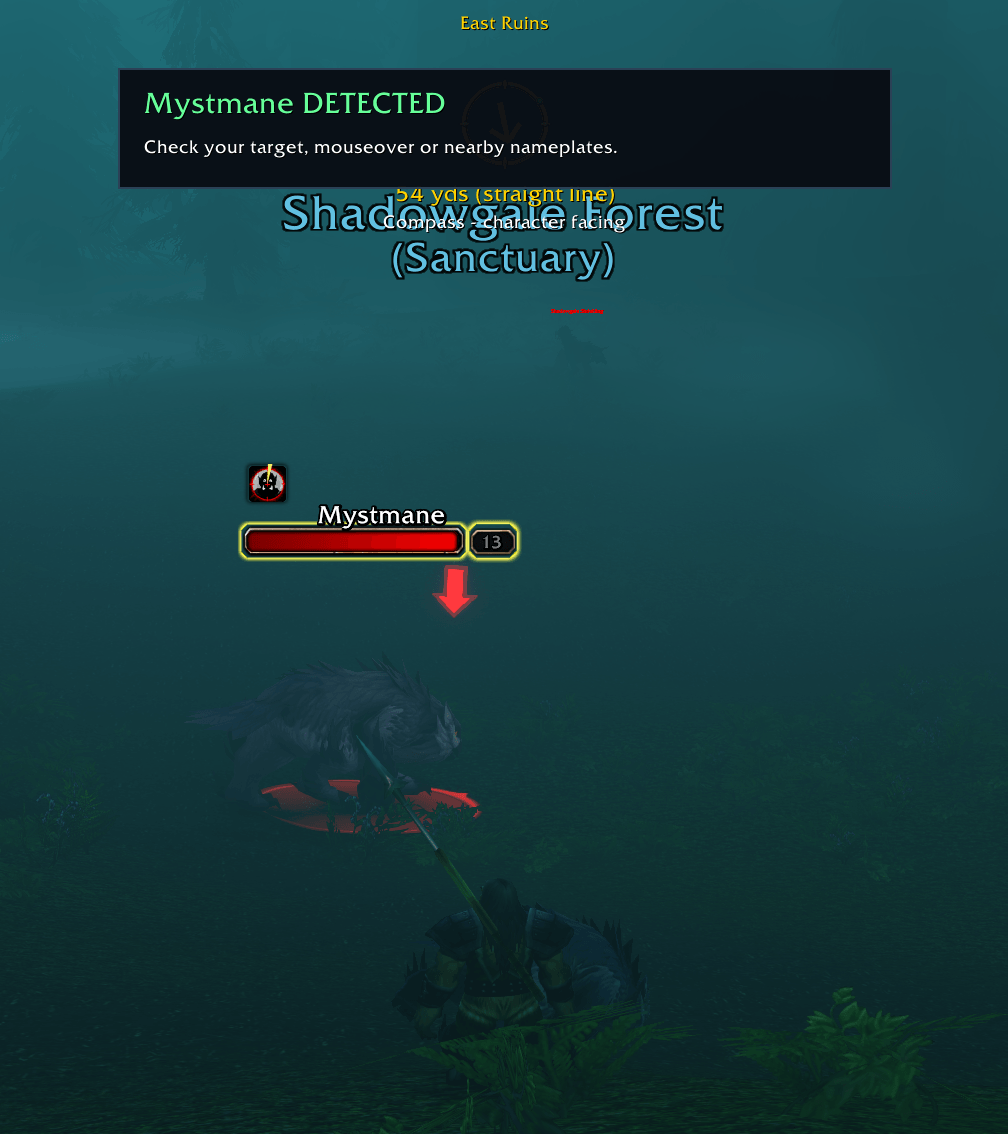
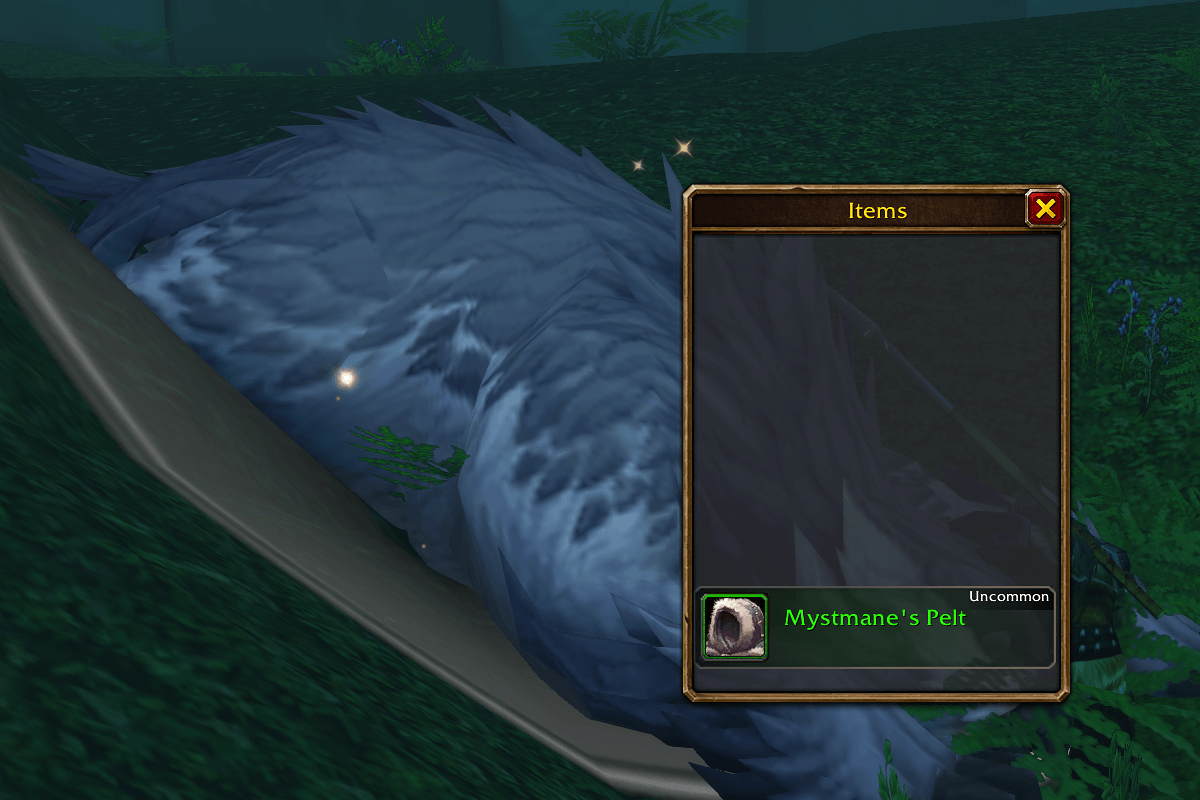
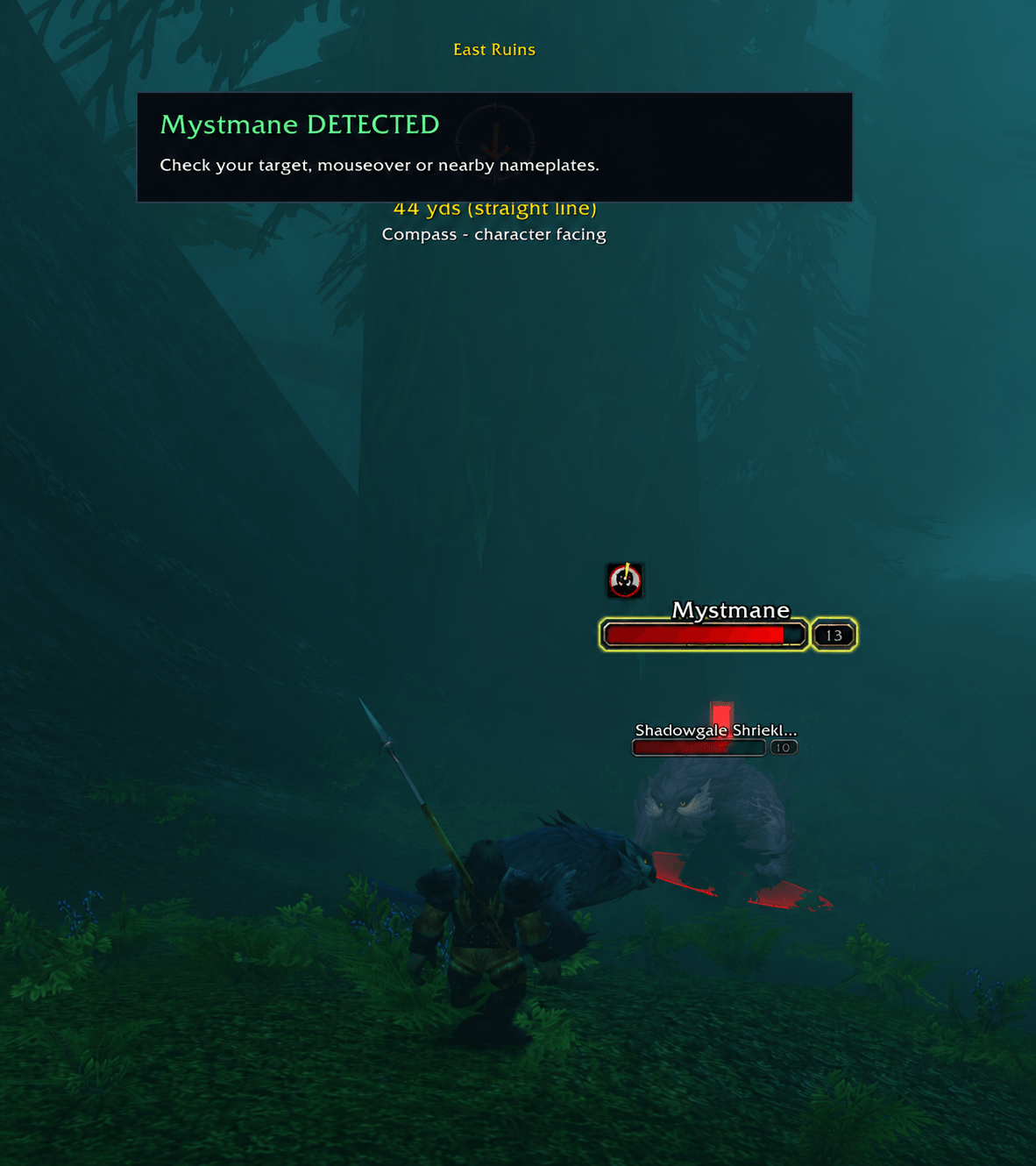
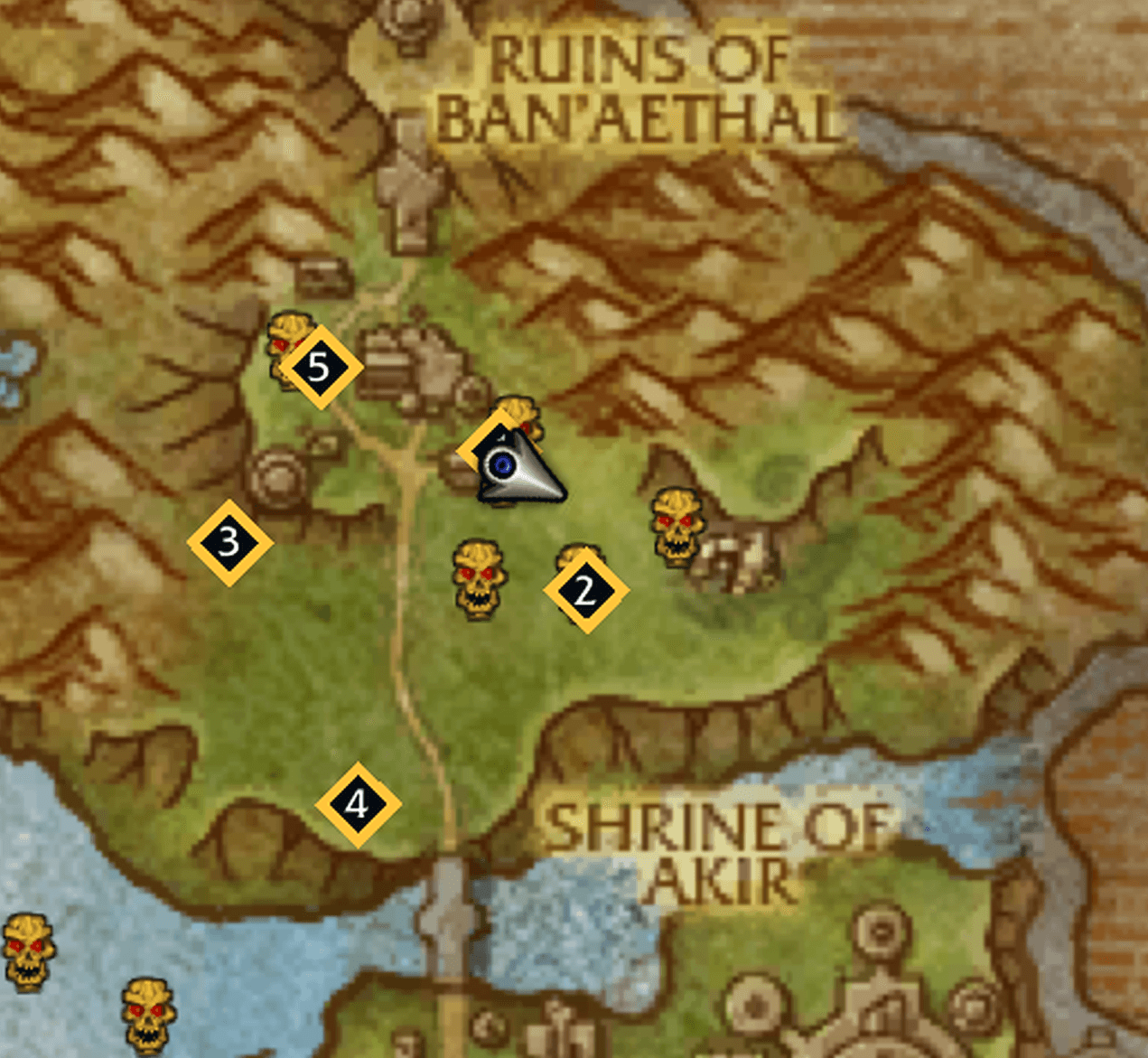
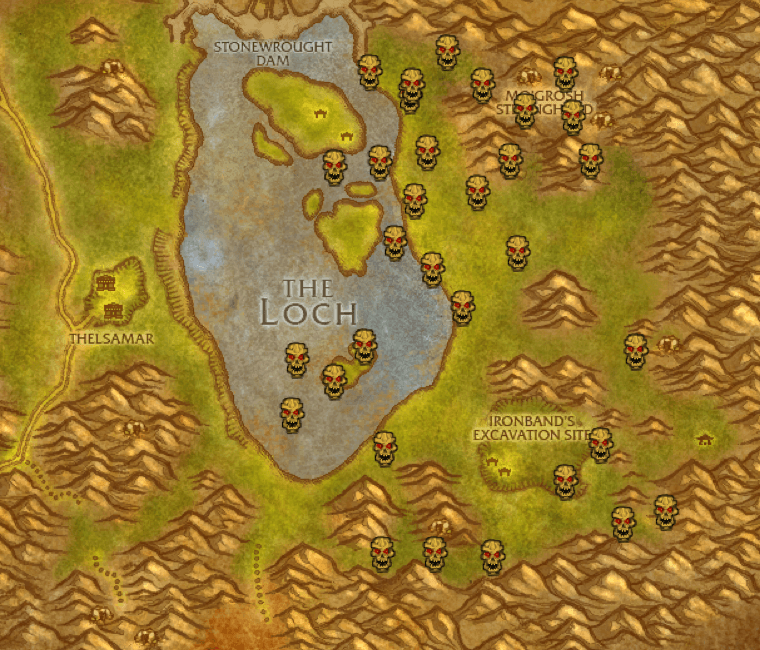
05-MystWatch-Rare-Map.png
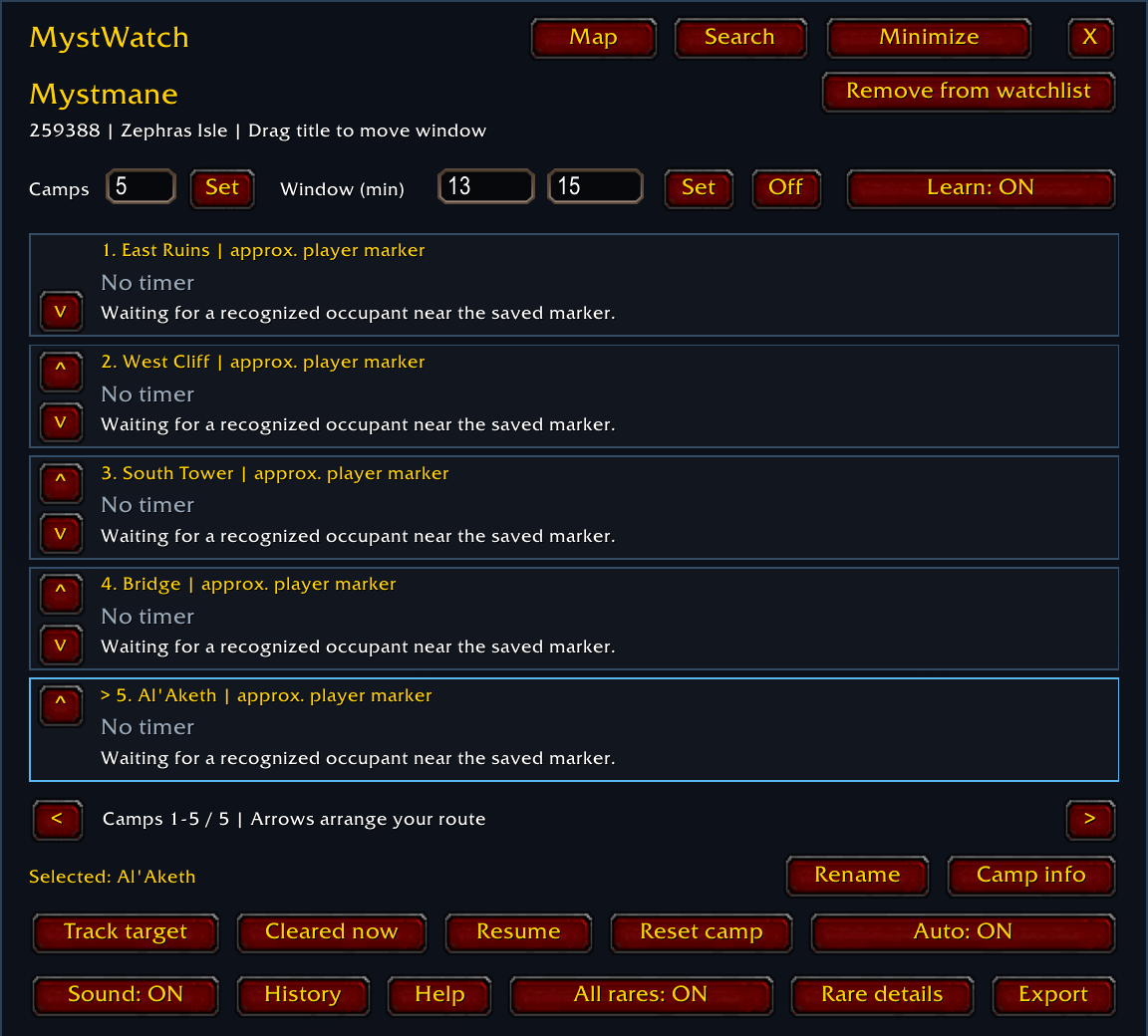
01-MystWatch-Camp-Tracker.png
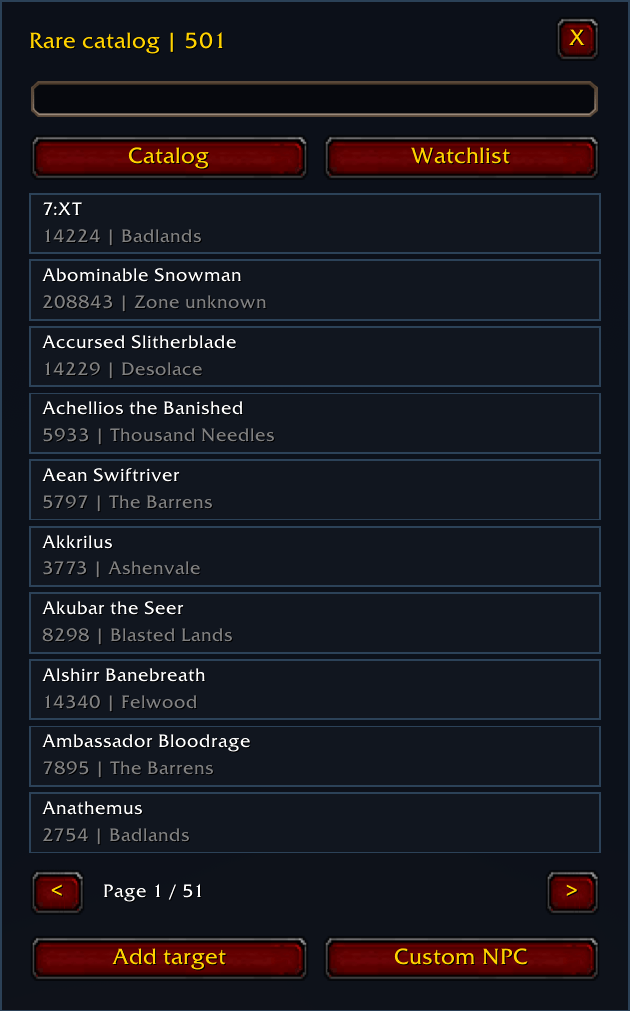
03-MystWatch-Rare-Catalog.png
02-MystWatch-Rare-Search.png
04-MystWatch-Map-Settings.png
Description
MystWatch
Rare hunting with a record of what you actually observed.
MystWatch helps you monitor rare camps, recognize returning occupants, learn their observed return windows, and decide what to check next. Built during a hunt for Mystmane in WoW Forever, it combines a searchable rare catalog with saved camp locations, a compact tracker, and practical hunting tools.
Version 1.2.0 adds a dedicated Mystmane hunt workflow, separate Ursera/Den'dralass timing, nearby-rare evidence, and a full set of camping tools. Author: nop256.
Quick start
- Install MystWatch and enable enemy nameplates. For a manual installation, place the MystWatch folder inside your WoW Forever client's
Interface/AddOnsfolder, then restart the client. - Open the controls with
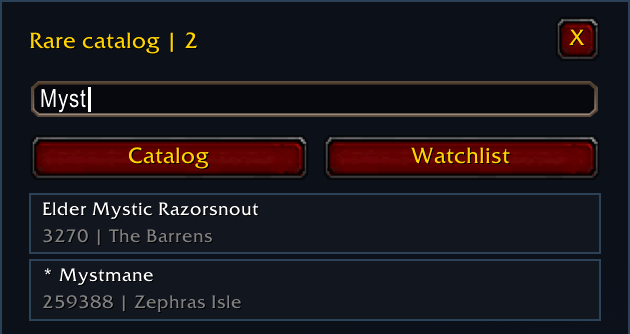
/mw. Choose a creature from the catalog or watchlist. You can search by name, zone, or NPC ID, add your target, or create a custom entry. - Select the correct camp. Rename or reorder its row as needed. Stand at the spawn location, target the living camp occupant, and click Track target before pulling it away.
- Leave Auto and Learn ON. MystWatch follows the assigned creature, records readable deaths, and recognizes suitable returns. Stay near the camp through complete cycles to build a learned estimate.
- Open
/mw huntfor Mystmane, or/mw toolsfor the companion. Use the compact tracker or/mw focusto keep the essential information on screen.
When the client supplies the creature's coordinates, MystWatch can save its position. Otherwise, it uses your position as an approximate marker, so stand at the actual camp when setting it up. Existing camp records and settings are retained between sessions.
Hunting Mystmane
Open Tools > Hunt or type /mw hunt. The recommended base is East Ruins in the northeast, with South Tower as the alternative. Hunt uses your saved camp coordinates, and each camp keeps its identity when you rename or reorder it.
The current hunting model comes from repeated player testing:
| Camp | Shared return cycle | Mystmane camp |
|---|---|---|
| East Ruins (NE) | Shadowgale Ursera or Den'dralass | Yes — preferred |
| South Tower | Shadowgale Ursera or Den'dralass | Yes — alternative |
| Al'Aketh | Shadowgale Ursera or Den'dralass | No |
| Bridge | Shadowgale Ursera or Den'dralass | No |
| West Cliff | Shadowgale Ursera or Den'dralass | No |
Mystmane has no respawn countdown in MystWatch. The timers at these five camps describe the shared Ursera/Den'dralass cycle. Mystmane sightings and deaths are recorded separately and do not restart or train that timer.
Hunt follows two conditions in the player-tested model: the camp's Shadowgale Ursera must be dead, and a shared rare slot must be available. The connection to other live rares is inferred from repeated observations; the exact server pool and population cap remain unverified.
- Choose East Ruins. Use its Select or Navigate button. If an older custom camp name is not recognized, select the correct saved camp and use Selected camp = East Ruins. South Tower has its own assignment button.
- Check the local Ursera. Hunt distinguishes a readable living Ursera, an observed death, and an unverified camp. Keep checking for the shared occupant's return while waiting for Mystmane.
- Scout Tel'daeor the Stormspeaker and Galemender Delanea. Hunt uses readable sightings to suggest which one to check. For hunters using Eagle Eye, mouse over a visible rare so the client can supply its identity and life state.
- Record information from an alt. Use Report: saw alive or Report: killed (or alt). These reports stay labeled and layer-unverified; they never train the camp timer.
Nearby-rare entries show the source and age of their evidence. Fresh sightings, inferred continued presence, and stale or unknown status are distinguished. Show map reports opens historical catalog locations for scouting; those pins do not establish that a rare is alive. A recent kill can suggest watching your Mystmane camp, but it cannot confirm that a shared slot is free.
Learning that explains its estimates
With Learn ON, two qualifying observed intervals can activate a learned return window. MystWatch measures from a verified death to the next qualifying first detection, preserving the initial sighting time through the automatic matching delay.
Brief monitoring stalls or unreadable positions can be retained as estimated observations, with their uncertainty shown. Clean and estimated samples are identified separately. Longer gaps, ambiguous arrivals, manual clears, and late return visits have reviewable exclusion reasons.
- Open Tools > Learning or
/mw samplesto inspect the estimate, sample quality, and current monitoring status. - Use Exclude or Restore to correct a retained sample and recalculate the estimate.
- Hover a camp timer for its supporting observations and learning explanation.
- Adjust the observation radius in Tools > Settings: 40 yards by default, configurable from 20 to 60. This changes the monitoring area, not the game's visibility range.
Up to 120 accepted intervals remain available for review, with the latest 30 eligible samples driving the active estimate. For the Mystmane profile, only known Ursera/Den'dralass intervals train the shared cycle. Older ambiguous or Mystmane-related intervals are retained separately.
You can also set a manual window or use elapsed time alone. Any displayed window is an estimate of observed returns, and reaching its end does not guarantee a spawn.
Your camping companion
Open /mw tools for six pages: Plan, Hunt, Learning, Setups, Group, and Settings.
- Plan: see East Ruins/South Tower guidance for Mystmane. Other rare profiles can use local camp history and learned travel times for next-camp advice and departure reminders.
- Notes, routes, and journal: select a camp, then use the Plan page to record notes, save or load a named route, and review occupant history. Reordering keeps the whole camp record together.
- Setups: export a camp configuration, or paste a setup code, preview it, and apply it. Shared setups contain configuration rather than live timers or learned observations. Import backups and eligible manual-action Undo are available.
- Group: optionally exchange camp coverage reports with your current party or raid. Each participant enables sharing. Reports show their source, age, and unverified layer context; Release / handoff and Resume controls help coordinate coverage.
- Settings: adjust interface scale, transparency, monitoring radius, and separate rare, occupant, window, and departure alerts.
Group sharing starts OFF. Reports from other players do not replace your local timers or train your learner. Character-specific observations are not automatically synchronized between your alts.
Maps, displays, and shortcuts
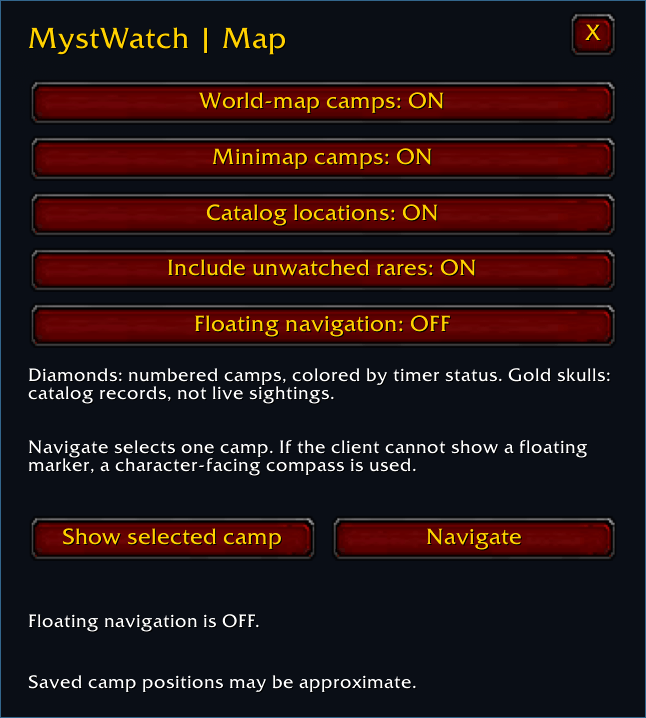
The minimap launcher and /mw map open map options. Toggle saved camp pins, minimap pins, and public catalog locations independently. Camp pins follow your saved markers; catalog pins represent historical location reports.
Floating navigation is optional and starts OFF. Enable it in Map options, select a camp, and choose Navigate. Where supported, MystWatch provides a floating marker; its fallback uses a character-facing compass and straight-line distance. Terrain and route choice remain up to you.
Choose the full controls, a compact tracker, or the single-line focus display. Configure shortcuts through /mw keys for next/previous camp, next watched rare, navigation, compact view, and focus view. No keys are assigned by default; use an available key and make changes outside combat.
More than one rare
The searchable catalog includes 501 rare and rare-elite entries. Each watched creature has independent camp records and estimates, and you can add missing creatures or deliberately tracked placeholders. The catalog is a public-data snapshot; entries and map reports are not a complete census of the current beta.
Use /mw history to review observations or /mw export to copy the retained history as CSV. The history identifies actual occupants separately from the name of the profile tracking them.
Useful commands
| Command | Purpose |
|---|---|
/mw |
Switch between controls and compact tracker |
/mw hunt |
Mystmane camp guidance and nearby-rare evidence |
/mw tools |
Open the camping companion |
/mw samples |
Learning evidence and sample correction |
/mw setup / /mw group |
Camp setup sharing / optional group coverage |
/mw map / /mw navigate |
Map options / selected-camp navigation |
/mw focus / /mw keys |
Single-line display / shortcut configuration |
/mw undo |
Undo the last eligible manual action |
/mw layer |
Flag old camp context after a known layer change |
/mw debug |
Diagnostics for a bug report |
Updating and troubleshooting
Keep your MystWatch SavedVariables when updating to preserve camps, markers, preferences, and history. If upgrading from an older build that included Bindings.xml, delete that old file from the installed MystWatch folder. Version 1.2.1 uses Lua-based shortcut controls. Restart WoW after replacing the addon files.
MystWatch uses creatures and events the client makes readable. It cannot remotely scan an entire zone or another layer. Losing a nameplate does not establish a death, and a corpse alone does not reveal its kill time. After a reload or context change, verify the camp before relying on an old record.
Developed for WoW Forever beta, with no required addon dependencies. Beta client changes can affect behavior. If something looks wrong, include the addon version, client build, what happened, and /mw debug output. A relevant history or CSV excerpt helps explain missed observations.
License
Copyright © 2026 nop256. All Rights Reserved.
MystWatch is free to download and use for personal gameplay. Reuse of its original code in other projects, repackaging, redistribution, and reuploads require the author's prior written permission, except as permitted by applicable law. Third-party names, data, and assets remain subject to their respective owners' rights.
MystWatch Team