My Layer Tracker
- By
A lightweight addon that displays your current server layer right on your Minimap by target GUID inspection.
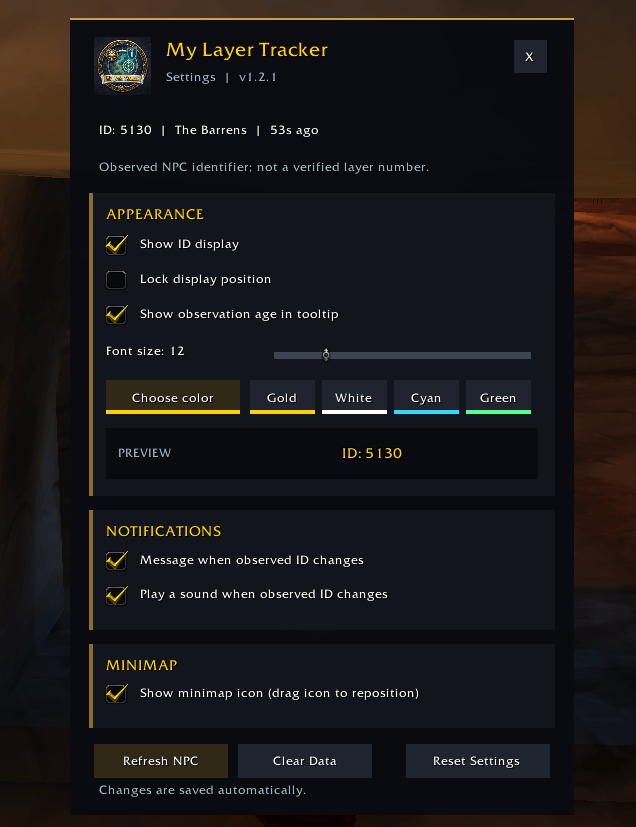
Settings
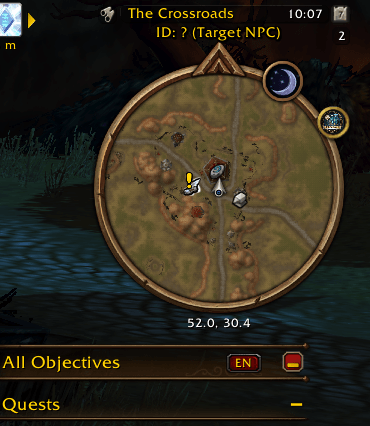
First Login
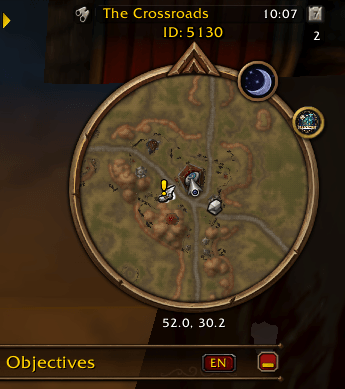
NPC is targeted
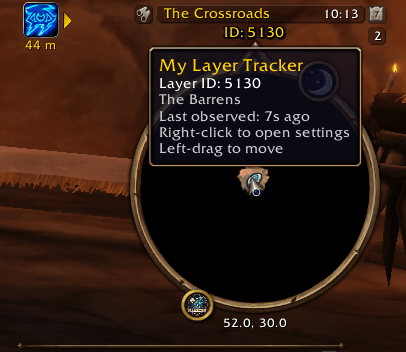
Tooltip
Description
My Layer Tracker is a lightweight World of Warcraft addon for Forever that displays an identifier extracted from the GUID of an NPC or creature you target. It keeps your last observation visible and offers a customizable display with easy-to-use settings.
The identifier may help you compare observations, but it is not a verified server layer number.
Features
- NPC-Based Detection: Reads a layer identifier when you target an NPC or creature.
- Persistent Display: Keeps the last observed identifier visible after you clear your target.
- Display Modes: Choose between the full Layer ID and an optional last-digit Short View.
- Hover Details: View the full ID, zone, and time since the last observation by hovering over the display.
- Customizable Appearance: Adjust font size, text color, visibility, and position. Drag the unlocked display wherever you prefer.
- Easy Settings Access: Right-click the layer text, click the minimap icon, or open Options > AddOns > My Layer Tracker.
- Optional Notifications: Enable messages and sound alerts when the observed identifier changes.
- Minimap Icon: Show or hide the settings icon.
- Saved Preferences: Your display position and settings are saved automatically.
- Zone-Aware Reset: Clears old observations when changing zones or entering the world.
How It Works
- Target a nearby NPC or creature.
- The display updates with the observed Layer ID.
- Clear your target—the last observation remains visible.
- Hover over the text for details, or right-click to customize the addon.
Commands
/layer— Reports the last observed ID, zone, and observation age./layer settings— Opens the standalone settings window./layer help— Lists available commands.
About Layer IDs
The displayed ID comes from an NPC GUID and is not a verified server layer number.
Information updates when you target an NPC. A retained value may become outdated, and an identifier change alone does not confirm a layer transfer.
My Layer Tracker Team

Owner