My Combo Tracker
- By
Display of scrolling Combo Points for Rogues. Audible Alert at 5 Combo Points. Resizable Fonts.

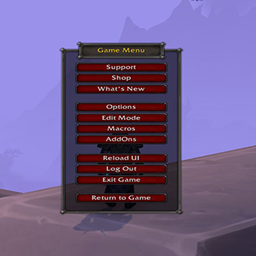
My Combo Tracker will display a scrolling text on your screen ranging from 0 Combo Points to 6 Combo Points. Once you reach 5 Combo Points you will get an audible alert, that's for Sin. Once you reach 6 combo points for Sub and Outlaw you will get and audible alert. Right now there are 10 different alerts to choose from. You can also choose from different fonts, as well as a color picker to change the font color. You can also adjust the the size of the fonts in the Options/Addons interface. See the include image to see the menu.
Be aware that this is for Rogues and Feral Druids only. I do plan to add other specs....
If you want change one of the sounds to your liking just go to MyComboTracker.lua....Search for this:
MyComboTrackerSettings.soundOptions = {
["Sound1"] = "Interface\\Addons\\MyComboTracker\\sounds\\ReadyCheck.mp3",
["Sound2"] = "Interface\\Addons\\MyComboTracker\\sounds\\AxeCrit.mp3",
["Sound3"] = "Interface\\Addons\\MyComboTracker\\sounds\\Parry.mp3",
["Sound4"] = "Interface\\Addons\\MyComboTracker\\sounds\\SealofMight.mp3",
["Sound5"] = "Interface\\Addons\\MyComboTracker\\sounds\\Sheldon.mp3",
["Sound6"] = "Interface\\Addons\\MyComboTracker\\sounds\\Arrow Swoosh.mp3",
["Sound7"] = "Interface\\Addons\\MyComboTracker\\sounds\\Buzzer.mp3",
["Sound8"] = "Interface\\Addons\\MyComboTracker\\sounds\\Gun Cocking.mp3",
["Sound9"] = "Interface\\Addons\\MyComboTracker\\sounds\\Laser.mp3",
["Sound10"] = "Interface\\Addons\\MyComboTracker\\sounds\\Target Acquired.mp3",
}
local soundOptionNames = {
["Sound1"] = "ReadyCheck",
["Sound2"] = "Axe Crit",
["Sound3"] = "Parry",
["Sound4"] = "Seal of Might",
["Sound5"] = "Sheldon",
["Sound6"] = "Arrow Swoosh",
["Sound7"] = "Buzzer",
["Sound8"] = "Gun Cocking",
["Sound9"] = "Laser",
["Sound10"] = "Target Acquired",
Take your mp3 name and replace the name in this snippet. Make sure if you change Sound1 that both are the same. Then put your sound file in the "sound" folder. Reload the Interface and test it to make sure your sound is working. Replace YourSound with the sound (mp3) that you want to use. It should look like this:
MyComboTrackerSettings.soundOptions = {
["Sound1"] = "Interface\\Addons\\MyComboTracker\\sounds\\YourSound.mp3",
["Sound2"] = "Interface\\Addons\\MyComboTracker\\sounds\\AxeCrit.mp3",
["Sound3"] = "Interface\\Addons\\MyComboTracker\\sounds\\Parry.mp3",
["Sound4"] = "Interface\\Addons\\MyComboTracker\\sounds\\SealofMight.mp3",
["Sound5"] = "Interface\\Addons\\MyComboTracker\\sounds\\Sheldon.mp3",
["Sound6"] = "Interface\\Addons\\MyComboTracker\\sounds\\Arrow Swoosh.mp3",
["Sound7"] = "Interface\\Addons\\MyComboTracker\\sounds\\Buzzer.mp3",
["Sound8"] = "Interface\\Addons\\MyComboTracker\\sounds\\Gun Cocking.mp3",
["Sound9"] = "Interface\\Addons\\MyComboTracker\\sounds\\Laser.mp3",
["Sound10"] = "Interface\\Addons\\MyComboTracker\\sounds\\Target Acquired.mp3",
}
local soundOptionNames = {
["Sound1"] = "YourSound",
["Sound2"] = "Axe Crit",
["Sound3"] = "Parry",
["Sound4"] = "Seal of Might",
["Sound5"] = "Sheldon",
["Sound6"] = "Arrow Swoosh",
["Sound7"] = "Buzzer",
["Sound8"] = "Gun Cocking",
["Sound9"] = "Laser",
["Sound10"] = "Target Acquired",
My Addons:
The My Combo Tracker Team


Owner