Murmur
- By
Murmur-1.0.3-1-main-window.png
Murmur-1.0.3-2-skins.png
Murmur-1.0.3-3-pop-outs.png
Description
Texting for World of Warcraft.
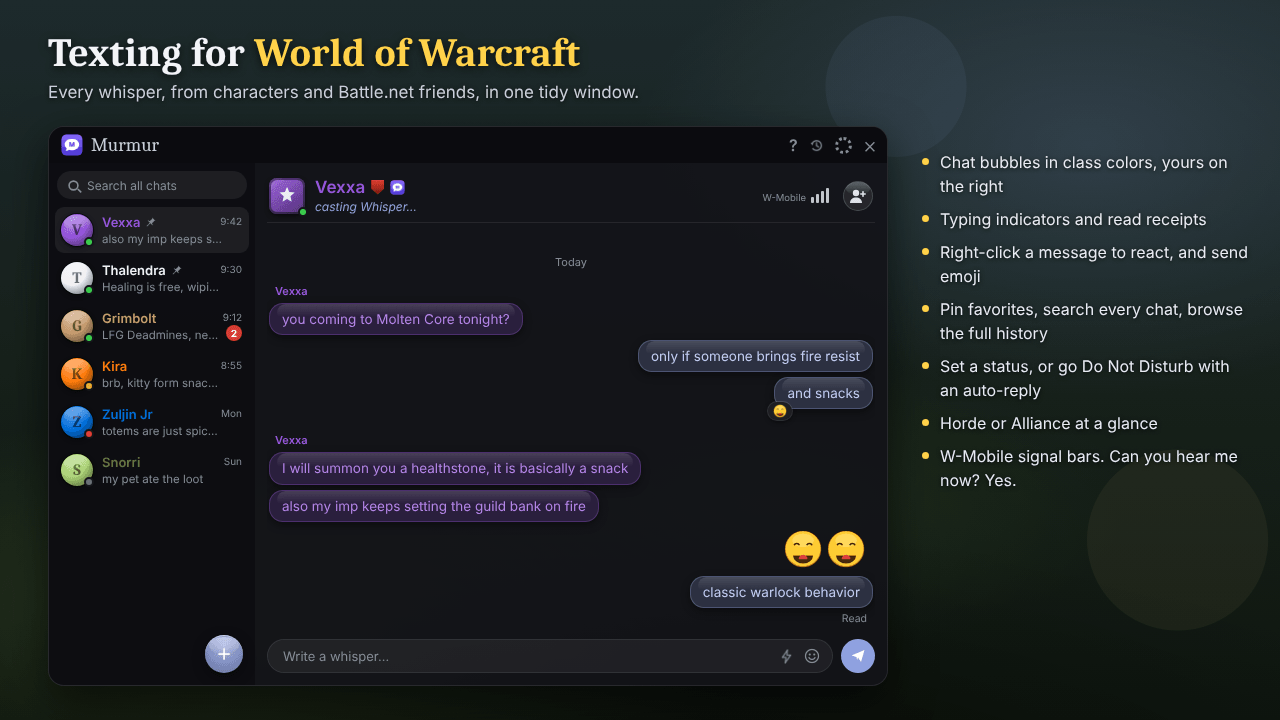
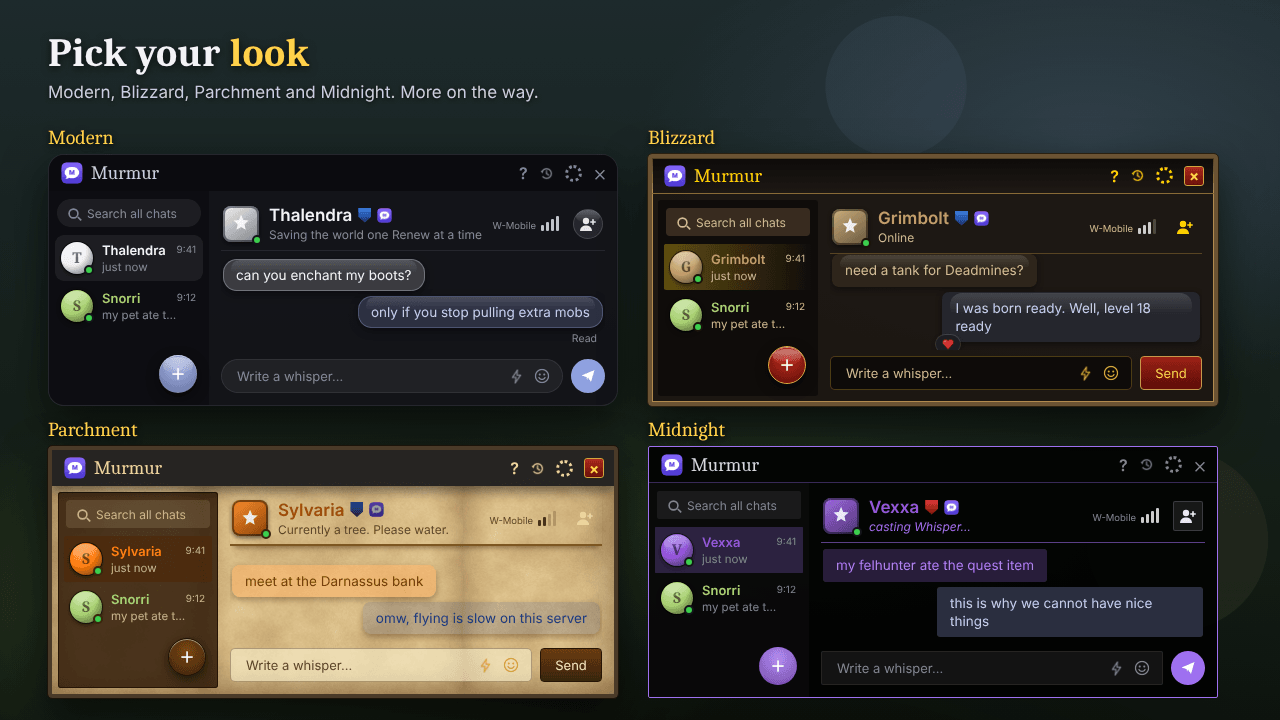
Murmur turns whispers into something that feels like texting. Instead of whispers scrolling past in the chat frame, every conversation, from characters and Battle.net friends alike, gets its own tab in one tidy window, with chat bubbles in class colors and your own messages on the right. Keep your favorite people pinned, pop a conversation out into its own window, and pick a skin that fits your UI.
It works on World of Warcraft: Forever and Retail, with full bars courtesy of W-Mobile, Azeroth's most dropped network.
Features
- One window for all whispers, with a tab per conversation
- Chat bubbles in class colors, yours on the right
- Pin chats to the top, and drag-and-drop to reorder them
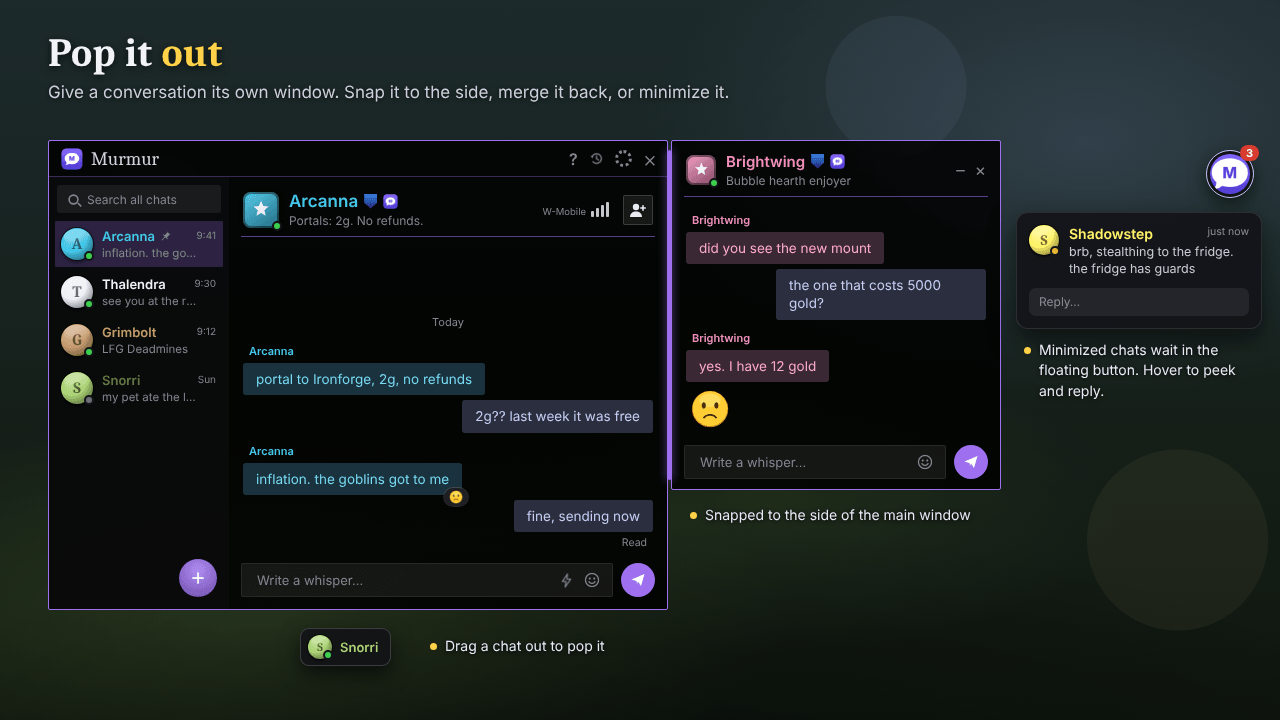
- Pop-out windows that snap to the main window or minimize to a floating button
- Typing indicator and read receipts (between Murmur users)
- Search all chats, browse your full history, mute, export and copy messages
- Lighthearted WoW emoji and one-click quick replies
- React to messages with emoji
- Do Not Disturb with auto-reply, and a status other Murmur users can see
- Reply straight from the new message preview
- Key bindings to open Murmur or reply
- Invite to group and block from the right-click menu
- Streaming mode to hide Battle.net real names
- Compatible with Whisper Messenger: typing indicators, read receipts and emoji work between the two
Brought to you by W-Mobile
Murmur runs on W-Mobile, Azeroth's most dropped network. Every conversation shows W-Mobile signal bars: full bars when they're online, fewer when they're away, and none when they're offline. Hover the bars for the network's honest opinion of itself. Now with 5G (that's 5 Gnomes running on wheels in the basement). Coverage includes Stormwind, Orgrimmar and one very specific tree in Ashenvale. Bars not guaranteed in instances.
W-Mobile is a parody. No real phone carriers were harmed in the making of this addon.
Getting started
Open Murmur with the minimap button or /mur. Left-click the gear for quick settings, right-click it for the full options window. /mur tutorial replays the quick tour, and the ? button (or /mur help) shows tips and every command.
Coming next
1.1 brings a round of polish: a cleaner header, a full-width New whisper button, "Read at" on hover, W-Mobile bars that show your real connection, and a big update for the game-style skins (Blizzard becomes Tavern, and Parchment gets leather, stitching and the game's own fonts).
Made by Sitomi.
Averno Diablos
Murmur Team