Movable Panels
- By
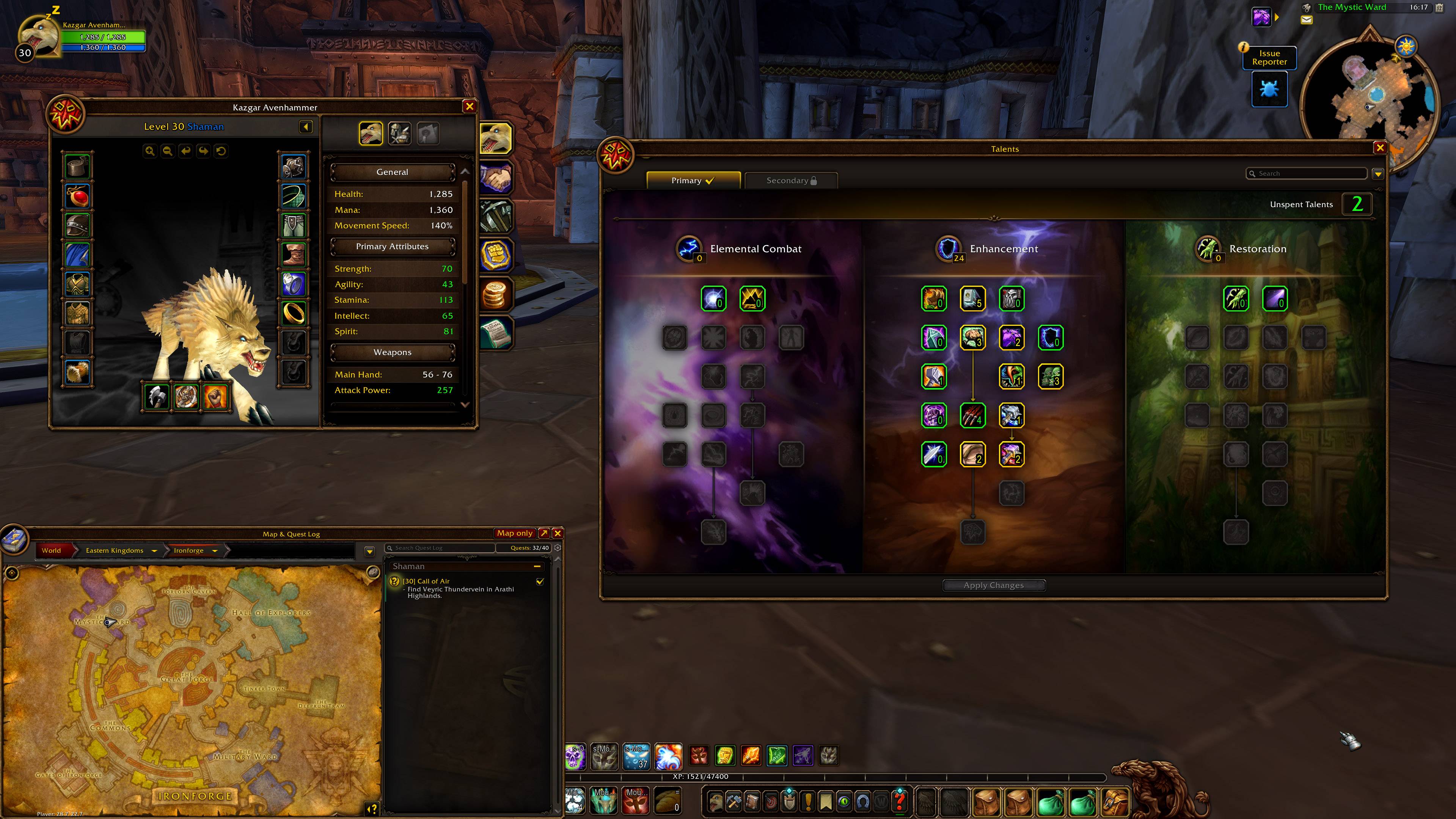
Drag any window by its title bar and put it where you want it. Scroll the mouse wheel over the title bar to resize it. Positions and sizes are remembered, and windows stay open side by side.
MovablePanels_Game_Example1.jpg
MovablePanels_Settings_Main.jpg
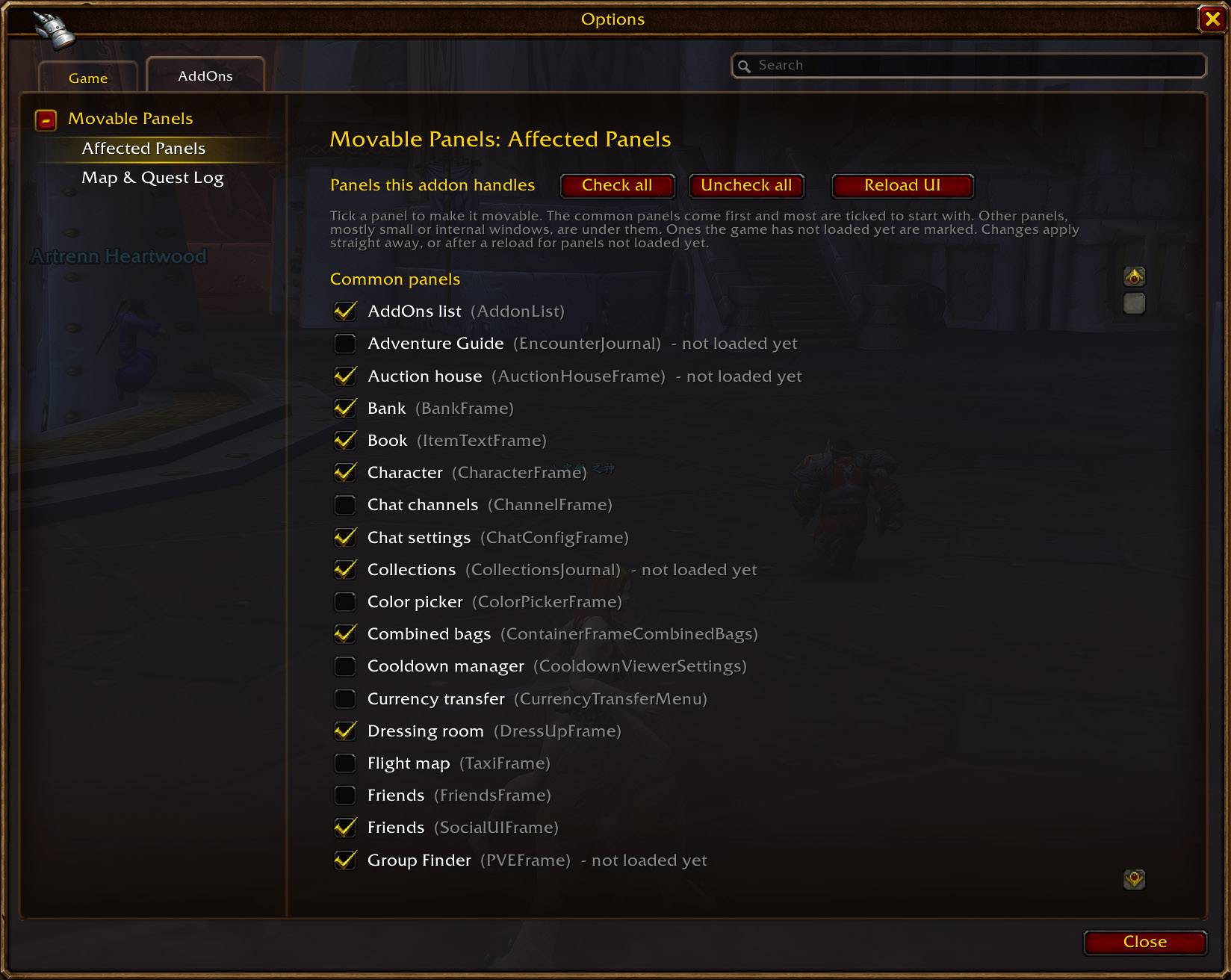
MovablePanels_Settings_Affected.jpg
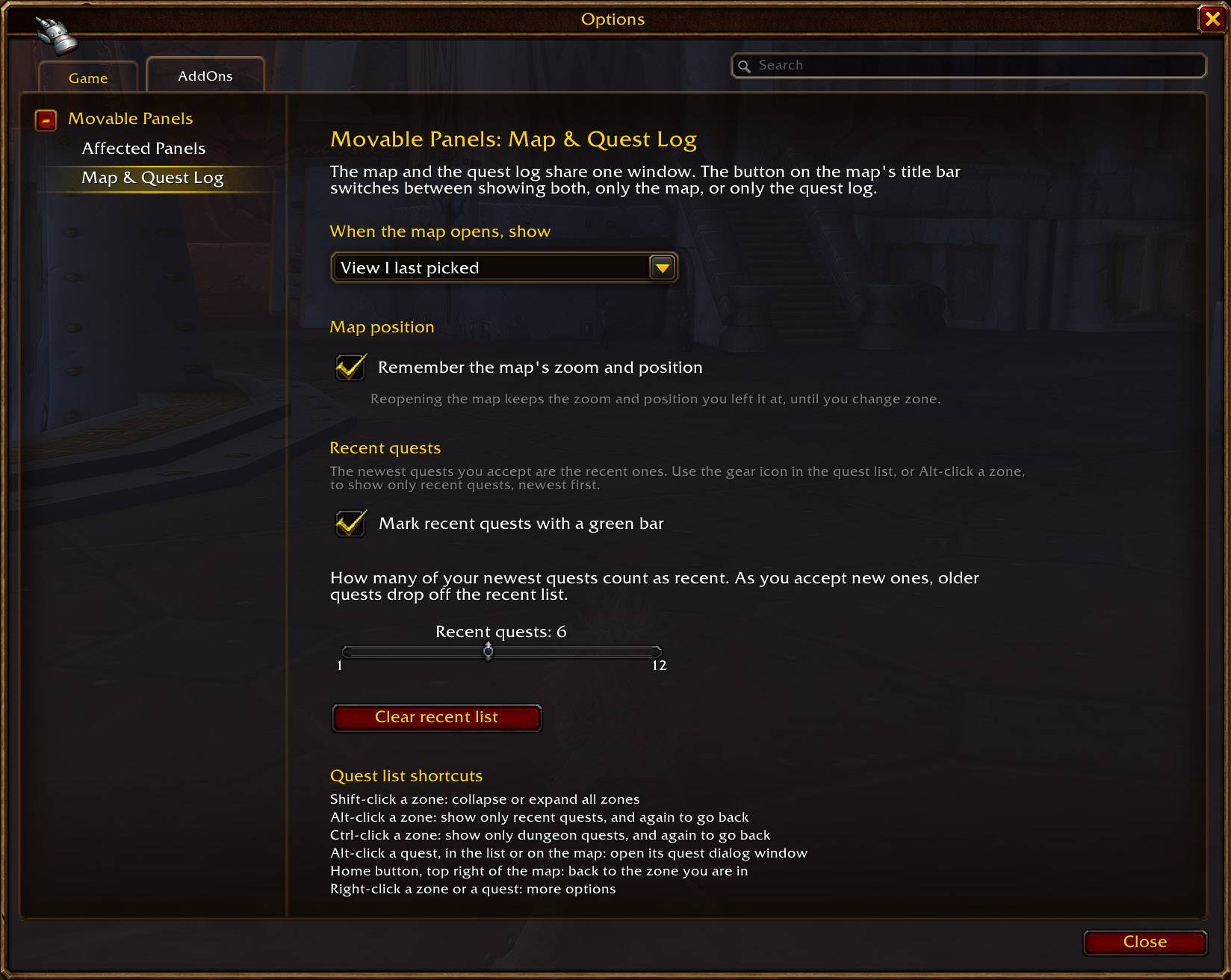
MovablePanels_Settings_MapQuestLog.jpg
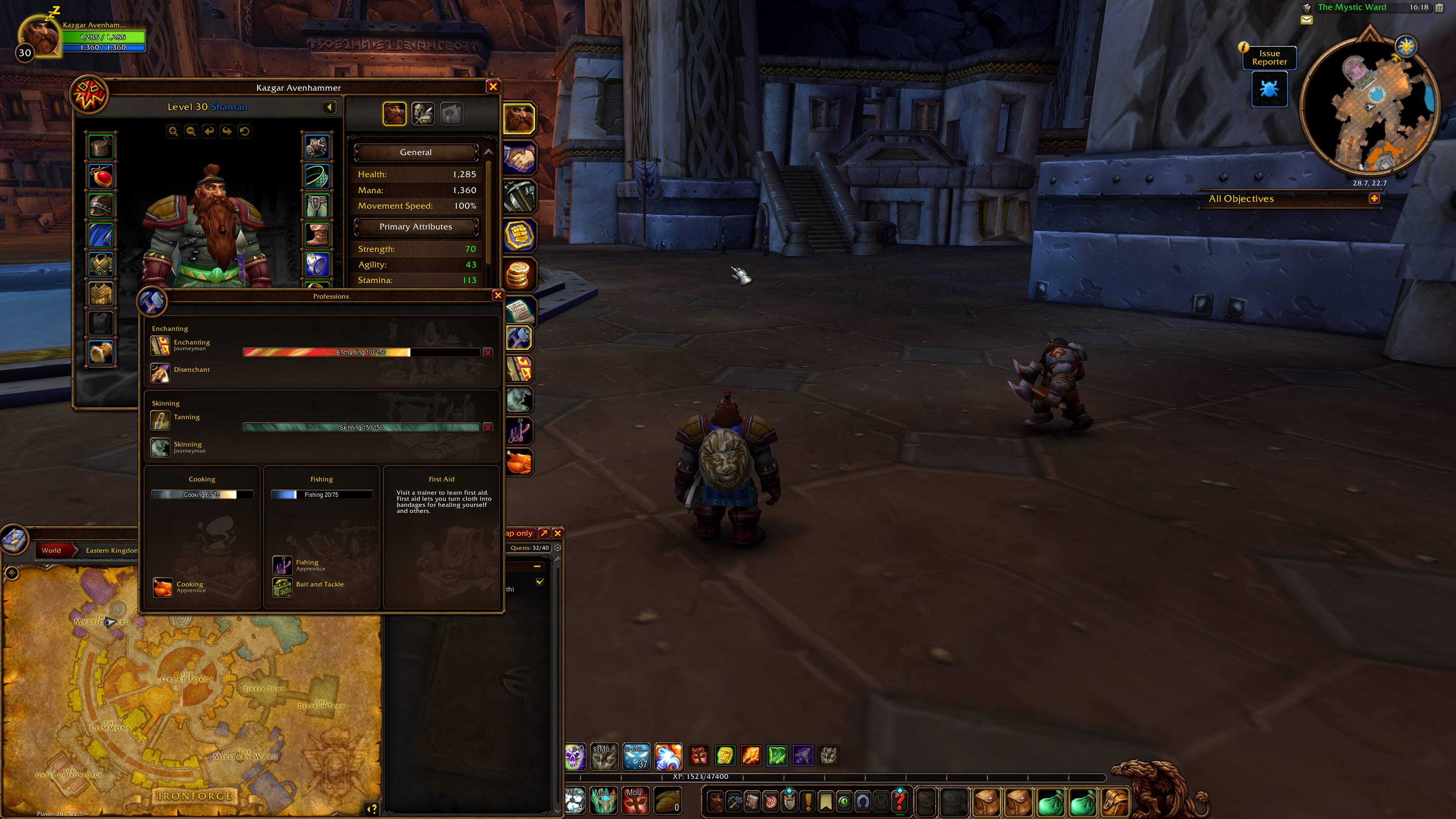
MovablePanels_Game_Example2.jpg
Description
Movable Panels: move and scale the game's windows
Drag any window by its title bar and put it where you want it. Scroll the mouse wheel over the title bar to resize it. Positions and sizes are remembered, and windows stay open side by side, so you can keep Character, Talents and Professions up together without them replacing each other.
- Right-click menu: right-click any window's title bar for a small menu.
- Reset this panel puts it back to its default position and size in one click, so you can experiment freely.
- You can also lock a window so it can't be moved or resized by accident, and open the settings.
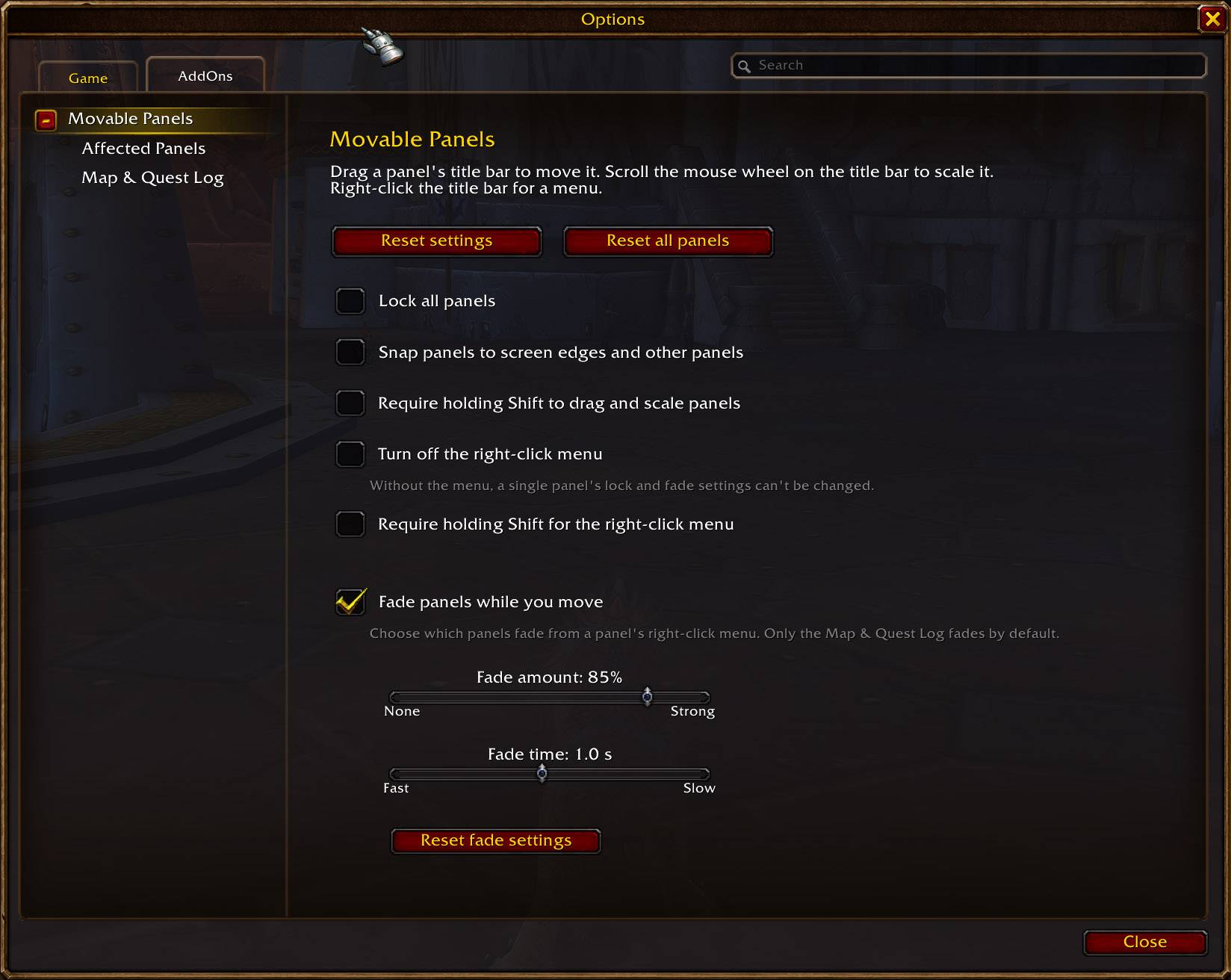
- Fade while moving: the same menu has "Fade while moving", which makes a window see-through while your character moves, so it never blocks your view when you run.
- It's set per window, so a window like the quest log can fade while Character stays solid. One setting on the options page controls how much and how fast, and there's one switch to turn the fading on or off for every window at once.
Map & Quest Log module (a separate addon in the download; switch it off if you don't want its features)
- New quest list filters: show only your newest quests (marked with a green bar), quests by difficulty colour, elite or dungeon quests, or the ones that are ready to turn in.
- Choose your view: a button on the map's title bar switches between the map with the quest log, map only, and quest log only, and remembers your choice.
- The map remembers its zoom and position when you close and reopen it.
- A new Home button on the map takes you straight back to your current zone.
Movable Panels Team