Mixolas Companion
- By
Controller-friendly chat, mailbox, and Auction House keyboards for WoW Classic Era and Hardcore.
Screenshot 2026-10-31 061134.png
MXC_Chat Channels.png
MXC_Mailbox QWERTY.png
MXC_NumberPad.png
MXC_AuctionHouse QWERTY.png
Description
Mixolas Companion
Controller-friendly chat, mailbox, and Auction House controls for World of Warcraft Classic Era and Hardcore.
Mixolas Companion adds clickable on-screen keyboards and numeric input wheels to Blizzard's existing interface, making everyday tasks more convenient when playing with a controller. It is a standalone addon and can be used alongside Mixolas Bars, but Mixolas Bars is not required.
Features
Chat channel wheel
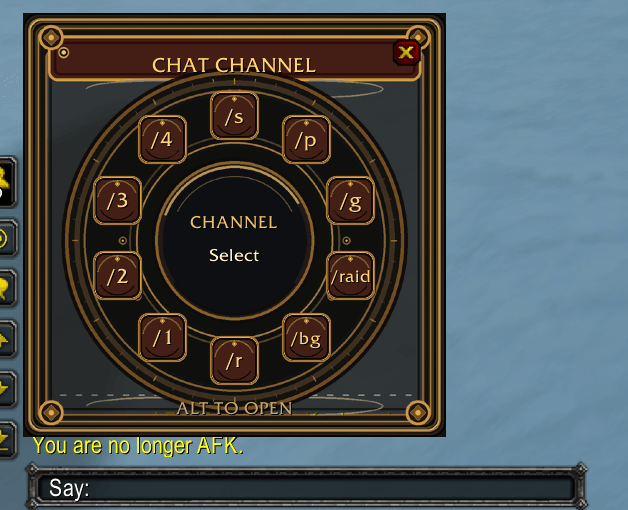
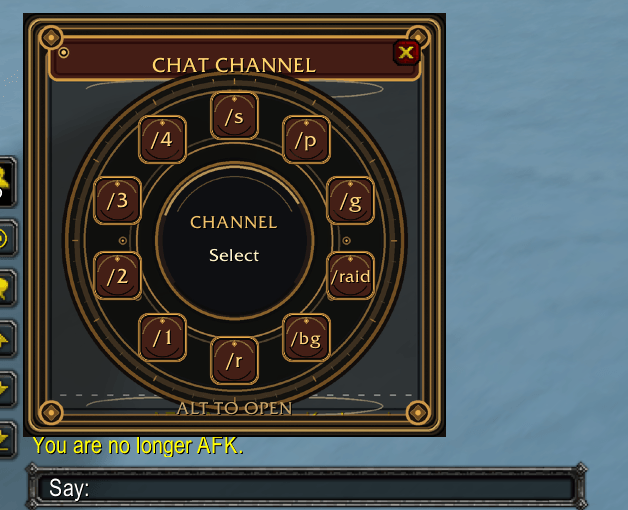
Open the normal WoW chat box and press Alt to choose Say, Party, Guild, Raid, Battleground, Reply, or numbered channels where available. Selecting a channel preserves your drafted message; it doesn't send it.
Mailbox helpers
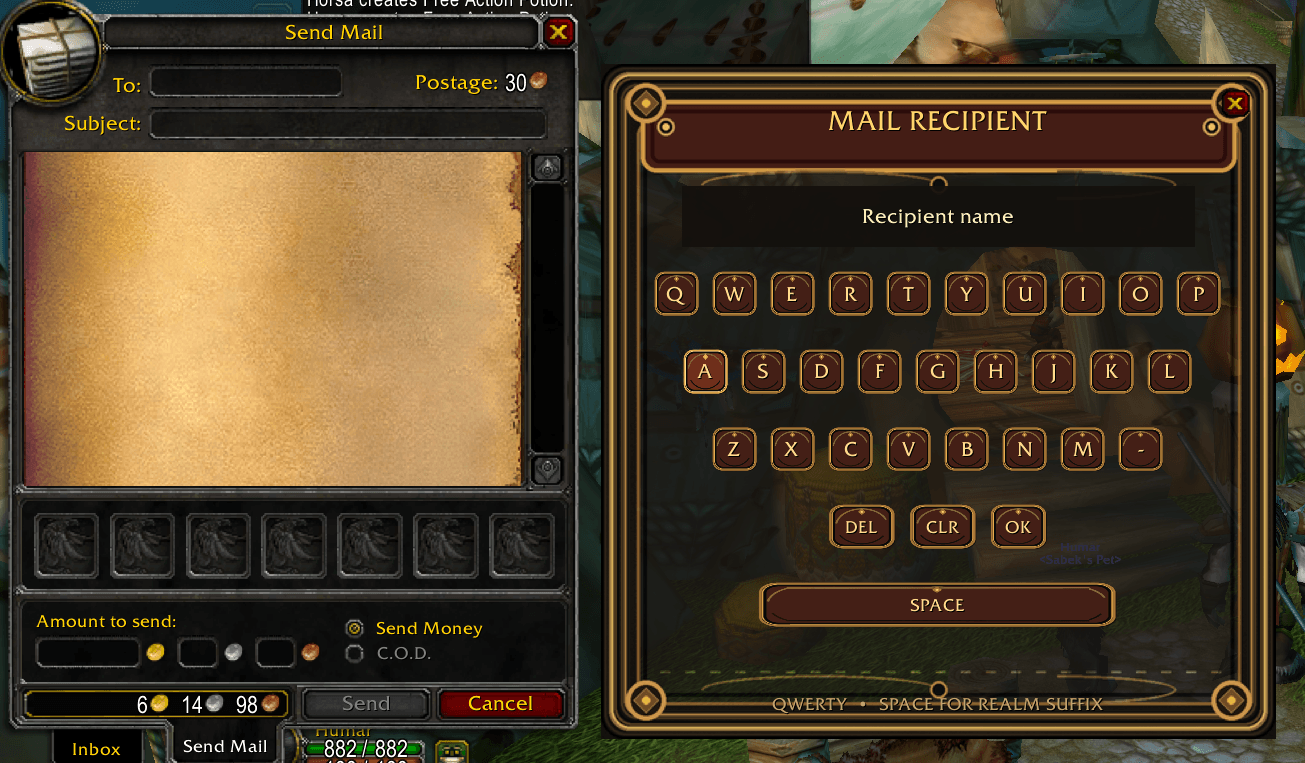
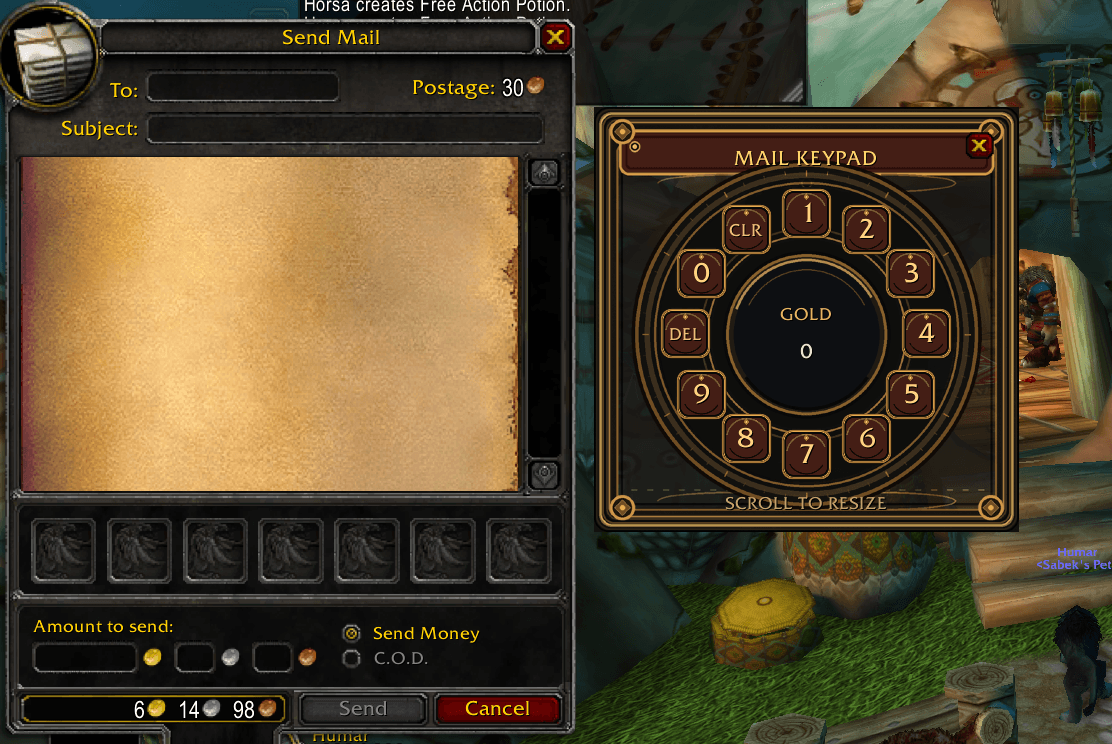
Use a numeric wheel for gold/silver/copper amounts and QWERTY on-screen keyboards for the recipient and subject fields. Recipient autocomplete uses Blizzard's available suggestions.
Auction House helpers
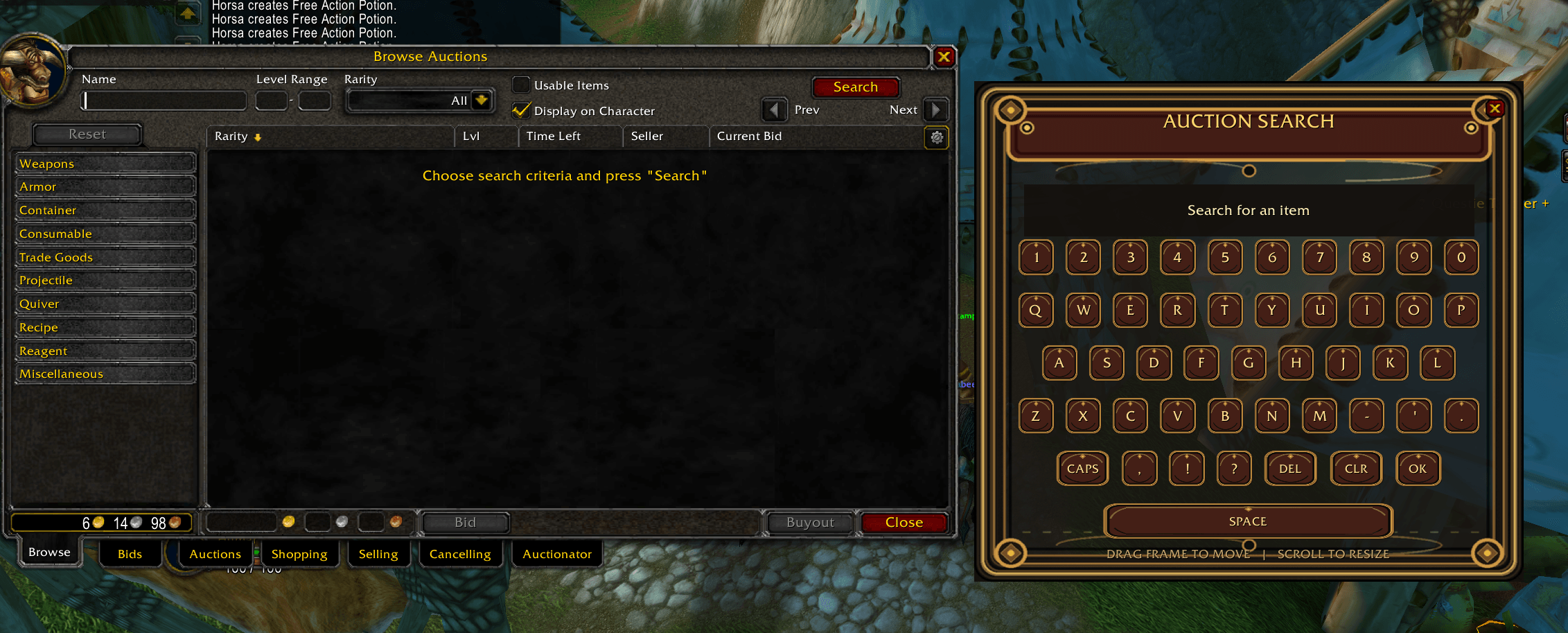
Use an on-screen QWERTY keyboard for Auction House searches and a numeric wheel for supported Blizzard bid/price entry fields. The addon never automatically buys, bids, posts, or cancels auctions.
Settings panel
Type /mxc for three pages: Chat, Mailbox, and Auction House. Enable or disable features, adjust six window sizes using live sliders, or enter exact sizes into numeric fields. Changes are saved automatically. Sliders resize the corresponding UI immediately if it has already been created.
How to use
- Install MixolasCompanion in your Classic Era / Hardcore
Interface/AddOnsdirectory and enable it. - Type
/mxcto open settings and configure the three feature pages. - At a mailbox or Auction House, click a supported Blizzard input field to open its corresponding on-screen keyboard or numeric wheel.
- For chat, open the standard chat input first, then press Alt to open the channel selector.
Compatibility and known limitation
Built for Classic Era / Hardcore using Blizzard's native interface. Stack Size and Number of Stacks in the Classic Auction House are not supported by Companion's numeric wheel. Use Blizzard's ordinary controls for those two inputs. Third-party Auction House replacements are not supported.
Mixolas Bars is optional. No controller profile changes are required, and all actual chat, mail, and auction transactions remain under the player's control.
Created by Mixolas HasKill.
Mixolas Companion Team