Mirra´s Simple Combo Points
- By
Shows your combo points directly on your target's nameplate in WoW Forever. Customizable size, colors, shape and position.
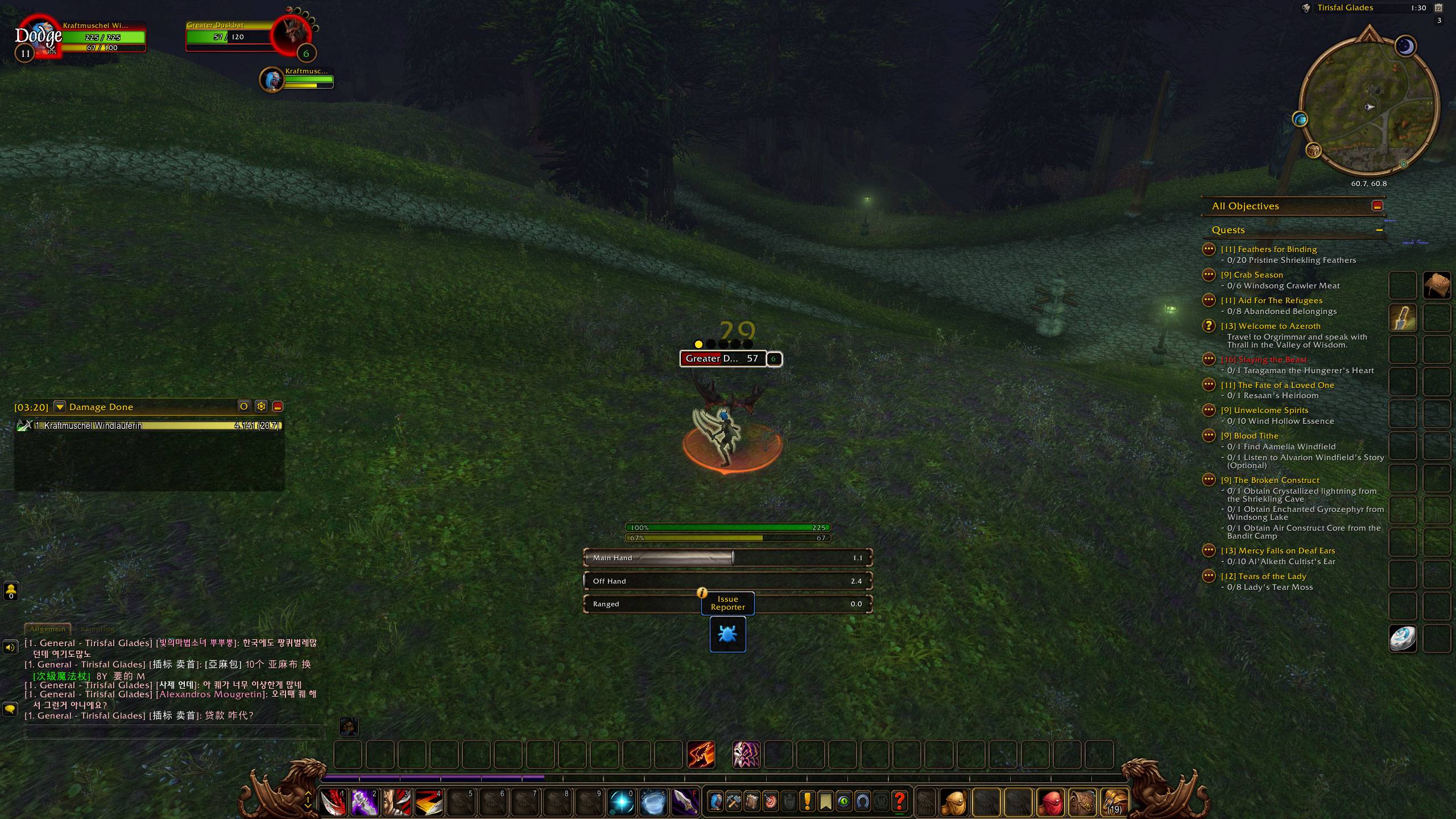
1 Point - Dots style
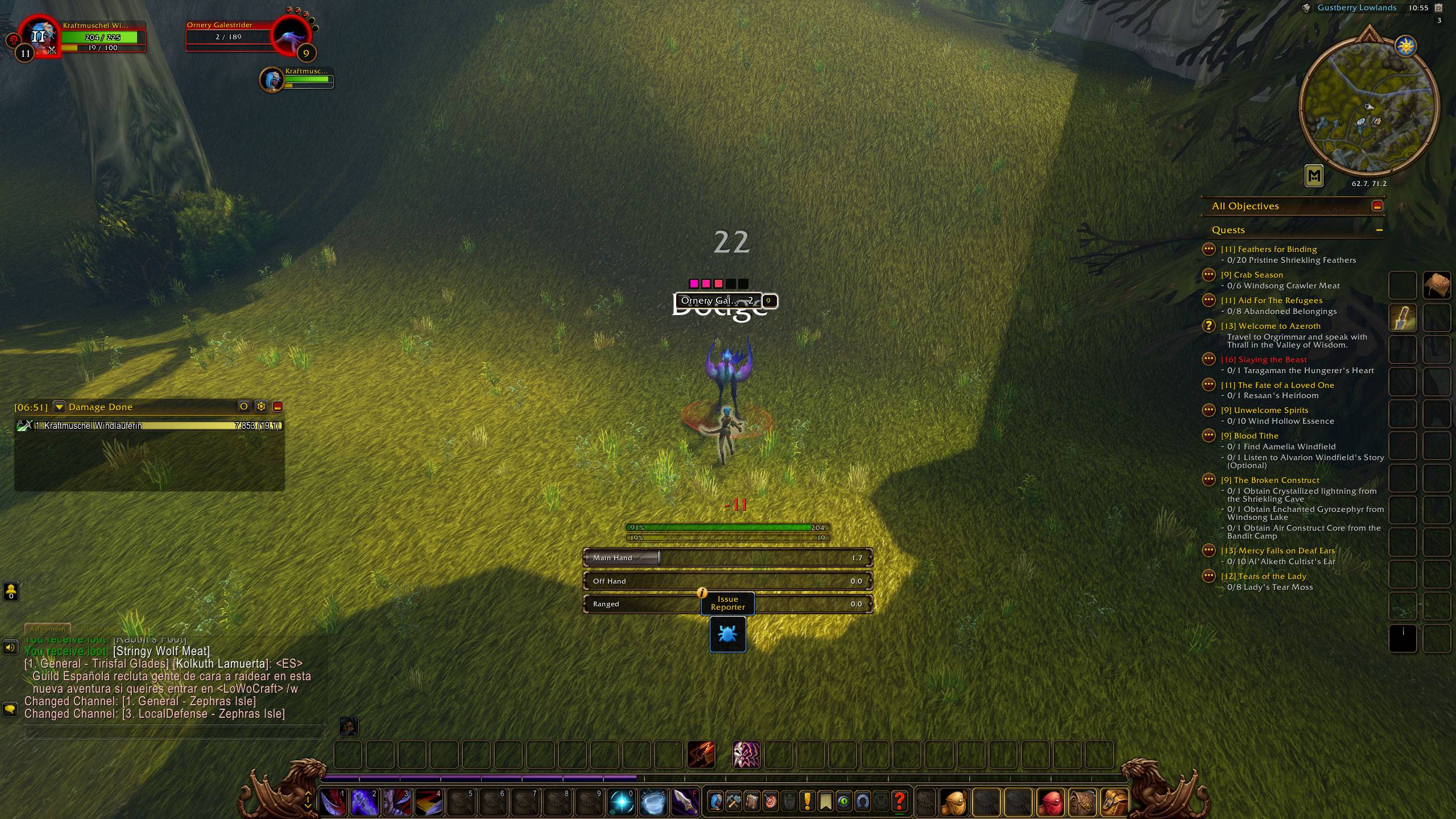
3 Points - Square style custom color
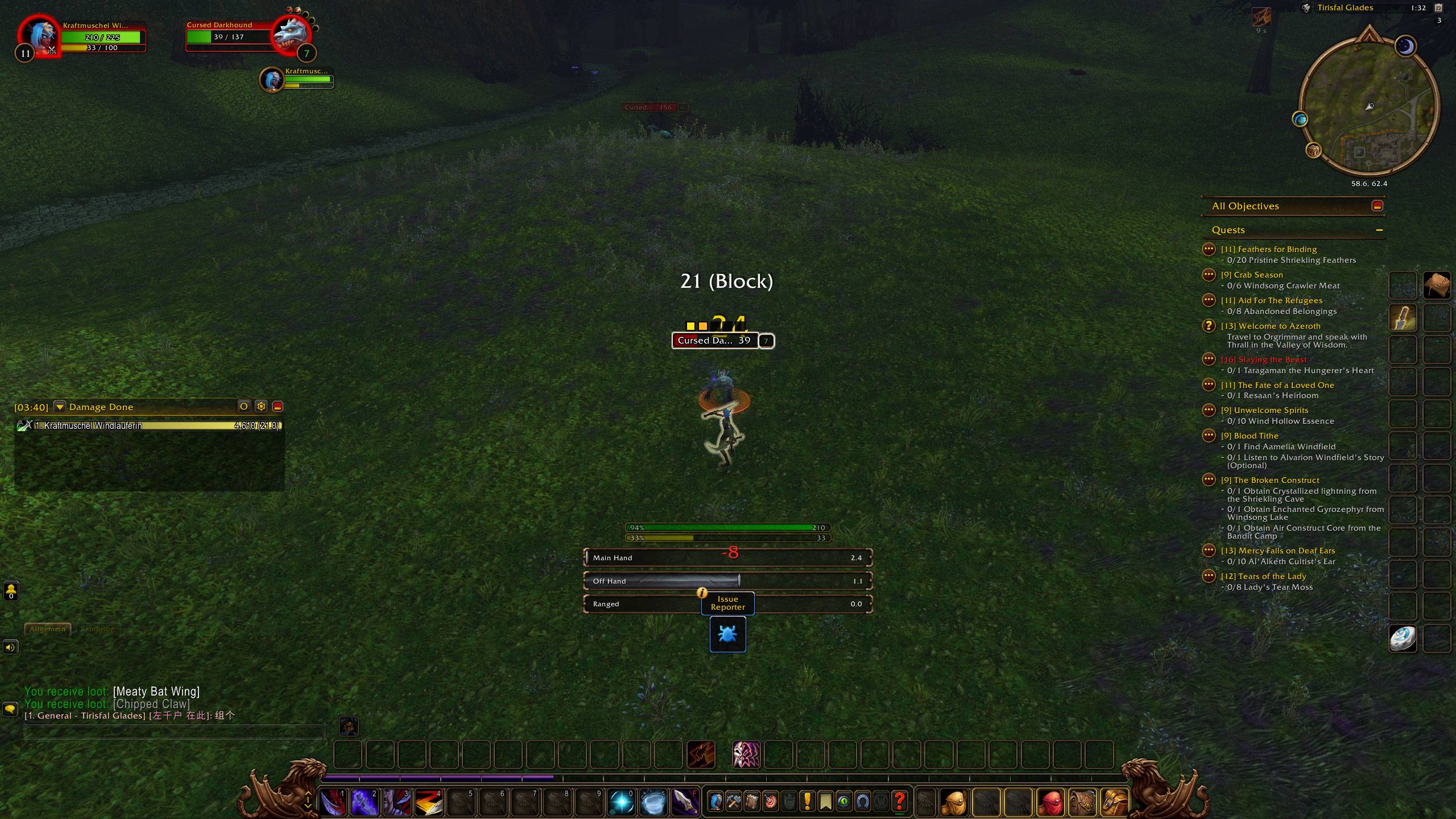
2 Points - Square style
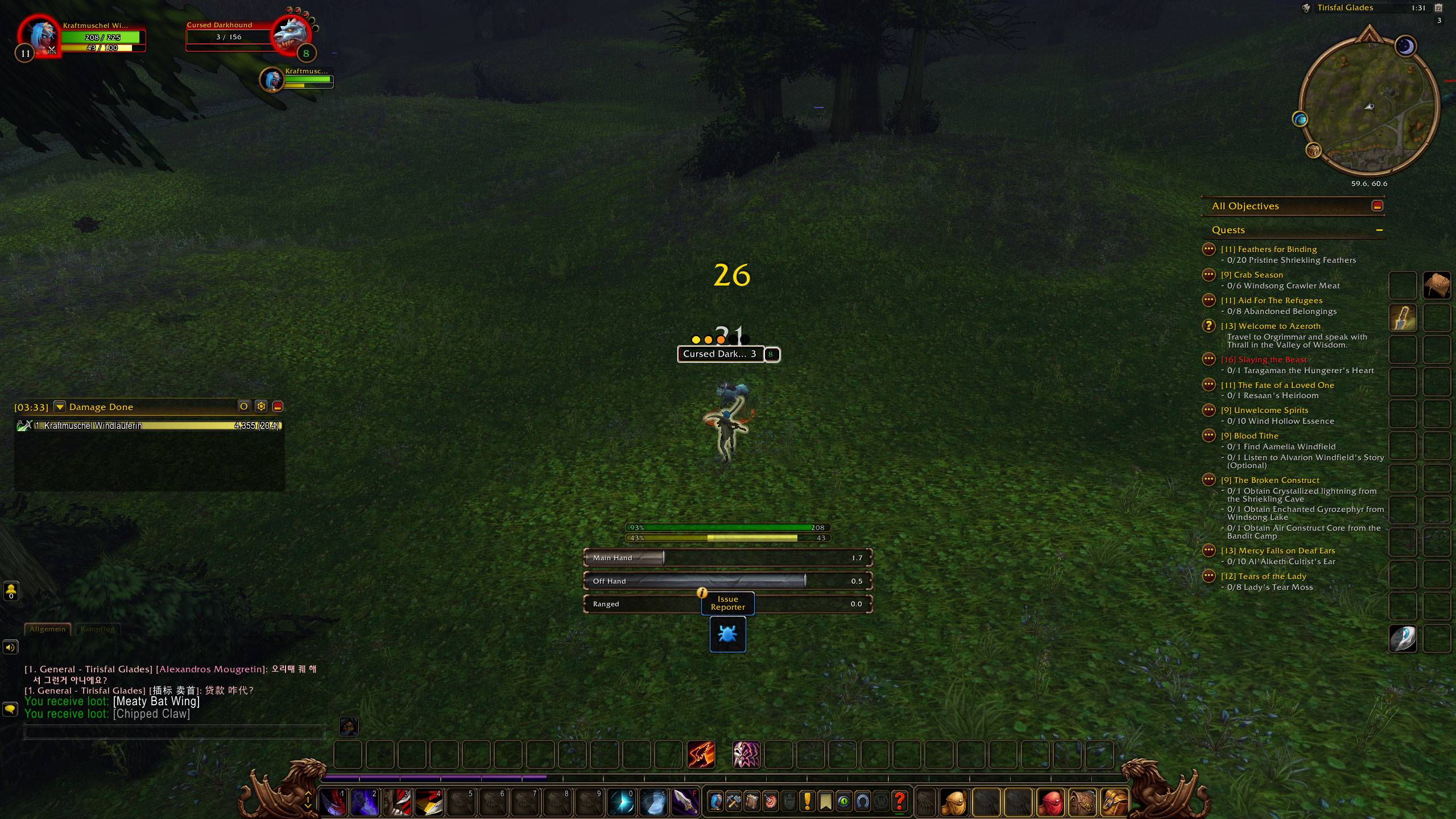
3 Points - Dots style
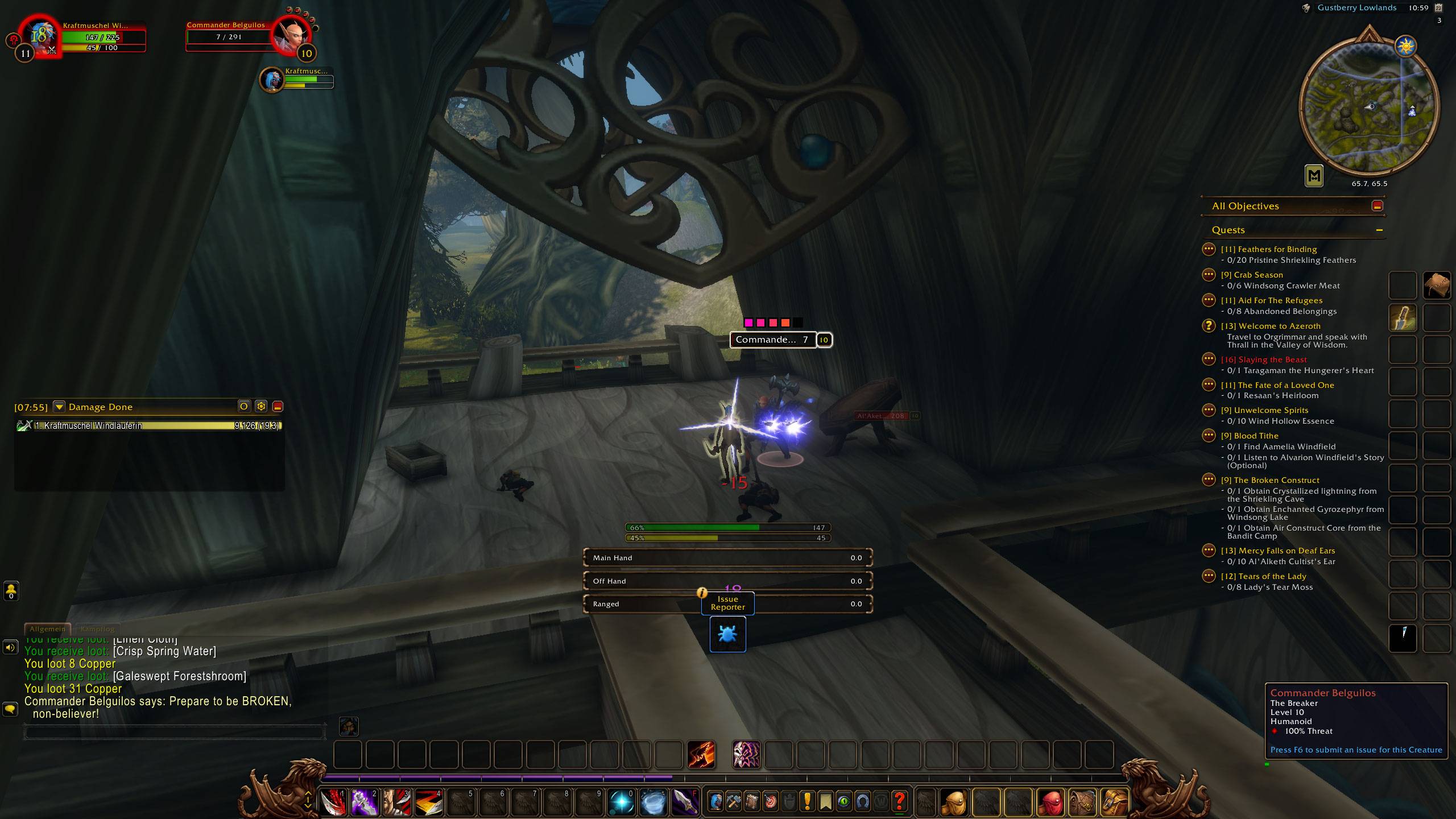
3 Points - Square style custom color
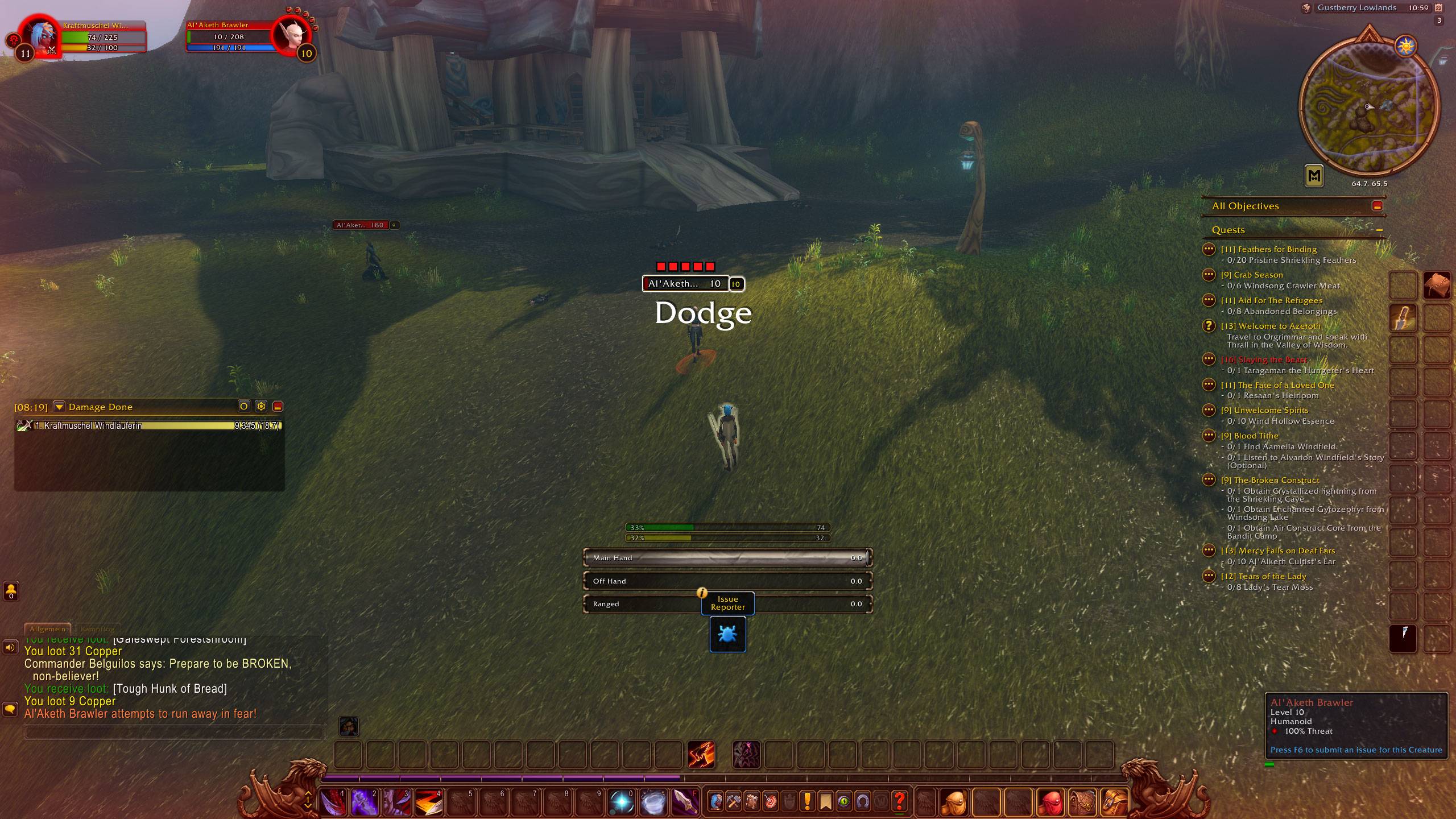
5 Points - Square style custom color
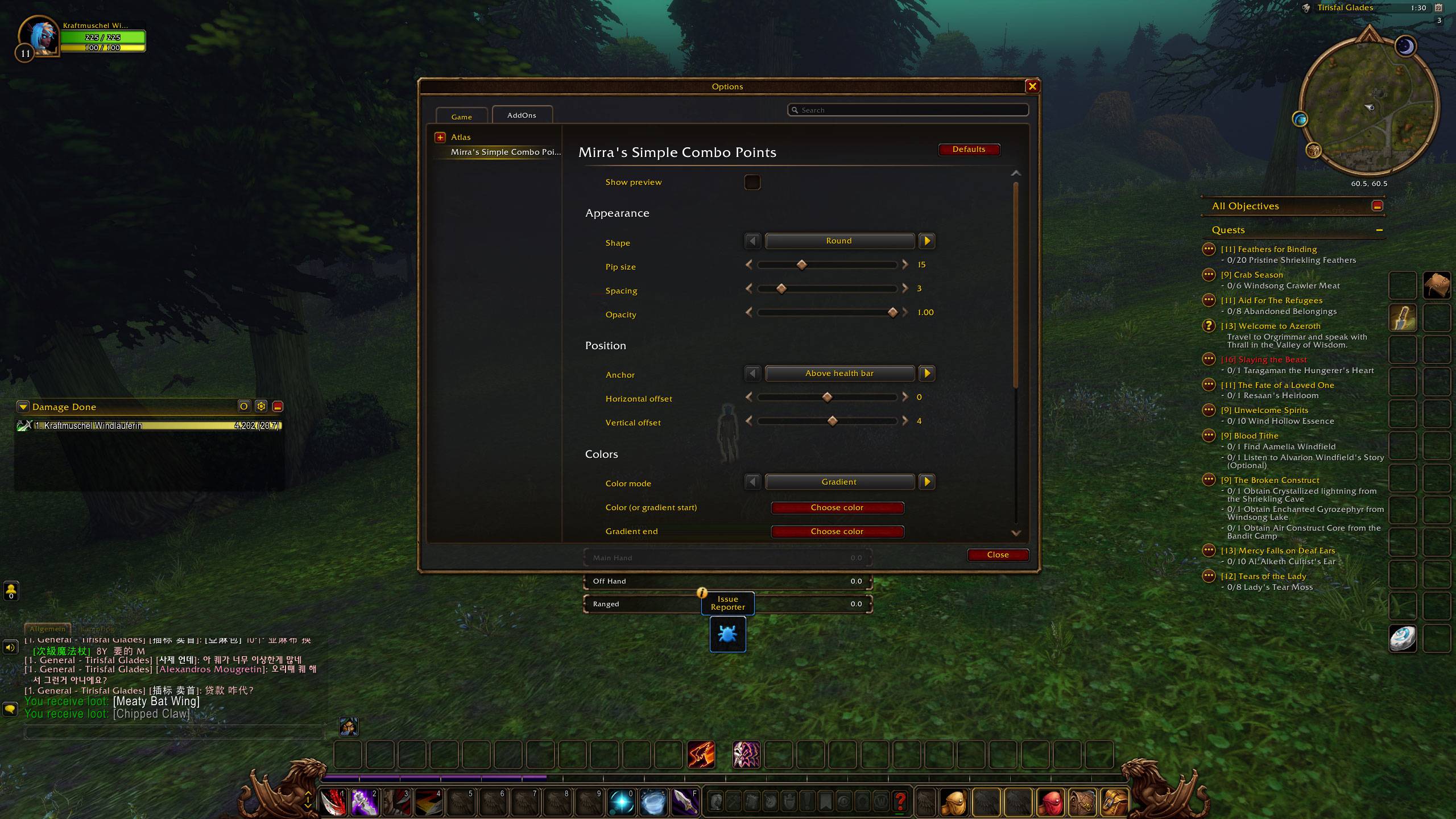
Settings Panel
Description
Mirra's Simple Combo Points
Shows your combo points on your target's nameplate.
A lightweight addon for WoW Forever.
Features
- Combo points above or below your target's health bar
- Round or square pips
- Adjustable size, spacing, opacity and position
- Gradient or single color
- Custom color when all points are full
- Custom color for empty slots
- Option to hide at 0 combo points
- Live preview in the settings
- Settings under Options → AddOns
Usage
Enemy nameplates must be enabled (default key: V).
Open the settings with /mscp or via Options → AddOns → Mirra's Simple Combo Points.
Compatibility
Note: This addon has only been tested with the default Blizzard nameplates. Other nameplate addons may not work correctly.
Commands
/mscp– open settings/mscp window– open compact settings window/mscp size <4-40>– pip size/mscp spacing <0-20>– spacing/mscp x <n>//mscp y <n>– position offset/mscp top//mscp bottom– above or below the health bar/mscp empty– hide at 0 combo points on/off/mscp slots– empty slots on/off/mscp login– login message on/off/mscp reset– restore defaults/mscp debug– print diagnostics
Bug reports & feedback
Please leave a comment and include the output of /mscp debug.
Mirra´s Simple Combo Points Team