Mirra's Group XP
- By
Leveling is better with friends. Elegant real-time XP bars for your whole party, plus handy !xp, !roll and !count chat commands.
Full Dummy Bars
Dummy Testbars
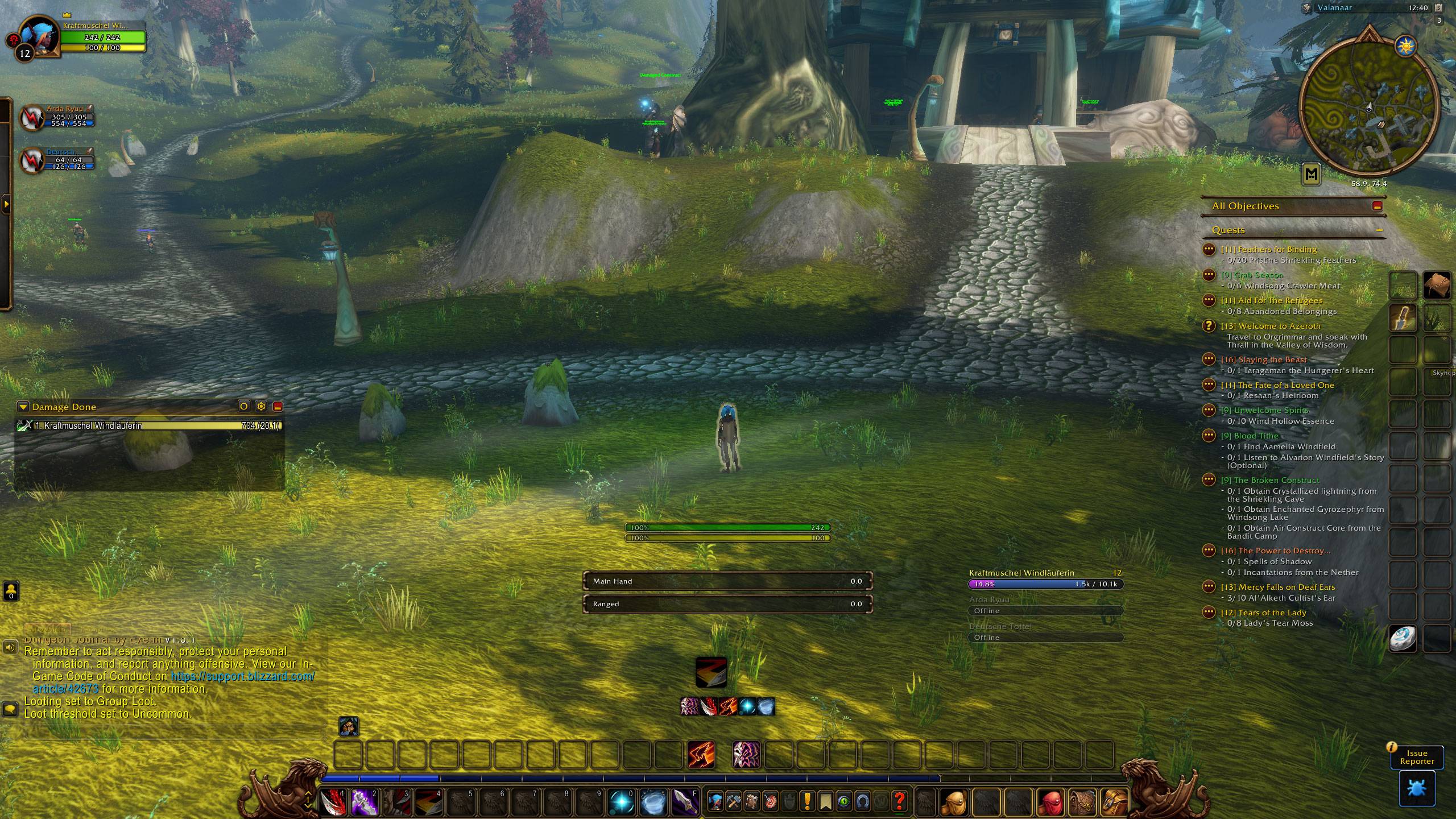
Offline Bars
Description
Mirra's Group XP
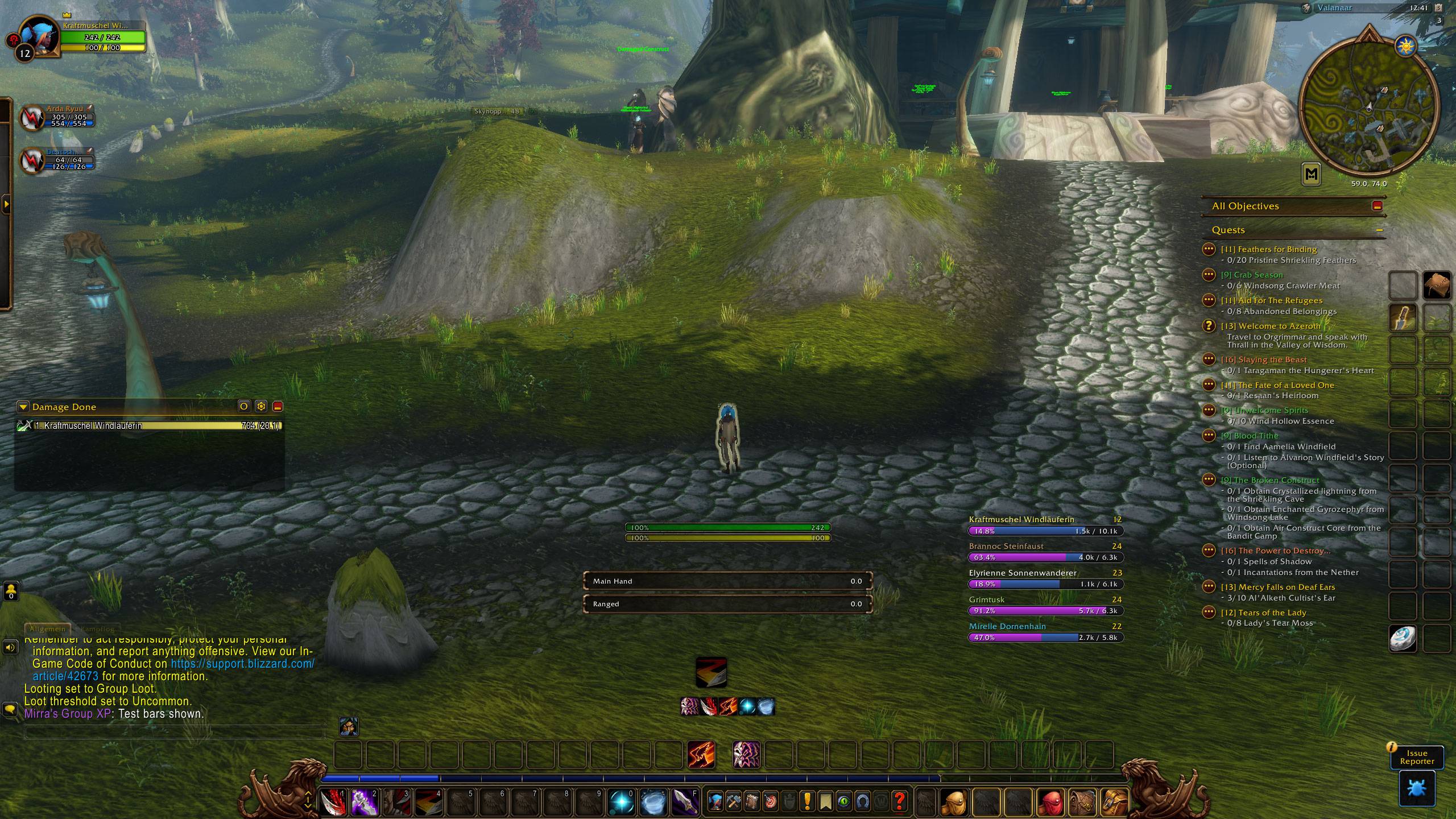
Leveling is better with friends. Mirra's Group XP shows elegant real-time XP bars for your whole party, so you always know who is about to ding next. Add a few handy chat commands for group rolls and item counts, and leveling together has never been easier.
A complete rework of the classic Group XP addon, rebuilt from scratch for WoW Forever.
Party XP bars
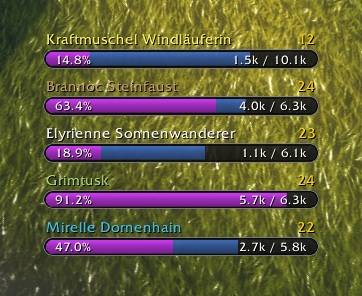
- Real-time progress – one bar per group member with class-colored name, level, percent and XP values
- Elegant design – rounded bars in the style of the WoW Forever resource bars
- Rested XP shown as a blue overlay
- Full character names – first name and surname, long names are shortened automatically
- Tooltip info – hover over a party member to see their XP
- Offline detection – offline members are grayed out
- Easy to move – hold Ctrl and drag the bars wherever you like
Play together with chat commands
Type these in party or instance chat – everyone with the addon responds:
!xp– everyone posts their level and XP (also works via whisper and Battle.net whisper)!roll– everyone rolls 1-100 at once!roll 50– everyone rolls 1-50!roll 10 50– everyone rolls 10-50!count <item>– everyone posts how many of that item they have, e.g.!count Linen Cloth
Celebrate every ding
When you level up, the addon posts a message to your group chat. Write your own message in the settings – [level] is replaced with your new level.
Settings
Open Options → AddOns → Mirra's Group XP or type /mgxp to adjust width, height, scale and spacing and to turn every feature on or off.
Slash commands
/mgxp– open the settings (also/gxpand/groupxp)/mgxp test– show test bars to preview the layout without a group/mgxp show//mgxp hide– show or hide the bars/mgxp request– ask your group for their XP/mgxp status– show the sync status of your group/mgxp debug– toggle sync debug messages/mgxp reset– reset all settings/mgxp help– list all commands
How it works
Group members with the addon share their XP automatically whenever it changes. Members without the addon show "No data" – but if anyone answers !xp in party chat, their XP is picked up as well (this also works with the old Group XP addon).
Credits
Based on the original Group XP by Clamchowder & Kekshaus.
Mirra's Group XP Team