Changelog ⬇
v1.2.7 :
- Improved the button’s display (it should no longer constantly stay on top, which could interfere when using large in-game windows, such as the Transmogrification window).
- Improved the icon add/remove system, which could sometimes fail to register middle-clicks, causing the clicked addon to open instead of moving the icon.
v1.2.5:
Midnight compatibility update
v1.2.3:
Editing game version for retail (11.2.0)
v1.2-2:
Update for MoP Classic.
v1.2-1:
Fixed version issue for wow retail.
v1.2:
You can now choose to save your settings per character or per account
with the "/mms toggle" command.
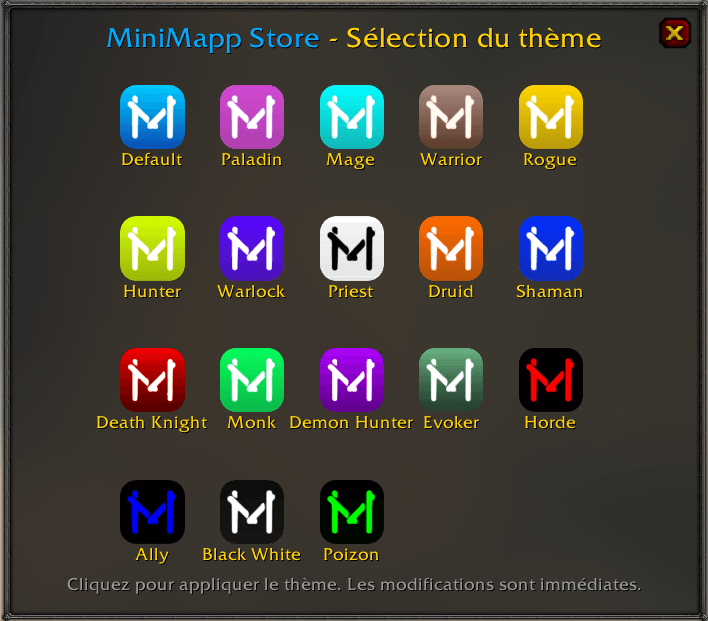
NEW FEATURE : Choose a button theme from 18 possibilities!
Use the "/mms theme" command to open the selection window.
v1.1:
Now available for Cataclysm Classic and Retail.
Improved compatibility with ElvUI/Tukui.
Improved detection of minimap scale changes for more accurate button repositioning.
Button size adjustment method changed (now: hold the Alt key and scroll on the button).
Even the Lich King is tired of messy minimap icons !
 - MiniMapp Store : The perfect solution !
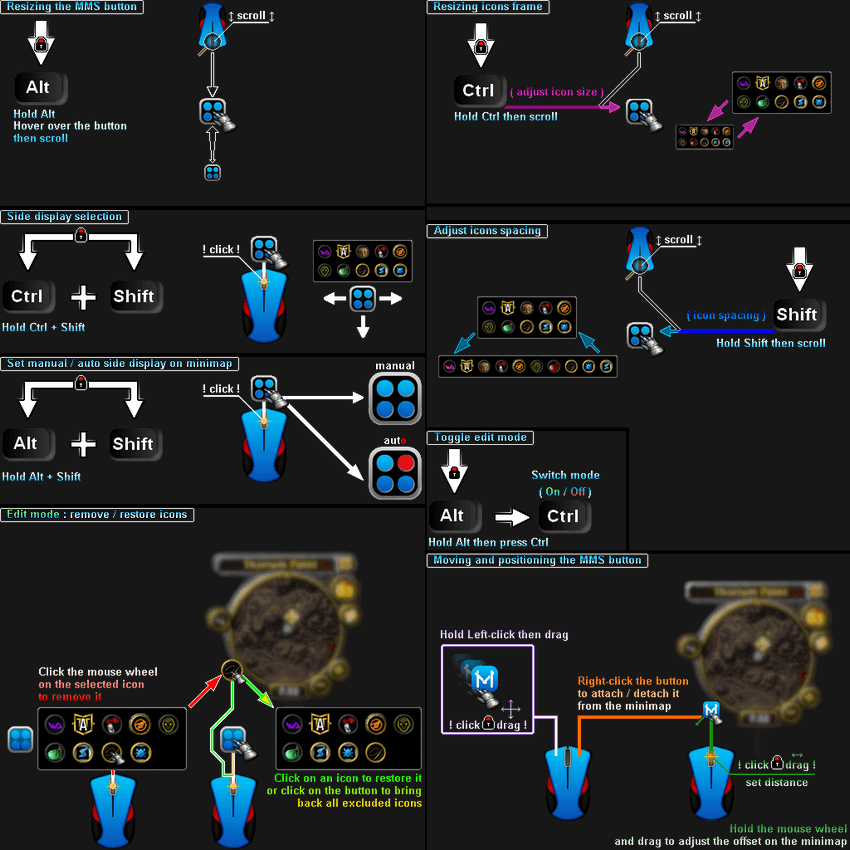
This addon collects all your scattered minimap icons and organizes them into a sleek, adjustable frame.
- Features:
✅Automatically gathers minimap icons into a single container.
✅Easily show, hide, remove, or restore icons when needed.
✅Customizable icon size, spacing, and frame placement.
✅Attach/detach the MiniMapp Store button from the minimap.
✅Quick drag-and-drop positioning for optimal layout.
No more hunting for lost icons — Take control of your UI
Get a comprehensive overview of the features below ⬇ or view the gallery.
MiniMapp Store Team