MinimapButtonBag Reborn
- By
One MinimapButtonBag for Retail, WoW Forever, Classic Era, TBC Classic and MoP Classic, featuring button management, profiles, custom sorting and flexible positioning.
MiniMap.png
MiniMapOpen.png
Minimaplose.png
Description
MinimapButtonBag Reborn
Keep your favorite minimap buttons visible and tuck the rest away.
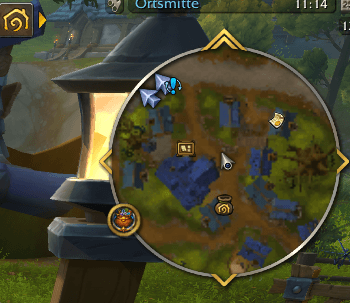
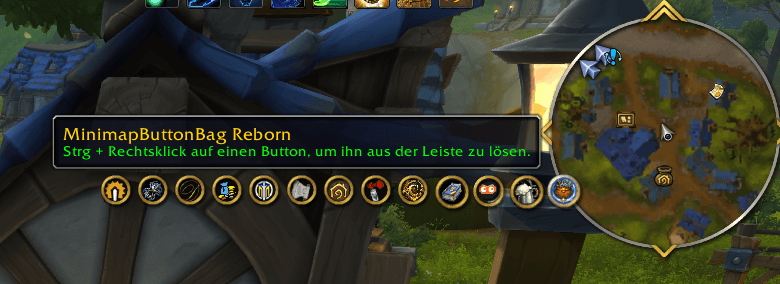
MinimapButtonBag Reborn (MBB Reborn) collects addon icons into a single expandable bar. Pin the buttons you use every day, arrange them in your own order, or sort them alphabetically. When the bar is collapsed, your pinned buttons stay within reach.
Button Manager
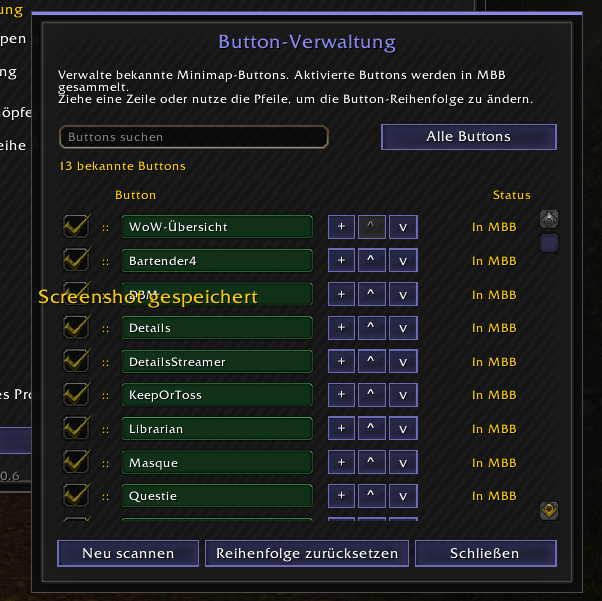
Open the Button Manager from MBB settings or type /mbb manager.
- Search by name and filter the list by All buttons, In MBB, or Excluded.
- Choose what MBB collects. Check a button to collect it or uncheck it to leave it on the minimap. The list also shows when a known button is unavailable.
- Pin your favorites. Use + to pin a collected button and − to unpin it.
- Arrange buttons manually. Select All buttons and clear the search to reorder rows by dragging them or using the up and down arrows. The manager also lets you reset the order and rescan for missing buttons.
Common technical prefixes are removed from display names. Hover over a row to see its full internal name.
Sorting, layout, and position
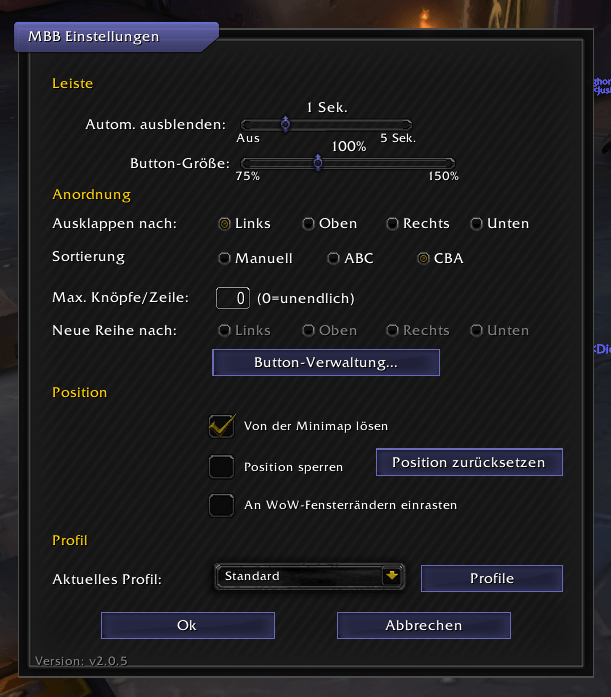
Choose Manual, ABC (A–Z), or CBA (Z–A) in the settings. When the bar expands to the left, the alphabetical order reads from left to right. Switching back to Manual restores your saved order.
- Choose the direction the bar expands, the maximum number of buttons per row, and the direction new rows grow.
- Scale the MBB button and collected icons from 75% to 150%.
- Set an automatic collapse timer or turn it off.
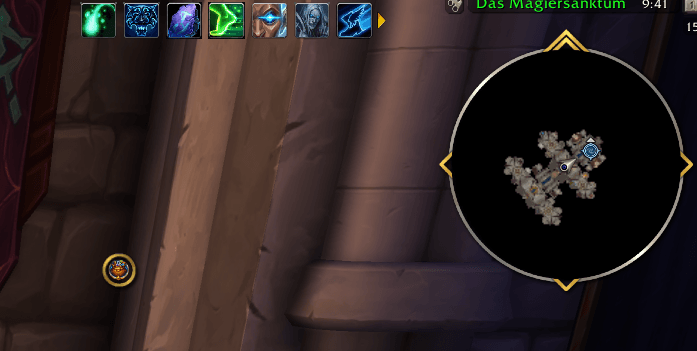
- Detach the MBB button, move it around the WoW window, lock its position, or snap it to the window edges.
- Use Reset position to return the MBB button to its default spot on the minimap.
Settings and controls
Configure MBB directly under Options → AddOns → MinimapButtonBag Reborn, or right-click the MBB button to open its movable settings window. The standalone window shows the installed version. It uses MBB’s gray theme by default and adopts MUI Reborn’s title plaque and theme color when MUI is loaded. MUI is optional.
| Control | Action |
|---|---|
| Left-click the MBB button | Expand or collapse the bar |
| Right-click the MBB button | Open MBB settings |
| Middle-click the MBB button | Hold the whole bar open or resume the collapse timer |
| Ctrl + right-click an addon icon | Move the icon between MBB and the minimap |
Collected icons retain their addon-specific mouse actions. You can also assign keys to toggle the bar and open MBB settings in WoW’s Keybindings menu.
Profiles
Create, rename, duplicate, delete, or switch profiles from MBB settings. New profiles start as a copy of the active profile.
Profiles save the layout, scale, timer, position, sorting mode, manual order, and pinned buttons. Button exclusions are saved per character. The Default profile is protected from renaming and deletion.
Supported WoW clients
- World of Warcraft Retail / Midnight
- World of Warcraft Forever
- WoW Classic Era
- The Burning Crusade Classic
- Mists of Pandaria Classic
One addon package supports all listed clients.
Commands
| Command | Action |
|---|---|
/mbb |
Show available commands |
/mbb buttons |
List known minimap buttons |
/mbb manager |
Open the Button Manager |
/mbb profiles or /mbb profile |
Open the Profile Manager |
/mbb rescan |
Scan the minimap again for buttons |
/mbb reset position |
Reset the MBB button’s position |
/mbb reset all |
Reset settings and manual button order |
/mbb patch |
Check WoW patch compatibility |
/mbb about |
Show the installed version and credits |
TBC Classic also runs delayed scans for buttons that appear after login. MBB can warn about WoW patch compatibility and notify you in chat when another MBB user’s client reports a newer stable version.
Languages
English, German, French, Italian, Korean, Russian, Simplified Chinese, and Traditional Chinese. English is the fallback language.
Credits
MBB Reborn is an independent continuation of MinimapButtonBag 4.0.26.
- Original authors — karlsnyder, vallantv, SkunFly
- Contributor — CosmicCleric
- Maintainer — GrazyMonster
MinimapButtonBag Reborn Team