Mini AH
- By
A lightweight TBC auction house scanner that logs your bags and bank and calculates the profit on any item you’d sell.
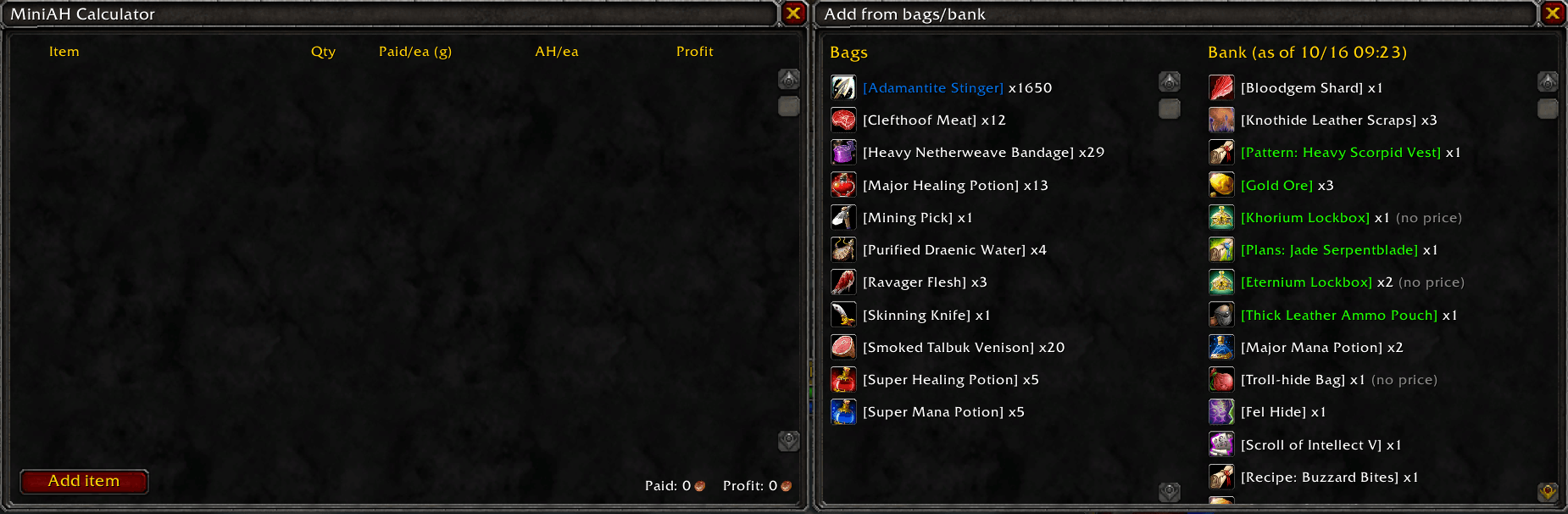
image_2026-10-16_093612924.png
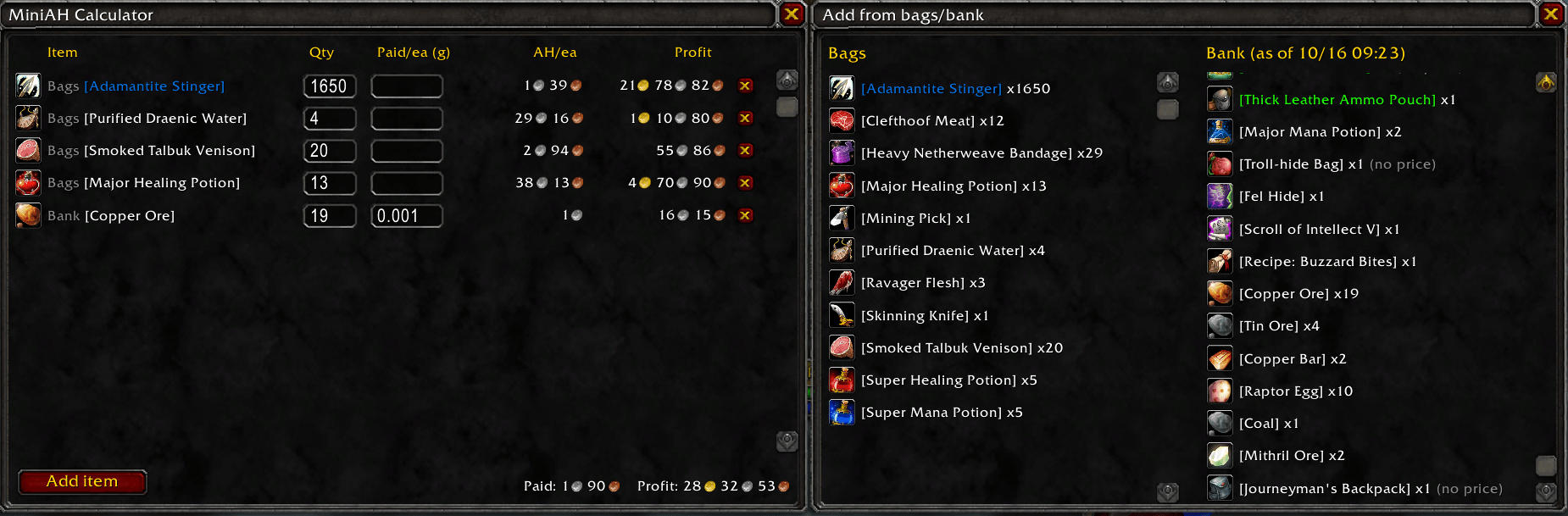
image_2026-10-16_093658180.png
Description
MiniAH
A lightweight auction house scanner and profit calculator for TBC.
Big AH addons do everything. MiniAH does a few things: it scans the auction house, keeps track of what's in your bags and bank, and tells you what your stuff is worth.
Features
Auction house scanning
- Full AH scan: pulls every auction in one go and saves the lowest buyout price per unit for each item.
- Quick scan fallback: Blizzard only allows a full scan about once every 15 minutes. If you scan during that cooldown, MiniAH searches the AH for just the items in your bags and bank instead.
- Prices are saved between sessions, so you don't need to rescan every time you log in.
Automatic bank logging
- Your bank is logged as soon as you open it.
- The log updates as you deposit and withdraw items, so it always matches what's actually in there.
- You can see your bank contents in the calculator from anywhere in the world, not just at the bank.
Profit calculator
- Open it with
/miniah calc. It opens automatically after a scan, too. - Your Bags and Bank are listed side by side. Click any item to add it to the calculator.
- For each item you can set:
- Qty: how many you're selling (defaults to how many you own)
- Paid/ea: what you paid per item, in gold (leave it blank for farmed items)
- MiniAH shows the current AH price and your profit after the 5% AH cut, plus totals for everything you've added.
- Soulbound items are skipped automatically since they can't be sold.
Commands
| Command | What it does |
|---|---|
/miniah scan |
Scans the AH (the AH must be open). Falls back to a quick scan of your items if the full scan is on cooldown. |
/miniah calc |
Opens the profit calculator. |
/miniah value [gold] |
Prints the total value of your bags and bank in chat. Add a gold amount to see your profit against what you spent, e.g. /miniah value 500. |
Getting started
- Open your bank once so MiniAH can log it.
- Open the auction house and type
/miniah scan. - When the scan finishes, the calculator opens. Click items from your bags or bank to see what they're worth.
Good to know
- AH cut: profit uses the 5% cut of the faction auction houses. Neutral auction houses (Gadgetzan, Booty Bay, Everlook) take 15%, so profit there will be lower than shown.
- Deposits aren't counted. You get your deposit back when an item sells.
- Bank logs are per character. Open the bank once on each character you want tracked.
- Full scans can freeze your game for a few seconds on busy realms. That's normal for a full AH scan.
- Quick scans take a few seconds per item. Closing the AH stops the scan, but prices found so far are kept.
- Prices are stored per item, so gear that comes in different random-stat versions all shares one price.
Feedback
Found a bug or have a feature idea? Leave a comment or open an issue. Bug reports with the error text from BugSack are especially helpful.
Mini AH Team