Minbaris - CurrencyEra
- By
Search the complete World of Warcraft currency list and jump directly to the best matching entry.
Screenshot 2026-10-16 174505.png
Screenshot 2026-10-16 174434.png
Description
Minbaris CurrencyEra
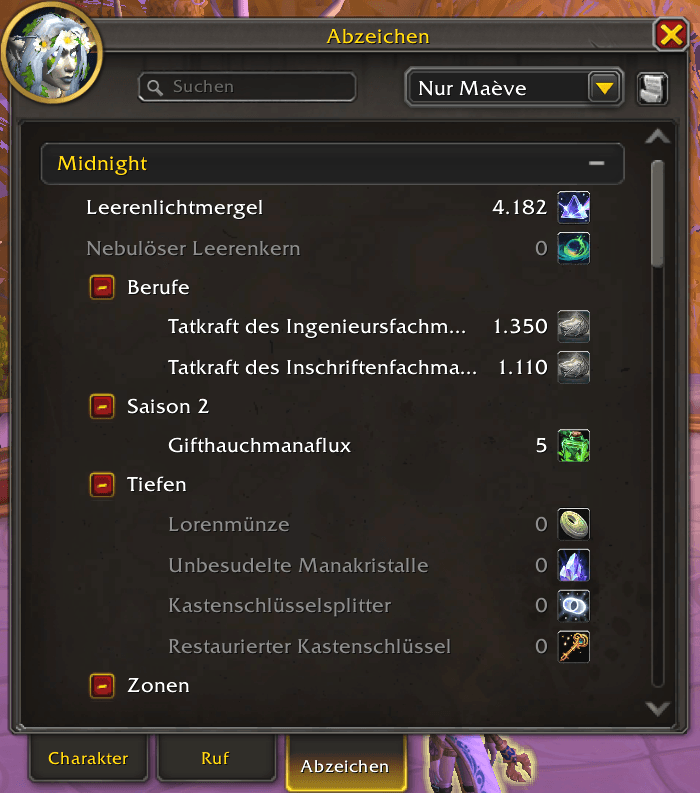
Minbaris CurrencyEra adds a convenient search field to the World of Warcraft currency tab.
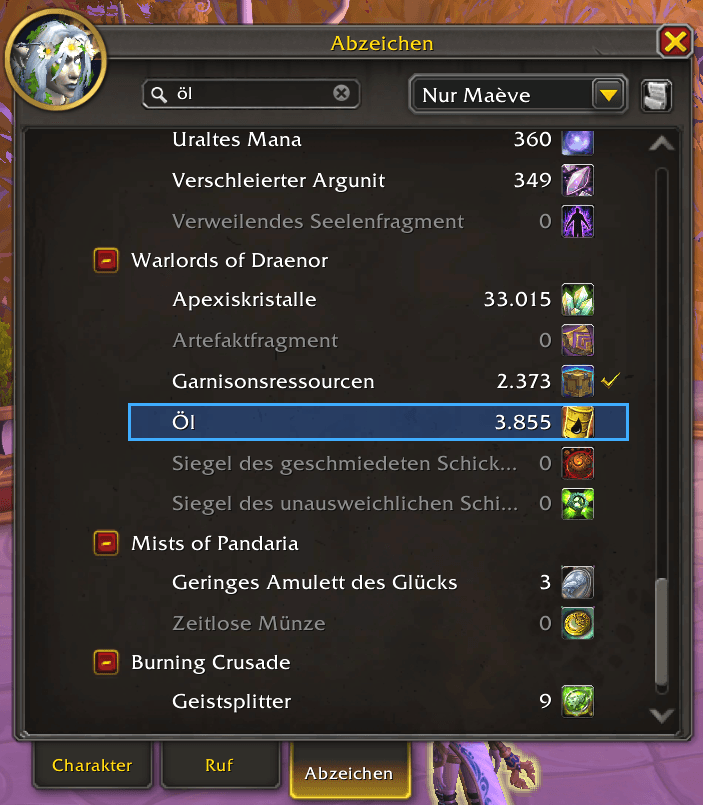
Instead of manually scrolling through every currency category, enter part of a currency name and the addon searches the complete list, opens the required categories, scrolls to the best matching entry and highlights it.
Features
- Adds a search field to the Currency tab
- Searches the complete currency list
- Searches currencies inside collapsed categories
- Jumps to the best matching currency while typing
- Press Enter to repeat the search and jump
- Ignores uppercase and lowercase spelling
- Supports German umlauts in search terms
- Prioritizes exact names, name beginnings and word beginnings
- Highlights the matching currency with a blue background and border
- Highlights currencies even when their current amount is 0
- Restores the normal currency view after clearing the search
- Does not modify currency amounts or perform currency transfers
Usage
- Open the Character window.
- Select the Currency tab.
- Enter a complete or partial currency name in the search field.
- CurrencyEra automatically selects the best match.
- Press Enter to jump to the result again.
- Clear the search field to restore the normal list.
Compatibility
- World of Warcraft Retail
- Interface version: 120105
- Tested for WoW Retail 12.1.5
Installation
Install the addon with the CurseForge app or extract the folder manually to:
World of Warcraft/_retail_/Interface/AddOns/
The installed addon folder must be named:
Minbaris_CurrencyEra
Restart World of Warcraft or enter /reload after installation.
Privacy and security
Minbaris CurrencyEra:
- does not transmit data
- does not send chat or addon messages
- does not collect personal information
- does not automate currency transfers
- does not execute macros
- does not contain external programs
The addon only reads the currency information provided by the World of Warcraft interface and changes the visual presentation of the Currency tab.
Feedback
If you encounter a problem, please include:
- your World of Warcraft version
- the searched currency name
- a screenshot of the Currency tab
- the complete Lua error message, if available
Minbaris - CurrencyEra Team